Inventory Count - Scanoid

Inventory Count - Scanoid


Download on App Store
Logo of Inventory Count - Scanoid

Inventory Count - Scanoid: Professional Barcode Scanning and Management in One View

Turn your iPhone into a high-speed PDA. Eliminate screen switching, skip the sign-up, and manage your inventory with split-screen efficiency and seamless Excel export.

Download on App Store

Publisher

Hyeonmyeong Ji

Category

Business

Downloads

0

User Rating

4.8/5

Total Ratings

0

Locales

33

Precision at Your Fingertips

Discover the interface used by 0 users.
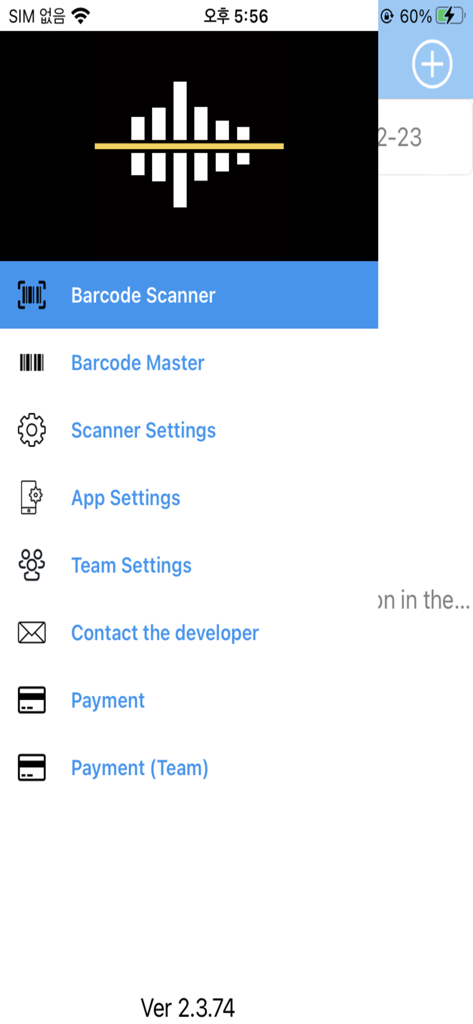
Main menu navigation interface of the Inventory Count Scanoid app listing features like Barcode Scanner Barcode Master and Team Settings

Main menu navigation interface of the Inventory Count Scanoid app listing features like Barcode Scanner Barcode Master and Team Settings

Split screen interface of Scanoid app for barcode scanning and inventory quantity input

Split screen interface of Scanoid app for barcode scanning and inventory quantity input

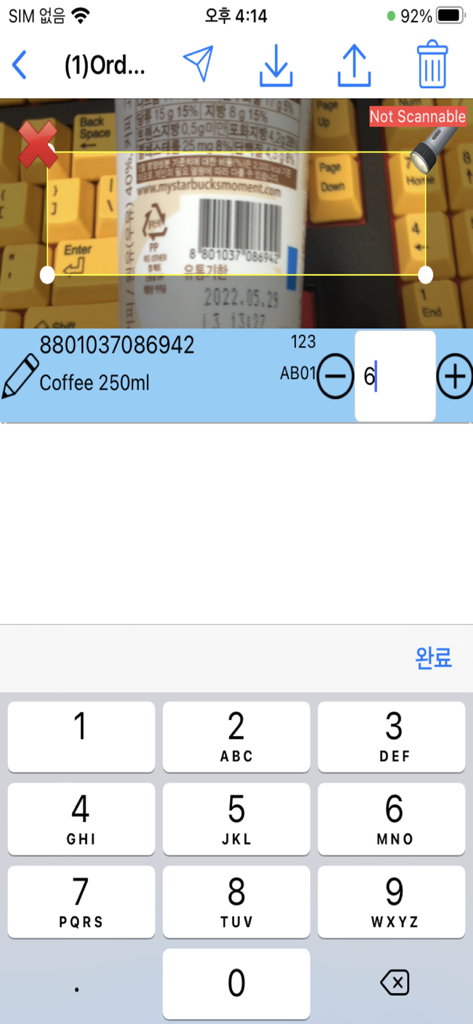
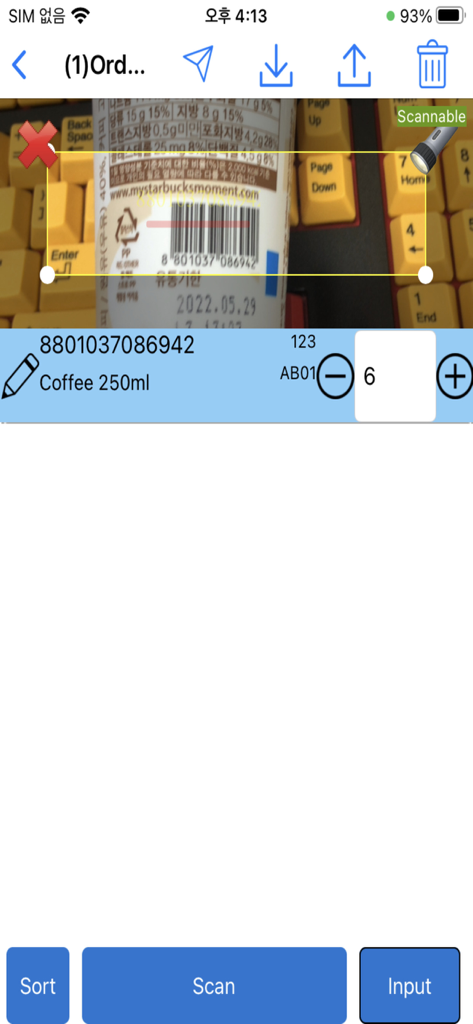
Split screen interface of Scanoid app showing real-time barcode scanning of a product with quantity management controls

Split screen interface of Scanoid app showing real-time barcode scanning of a product with quantity management controls

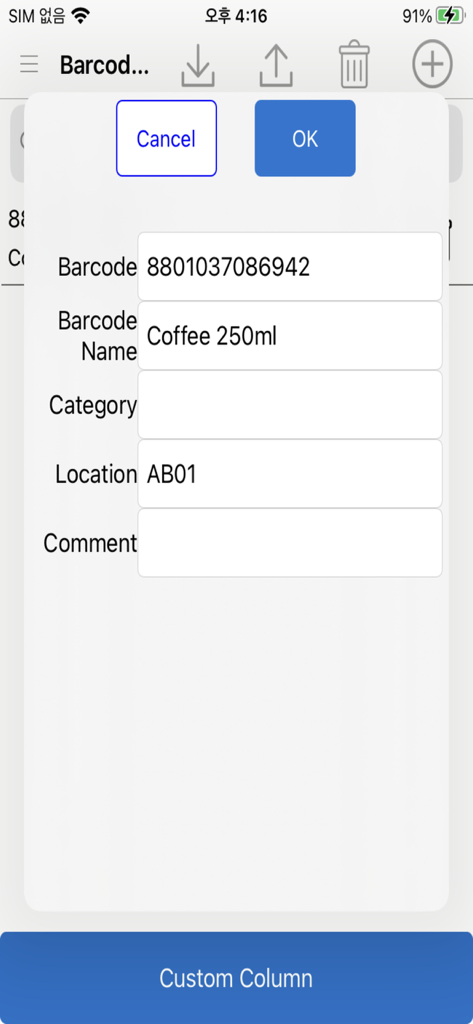
A mobile interface for the Scanoid app showing a pop-up window to edit barcode details like name, location, and custom data columns.

A mobile interface for the Scanoid app showing a pop-up window to edit barcode details like name, location, and custom data columns.

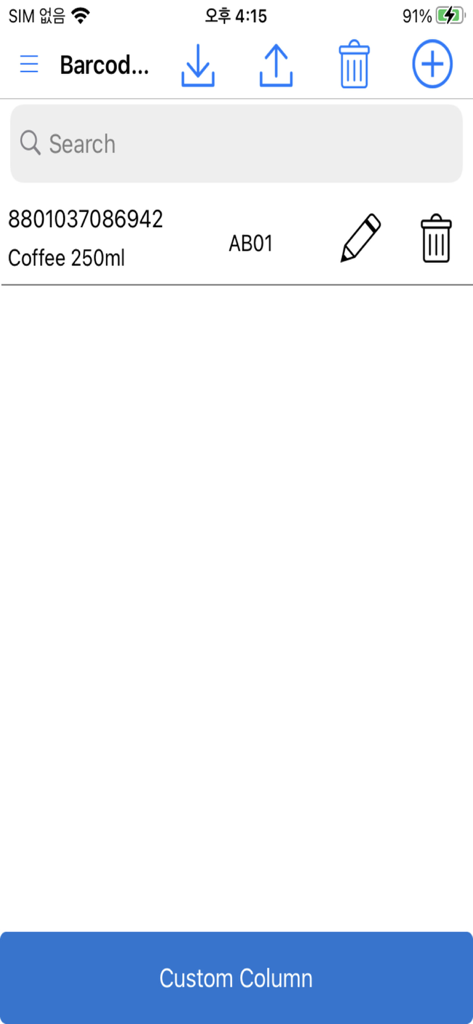
Inventory list showing scanned barcode data and custom column option

Inventory list showing scanned barcode data and custom column option

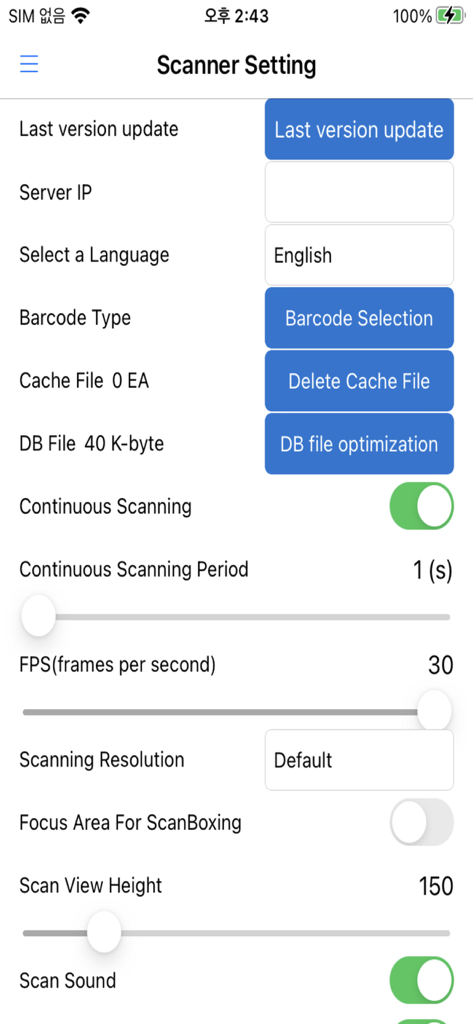
Interface of the Scanoid app showing professional scanner settings including continuous scanning and resolution controls

Interface of the Scanoid app showing professional scanner settings including continuous scanning and resolution controls

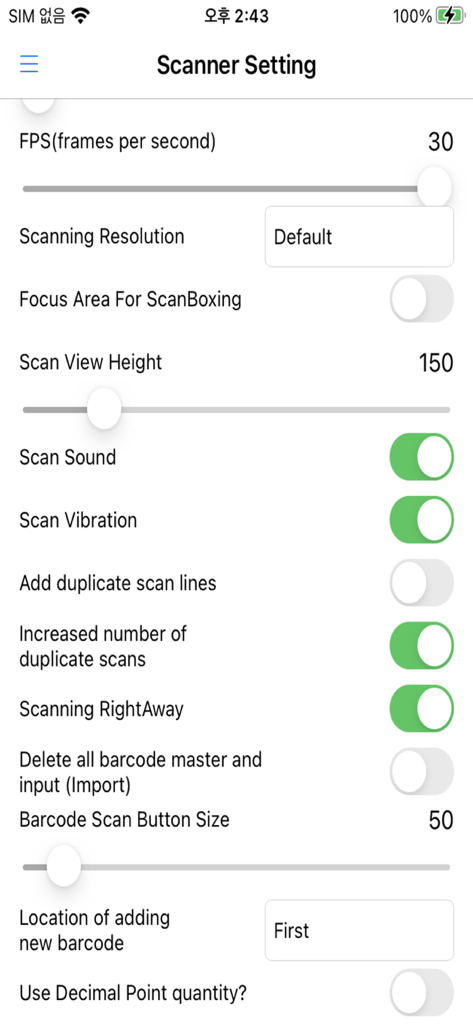
Scanoid app scanner settings screen showing FPS resolution and sound options

Scanoid app scanner settings screen showing FPS resolution and sound options

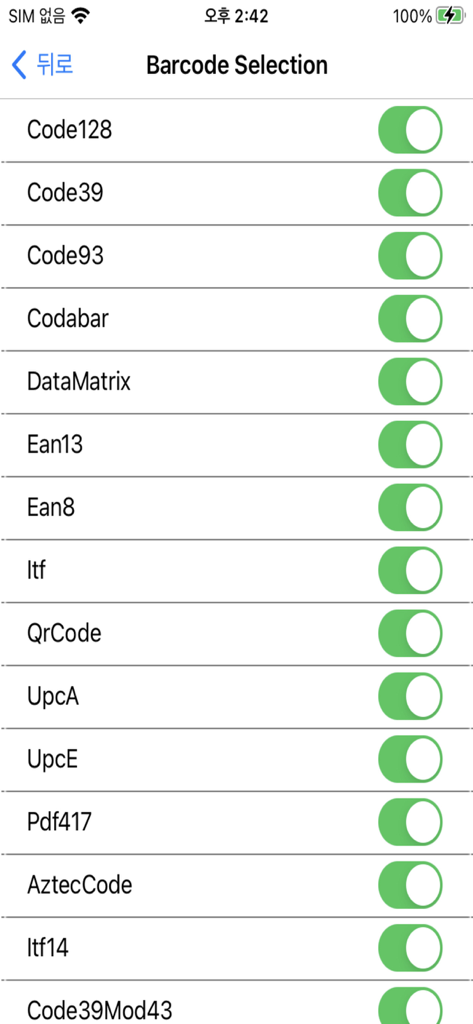
Barcode selection menu with toggle switches for various formats like Code128 and QR Code

Barcode selection menu with toggle switches for various formats like Code128 and QR Code

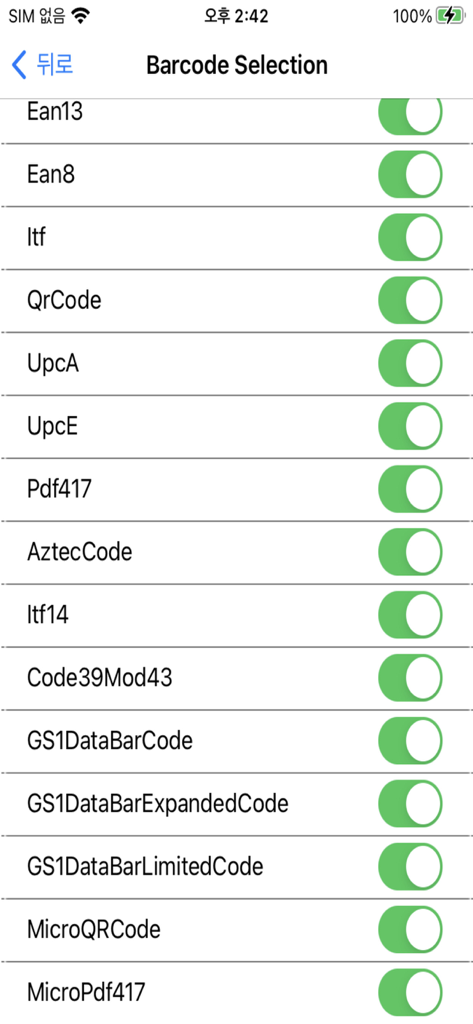
A screen in the Scanoid app showing a list of supported barcode formats like QR Code and EAN13 with toggle switches

A screen in the Scanoid app showing a list of supported barcode formats like QR Code and EAN13 with toggle switches

Professional Inventory Management in Your Pocket

The tools that make this app stand out, trusted by 0 users.

No Sign-Up, Instant Start

Skip the tedious registration. Install Scanoid and start scanning your inventory immediately—because in retail and logistics, every second counts.

📱

Zero-Switch Split Screen

Stop toggling between the camera and data entry. View your scan and your records on one screen for faster, error-free inventory counts.

📊

Excel & Team Integration

Seamlessly export data to Excel or sync across your entire team in real-time. Bridge the gap between your warehouse floor and your office PC.

About the app

Everything you need to know about Inventory Count - Scanoid.

Description

Barcode Scanner Without Screen Switching - Manage inventory immediately while scanning. - Split the scanning screen and data processing screen to perform scanning and inventory management simultaneously. - You can use it immediately after installation without signing up. - If you need the same performance as a PDA, install this app. [Key Features] ■ Customizable Scanning Screen - Adjust the size of the scan screen and change the scan area in real time to enable more accurate barcode scanning. ■ Unlimited Free Barcode Scanning - Barcode scanning is unlimited and free. - However, Excel export is limited if there are more than 50 scan records. [Features Supported by the App] ■ Barcode scanner - Barcode scanner that does not require sign-up - Accurate and fast barcode scanning with split scanning screen and real-time scanning area adjustment - Can replace existing PDAs or Bluetooth barcode scanners for inventory checks, orders, etc. - Supports Excel Import/Export ■ Barcode Master - Supports Excel Import/Export - Allows users to add custom columns to barcodes ■ Advanced scanner settings (available to free users) - Supports various data processing methods for duplicate scans - Allows manual quantity input - Supports alternative barcodes - Allows the use of decimal quantities - Supports continuous and single scanning - Allows setting the interval time for continuous scanning - Supports quantity increase, line addition, and manual input mode for duplicate scans - Real-time scanning area adjustment for accurate barcode scanning - Camera zoom in/out - Multilingual support ■ Team mode support - Sharing the same data for multiple users, free team creation/use - Administrator creates a team and users join to use it ■ PC management program support: - Can be linked with PC management program - Supports cloud and local network - PC management program installation Address https://pulmuone.github.io/barcode/publish.htm [Terms of Use] https://www.apple.com/legal/internet-services/itunes/dev/stdeula/ [Privacy Policy] https://blog.naver.com/gwise/222703219470

Latest Version

2.4.4

Size

182.7 MB

First Released

Jun 19, 2020

Turn Your Phone into a Professional PDA Scanner Today

Experience seamless split-screen scanning with zero sign-up required. Start managing your inventory with professional-grade speed and Excel integration right now.

Download on App Store

App information, icons, screenshots, and descriptions displayed on this page are sourced from the Apple App Store and are the property of their respective developers. Download estimates and rankings are based on MWM's proprietary models and may not reflect actual figures. This page is provided for informational and analytical purposes only.

Believe this page infringes your intellectual property? File a dispute