iQUIK X

iQUIK X

Download on App Store
Logo of iQUIK X

iQUIK X: Professional Trading Terminal for Advanced Market Execution

Master the markets with institutional-grade tools. Access Level 2 quotes, sophisticated technical analysis, and conditional orders through a secure, real-time gateway designed for the professional trader.

Publisher

ARQA Technologies

Category

Finance

Downloads

247K+

User Rating

2.3/5

Total Ratings

1K+

Locales

2

The Terminal in Your Pocket

Discover the interface used by 247K+ users.
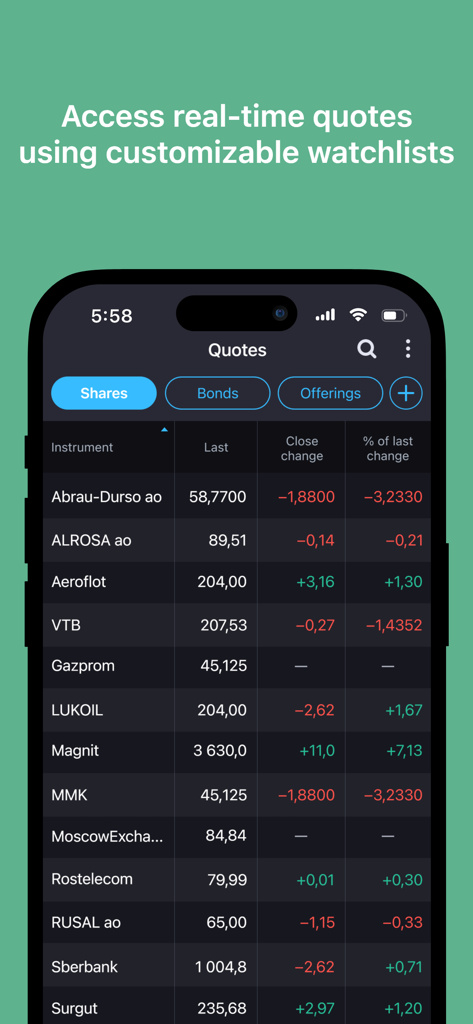
Real-time stock quotes and customizable watchlist in the iQUIK X trading app.

Real-time stock quotes and customizable watchlist in the iQUIK X trading app.

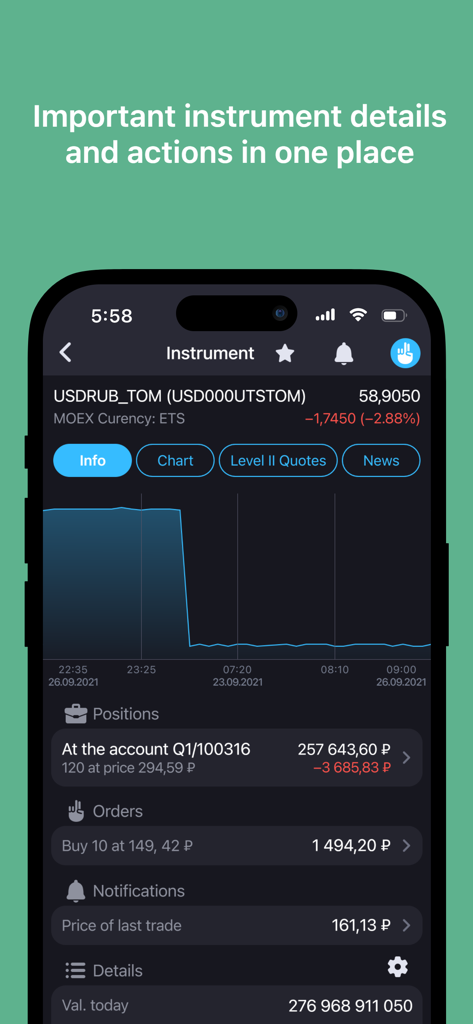
iQUIK X trading terminal interface showing currency instrument details and charts

iQUIK X trading terminal interface showing currency instrument details and charts

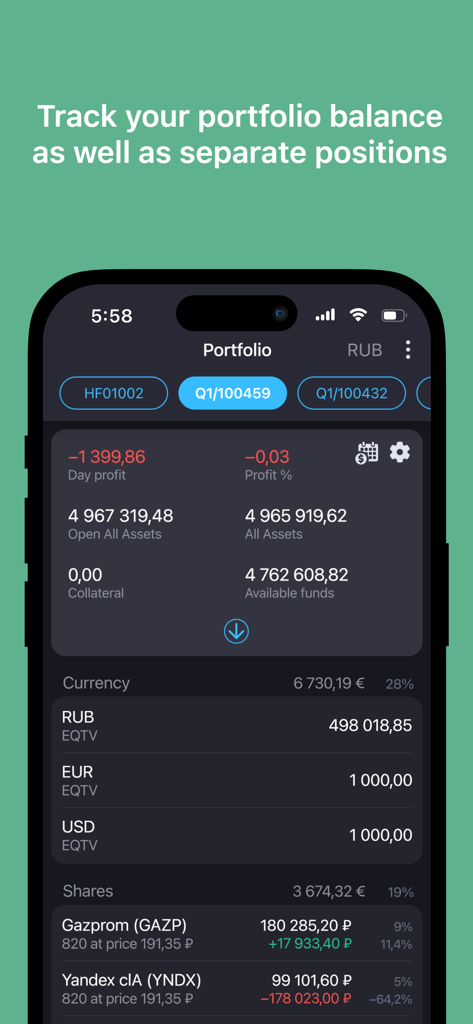
iQUIK X app interface showing a detailed portfolio balance overview with asset values and individual stock positions

iQUIK X app interface showing a detailed portfolio balance overview with asset values and individual stock positions

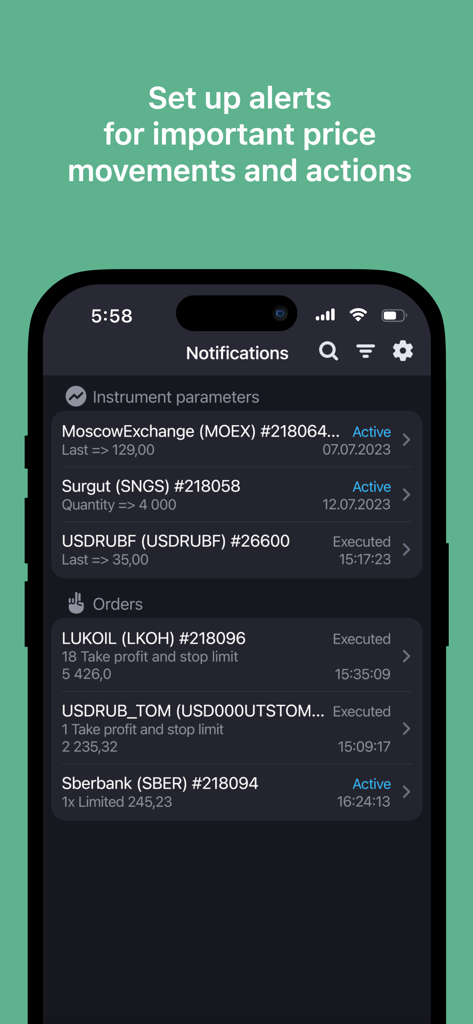
iQUIK X mobile app notifications screen showing real-time price alerts and order status for professional traders.

iQUIK X mobile app notifications screen showing real-time price alerts and order status for professional traders.

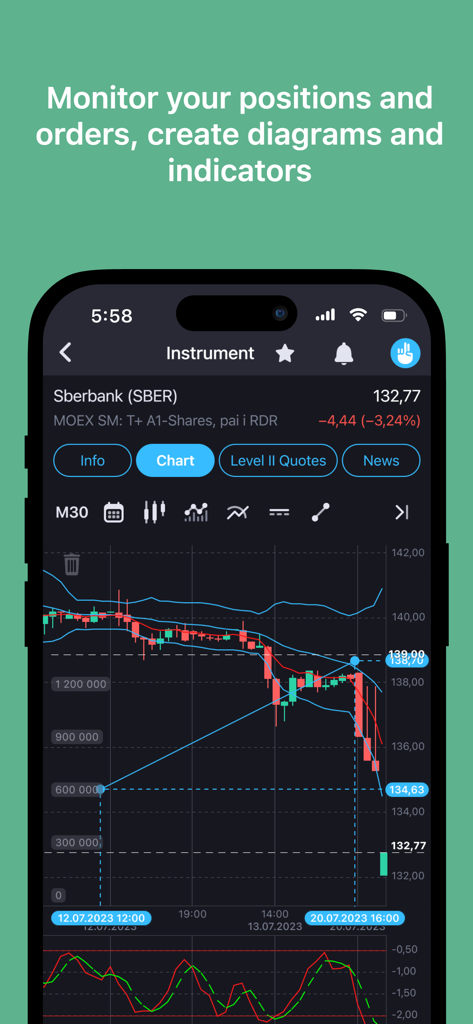
Technical analysis chart with indicators on iQUIK X mobile trading app

Technical analysis chart with indicators on iQUIK X mobile trading app

Institutional-Grade Trading Tools

The tools that make this app stand out, trusted by 247K+ users.

📊

Full Market Visibility

Analyze Level 2 quotes and real-time order books to identify liquidity and make informed entry and exit decisions.

Precision Execution

Manage risk effectively with market, limit, and complex conditional orders tailored for sophisticated trading strategies.

📈

Advanced Technical Analysis

Utilize high-performance charts equipped with technical indicators to track market trends and dynamics on the go.

About the app

Everything you need to know about iQUIK X.

Description

iQUIK X is a new user application (trading terminal) of QUIK – the user may trade financial instruments, view exchange quotes, monitor portfolio parameters and more. Important! iQUIK X does not require access keys. To get a server address, login and password please contact your broker. Key features: - Monitoring of current financial instruments quotes with possibility to customize a watchlist, - “Level 2 Quotes” market data visualization, - Placing market, limit and conditional orders, - Monitoring of trade dynamics with charts, including technical analysis indicators, - Monitoring and control of own orders and trades, - Current state of a user portfolio visualization, - Setting notifications on order status and instrument parameters, - Financial news stream, - Sending instructions on money withdrawal, - Message exchange with a broker. To use the program in a production mode, signing a contract with a broker that uses QUIK system is required. Details and contacts: - Please send your questions and development inquiries to the following email quiksupport@arqatech.com - Free trial access is provided via this link http://arqatech.com/en/support/demo/ - More details on the application are provided on the official website of ARQA Technologies https://arqatech.com/en/products/quik/terminals/user-applications/iquik-x/

Latest Version

5.4.0

Size

34.6 MB

First Released

Dec 1, 2017

Master the Markets with Institutional-Grade Precision

Download iQUIK X to access real-time Level 2 quotes, advanced technical indicators, and complex order types. Connect your broker and take the power of the QUIK terminal with you, wherever you go.

Download on App Store

App information, icons, screenshots, and descriptions displayed on this page are sourced from the Apple App Store and are the property of their respective developers. Download estimates and rankings are based on MWM's proprietary models and may not reflect actual figures. This page is provided for informational and analytical purposes only.

Believe this page infringes your intellectual property? File a dispute