iWriteMusic

iWriteMusic

Download on App Store
Logo of iWriteMusic

iWriteMusic: Professional Sheet Music Creation in Your Pocket

Capture every musical idea with the most intuitive notation app for composers and teachers. Create, print, and share studio-quality scores on the go with our innovative One-Flick entry system.

Publisher

Kazuo Nakamura

Category

Music

Downloads

177K+

User Rating

4.4/5

Total Ratings

1K+

Locales

1

Notation in Action

Discover the interface used by 177K+ users.
iWriteMusic app screen highlighting its intuitive interface and simple music notation tools.

iWriteMusic app screen highlighting its intuitive interface and simple music notation tools.

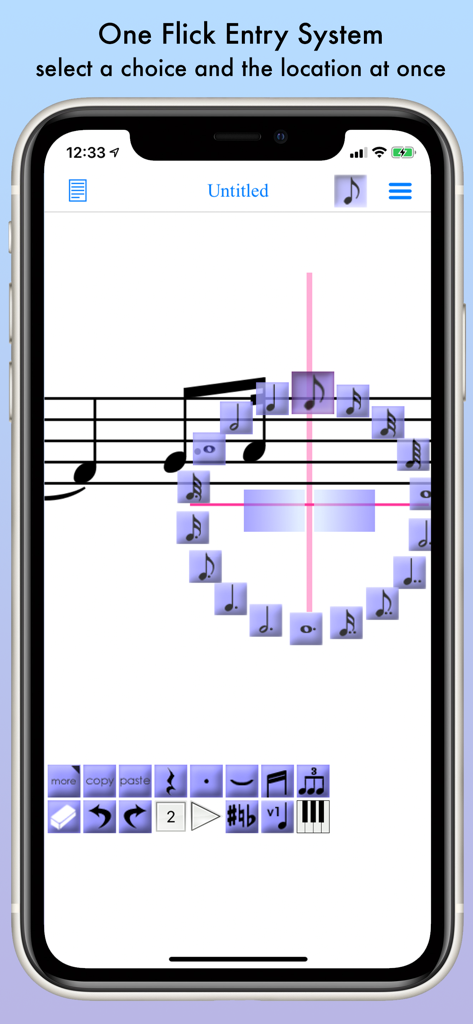
iWriteMusic app interface demonstrating the one flick entry system for quick music notation on a smartphone.

iWriteMusic app interface demonstrating the one flick entry system for quick music notation on a smartphone.

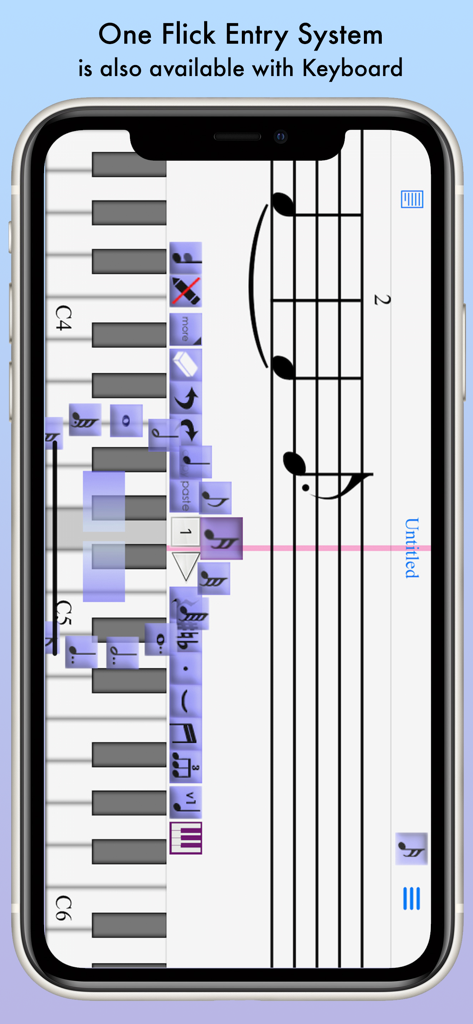
iWriteMusic app showing sheet music creation using a virtual piano keyboard and the one flick entry system

iWriteMusic app showing sheet music creation using a virtual piano keyboard and the one flick entry system

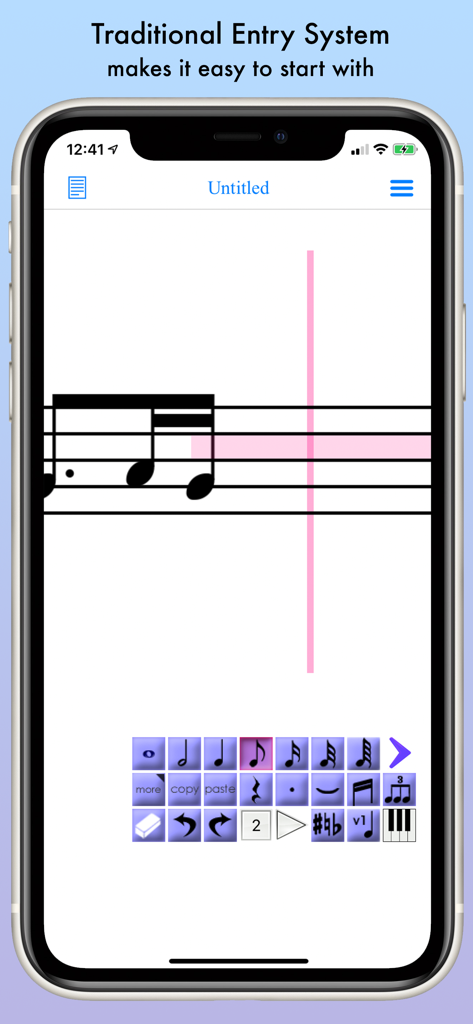
Traditional entry system for music notation on the iWriteMusic app showing a musical staff and note selection toolbar

Traditional entry system for music notation on the iWriteMusic app showing a musical staff and note selection toolbar

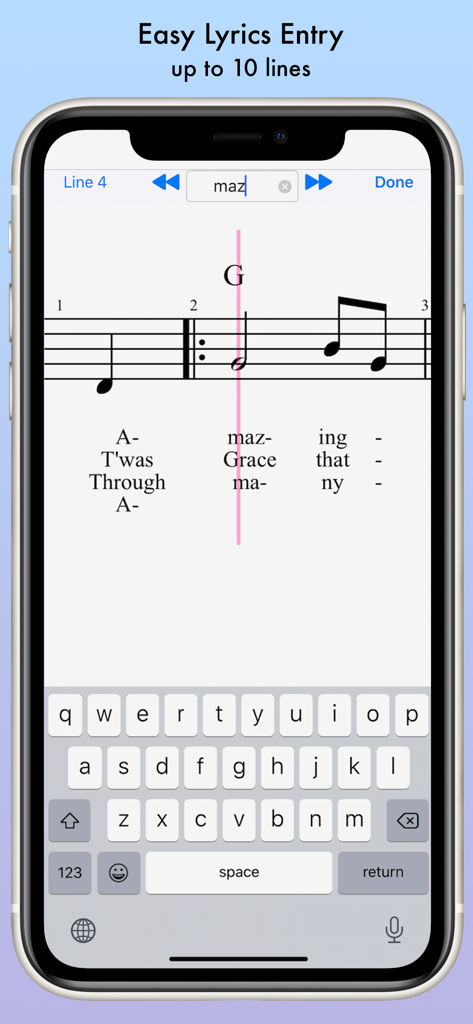
iWriteMusic mobile app interface showing easy multi-line lyrics entry for sheet music on a smartphone

iWriteMusic mobile app interface showing easy multi-line lyrics entry for sheet music on a smartphone

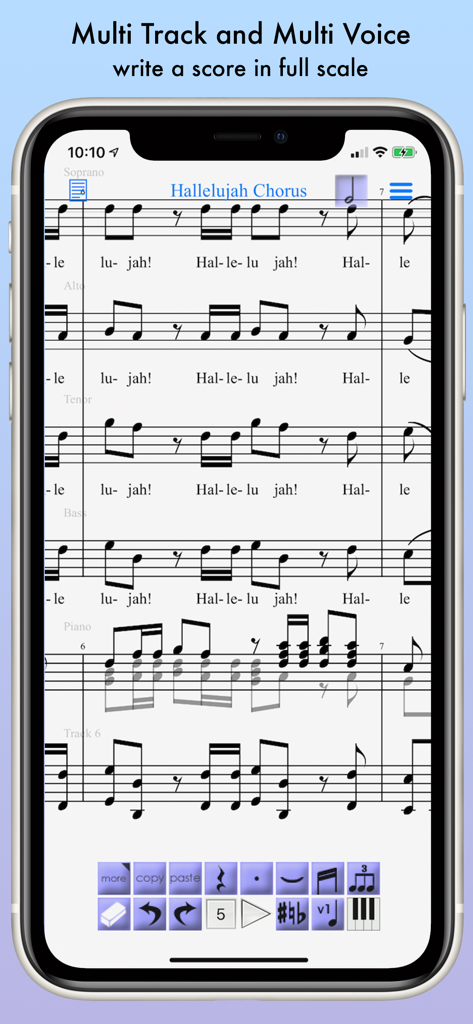
iWriteMusic app showing a multi track sheet music score of the Hallelujah Chorus

iWriteMusic app showing a multi track sheet music score of the Hallelujah Chorus

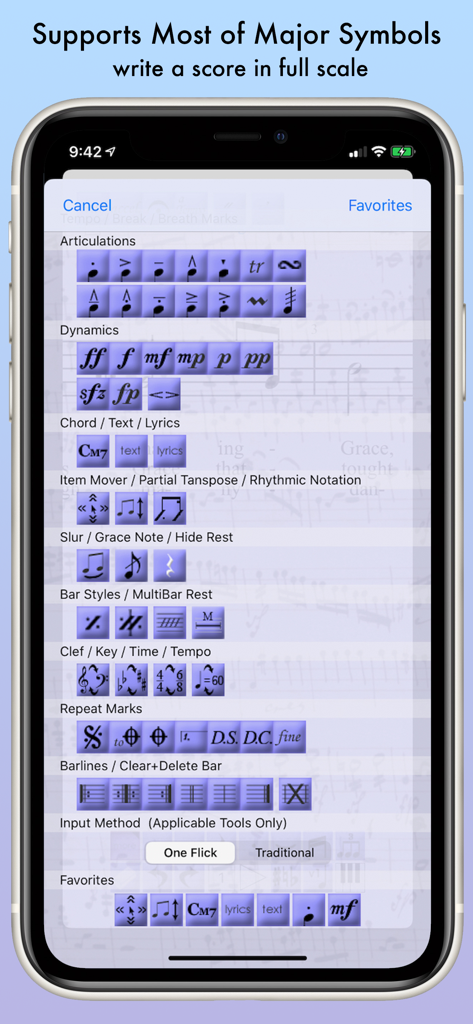
A menu of music notation symbols in the iWriteMusic app showing articulations dynamics and time signatures

A menu of music notation symbols in the iWriteMusic app showing articulations dynamics and time signatures

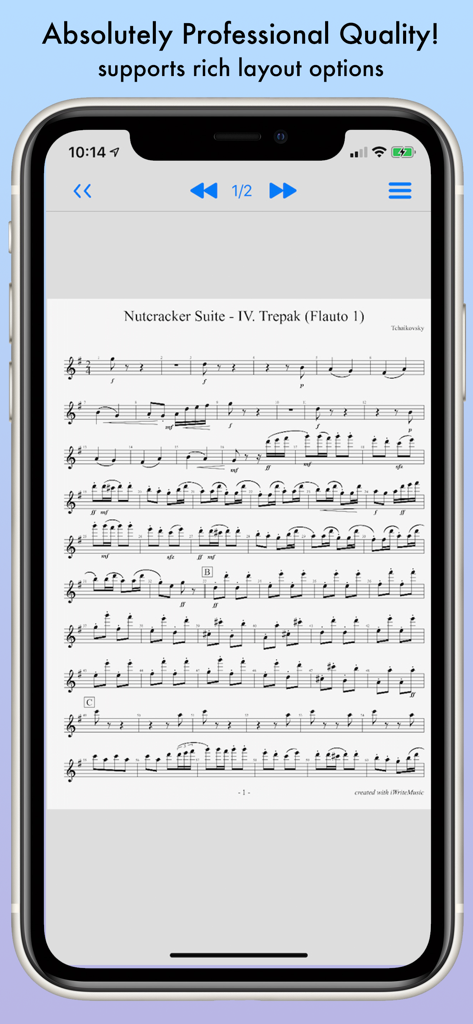
Professional sheet music score for the Nutcracker Suite displayed in the iWriteMusic app on an iPhone screen.

Professional sheet music score for the Nutcracker Suite displayed in the iWriteMusic app on an iPhone screen.

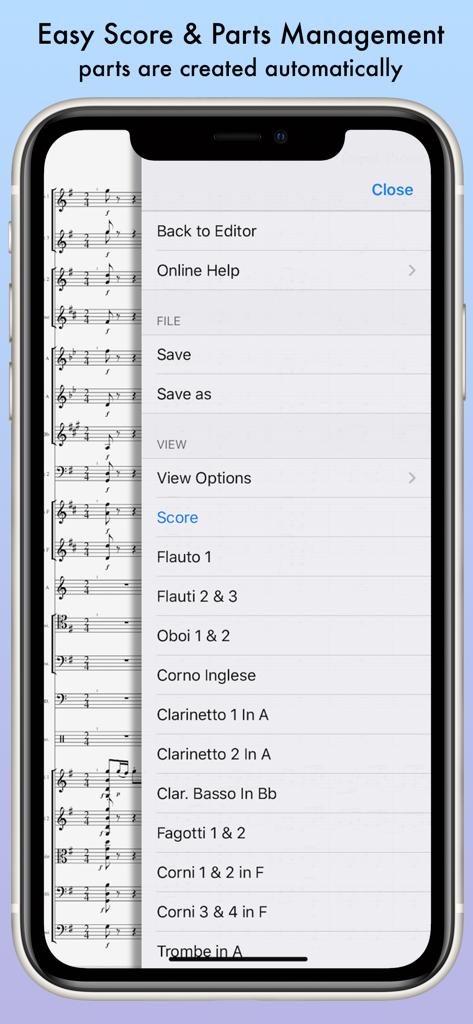
iWriteMusic mobile app interface showing automated orchestral score and parts management menu

iWriteMusic mobile app interface showing automated orchestral score and parts management menu

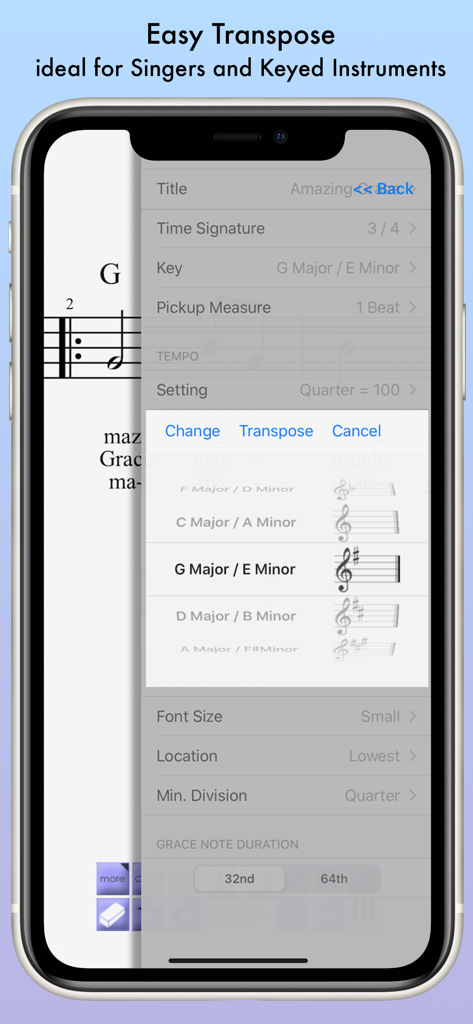
Smartphone screen showing the music transposition settings in the iWriteMusic app.

Smartphone screen showing the music transposition settings in the iWriteMusic app.

Composition Without Limits

The tools that make this app stand out, trusted by 177K+ users.

Innovative One-Flick Entry

Capture your ideas instantly with a gesture-based system optimized for mobile. No more fumbling with tiny menus—just flick to place notes and symbols in seconds.

📄

Studio-Quality Sheet Music

Generate professional PDFs for rehearsals or export MIDI files for GarageBand. Your output is ready for the stage, the classroom, or the recording studio.

🪶

Ultra-Light & Zero Bloat

At just 15MB, it saves your storage for photos and recordings. Start writing immediately with an intuitive interface that requires no manuals or tutorials.

About the app

Everything you need to know about iWriteMusic.

Description

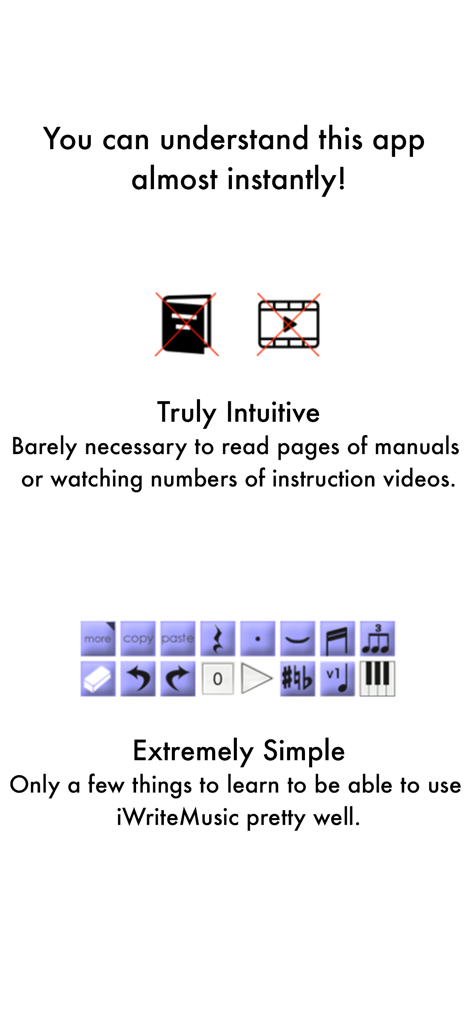
Music Writing is easy and fun when you use iWriteMusic! Ever wished you could quickly create sheet music in your small free time? Ever thought smartphones were too small to create sheet music? iWriteMusic enables efficient sheet music creation even on small smartphone screens. Unlike other cramped and cumbersome apps, it is designed meticulously for small screens,comprehensive suite of essential tools for concerts, lessons, and music classes! Best fit for professional musicians, music teachers and students. For songwriters, composers and arrangers. For both singers and instrumentalists (piano, violin, cello, guitar, flute, saxophone, trumpet, drums, etc.). Great for writing down ideas, creating lesson materials, creating lead sheets, or creating scores and parts for chorus groups, choirs, chamber orchestras, jazz bands, Latin bands, orchestras, and more. For daily practice, rehearsals, concerts, iWriteMusic will help you enrich your musical life! Check out 7 reasons to choose iWriteMusic. 1. You can understand this app almost instantly! Because of Truly Intuitive and Extremely Simple user interface, you barely need to read pages of manuals nor watching numbers of instruction videos. Unlike Finale, Sibelius and other similar apps, you just have a few things to learn to be able to use this app pretty well. 2.Double your productivity with our Highly Efficient Input System. If you’re already familiar with notation apps and looking for faster & more efficient entry system, try our innovative One-Flick Entry System along with Traditional Entry System to get your job done in no time! What is Traditional Entry System? - The choices will appear with ToolBox. - Select a value and the location separately. - Recommended to those who are not yet familiar with any music notation apps. What is OneFlick Entry System? - The choices will appear when you touch the screen. - Select a location and the value at once. - The selection will change as you slide your finger to left/right. - Recommended to those who are familiar with music notation apps and looking for faster and more efficient entry system. 3. Creates beautiful sheet music - absolutely professional quality! - rich options for page layout adjustment - easy parts creation - easy score/parts management - direct print-out via AirPrint 4. Supports most of major notation elements - multi-track writing - multi-voice writing - percussion/drums notation - chord symbols and lyrics - multi-bar rest - time change - key change - clef change - tempo change - grace note - articulations and dynamics marks - easy song transpose - partial transpose and many more! 5. Useful playback options for practice - mixer with solo, mute and voice select - loop and swing options 6. Data & sheet music sharing - exports/Imports iWriteMusic data file - exports PDF or JPG - exports Standard MIDI file which can be imported by other apps such as GarageBand 7. Extremely Compact Size (15 MB) You can save your device storage space for photos and other apps. ATTENTION: Latency during playback and drawing may occur by device capacity or number of tracks and background applications.

Latest Version

3.6.8

Size

18.7 MB

First Released

Sep 27, 2010

Start Composing Your Next Masterpiece Today

Stop waiting for desk time. Join 177,000+ musicians using the most efficient, mobile-first notation tool for professional scores and lead sheets on the go.

Download on App Store

App information, icons, screenshots, and descriptions displayed on this page are sourced from the Apple App Store and are the property of their respective developers. Download estimates and rankings are based on MWM's proprietary models and may not reflect actual figures. This page is provided for informational and analytical purposes only.

Believe this page infringes your intellectual property? File a dispute