LINE WORKS Drive

LINE WORKS Drive

Download on App Store
Logo of LINE WORKS Drive

LINE WORKS Drive: Your Office Files, Anywhere Your Work Takes You

The intuitive mobile workspace for field professionals. Scan documents, search text within images, and collaborate on files in real-time—no desk required.

Download on App Store

Publisher

LINE WORKS Corp.

Category

Business

Downloads

0

User Rating

4.2/5

Total Ratings

0

Locales

5

Efficiency in Action

Discover the interface used by 0 users.
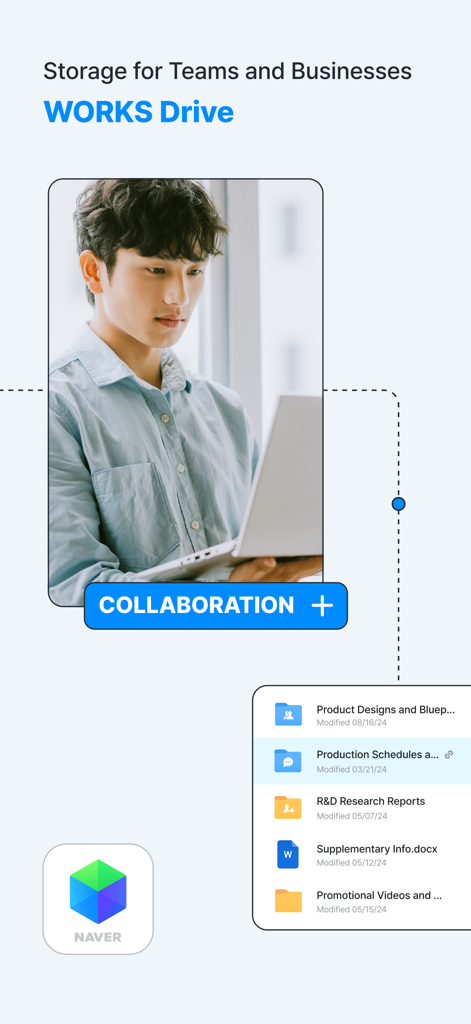
Line Works Drive mobile interface for business storage and team collaboration

Line Works Drive mobile interface for business storage and team collaboration

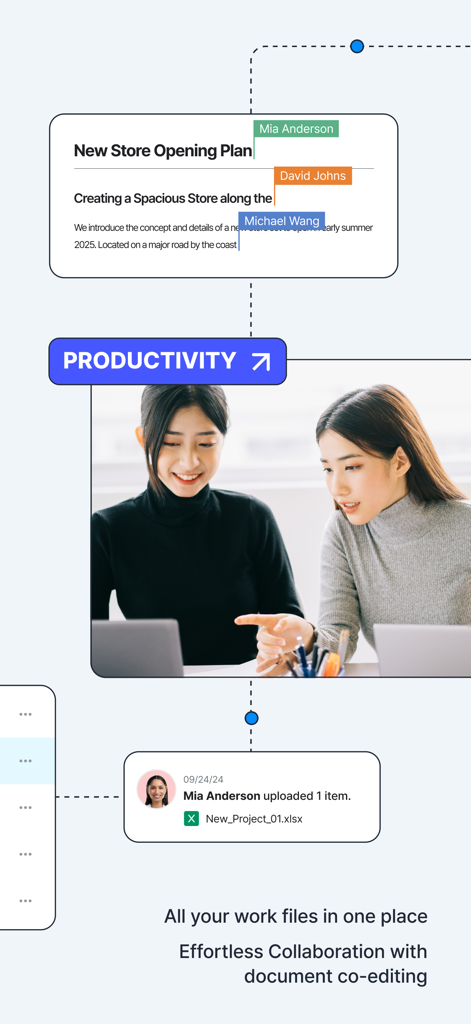
Screenshot of LINE WORKS Drive app showcasing real-time document co-editing and productivity features for business collaboration

Screenshot of LINE WORKS Drive app showcasing real-time document co-editing and productivity features for business collaboration

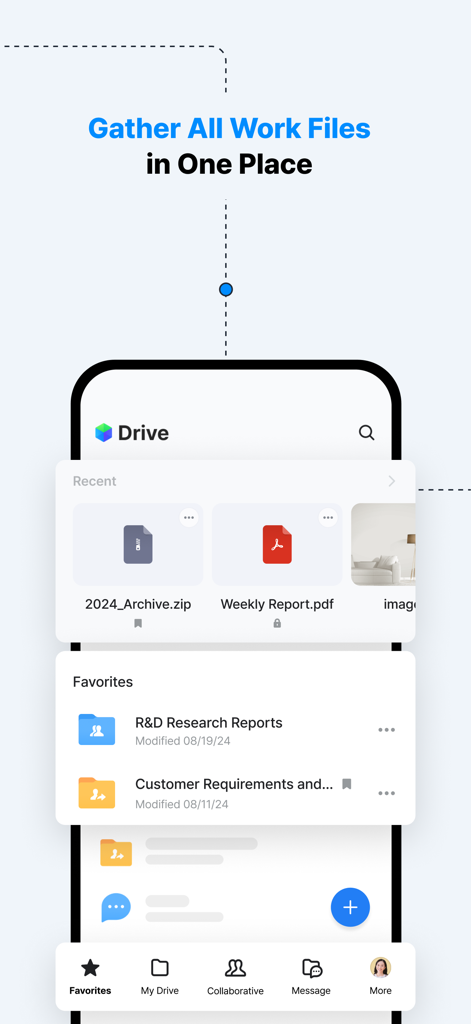
The main dashboard of the LINE WORKS Drive app showing recent files and favorite folders on a smartphone screen.

The main dashboard of the LINE WORKS Drive app showing recent files and favorite folders on a smartphone screen.

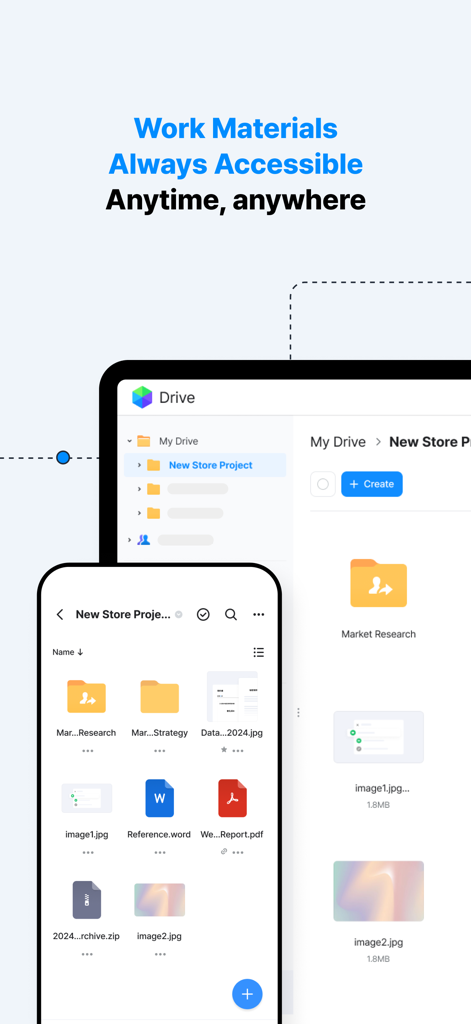
LINE WORKS Drive mobile app interface on smartphone and tablet showing cloud file management

LINE WORKS Drive mobile app interface on smartphone and tablet showing cloud file management

Mobile interface of LINE WORKS Drive showing real-time document editing by multiple team members.

Mobile interface of LINE WORKS Drive showing real-time document editing by multiple team members.

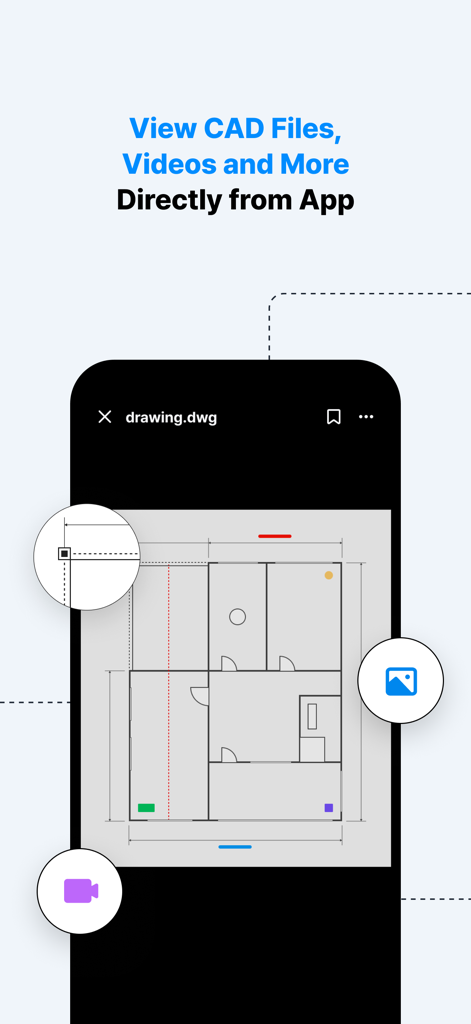
LINE WORKS Drive app interface showing a CAD drawing blueprint on a smartphone screen

LINE WORKS Drive app interface showing a CAD drawing blueprint on a smartphone screen

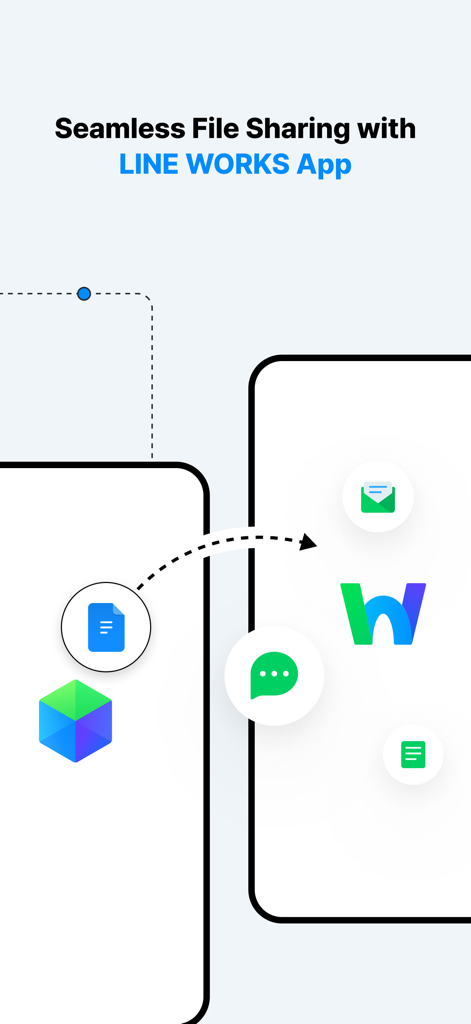
Graphic showing seamless file sharing between mobile devices with the LINE WORKS App

Graphic showing seamless file sharing between mobile devices with the LINE WORKS App

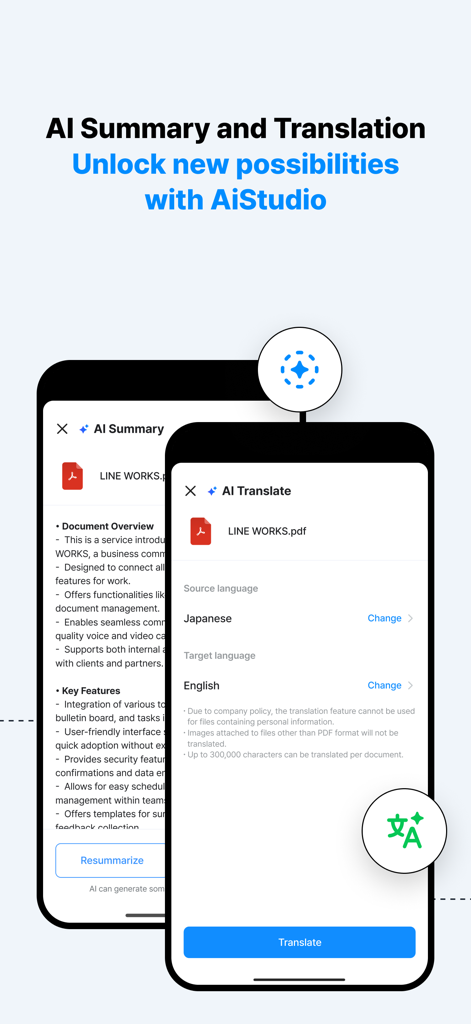
LINE WORKS Drive mobile app screens showing AI document summary and language translation features

LINE WORKS Drive mobile app screens showing AI document summary and language translation features

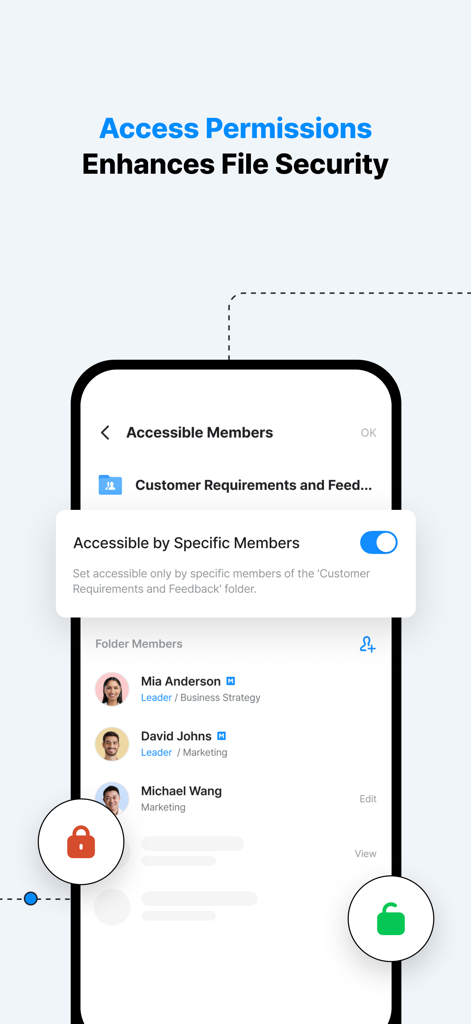
LINE WORKS Drive mobile interface showing folder access permissions and member management for enhanced file security.

LINE WORKS Drive mobile interface showing folder access permissions and member management for enhanced file security.

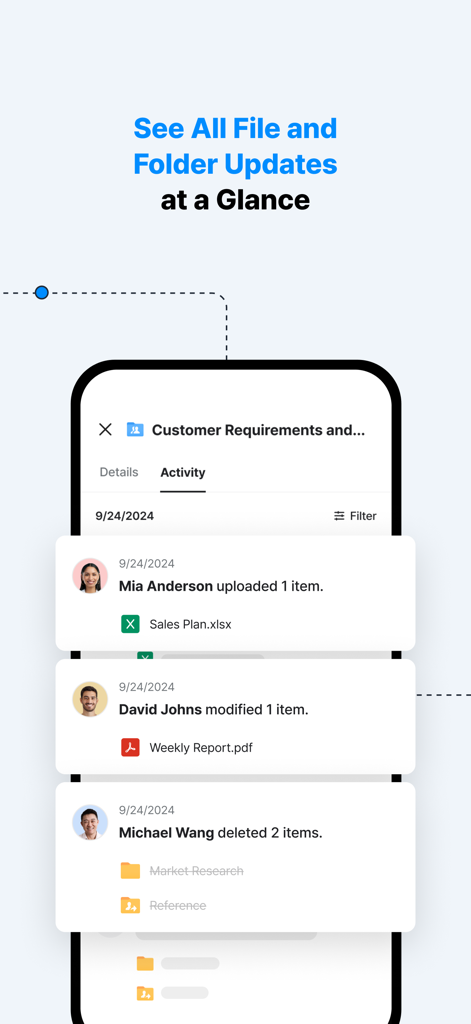
Interface of LINE WORKS Drive showing real time activity feed of file and folder updates by team members

Interface of LINE WORKS Drive showing real time activity feed of file and folder updates by team members

Built for Professionals on the Move

The tools that make this app stand out, trusted by 0 users.

🚀

Full Office Power in Your Pocket

Access, edit, and sync critical business files from your mobile device, eliminating the need to wait until you are back at a PC.

📷

Smart Scanning & OCR Search

Digitize documents on-site with the built-in scanner and find files instantly by searching for text within your images and photos.

👥

High-Speed Team Collaboration

Work together in real-time with up to 10 simultaneous editors, ensuring your field and office teams stay perfectly aligned.

About the app

Everything you need to know about LINE WORKS Drive.

Description

LINE WORKS Drive allows easy access to the files you need wherever you are, so you can check and edit files while on the go, just as you would when you are at the office. Its intuitive interface, designed specifically for Drive functions, makes it user-friendly for everyone. ■ Recommended for ・Salespeople, field workers, customer service workers, etc.: Data can be easily edited from mobile devices while you are out of the office or have limited access to a PC. ・People who need to share information quickly: Information can be shared in real-time from outside the office. ・People who need to work without an office network: Access and edit necessary data from your mobile device using mobile data, even without a PC or office Wi-Fi connection. ・People who have issues with file management between mobile and PC: Photos and files can be uploaded to Drive immediately, and synced between devices. ■ What you can do with this app ・View and manage files: Access, manage, and edit files in My Drive, Collaborative Drive, and Message Room folders. ・File Editing: Up to 10 people can edit a file simultaneously. ・Text Search in Images: You can search for files using text found in image files such as .jpg and .png. ・Scan Documents: Capture paper documents with your camera and upload them directly to the Drive in .jpg or .pdf format. ・Access management: Control sharing settings and assign permissions for each file and folder. Specify read and write rights for each member individually. ・Favorite items: Quick access to frequently used folders and recently used files. ・Upload/Download: Easily add and save files from your mobile device. Upload history and download progress can also be checked. ■ Before using this app You can log in with your regular LINE WORKS account to use the LINE WORKS Drive app. Multi-account management is currently unavailable in the Drive app. (As of July 2025) Contact us at: https://line-works.com/en LINE WORKS Drive Help Center: https://guide.worksmobile.com/jp/drive/drive-guide/overview

Latest Version

1.4.1

Size

111.0 MB

First Released

Nov 20, 2024

Take Your Office Anywhere with LINE WORKS Drive

Stop waiting to get back to your desk. Join thousands of mobile professionals who edit, scan, and collaborate in real-time from any location. Download now and start working without boundaries.

Download on App Store

App information, icons, screenshots, and descriptions displayed on this page are sourced from the Apple App Store and are the property of their respective developers. Download estimates and rankings are based on MWM's proprietary models and may not reflect actual figures. This page is provided for informational and analytical purposes only.

Believe this page infringes your intellectual property? File a dispute