LingoView-Perfect Translate

LingoView-Perfect Translate


Download on App Store
Logo of LingoView-Perfect Translate

LingoView-Perfect Translate: Break Language Barriers Instantly, Anywhere

Experience the speed of instant real-time translation with seamless online and offline modes. Perfect for travelers and professionals who need reliable, one-tap communication without boundaries.

Publisher

ABDURRAHMAN YAURI ALIYU

Category

Entertainment

Downloads

7K+

User Rating

1.0/5

Total Ratings

0

Locales

1

Translation at a Glance

Discover the interface used by 7K+ users.
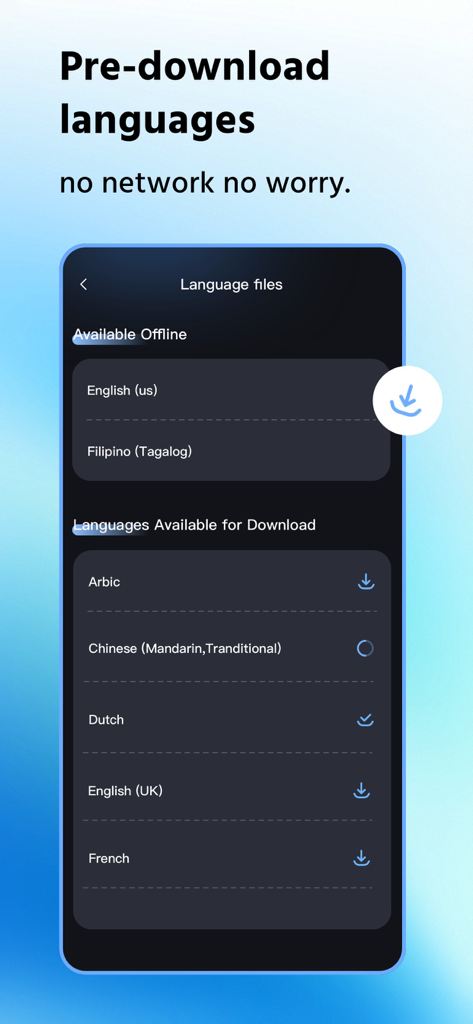
Interface of LingoView app showing available and downloadable language files for offline translation

Interface of LingoView app showing available and downloadable language files for offline translation

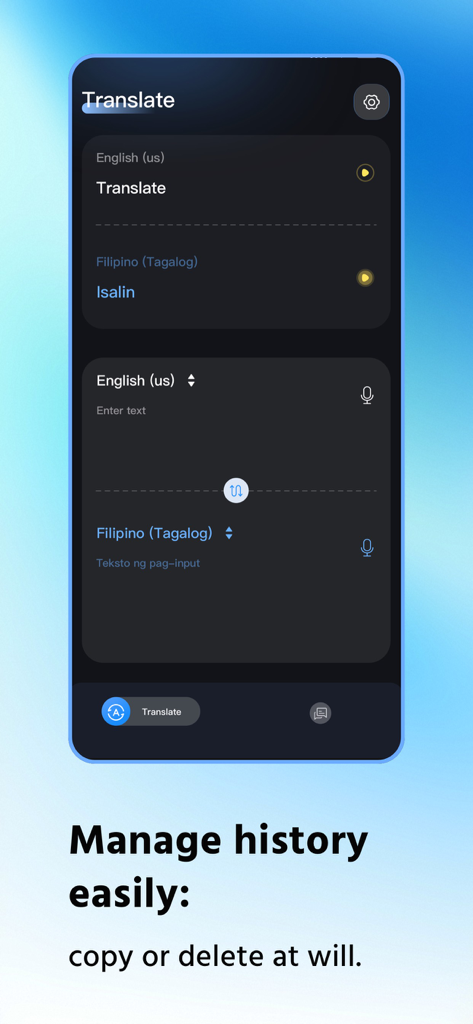
LingoView app interface showing translation history and language selection for English and Filipino

LingoView app interface showing translation history and language selection for English and Filipino

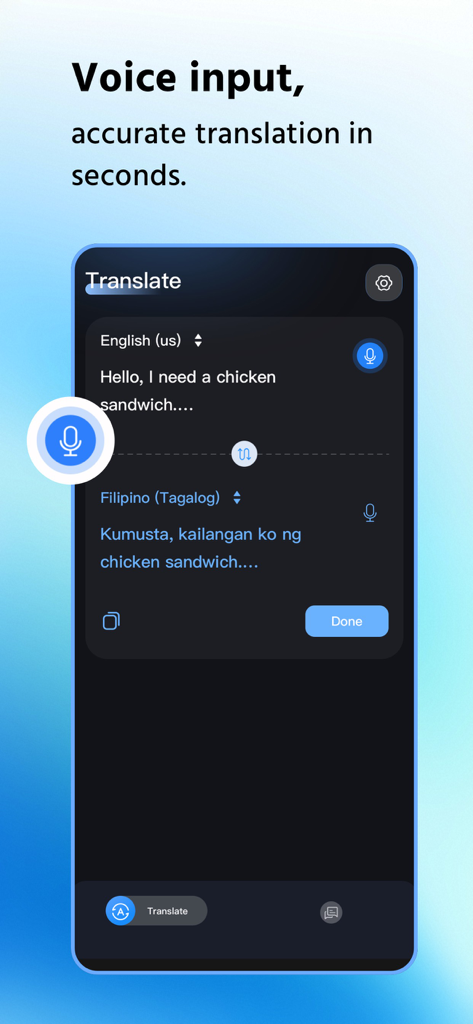
LingoView mobile app interface showing voice input translation from English to Filipino.

LingoView mobile app interface showing voice input translation from English to Filipino.

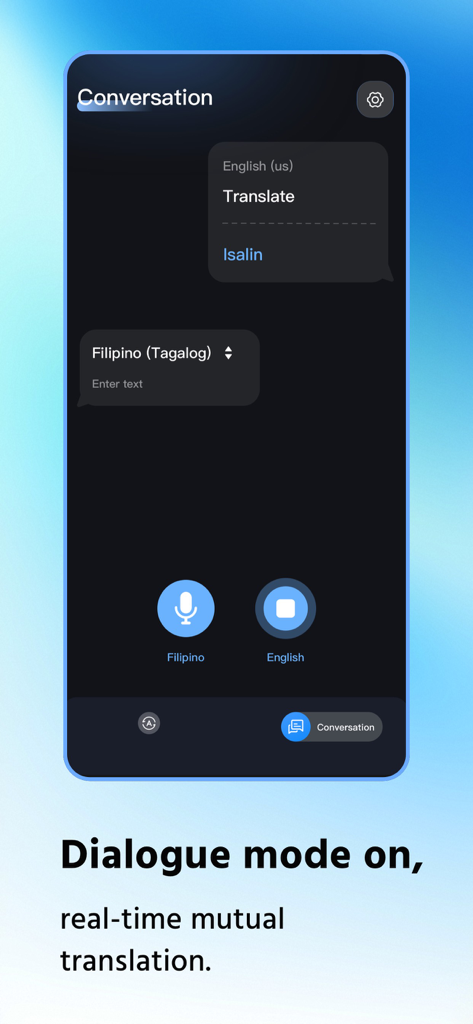
Interface of the LingoView app showing dialogue mode with real-time translation between English and Filipino

Interface of the LingoView app showing dialogue mode with real-time translation between English and Filipino

Experience Translation Without Boundaries

The tools that make this app stand out, trusted by 7K+ users.

Instant Real-Time Preview

Get results as you type. No confirmation clicks, no waiting—just the information you need, exactly when you need it.

✈️

Reliable Offline Access

Travel with confidence. Switch to offline mode in remote areas or on flights to keep communicating without a data connection.

🔄

Effortless One-Tap Control

Swap languages instantly with a single tap and manage your history with an organized card layout designed for single-handed use.

About the app

Everything you need to know about LingoView-Perfect Translate.

Description

LingoView Translation App: Instant Efficiency Without Boundaries, Effortless Operation for Total Peace of Mind Tired of wasting time on cumbersome translation steps? Frustrated by language barriers caused by network restrictions? LingoView Translation App zeroes in on users' core translation needs with its core design philosophy of "Instant Response, Simple Operation". It delivers a dual-mode translation service supporting both online and offline use, seamlessly adapting to diverse scenarios such as daily communication, cross-border interactions, overseas travel, and business negotiations—breaking down language barriers once and for all. The moment you input text, LingoView's Instant Preview feature springs into action. Translation results appear in real time right below the original text, requiring no extra clicks for confirmation. Key information is crystal clear at a glance, drastically boosting information acquisition efficiency. After confirming the content, the translated text is automatically saved in a stacked card format. The well-organized layout ensures every translation is traceable, making future reference and management a breeze. LingoView supports free switching between online/offline dual modes to meet translation needs in different scenarios. In online mode, backed by robust cloud data support, it not only guarantees translation accuracy but also covers 18 globally popular languages including English, Indonesian, and Vietnamese, handling both professional terminology and colloquial expressions with ease. When you’re in areas without internet access—such as outdoors, on an airplane, or in remote regions—the offline mode kicks in instantly, fulfilling basic translation requirements, eliminating scenario limitations, and enabling translation anytime, anywhere. LingoView fully understands the importance of efficient operation and crafts a user-friendly interface with meticulous care. The one-tap language swap button in the middle of the screen allows seamless switching of translation directions with just a single click. Translating from Chinese to English or vice versa no longer requires repeated trips to the settings page, maximizing operational fluency. For stacked translation cards, LingoView supports a left-swipe to delete function, letting you clear unwanted content in one go and free up storage space. With user experience as its top priority, LingoView redefines the new paradigm of efficient translation through sleek design and powerful features. Choose LingoView, and make language communication simpler than ever!

Latest Version

1.0.2

Size

114.7 MB

First Released

Dec 24, 2025

Translate Without Boundaries, Anywhere in the World.

Join thousands of explorers who rely on LingoView for instant, offline-ready communication. Download now and turn 'lost in translation' into a thing of the past.

Download on App Store
FAQ

Frequently Asked Questions

Everything you need to know about LingoView-Perfect Translate

What is the core functionality of the LingoView Translation App?

The LingoView Translation App provides instant, dual-mode online and offline translation. It focuses on efficiency and ease of use to break down language barriers for daily communication, travel, and business negotiations.

Can the LingoView Translation App be used without an internet connection?

Yes, LingoView supports an offline mode. Users can pre-download specific language files, enabling basic translation capabilities in areas without internet access, such as remote regions or during flights.

How does LingoView Translation App display translation results?

LingoView features an Instant Preview function. Translation results appear in real time directly below the original text as it is input. This avoids extra clicks and significantly boosts information acquisition efficiency.

Which languages does LingoView support for online translation?

LingoView supports 18 globally popular languages in its online mode, including English, Indonesian, and Vietnamese. It handles both professional terminology and colloquial expressions with robust cloud data support.

How can users manage their translation history in LingoView?

LingoView automatically saves translated text in a stacked card format. Users can manage this history by using a left-swipe to delete unwanted content, making future reference and storage management straightforward.

Does LingoView-Perfect Translate allow for voice input?

Yes, LingoView-Perfect Translate supports voice input. Users can speak into the app, and it provides accurate translations in seconds. This feature is indicated by the microphone icon in the translation interface.

Does the LingoView app feature a real-time conversation mode?

Yes, the LingoView app includes a 'Dialogue mode.' This feature enables real-time mutual translation for two speakers, facilitating seamless communication between people speaking different languages, as shown in the interface.

How does LingoView ensure easy language switching?

LingoView facilitates easy language switching with a one-tap swap button centrally located on the screen. This allows users to change translation directions instantly with a single click, improving operational fluency.

App information, icons, screenshots, and descriptions displayed on this page are sourced from the Apple App Store and are the property of their respective developers. Download estimates and rankings are based on MWM's proprietary models and may not reflect actual figures. This page is provided for informational and analytical purposes only.

Believe this page infringes your intellectual property? File a dispute