LUDO‎

LUDO‎

Download on App Store
Logo of LUDO‎

LUDO: The Ultimate Classic Board Game for Family and Friends

Relive your favorite childhood memories with the world’s most popular strategy game. Play offline with local multiplayer, challenge the computer, or enjoy a quick match in your native language—anytime, anywhere.

Publisher

Yarsa Labs

Category

Games

Downloads

2M+

User Rating

4.6/5

Total Ratings

57K+

Locales

1

A Glimpse of the Fun

Discover the interface used by 2M+ users.
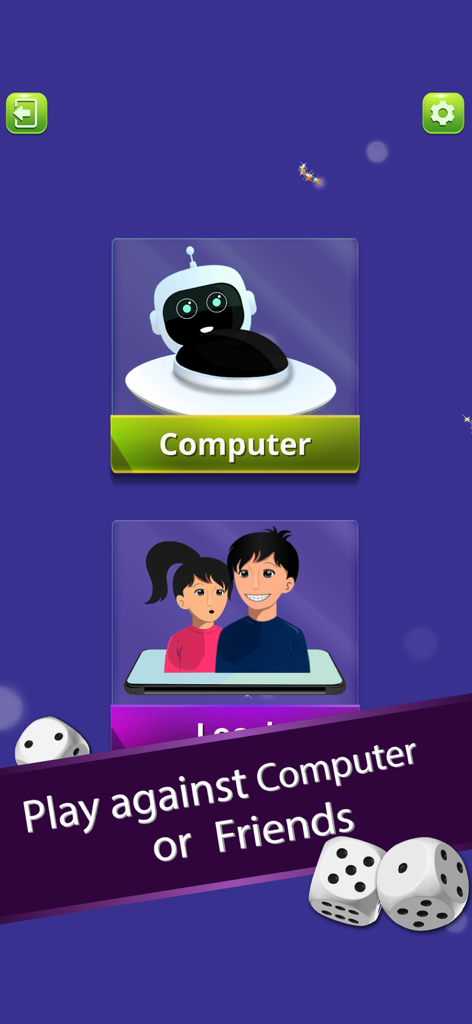
Ludo game menu showing options to play against computer or friends

Ludo game menu showing options to play against computer or friends

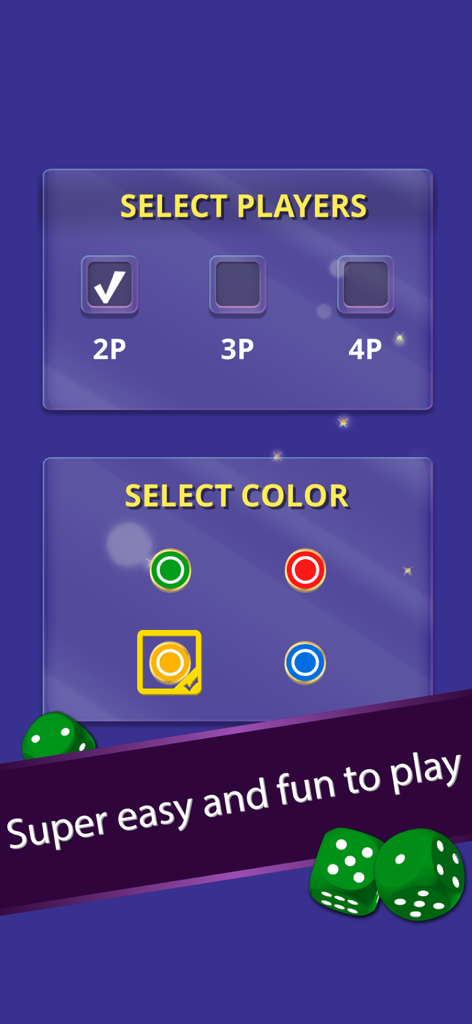
A menu screen for selecting the number of players and the token color in the Ludo mobile app

A menu screen for selecting the number of players and the token color in the Ludo mobile app

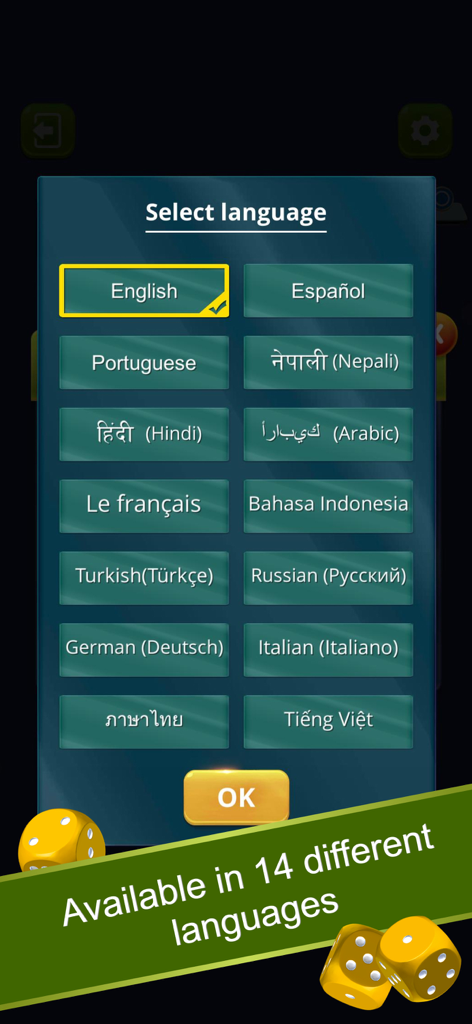
A menu screen in the Ludo app showing fourteen different language options for the user to select

A menu screen in the Ludo app showing fourteen different language options for the user to select

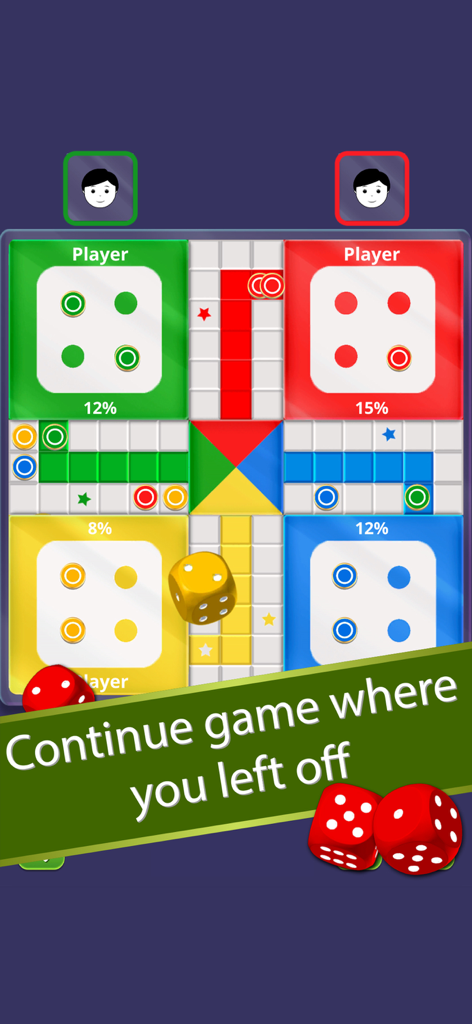
Ludo board game gameplay screen showing player progress percentages and a continue game banner

Ludo board game gameplay screen showing player progress percentages and a continue game banner

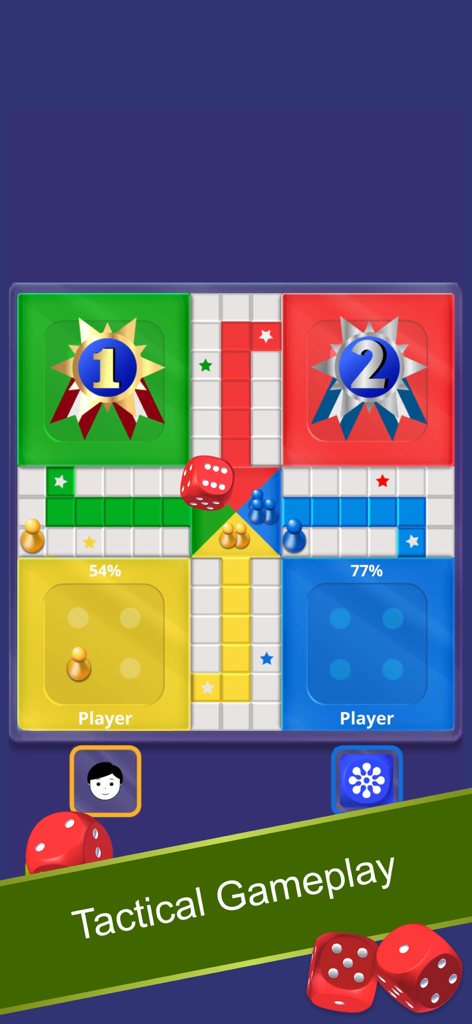
Ludo board game match interface showing player progress percentages and winner badges

Ludo board game match interface showing player progress percentages and winner badges

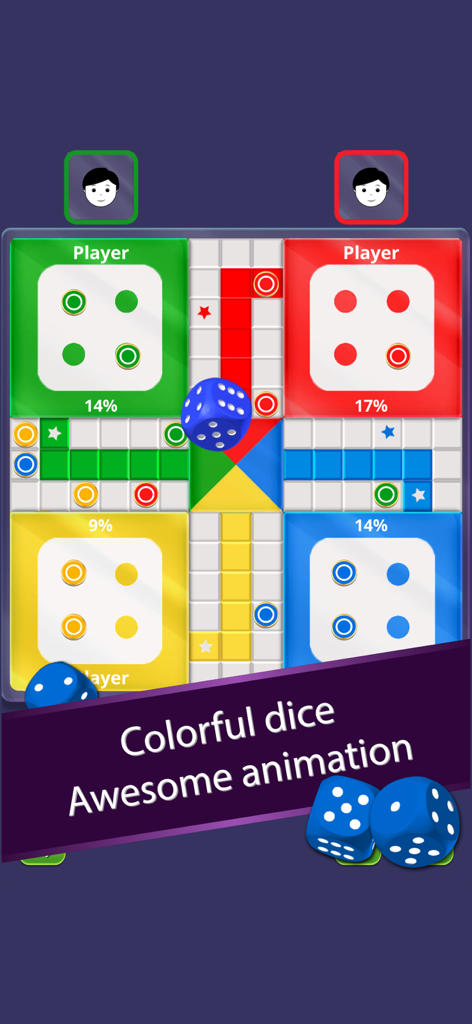
Digital Ludo board game with colorful tiles and rolling blue 3D dice.

Digital Ludo board game with colorful tiles and rolling blue 3D dice.

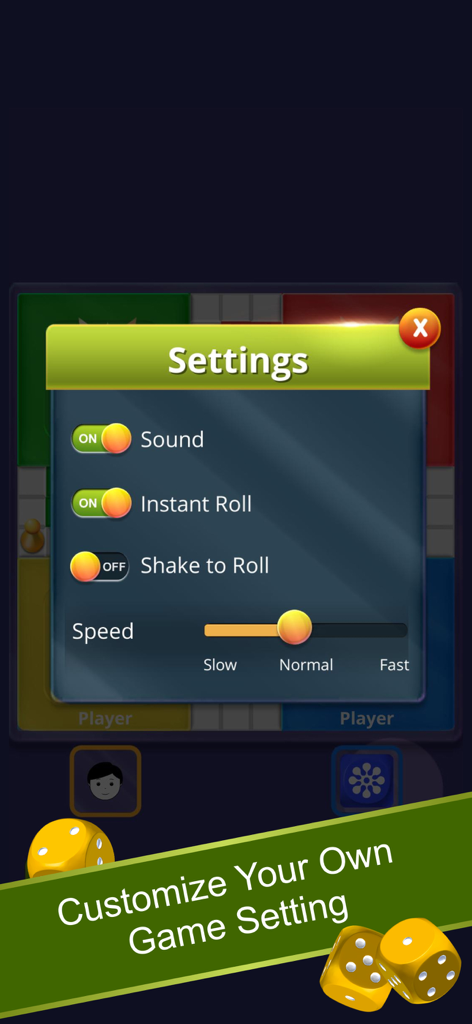
Ludo game settings screen showing options for sound, instant roll, shake to roll, and game speed adjustment.

Ludo game settings screen showing options for sound, instant roll, shake to roll, and game speed adjustment.

A Ludo game victory screen showing first and second place rankings with checkered flags and stars

A Ludo game victory screen showing first and second place rankings with checkered flags and stars

Classic Fun for Everyone

The tools that make this app stand out, trusted by 2M+ users.

👨‍👩‍👧‍👦

Local Multiplayer Bonding

Gather around one device for an authentic tabletop experience. No internet required for your family game nights or commutes.

🎲

Tactile Gameplay

Shake your phone to roll the dice and enjoy smooth animations that recreate the physical magic of the classic board game.

🌏

Culturally Connected

With support for 15+ languages including Hindi, Spanish, and Arabic, it is the perfect game to bridge generations and cultures.

About the app

Everything you need to know about LUDO‎.

Description

Ludo is fun to play a multiplayer board game that can be played between 2, 3 or 4 players. It is the most popular and fun game to play with family and friends. Ludo is a mind refreshing game with its lucky dice rolls and strategical gameplay. This interesting 2D Ludo game has been around us for a long time as the best game to play in our spare time. How the Ludo game works: Ludo game starts with four tokens placed in each player's starting box. A dice is rolled in turns by each player during the game. The player's token will be placed on the starting point when a 6 is rolled on the dice. The main goal of the game is to take all 4 tokens inside the HOME area before the other opponents. Basic rules of Ludo game: - A token can start to move only if the dice rolled is a 6. - Each player gets a turn wise chance to roll the dice. And if the player rolls a 6, they will get another chance to roll the dice again. - All the tokens must reach the center of the board to win the game. - The token move clock-wise according to the number of rolled dice. - Knocking out other's token will give you an extra chance to roll the dice again. Game features: Single Player - Play against the computer. Local Multiplayer - Play with friends and family offline. Play 2 to 4 players. You can continue your game anytime. Multi-colored dice for each player. Real Ludo dice roll animation. View the progress of each player in percentage. Throw dice or roll instantly. Shake your phone to roll the dice option. Customize game speed yourself. Easy single menu player selection. Play the Ludo game in your native languages. English, Hindi, Nepali, Spanish, Portuguese, French, Arabic, Turkish, Russian, German, Italian, Thai, Vietnamese & Indonesian languages are supported in this Ludo game. Enjoy playing the best offline version of the Ludo game anytime anywhere with your friends and family. The multiplayer version of this game is coming soon, so stay tuned. Some of the people misspell "Ludo" as Lodo, Ledo, Lido, Loodo, Loado, Ludu, Lodu. We hope you enjoy playing this Ludo (or, Fia, Fia-spel, Chevaux, Cờ cá ngựa, Le Jeu de Dada, Non t'arrabbiare, Petits Chevaux, Ki nevet a végén, लूडो ) whatever you call it in your language. Please send us your feedback, and we'll try to improve the game performance as per your requirements. Thank you for playing Ludo and do check out our other games.

Latest Version

3.3.4

Size

134.5 MB

First Released

Feb 15, 2019

Ready to Roll Your Way to Victory?

Join over 2 million players today. Rediscover the classic board game you love with friends and family, anywhere, anytime—even offline.

Download on App Store
FAQ

Frequently Asked Questions

Everything you need to know about LUDO‎

What is the LUDO app?

The LUDO app is a fun, multiplayer board game for 2, 3, or 4 players. It can be played offline with friends and family or against the computer, offering strategic gameplay and lucky dice rolls.

How many players can play the LUDO game?

The LUDO game supports 2, 3, or 4 players. You can play against the computer in single-player mode or with friends and family in local multiplayer.

Can I play LUDO without an internet connection?

Yes, the LUDO app supports offline gameplay. You can enjoy the best offline version of the Ludo game anytime, anywhere with your friends and family.

What languages are supported in the LUDO app?

The LUDO app supports 14 languages including English, Hindi, Nepali, Spanish, Portuguese, French, Arabic, Turkish, Russian, German, Italian, Thai, Vietnamese, and Indonesian.

How does a token start to move in the LUDO game?

A token in the LUDO game can start to move from its starting box only if the dice rolled is a 6. Each player gets a turn to roll the dice.

Does the LUDO app allow users to customize game settings?

Yes, the LUDO app allows users to customize settings such as sound, instant roll, shake to roll functionality, and game speed (slow, normal, fast).

Can users continue a LUDO game after closing the app?

Yes, users can continue their LUDO game anytime. The app allows you to resume play from where you left off.

What special dice rolling features does LUDO offer?

LUDO offers multi-colored dice with real animation, options to throw dice or roll instantly, and a feature to shake your phone to roll the dice.

App information, icons, screenshots, and descriptions displayed on this page are sourced from the Apple App Store and are the property of their respective developers. Download estimates and rankings are based on MWM's proprietary models and may not reflect actual figures. This page is provided for informational and analytical purposes only.

Believe this page infringes your intellectual property? File a dispute