MagicalDraw


Start drawing together in seconds with no registration. Jump into a permanent room with professional tools like layers and shake correction, perfect for fandom collabs and social hangouts.
Publisher
Category
Graphics & DesignDownloads
571K+User Rating
Total Ratings
800Locales
2Discover the interface used by 571K+ users.
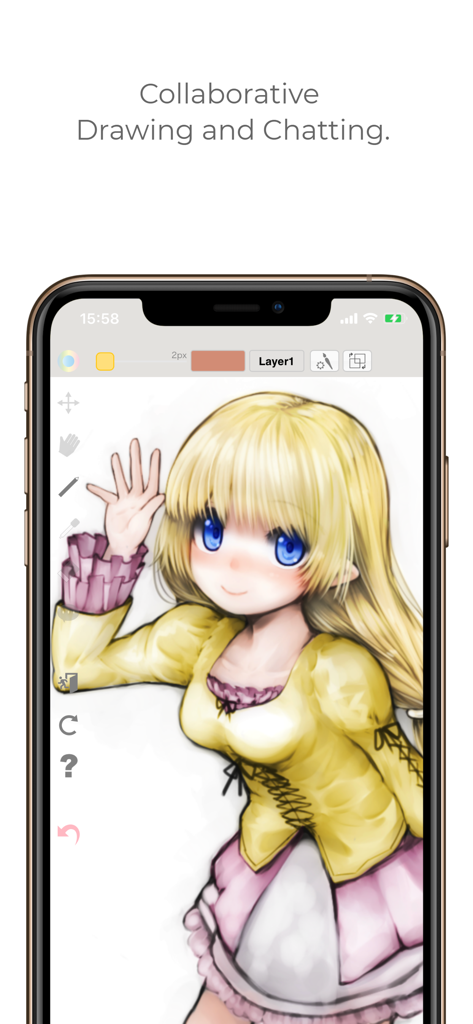
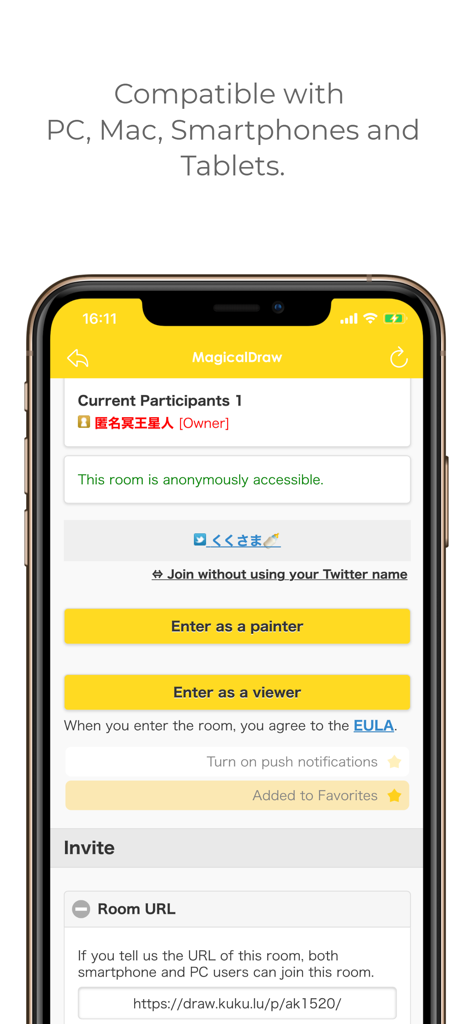
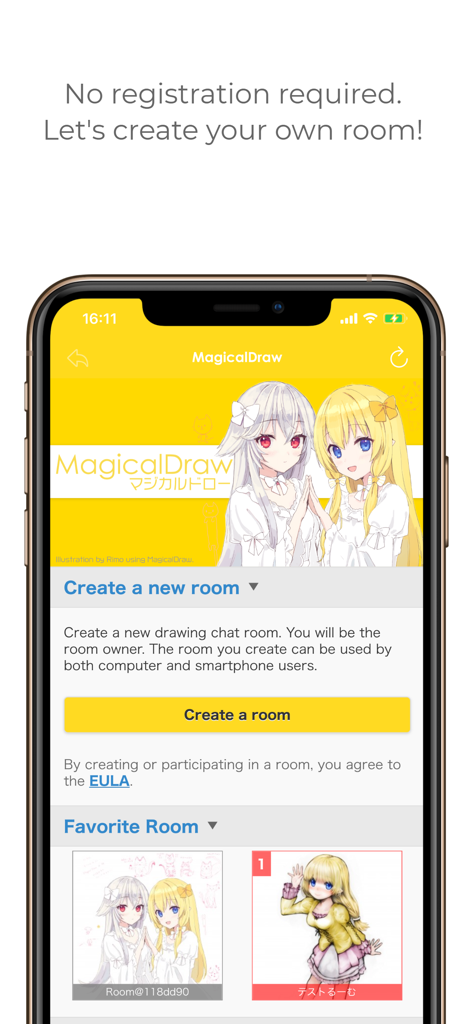
The tools that make this app stand out, trusted by 571K+ users.
Skip the tedious sign-up forms. Launch a room instantly and share a link to start your collaborative art session with no friction.
Get pro-level features like layers, shake correction, and undo for free. It’s the precision of a professional app inside a social chat.
Perfect for Discord hangouts and Art Twitter. Create password-protected rooms, save your history forever, and export speed-paints with one tap.
Everything you need to know about MagicalDraw.
Description
Latest Version
2.5.1
Size
13.3 MB
First Released
Feb 12, 2014
No registration, no accounts, just pure creativity. Download MagicalDraw now to join the ultimate collaborative canvas and start sketching with your friends instantly.
Everything you need to know about MagicalDraw
Yes, MagicalDraw is a free drawing chat service. It requires no registration to use.
No, MagicalDraw does not require any user registration. You can create a room and start drawing instantly.
MagicalDraw is compatible with PC, Mac, smartphones, and tablets, allowing access from various device types.
Yes, multiple people can enter the same MagicalDraw room from their computer or phone and draw simultaneously.
Yes, MagicalDraw includes a layer function, shake correction, and undo capabilities for drawing. Users can also change canvas size.
No, MagicalDraw rooms have no limit on the number of participants. There is also no time limit for room usage.
Yes, MagicalDraw allows users to load, save, and restore images. Drawings created in rooms are not erased and rooms can be used forever.
Yes, MagicalDraw allows users to set up passwords for rooms. It also supports Twitter connections and mutual followers.
You can create a new drawing chat room in MagicalDraw quickly by clicking the "Create a room" button, all for free.
Yes, MagicalDraw rooms are anonymously accessible. Participants can choose to enter as a painter or a viewer.
Apps with similar features and user experience
App information, icons, screenshots, and descriptions displayed on this page are sourced from the Apple App Store and are the property of their respective developers. Download estimates and rankings are based on MWM's proprietary models and may not reflect actual figures. This page is provided for informational and analytical purposes only.
Believe this page infringes your intellectual property? File a dispute