Media Pro · Video Player: The Elegance of Apple Photos Meets Professional Power
The ultimate media hub for prosumers. Stream from NAS or cloud, support every format from MKV to RAW, and manage a 12TB library with just 10GB of local storage—all within a stunning, fluid interface.
Publisher
楷 王
Category
Entertainment
Downloads
4K+
User Rating
4.9/5
Total Ratings
200
Locales
2
Pro Power, Native Elegance
Discover the interface used by 4K+ users.
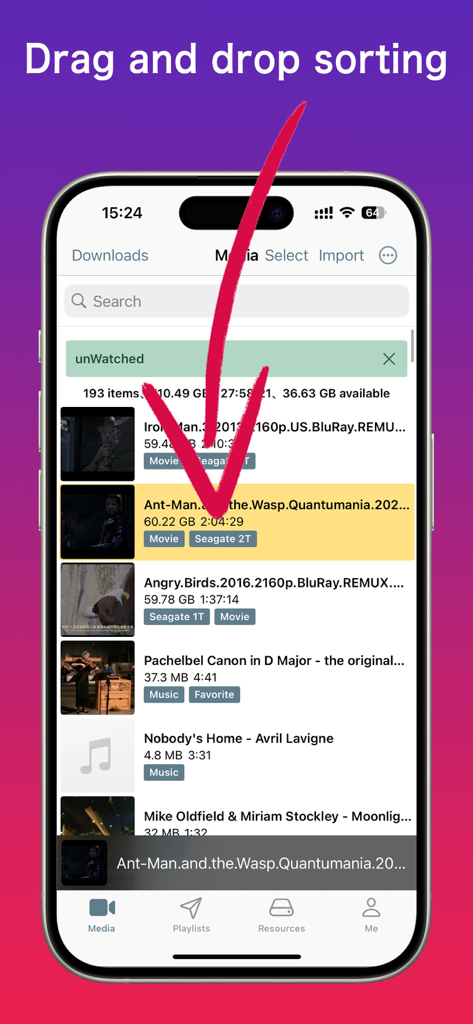
Media Pro app interface showing drag and drop sorting of a video library on iPhone.
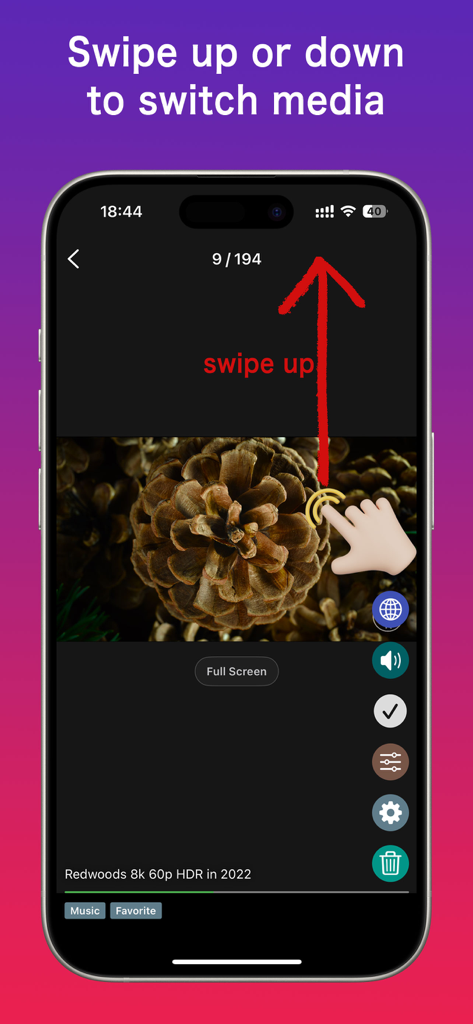
A screenshot of Media Pro Video Player showing the swipe up gesture to switch between media files on an iPhone
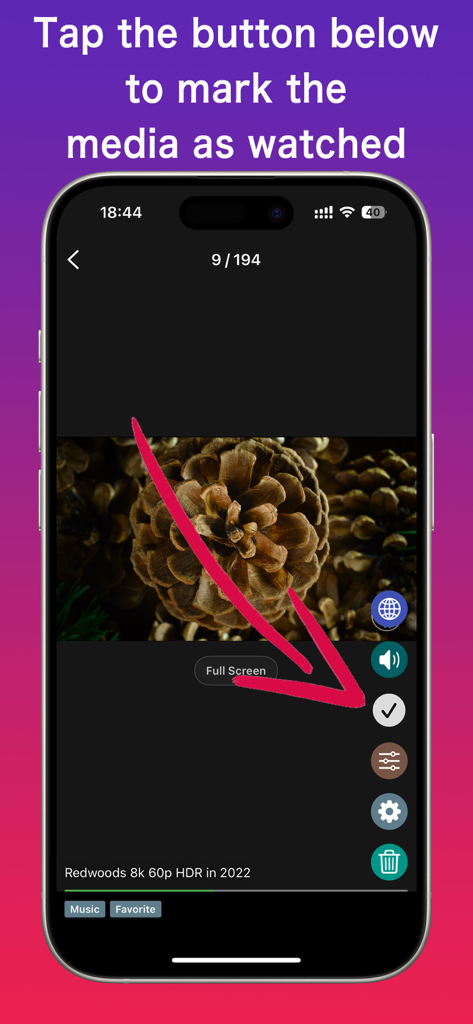
Media Pro app interface showing the checkmark button to mark a video as watched
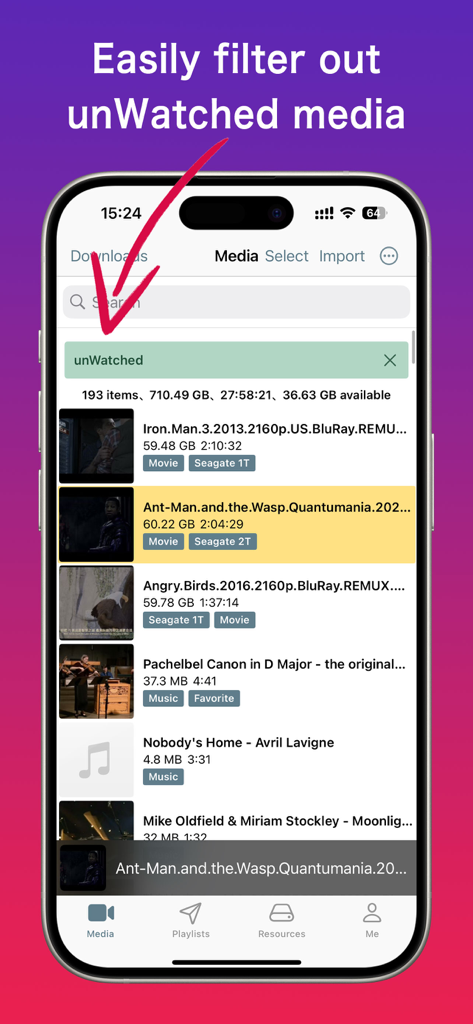
Media Pro app interface showing the unwatched media filter applied to a video and music library
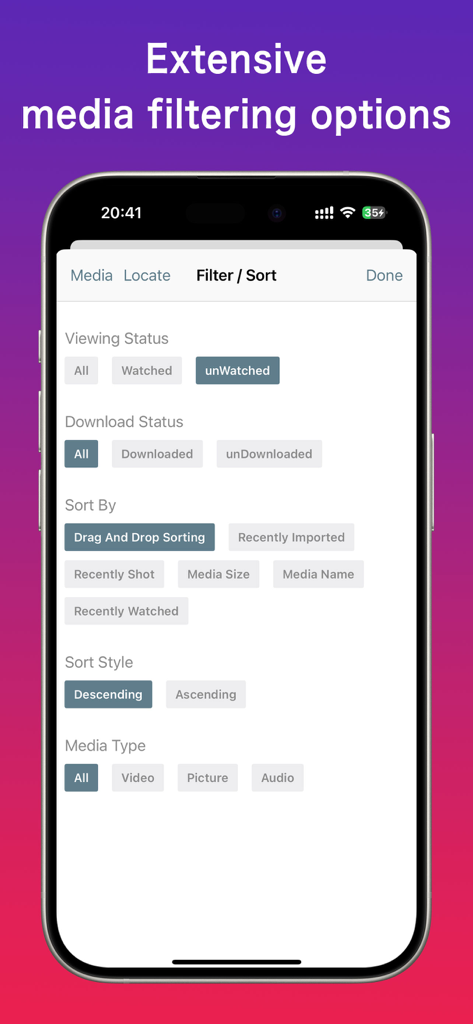
Interface showing media filtering and sorting options in the Media Pro app
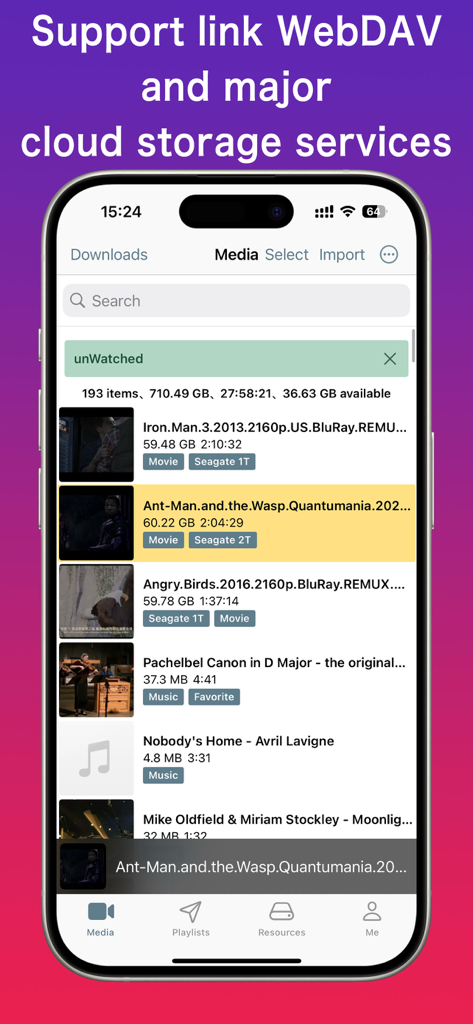
Media Pro app interface displaying a media library with WebDAV and cloud storage integration
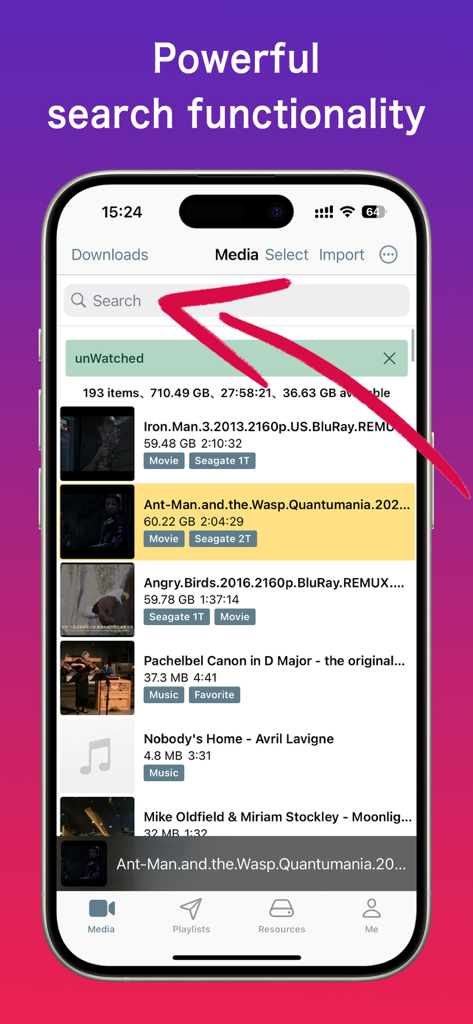
Media Pro app showing the powerful search bar and media library management with unwatched filter active
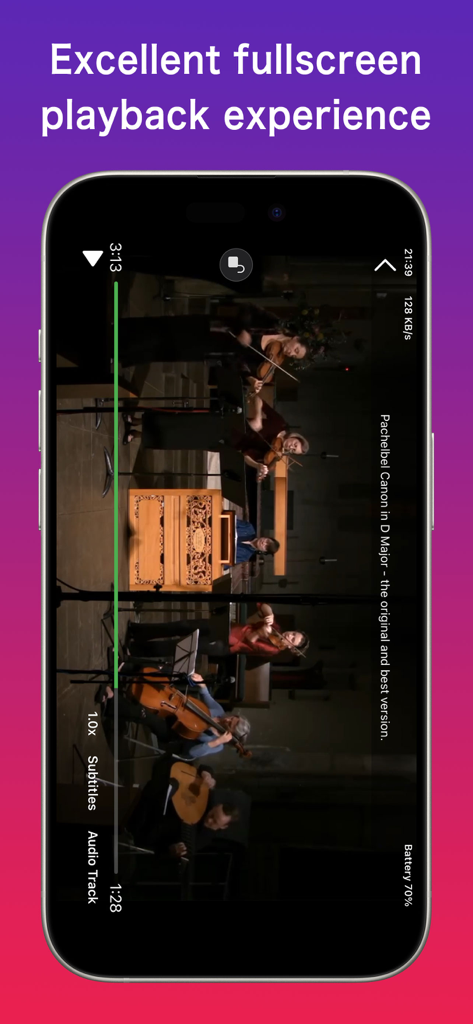
Media Pro video player showing fullscreen playback with advanced audio and subtitle controls
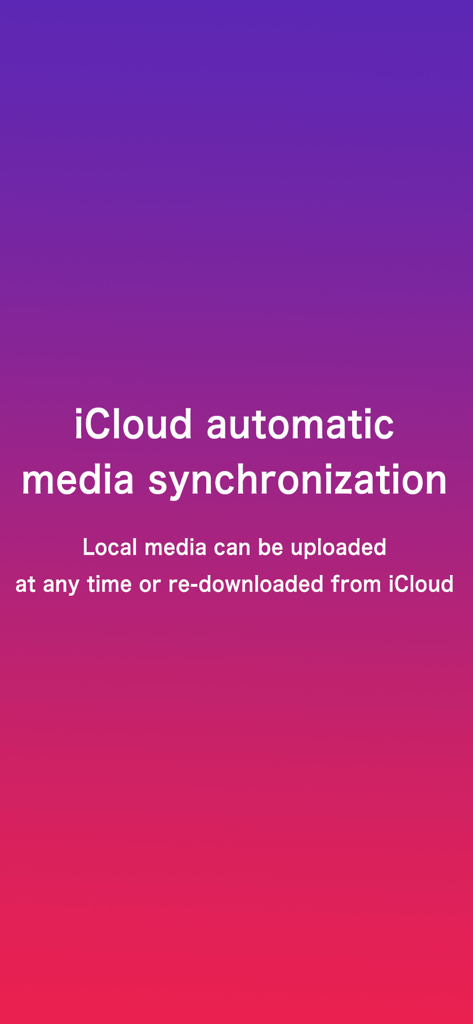
Graphic illustrating iCloud automatic media synchronization features in the Media Pro app
Pro Power, Apple Elegance
The tools that make this app stand out, trusted by 4K+ users.
📦
12TB Access, Zero Storage Stress
Manage massive libraries from your NAS or cloud with just 10GB of local space. Keep your entire collection at your fingertips without hitting storage limits.
🎬
Play Every Format Without Friction
From ProRes and MKV to RAW images and Hi-Fi audio. Enjoy seamless playback with the familiar 'pinch-to-zoom' and fluid gestures you expect.
🔄
Intelligent Library Management
Sync your progress via iCloud, mark videos as 'watched' like a to-do list, and organize your media with intuitive drag-and-drop precision.
About the app
Everything you need to know about Media Pro · Video Player.
Description
Are you fascinated by the high performance and unparalleled user experience of Apple Photos, but frustrated by the fact that it doesn't support as many video formats as traditional players, nor can it stream movies from NAS or cloud storage services like traditional players?
Moreover, Apple Photos doesn't allow you to switch subtitles, audio tracks, or other information as traditional players do, and it can't remember your video playback progress.
However, traditional players, compared to Apple Photos, can't perfectly organize and drag-and-drop media, can't seamlessly sync media via iCloud, lack powerful media search capabilities like Apple Photos, can't display map data for photos and videos, and most importantly, traditional players can't provide the smooth drag progress bar or zooming functionality that Apple Photos offers for supported media formats (such as MP4, MOV).
Media Pro integrates the best features of both Apple Photos and traditional video players. You no longer need to use both Apple Photos and traditional players. With Media Pro, you can have everything in one app.
Both Apple Photos and traditional video players have their flaws. Come try Media Pro, a revolutionary player that is set to disrupt the entire industry.
Apple Photos can't import audio media, and some traditional players only support video playback. While some can preview images, their preview abilities are not as strong as Apple Photos — for example, most video players can't play RAW image formats.
But Media Pro supports importing videos, audios, and images. Its support for video and images is on par with Apple Photos. In the future, Media Pro will support more media formats, such as PDF, Word, Excel, and more — stay tuned!
Media Pro also takes inspiration from popular short video apps, where you can swipe up and down to switch between media. You can easily swipe through videos in Media Pro, just like browsing through short videos.
Media Pro is a high-performance app that can manage thousands of media files, comparable to Apple Photos. We’ve made extensive performance optimizations to ensure smooth usage.
If you're frustrated with your current media player, try Media Pro — it may surprise you!
This is where Media Pro comes in to solve all your problems.
Unlike traditional players, Media Pro allows you to manually mark which media you've watched and which you haven't, and provides excellent filtering options. Browsing videos becomes as easy as managing a to-do list. You just browse through the videos in order, starting from the first one.
You can sort videos flexibly: manually drag-and-drop to reorder, or sort by import time, shooting time, media size, or media name.
With iCloud synchronization, videos sync seamlessly across devices, just like the system photo library.
Apple Photos automatically releases older media when local storage is low to save space. Media Pro allows you to customize which media to release from local storage, enabling you to manage up to 12TB of media with as little as 10GB of local storage.
----------------------------
VIP Subscription Plan:
Subscription Period: One month
Subscription Price: ¥12/month
Payment: After confirming the purchase, the payment will be charged to your iTunes account
Cancel Renewal: To cancel renewal, you must manually disable the auto-renewal feature in iTunes/Apple ID settings at least 24 hours before the current subscription expires
Renewal: Your Apple iTunes account will be charged 24 hours before the subscription expires. The subscription will renew for one more month after successful payment.
Privacy Protection: https://docs.qq.com/doc/DQ2tUQ0dIT1hWRE1R
Terms of Service: https://docs.qq.com/doc/DQ1Vvemp2U25UaWho
Latest Version
1.6.62
Size
64.8 MB
First Released
May 8, 2023
Experience the Player Apple Should Have Built
Stop compromising between power and beauty. Join thousands of prosumers who have unified their NAS, cloud, and local libraries into one stunning, high-performance experience. Download Media Pro today.
FAQ
Frequently Asked Questions
Everything you need to know about Media Pro · Video Player
What is Media Pro?
Media Pro integrates the best features of Apple Photos and traditional video players. It supports videos, audios, and images, offering robust organization and playback functionalities to provide an all-in-one media management solution.
Which media formats does Media Pro support?
Yes, Media Pro supports importing videos, audios, and images. Its support for video and images is on par with Apple Photos, with future plans to include formats such as PDF, Word, and Excel.
Can Media Pro stream media from cloud storage or NAS?
Yes, Media Pro supports linking WebDAV and major cloud storage services. It enables streaming movies from these sources, addressing a common limitation found in Apple Photos.
How does Media Pro allow users to sort and organize media?
Media Pro allows flexible media sorting, including manual drag-and-drop, and sorting by import time, shooting time, media size, or name. It also provides extensive filtering options for media status.
Does Media Pro feature iCloud synchronization for media?
Yes, Media Pro supports iCloud synchronization. This feature ensures videos sync seamlessly across all devices, mirroring the behavior of the system photo library for consistent access.
What is the price of a Media Pro VIP Subscription?
The Media Pro VIP Subscription costs ¥12 per month. Payment is charged to the iTunes account upon purchase, with auto-renewal options manageable through iTunes/Apple ID settings.
Can users mark media as watched in Media Pro?
Yes, Media Pro allows users to manually mark media as watched or unwatched. The app provides excellent filtering options, making it easy to browse and manage unwatched content.
Does Media Pro include search functionality for media?
Yes, Media Pro integrates powerful search functionality. This allows users to efficiently locate specific media files within their library, enhancing media management and accessibility.
Is Media Pro capable of managing a large number of media files?
Yes, Media Pro is a high-performance application designed to manage thousands of media files effectively. It includes extensive performance optimizations for smooth operation, comparable to Apple Photos.
How does Media Pro help manage local storage space with large media libraries?
Media Pro allows users to customize which media to release from local storage. This enables efficient management of up to 12TB of media using as little as 10GB of local space.
App information, icons, screenshots, and descriptions displayed on this page are sourced from the Apple App Store and are the property of their respective developers. Download estimates and rankings are based on MWM's proprietary models and may not reflect actual figures. This page is provided for informational and analytical purposes only.
Believe this page infringes your intellectual property? File a dispute