
MediBang Paletta:Drawing App

Escape subscription fatigue and software bloat. Experience a minimalist, high-performance studio designed to turn your iPad into a sanctuary of creative freedom.
Publisher
Category
Graphics & DesignDownloads
259K+User Rating
Total Ratings
3K+Locales
18Discover the interface used by 259K+ users.
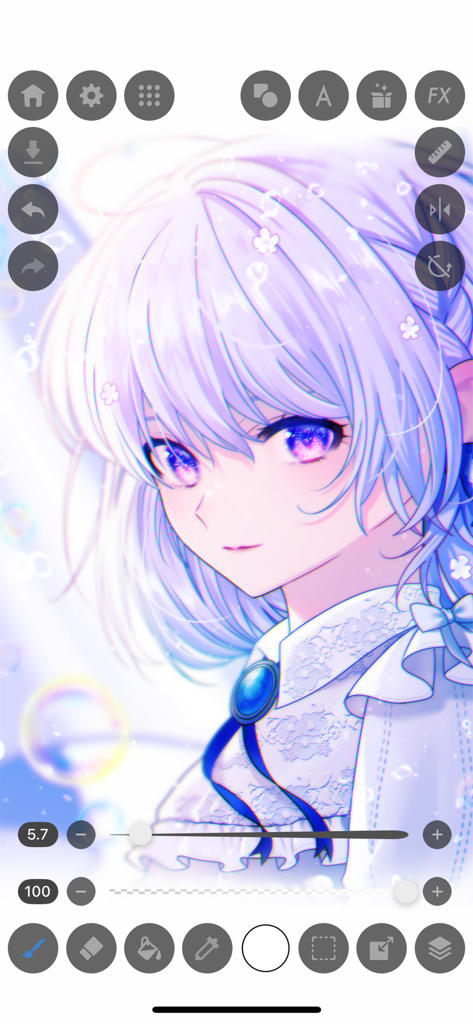
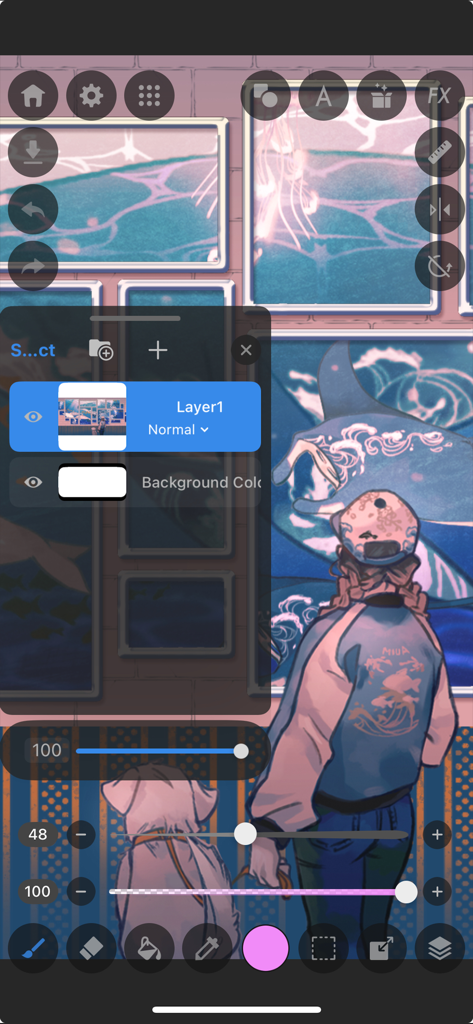
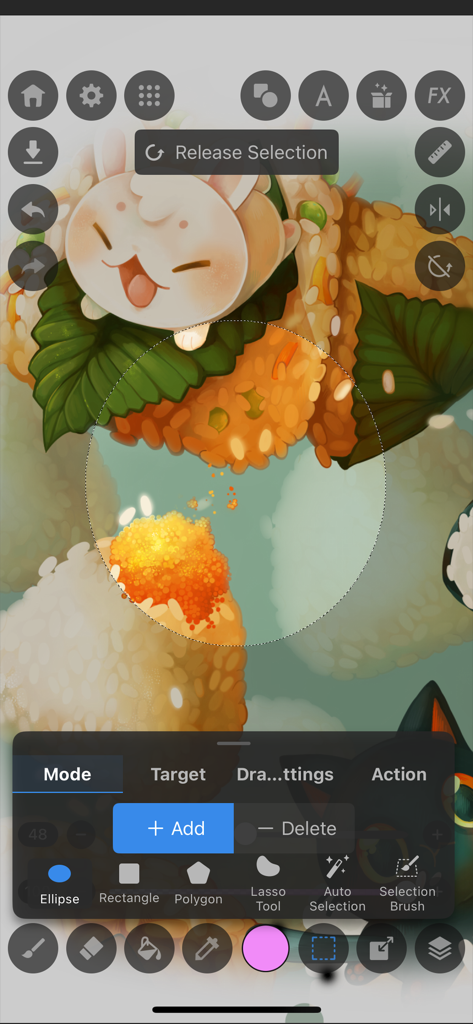
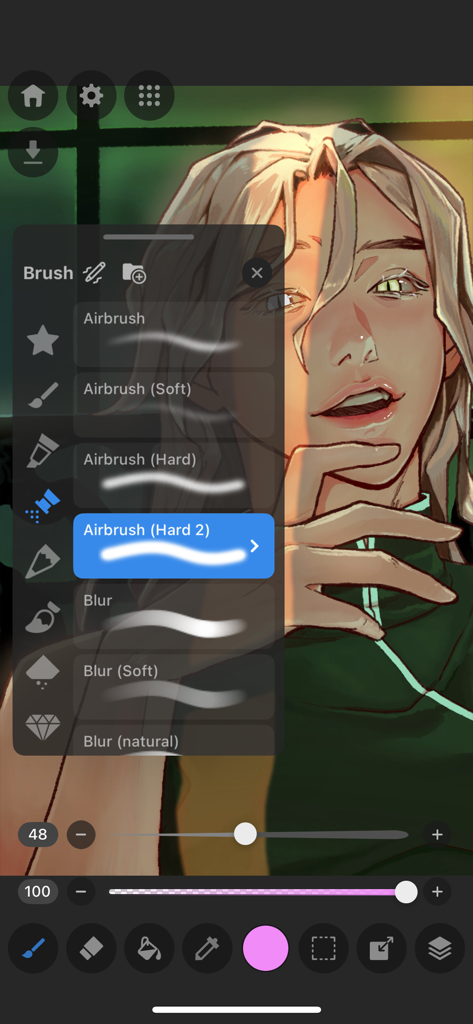
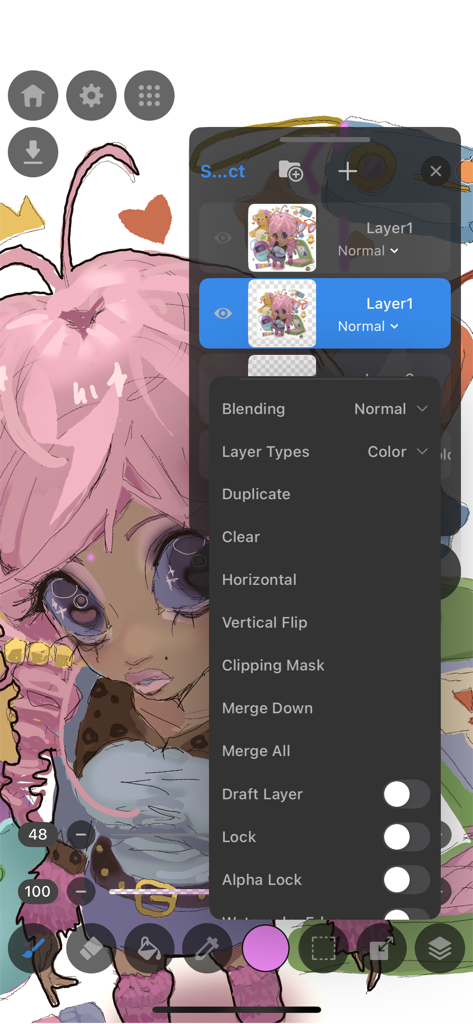
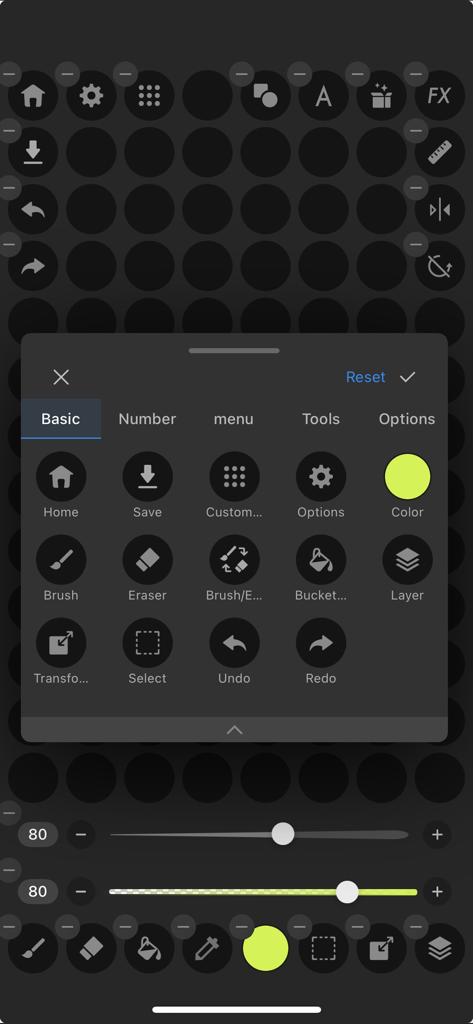
The tools that make this app stand out, trusted by 259K+ users.
Break free from monthly fees. Access world-class brushes and professional tools without the burden of subscription fatigue.
Focus on your creative flow with a minimalist, high-speed engine optimized for iPad to ensure your strokes never skip a beat.
From nuanced layering to PSD exports, get the professional control you need for both your side-hustles and personal masterpieces.
Everything you need to know about MediBang Paletta:Drawing App.
Description
Latest Version
4.0.1
Size
189.0 MB
First Released
Jan 11, 2024
Experience professional-grade drawing on your iPad and iPhone with the minimalist, lag-free studio you’ve been waiting for. No subscriptions, no bloat—just pure creative freedom.
Everything you need to know about MediBang Paletta:Drawing App
MediBang Paletta is a painting app designed for digital artists, developed by the creators of MediBang Paint. It offers a user-friendly interface with world-class brushes and advanced layering for creative expression.
MediBang Paletta features a user-friendly interface, customizable brushes, auto-save, nuanced layering, various blending modes, artistic filters, and professional export options including PSD files.
Yes, MediBang Paletta offers all features for free, with one video ad every 30 minutes. A one-time permanent license purchase is available to remove these ads.
No, MediBang Paletta does not require a subscription. Users can access all features for free or purchase a one-time permanent license to remove ads.
MediBang Paletta supports iOS 18 or later. It is optimized for specific iPhone and iPad models, including iPhone 13 and later, and iPad 9th generation and later.
Recommended devices for MediBang Paletta include iPhone 13 or later, iPad 9th generation or later, iPad Air 5th generation or later, iPad mini 6th generation or later, and iPad Pro 5th generation or later.
Yes, MediBang Paletta includes an auto-save function. This feature automatically saves sketches, ensuring users do not lose their creative work.
Yes, MediBang Paletta allows users to import or export their art in various formats, including Adobe® Photoshop® PSD files, for professional workflow integration.
MediBang Paletta provides nuanced layering capabilities, including clipping masks for non-destructive editing and layer groups for organization. It also offers nearly 20 blending modes.
Yes, MediBang Paletta allows customization of default brushes to match individual artistic styles. It also offers a stabilization tool, creative effects, and adjustable pen pressure settings.
Yes, MediBang Paletta includes a Blur Tool. This tool helps artists achieve effects like softness, movement, and depth within their artwork.
MediBang Paletta offers various selection tools including Ellipse, Rectangle, Polygon, Lasso Tool, Auto Selection, and a Selection Brush. Users can add or delete from selections.
No, MediBang Paletta is designed for no lag, ensuring a smooth and responsive drawing experience without delays in brush strokes or loading times.
Yes, users can save their art locally within MediBang Paletta. Files are also backed up to the app itself in the event of a crash.
MediBang Paletta uses one video ad every 30 minutes. Users can remove these ads by purchasing a one-time permanent license.
Yes, MediBang Paletta includes responsive and adjustable Pen Pressure Settings. This allows artists to tailor the brush response to their individual drawing style.
MediBang Paletta offers nearly 20 blending modes. These modes allow artists to adjust their art as desired, providing extensive control over layer interactions.
Apps with similar features and user experience

Sketchbook, Inc.

Mental Canvas, Inc.

ibis inc.

ibis inc.

Evernote Corporation

Adobe Inc.

Lofopi Ltd

MediBang inc.

SKETCHES SRL
App information, icons, screenshots, and descriptions displayed on this page are sourced from the Apple App Store and are the property of their respective developers. Download estimates and rankings are based on MWM's proprietary models and may not reflect actual figures. This page is provided for informational and analytical purposes only.
Believe this page infringes your intellectual property? File a dispute