
Mesh Gradient

Create fluid, high-resolution color blends for wallpapers, UI mockups, and professional backgrounds with the ultimate ad-free creative tool.
Publisher
Category
Graphics & DesignDownloads
39K+User Rating
Total Ratings
0Locales
1Discover the interface used by 39K+ users.
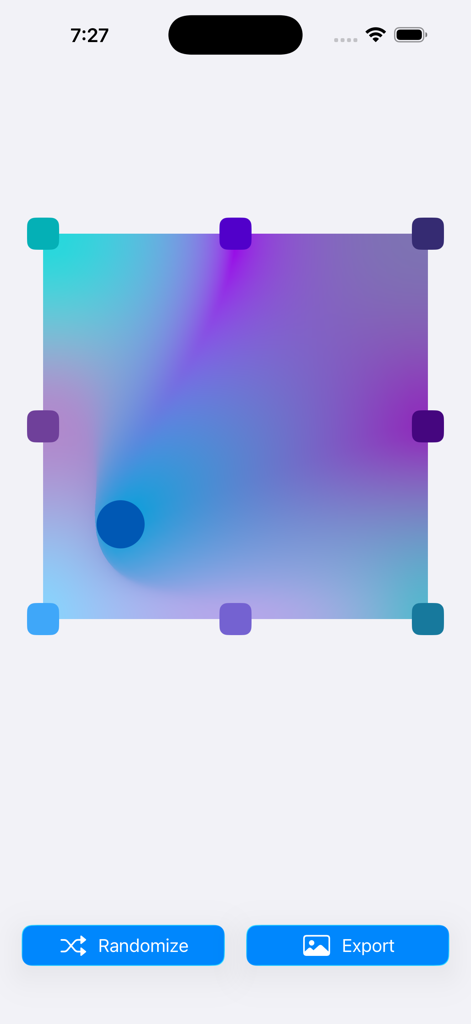
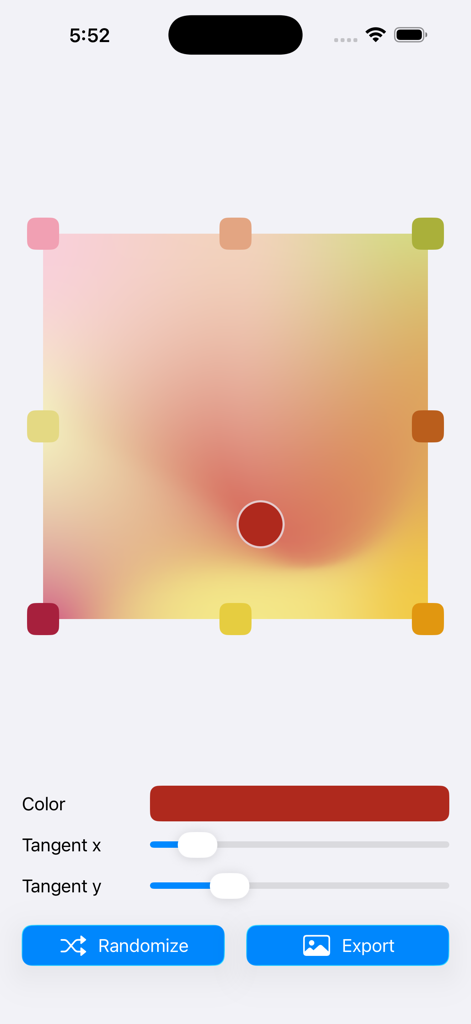
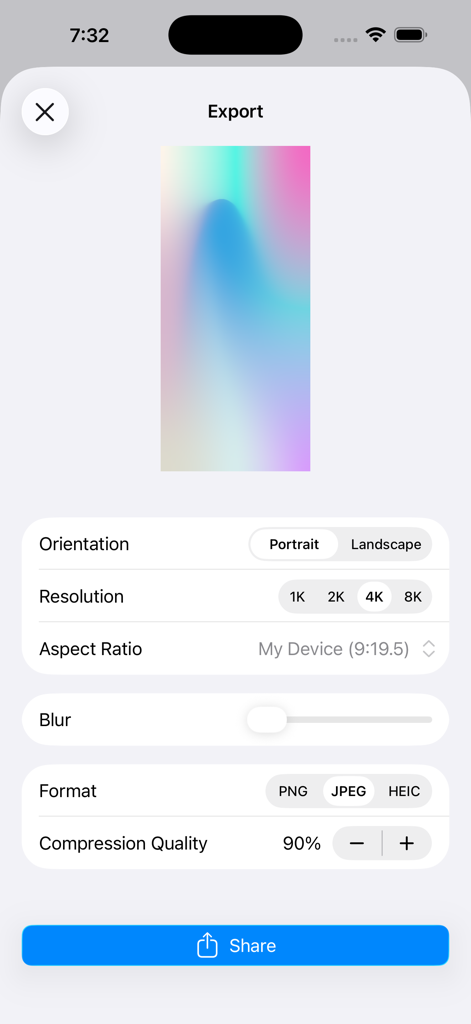
The tools that make this app stand out, trusted by 39K+ users.
Export stunning visuals in up to 8K resolution. High-fidelity formats like HEIC and PNG ensure your work stays crisp for professional UI mockups or large-scale prints.
Effortlessly manipulate colors and points with a smooth, ad-free interface. Design unique, professional-grade gradients without the complexity of desktop software.
Instantly switch between aspect ratios and orientations. Perfect for creating personalized iPhone wallpapers, app backgrounds, or high-impact social media posts.
Everything you need to know about Mesh Gradient.
Description
Latest Version
1.3
Size
1.3 MB
First Released
Jun 29, 2022
Join over 39,000 creators using Mesh Gradient to generate stunning 8K backgrounds and UI assets. Download now for a seamless, ad-free creative experience on your iPhone and iPad.
Everything you need to know about Mesh Gradient
Mesh Gradient is a tool for creating customizable mesh gradients. It designs unique color blends for wallpapers, app backgrounds, illustrations, and UI designs. It is also suitable for UI mockups and social media visuals.
Yes, Mesh Gradient allows users to customize colors and points within their gradients. This feature enables precise control over the visual output, creating unique color blends.
Mesh Gradient supports exporting creations in PNG, JPEG, and HEIC formats. Users can select their preferred format from the export options within the app.
Yes, Mesh Gradient allows users to adjust the resolution of their exported gradients. Options include 1K, 2K, 4K, and 8K, providing flexibility for various use cases.
Yes, Mesh Gradient works seamlessly on both iPhone and iPad. This ensures a consistent user experience across different Apple mobile devices.
Yes, Mesh Gradient provides an option to apply blur to the gradients. This feature enhances the visual design, allowing for softer transitions and artistic effects.
Mesh Gradient allows users to choose the gradient orientation as either portrait or landscape. This option is available in the export settings for precise layout control.
Yes, Mesh Gradient offers a smooth, intuitive, and ad-free experience. This ensures an uninterrupted creative workflow for all users.
Top-ranked apps in the same category

LOHAS GAMES PTE. LTD.

Xiamen ShenZhuo Information Technology Co., Ltd.

BYTEDANCE PTE. LTD.

HUBX YAZILIM HIZMETLERI ANONIM SIRKETI

ibis inc.

Woohoo Tech. Ltd.

Sketchbook, Inc.

Guangzhou ZHIFENG Information Technology Co.,Ltd.

GM UniverseApps Limited
App information, icons, screenshots, and descriptions displayed on this page are sourced from the Apple App Store and are the property of their respective developers. Download estimates and rankings are based on MWM's proprietary models and may not reflect actual figures. This page is provided for informational and analytical purposes only.
Believe this page infringes your intellectual property? File a dispute