Mobile Device Manager Plus MSP

Mobile Device Manager Plus MSP

Download on App Store
Logo of Mobile Device Manager Plus MSP

Mobile Device Manager Plus MSP: Multi-Tenant Device Management in Your Pocket

Empower your IT team to secure, monitor, and manage every client endpoint on the go. From remote wipes to real-time tracking, maintain your SLAs with the single-pane-of-glass mobile solution built for the modern MSP.

Download on App Store

Publisher

Zoho Corporation

Category

Business

Downloads

500+

User Rating

1.0/5

Total Ratings

0

Locales

18

Command Center at Your Fingertips

Discover the interface used by 500+ users.
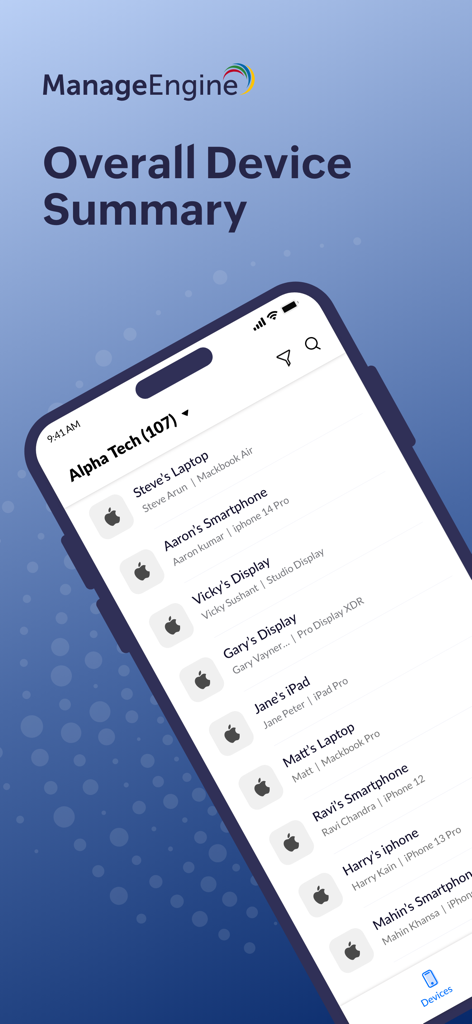
ManageEngine MSP app device summary screen showing a list of managed corporate devices

ManageEngine MSP app device summary screen showing a list of managed corporate devices

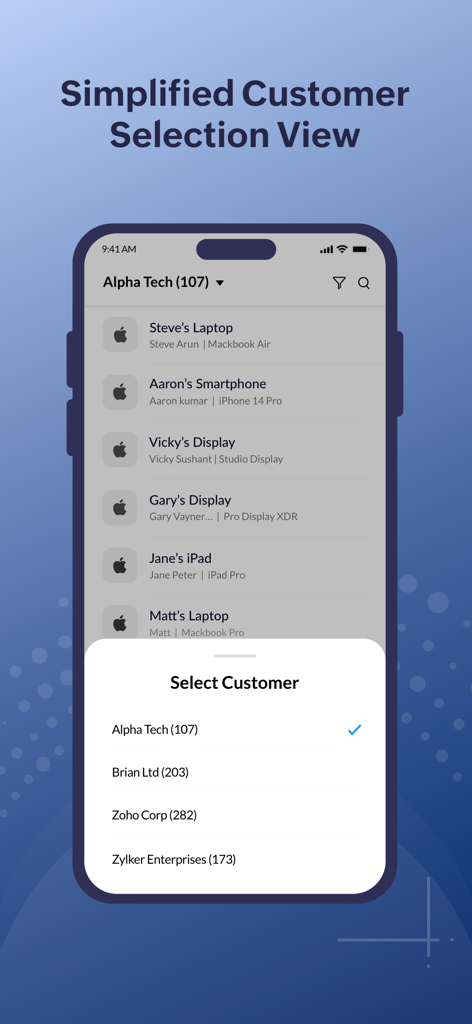
Simplified customer selection view for MSP IT administrators to manage multiple client devices

Simplified customer selection view for MSP IT administrators to manage multiple client devices

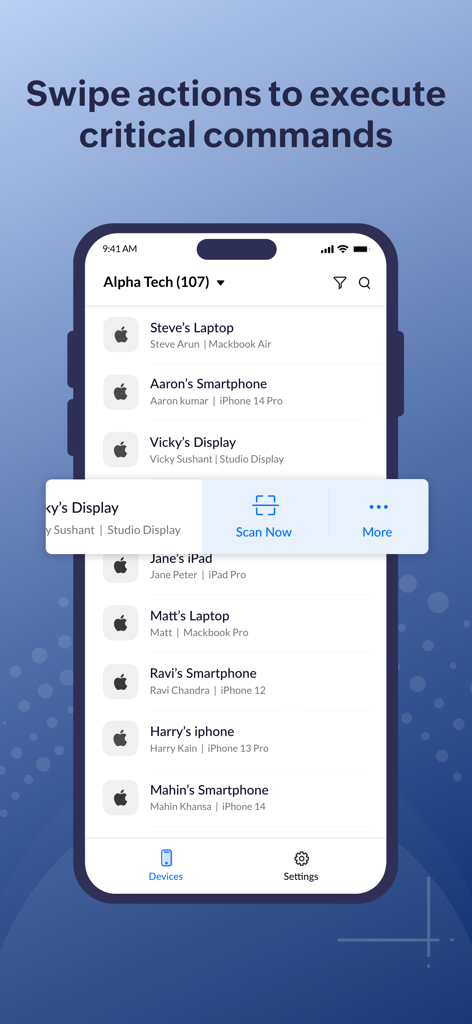
Mobile Device Manager Plus MSP app interface showing swipe gestures to execute commands on managed devices

Mobile Device Manager Plus MSP app interface showing swipe gestures to execute commands on managed devices

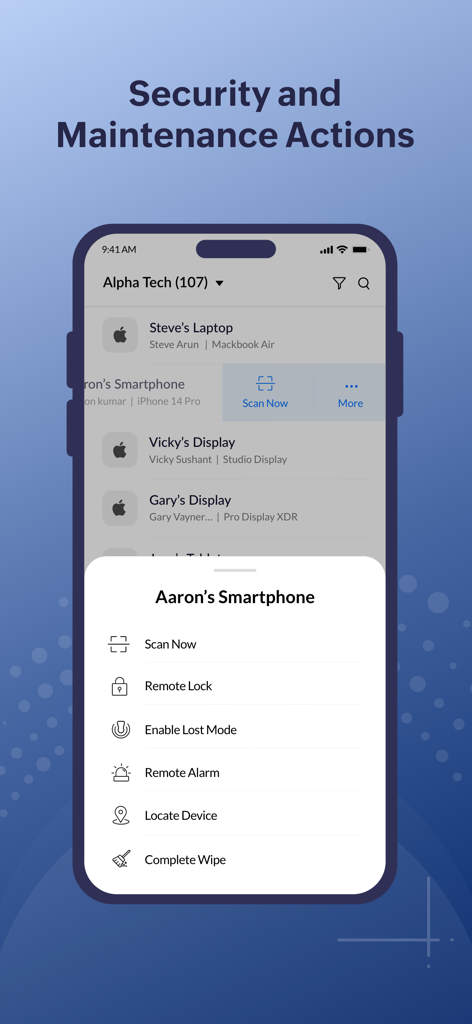
Mobile Device Manager Plus MSP app interface showing security and maintenance actions like Remote Lock and Complete Wipe for a smartphone.

Mobile Device Manager Plus MSP app interface showing security and maintenance actions like Remote Lock and Complete Wipe for a smartphone.

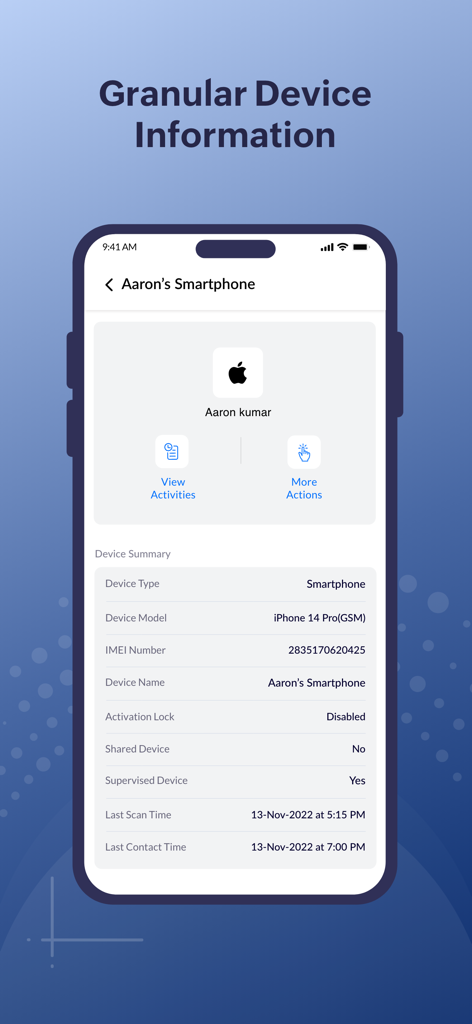
Mobile Device Manager Plus MSP app interface showing granular device information and summary.

Mobile Device Manager Plus MSP app interface showing granular device information and summary.

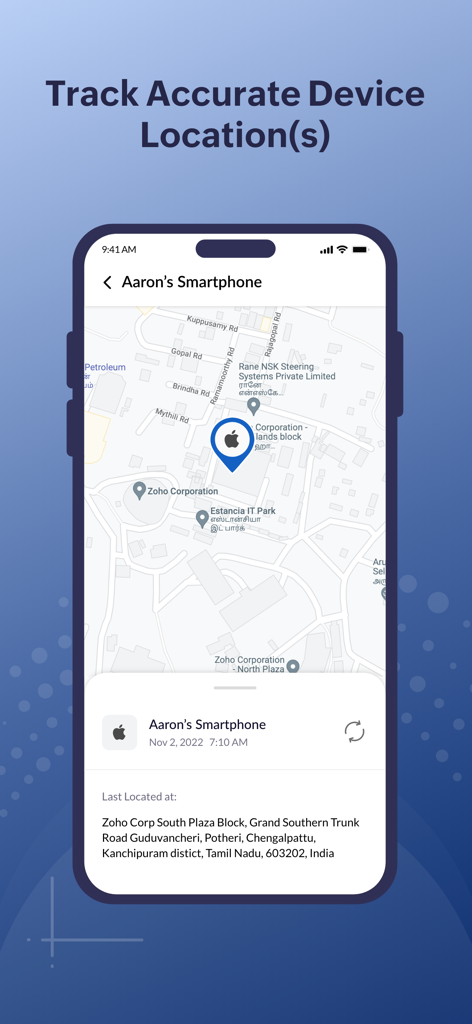
Mobile Device Manager Plus MSP app interface displaying the real-time geographical location of a managed smartphone on a map.

Mobile Device Manager Plus MSP app interface displaying the real-time geographical location of a managed smartphone on a map.

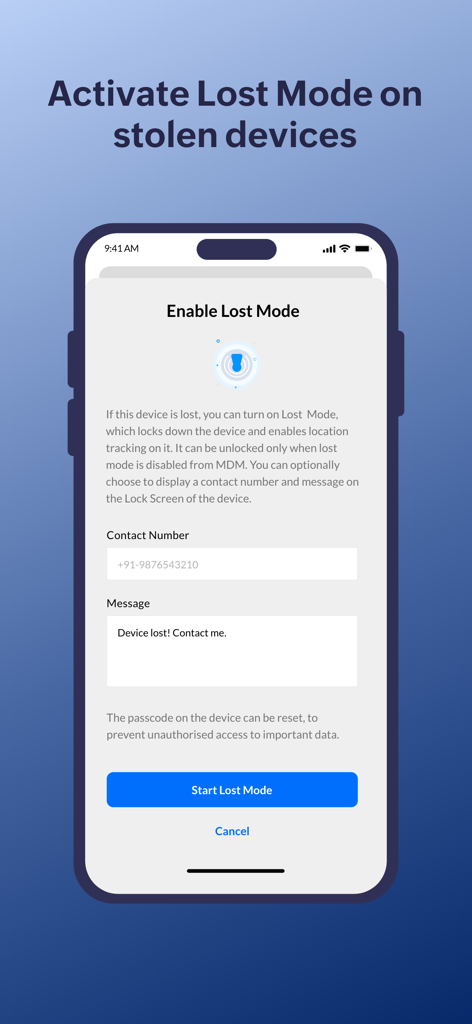
Smartphone screen displaying the Enable Lost Mode feature in the Mobile Device Manager Plus MSP app to secure stolen devices

Smartphone screen displaying the Enable Lost Mode feature in the Mobile Device Manager Plus MSP app to secure stolen devices

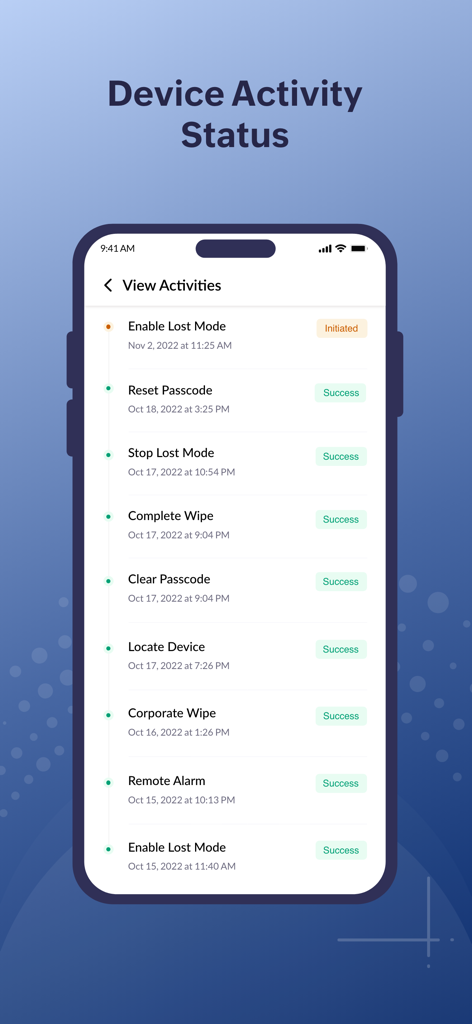
Smartphone screen displaying device activity status and historical logs for remote security actions in the MDM MSP app

Smartphone screen displaying device activity status and historical logs for remote security actions in the MDM MSP app

Control Every Endpoint in Your MSP Portfolio

The tools that make this app stand out, trusted by 500+ users.

👥

Unified Multi-Customer View

Switch between client environments instantly with a specialized selection tool designed specifically for managing diverse IT infrastructures on the go.

🔐

Remote Incident Mitigation

Enforce 'Lost Mode,' wipe corporate data, or reset passcodes on the fly to neutralize security threats before they escalate, protecting client reputation.

🛰️

Live Asset Tracking & Audits

Get instant access to OS summaries, network status, and precise geographical locations for every enrolled device to ensure continuous compliance.

About the app

Everything you need to know about Mobile Device Manager Plus MSP.

Description

The Mobile Device Manager Plus MSP app is tailored to simplify device management for MSP IT admins. A separate customer selection view enables admins to keep an eye on multiple customer's devices while ensuring security.  Scan devices to keep them in contact with the MDM server, and view extensive device details through OS, Network or storage summaries. While on the go, reset passwords, or remotely power-off devices right before off hours. Set a 'Lost Mode' on stolen devices, to track device location(s) and completely erase data in extreme scenarios.In short, all the devices you have enrolled into your Mobile Device Manager Plus MSP web console, can be managed and monitored from the convenience of this mobile app. With the Mobile Device Manager Plus MSP app, the following tasks can be done: - Monitor and track accurate device details. - View multiple customers' devices systematically - Scan devices to maintain server-device contact - Fetch OS Summary, Network Summary & Device SummaryReset and clear device passcodesObtain accurate geographical location(s) of devices - Enable Lost Mode to locate stolen devices and secure corporate data. - Trigger a remote alarm on devices - Completely erase all data from devices, or erase only corporate information. Awards and recognitions: - ManageEngine Positioned in the 2021 Gartner Magic Quadrant for Unified Endpoint Management (UEM) Tools - ManageEngine is recognized as a Strong Performer in the Forrester Wave: Unified Endpoint Management, Q4 2021 - IDC MarketScape recognizes Zoho/ManageEngine as a Major Player in worldwide UEM software for the fourth consecutive year - Rated 4.6 on Capterra and 4.5 on G2 Note: This app is currently supported for Mobile Device Manager Plus MSP Cloud. It will be available for Mobile Device Manager Plus MSP - On-Premises users shortly.

Latest Version

26.02.02

Size

81.4 MB

First Released

Jan 5, 2023

Manage Every Client, Every Device, From Anywhere

Empower your MSP team with the mobile flexibility to secure data, track assets, and resolve emergencies instantly. Download the Gartner-recognized MDM solution built for your mobile workflow.

Download on App Store

App information, icons, screenshots, and descriptions displayed on this page are sourced from the Apple App Store and are the property of their respective developers. Download estimates and rankings are based on MWM's proprietary models and may not reflect actual figures. This page is provided for informational and analytical purposes only.

Believe this page infringes your intellectual property? File a dispute