Mobile IDentification App

Mobile IDentification App


Download on App Store
Logo of Mobile IDentification App

Mobile IDentification App: Your Official Korean Identity, Now Fully Digital

Securely carry your Resident Registration Card and Driver’s License on your iPhone. Experience the same legal authority as physical IDs with encrypted, biometric-protected convenience for banking and government services across borders.

Publisher

Ministry of the Interior and Safety

Category

Utilities

Downloads

4M+

User Rating

2.6/5

Total Ratings

2K+

Locales

3

Your Identity, Digitalized

Discover the interface used by 4M+ users.
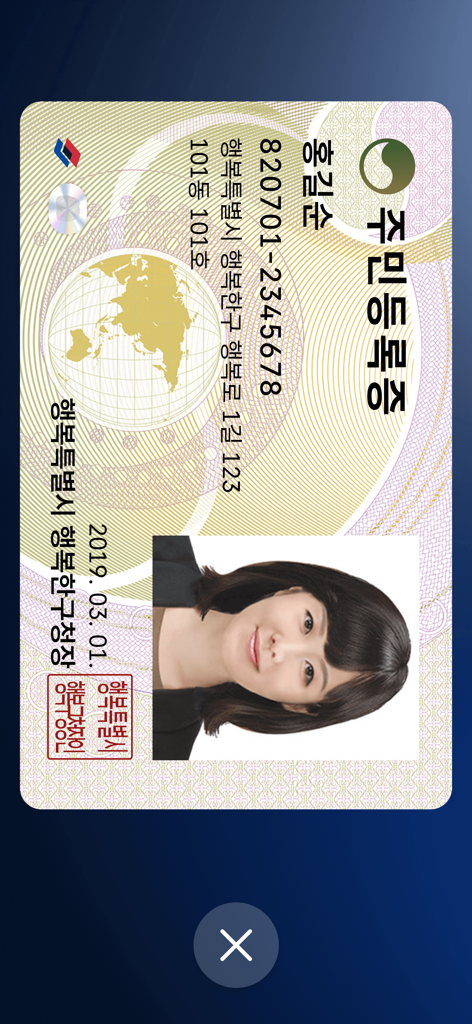
A digital South Korean Resident Registration Card displayed within the official Mobile ID app interface.

A digital South Korean Resident Registration Card displayed within the official Mobile ID app interface.

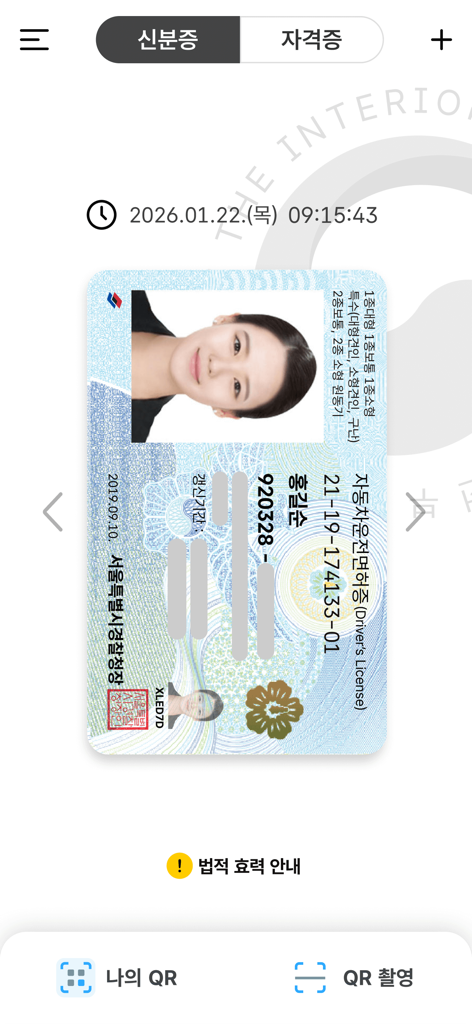
Digital South Korean driver license inside the mobile identification app

Digital South Korean driver license inside the mobile identification app

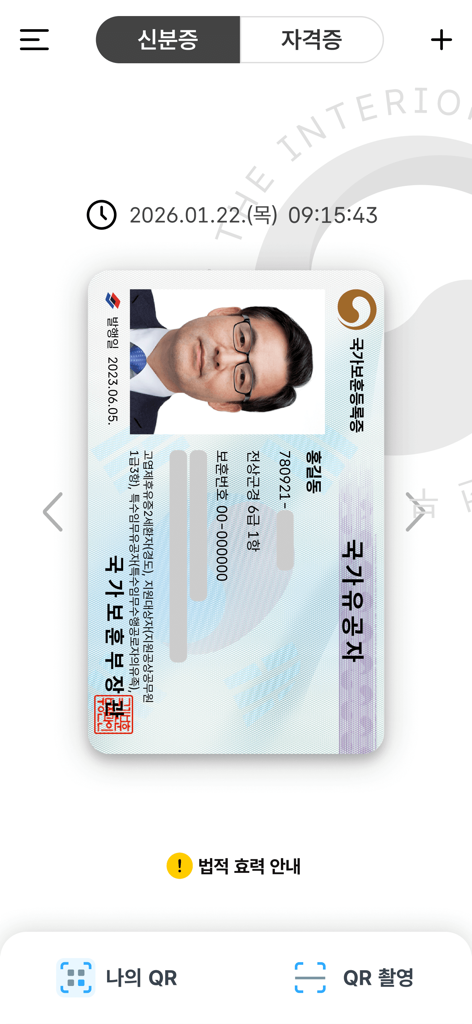
A digital National Veterans Registration Card displayed within the South Korean Mobile ID app interface

A digital National Veterans Registration Card displayed within the South Korean Mobile ID app interface

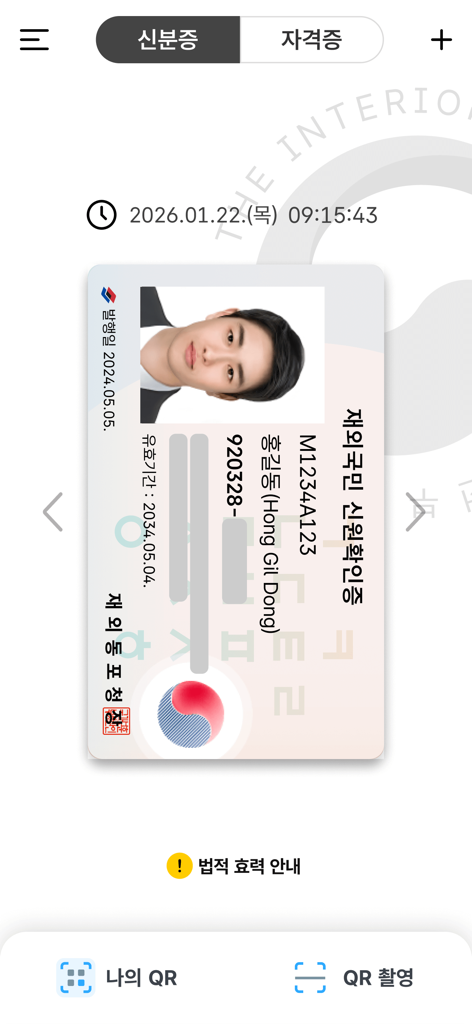
Digital identity card for overseas Koreans displayed in the South Korean Mobile ID app interface

Digital identity card for overseas Koreans displayed in the South Korean Mobile ID app interface

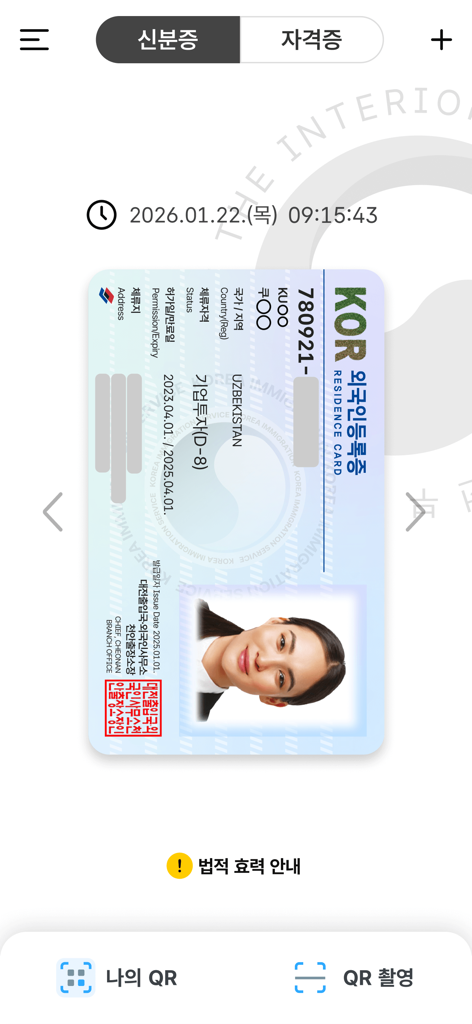
A digital version of a South Korean Residence Card displayed inside the Mobile IDentification app

A digital version of a South Korean Residence Card displayed inside the Mobile IDentification app

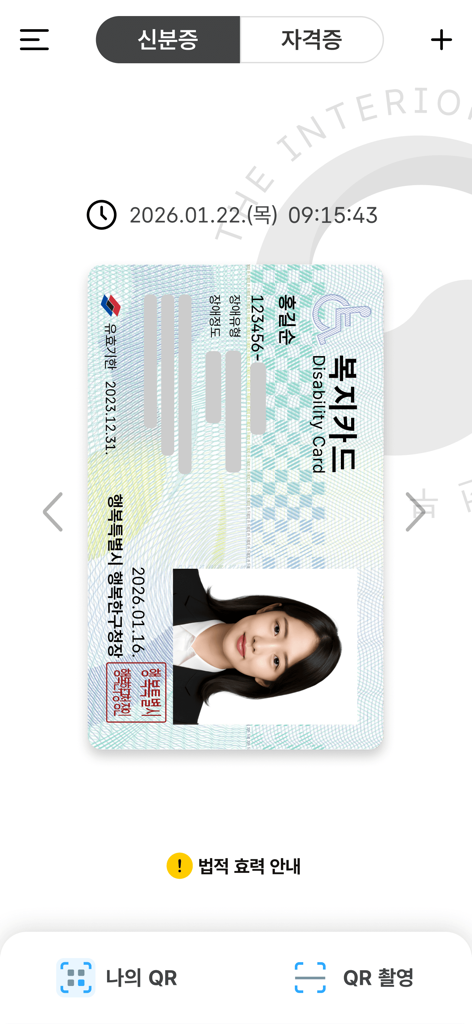
Digital South Korean disability card displayed in the Mobile ID app

Digital South Korean disability card displayed in the Mobile ID app

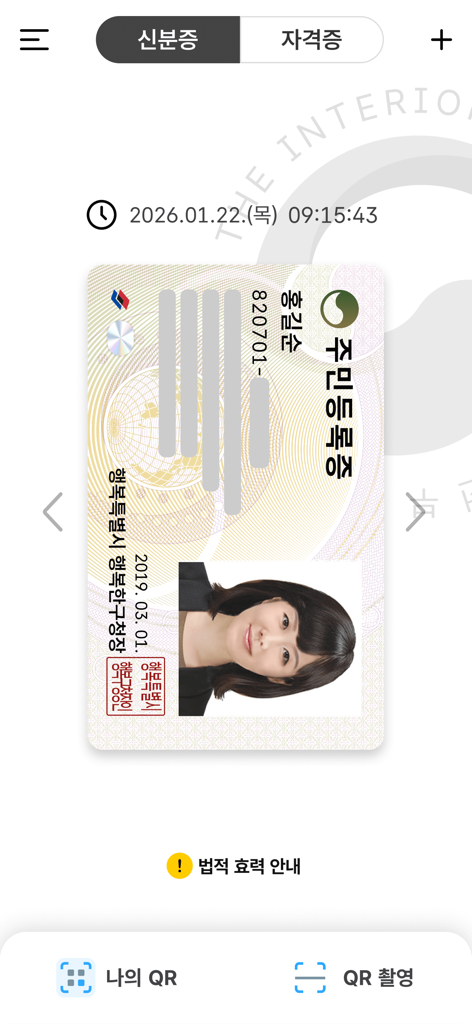
Digital version of a South Korean resident registration card displayed within a mobile application

Digital version of a South Korean resident registration card displayed within a mobile application

Secure Your Identity, Anywhere in the World

The tools that make this app stand out, trusted by 4M+ users.

⚖️

Full Legal Recognition

Leave your physical wallet behind. Your mobile ID carries the same legal weight as a physical card for banking, travel, and official government services.

🌐

Seamless Digital Verification

Easily bypass the complexity of identity verification on Korean apps and websites. Access banking and shopping portals from the USA without a physical ID.

🛡️

Government-Grade Security

Your data is encrypted and stored locally on your device, protected by FaceID and biometric authentication to ensure your information never falls into the wrong hands.

Review Analysis

Insights from user reviews.

Sentiment Score

17%
Negative

Summary

This mobile identity app receives overwhelmingly negative feedback, with users frequently reporting severe issues that render the application unusable. Common complaints include persistent app crashes, unresponsive user interfaces, and endless loops at registration or login, especially related to terms and conditions acceptance. Many users experienced prolonged service outages due to a 'fire incident,' despite official announcements of restoration, and face recognition technology consistently fails during identity verification. While a small number of users acknowledge the app's potential convenience over traditional methods, technical difficulties such as device incompatibility after phone changes or OS updates (e.g., iPhone 17 Pro, iOS 26) significantly detract from its intended utility.

Common Themes

App Crashes & Unresponsive UI(14)
Service Outages & Restoration Delays(10)
Face Recognition Issues(6)
Device Compatibility & Re-registration(6)
Authentication & Verification Failures(5)
Feature Gaps & Requests(4)
Convenience & Positive Experience(3)

About the app

Everything you need to know about Mobile IDentification App.

Description

※If the app is not updated, errors may occur during app operation. Mobile ID, Mobile Resident Registration Card, Mobile Driver’s License, Mobile National Veterans Registration Card, and Mobile Overseas Koreans Identity Verification Card are IDs that can be issued on personal smartphones and have same legal effect as traditional IDs. [Mobile ID App Introduction] Mobile ID, Mobile Resident Registration Card, Mobile Driver’s License, Mobile National Veterans Registration Card, and Mobile Overseas Koreans Identity Verification Card are government-issued IDs stored securely on personal smartphones, carrying the same legal effect as traditional IDs and provides convenient usage. [Introduction to Mobile Resident Registration Card and Driver’s License] The Mobile Resident Registration Card and Driver’s License are legal IDs securely encrypted and stored on personal smartphones, issued by the Ministry of the Interior and Safety and the Korean National Police Agency. [Eligibility and Requirements] - Holders of a Resident Registration Card or Driver’s License, or new applicants - Smartphone registered under the applicant’s name - Subscriber to a domestic mobile network enabling personal identity verification iOS 16 or higher, with biometric authentication and NFC support ※For non-IC ID holders, QR issuance is available at community centers (Resident Registration Card) or driver’s license test centers (Driver’s License). ※Subscriber of mobile virtual network operator (MVNOs) can also apply. (Excluding TPlus (KCT – Korea Cable Telecom)) ※Corporate-issued phone or anonymous prepaid phones currently cannot be used. [How to Apply for a Mobile Driver’s License] To issue your Mobile Driver’s License quickly, bring your physical driver’s license and a smartphone with the Mobile ID app installed to a driver’s license test center. Applications can also be submitted at police department offices or through the Korea Road Traffic Authority's Integrated Driver’s License Services website for online IC driver’s license requests. ▶Issuance Methods (Resident Registration Card, Driver’s License): - Method 1: Replace your physical ID with an IC ID and issue the mobile ID directly by scanning (tagging) it with your smartphone. - Method 2: Use on-site QR issuance at community centers (Resident Registration Card) or driver’s license test centers (Driver’s License) without replacing the physical ID. ※ Mobile IDs (Resident Registration Card, Driver’s License) are legal IDs, and at least one in-person identity verification process is required at the issuing agency. ※ If a physical ID is replaced with an IC ID, future reissuance of a mobile ID upon changing smartphones will not require a revisit to the issuing agency. ※ IC Resident Registration Card: Application is available only at community centers, and it takes about 15 days for issuance. ※ IC Driver’s License: Issuance is available on the same day at license test centers or takes approximately 15 days when applying through police departments. ※ For online applications of IC driver’s licenses, select a date for receipt at least 15 days after the application date (excluding public holidays). ※ For details on IC Driver’s License issuance, visit the Korea Road Traffic Authority’s website (www.safedriving.or.kr). [Precautions] - Tagging IC IDs (Resident Registration Card, Driver’s License): Remove the smartphone case, place the IC ID on a flat surface, and ensure contact for 3–4 seconds. ※ Tagging area: Back upper section (near the camera). ※ Avoid overlapping IC IDs with other items like transit cards, as it may cause duplicate recognition. - Facial Recognition Procedure: Clean the smartphone's front camera and position it in a well-lit area. Keep your face about 40–50 cm (arm’s length) away, look straight ahead, and follow the instructions (e.g., blink, turn your head right and left). [Inquiries] Mobile ID Call Center: 1688-0990

Latest Version

5.0.0

Size

259.4 MB

First Released

Jan 26, 2022

Your Official Korean ID, Right in Your Pocket

Join 4 million+ users and leave your physical wallet behind. Securely access your Resident Card and Driver’s License with government-grade encryption, even while living in the USA.

Download on App Store
FAQ

Frequently Asked Questions

Everything you need to know about Mobile IDentification App

What is the Mobile IDentification App?

The Mobile IDentification App enables users to issue and store government-issued IDs like Mobile Resident Registration Cards and Driver's Licenses on their smartphones. These mobile IDs have the same legal effect as traditional physical IDs.

What types of IDs can I issue with the Mobile IDentification App?

The Mobile IDentification App enables users to issue Mobile Resident Registration Cards, Driver’s Licenses, National Veterans Registration Cards, and Overseas Koreans Identity Verification Cards. These government-issued IDs are stored securely on personal smartphones.

Is a Mobile ID from the Mobile IDentification App legally valid?

Yes, Mobile IDs issued through the Mobile IDentification App, including Mobile Resident Registration Cards and Driver’s Licenses, hold the same legal effect as traditional physical identification cards. They are government-issued.

What are the requirements to use the Mobile IDentification App?

To use the Mobile IDentification App, users must be holders or new applicants of a Resident Registration Card or Driver’s License. A smartphone registered under the applicant’s name, domestic mobile network subscriber, iOS 16 or higher, with biometric authentication and NFC support are required.

How do I apply for a Mobile Driver's License using the Mobile IDentification App?

To apply for a Mobile Driver’s License using the Mobile IDentification App, bring your physical license and smartphone to a driver’s license test center. Applications are also possible at police departments or via the Korea Road Traffic Authority's website for IC driver's license requests.

What issuance methods are available for Mobile Resident Registration Cards and Driver’s Licenses?

The Mobile IDentification App offers two issuance methods. Method 1 involves replacing a physical ID with an IC ID and scanning it. Method 2 uses on-site QR issuance at community centers or driver’s license test centers without replacing the physical ID.

Are MVNO subscribers eligible for the Mobile IDentification App?

Yes, subscribers of mobile virtual network operators (MVNOs) can apply for the Mobile IDentification App. However, TPlus (KCT – Korea Cable Telecom) subscribers are currently excluded from eligibility.

Can corporate-issued or anonymous prepaid phones use the Mobile IDentification App?

No, corporate-issued phones and anonymous prepaid phones currently cannot be used with the Mobile IDentification App. Users must have a smartphone registered under their own name.

How do I tag an IC ID with the Mobile IDentification App?

To tag an IC ID with the Mobile IDentification App, remove your smartphone case. Place the IC ID on a flat surface and ensure contact for 3–4 seconds with the smartphone's back upper section, near the camera.

What are the precautions for facial recognition in the Mobile IDentification App?

For facial recognition in the Mobile IDentification App, clean your smartphone's front camera and use a well-lit area. Keep your face 40–50 cm away, look straight, and follow on-screen instructions like blinking or turning your head.

Where can I find support for the Mobile IDentification App?

You can find support for the Mobile IDentification App by contacting the Mobile ID Call Center. The contact number for inquiries is 1688-0990.

App information, icons, screenshots, and descriptions displayed on this page are sourced from the Apple App Store and are the property of their respective developers. Download estimates and rankings are based on MWM's proprietary models and may not reflect actual figures. This page is provided for informational and analytical purposes only.

Believe this page infringes your intellectual property? File a dispute