MP3 Converter-Remove Vocals: The Ultimate AI Audio Studio for Creators
Instantly isolate vocals, extract instrumentals, and convert video to audio with one tap. Elevate your TikTok remixes, karaoke sessions, and music production using powerful iOS-native AI.
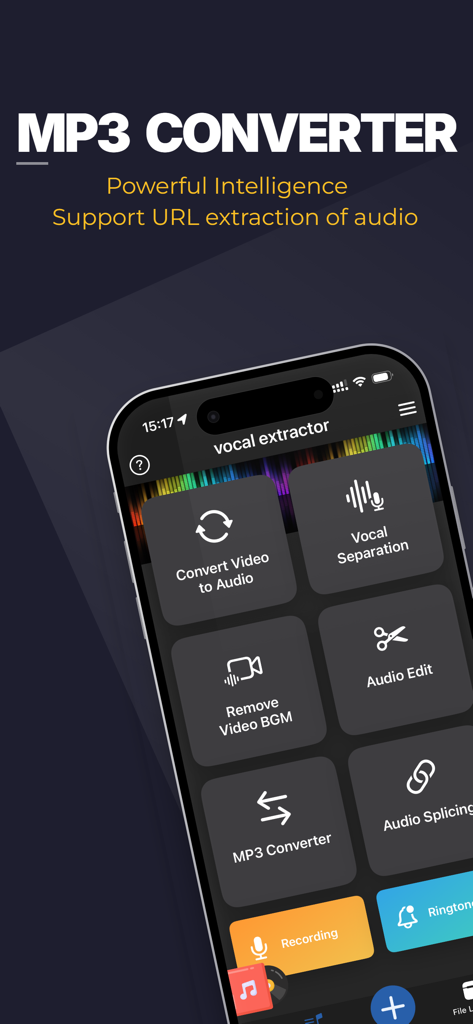
Smartphone display of MP3 Converter app showing features like vocal separation and audio extraction
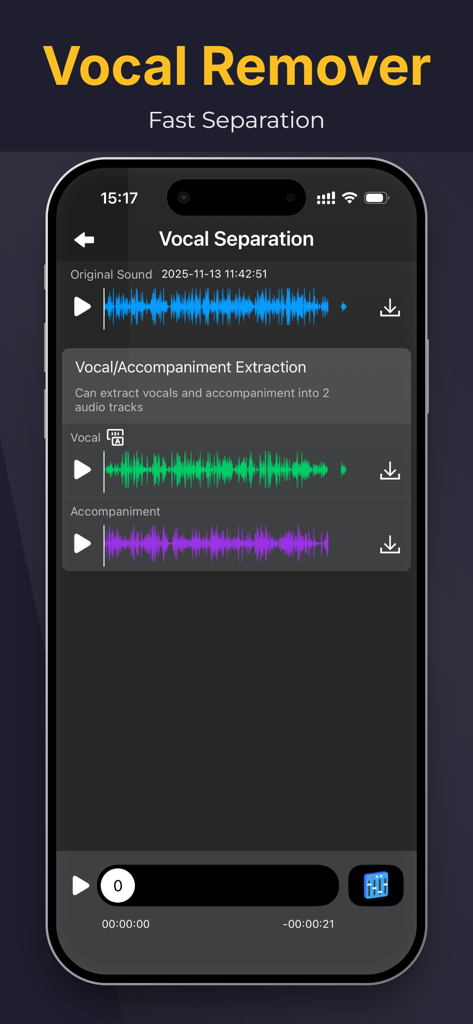
The MP3 Converter app interface displaying separated vocal and accompaniment audio tracks from an original sound file
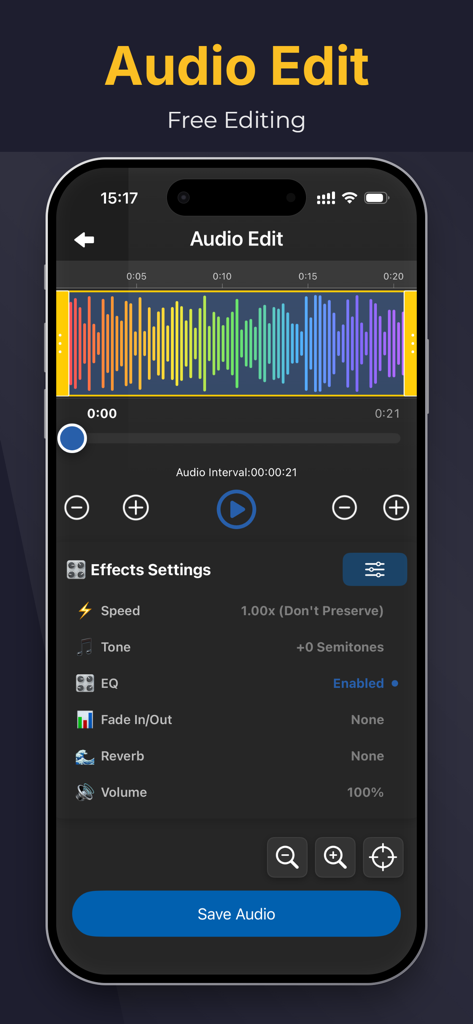
Mobile app screen for audio editing featuring a colorful waveform visualizer and various sound effect settings like speed and tone
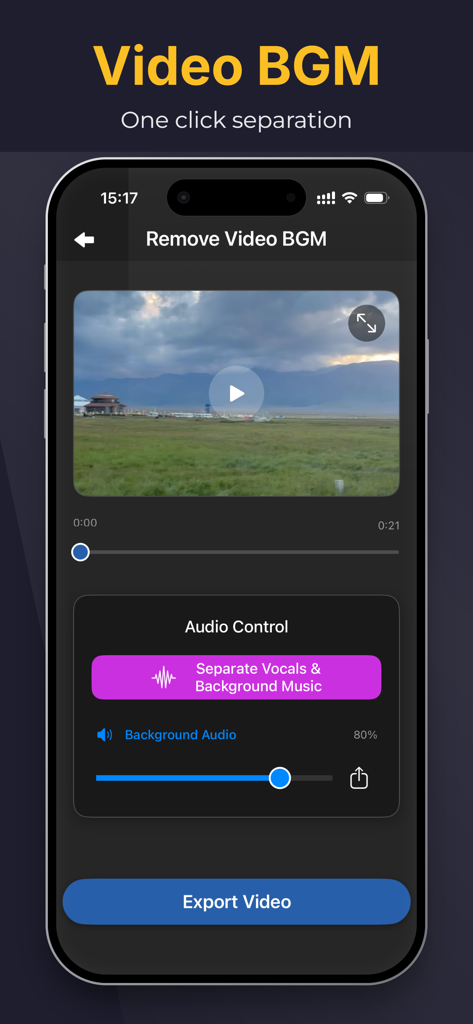
iPhone interface showing the Remove Video BGM feature with one click separation of vocals and background music
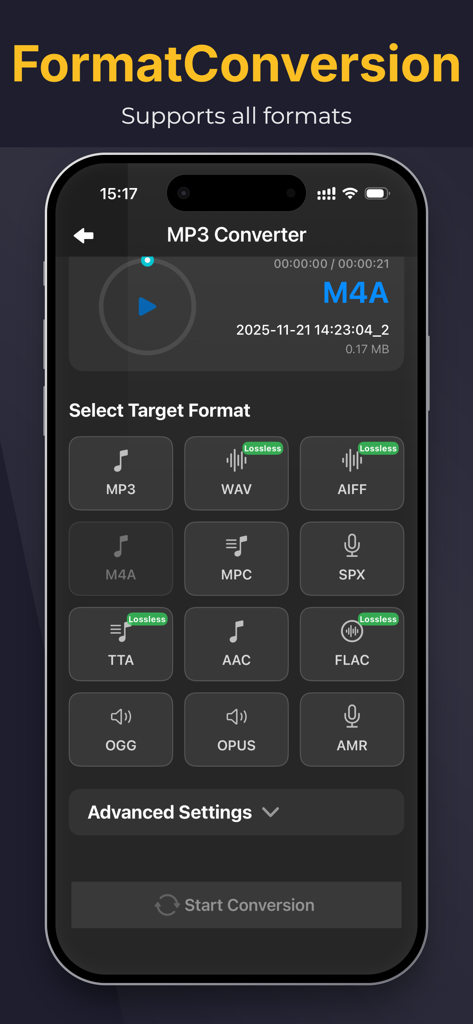
Interface of the MP3 Converter app on iPhone showing target audio format selection for conversion
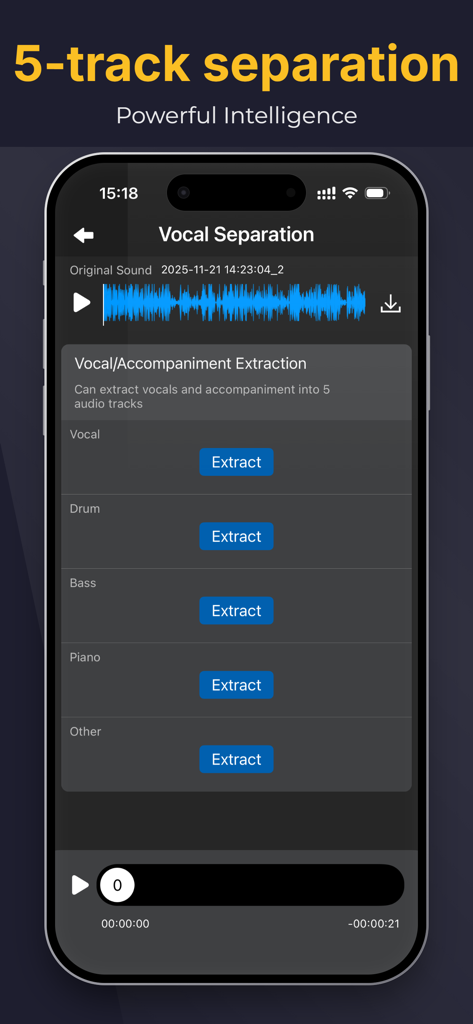
App interface showing AI 5-track separation for vocals, drums, bass, piano, and other instruments.
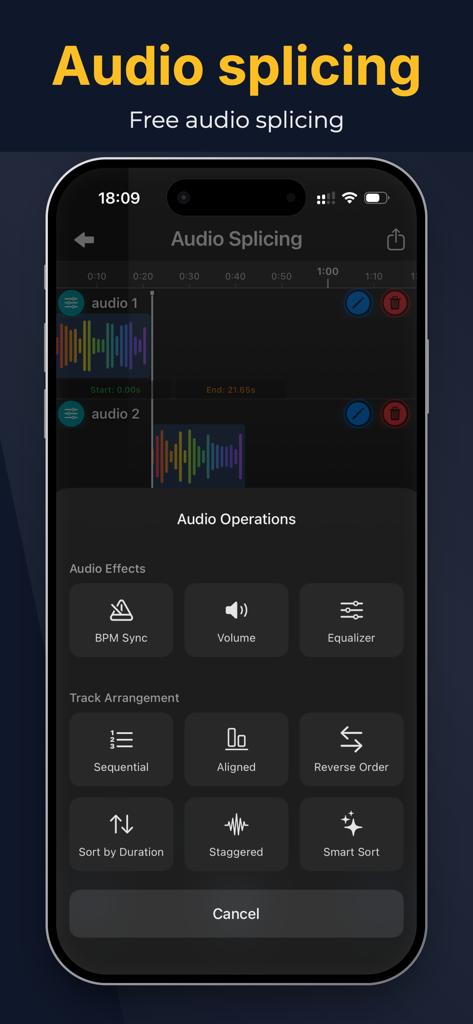
Audio splicing interface with track arrangement and audio effects options
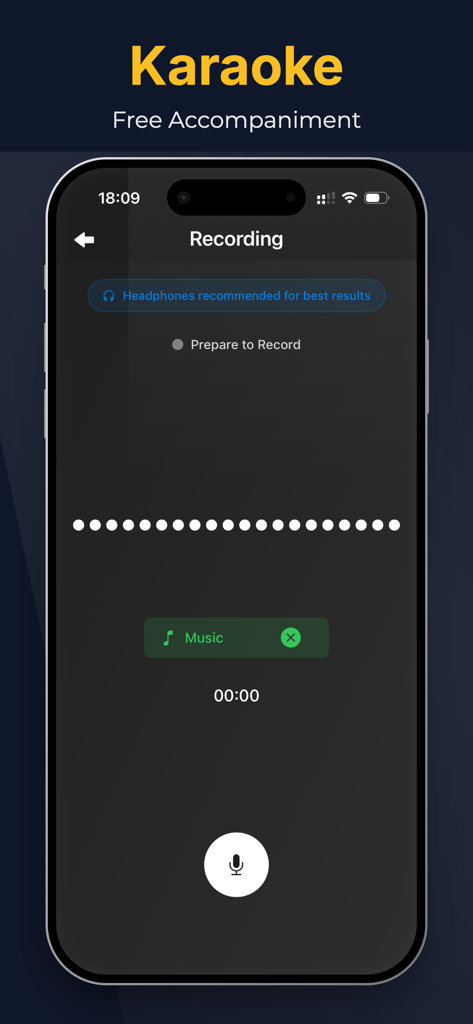
Mobile app interface showing the karaoke recording feature with free accompaniment options
Professional Audio Power in Your Pocket
The tools that make this app stand out, trusted by 151K+ users.
🎤
Instant Karaoke & Backing Tracks
Strip vocals from any song in seconds to create high-quality instrumentals for practice, performance, or social media cover videos.
📱
Any Video to Crystal Clear Audio
Grab that viral sound. Extract high-fidelity MP3s from your favorite clips and save them directly to your iPhone for easy sampling.
🎚️
Isolate Vocals for Pro Remixes
Use advanced AI to separate clean acapellas from instrumentals, giving you the raw stems you need for your next production or mashup.
About the app
Everything you need to know about MP3 Converter-Remove Vocals.
Description
"MP3 Converter" empowers your musical creativity and practice to reach new heights. This iOS-based app offers powerful features and intelligent experiences, allowing you to extract accompaniments, separate vocals from instrumentals, remove background music from videos, and enjoy a rich library of background music (BGM).
"MP3 Converter" is a convenient audio extraction and format conversion tool that allows you to extract audio from various formats of videos. The converted audio files can be saved and played on your phone.
With the accompaniment extraction master, you can easily extract the exciting music from short videos, save it as a sound file, and play it using any audio player.
-Support various types of videos (3GP, FLV, MP4, MOV, MXF, MKV, AVI, MPG, MPEG, etc.);
-Support extracting various types of audio from videos, such as MP3, AAC, M4A, M4R, WAV, OPUS, or other formats;
Key Features:
1. Song Accompaniment Extraction: Easily extract the accompaniment from any song in your iOS music library. Remove vocals, focus on the instrumental parts, and create unique instrumental works or use them for personal practice.
2. Vocal Separation: Experience the powerful vocal separation function that separates vocals from the accompaniment. Remove vocals from songs, obtain pure instrumental tracks, suitable for karaoke, remixing, or personalized singing.
3. Video Background Music Removal: Remove unnecessary background music from videos, making vocals clearer, or add your own music. Make your video content more focused and captivating.
"MP3 Converter" gives you control over your music. With an intuitive interface and advanced processing algorithms, you can easily extract, separate, and customize audio and video content.
Whether you are a professional musician, aspiring artist, or music enthusiast, "MP3 Converter" will become your most valuable companion. Elevate your music production, create unique performance pieces, and enjoy the limitless possibilities of the music world.
Download "MP3 Converter" now and experience unprecedented audio processing and music creation on the iOS platform. Unleash your creativity and embark on a brand new musical journey!
Subscription instructions and terms
1. Monthly Membership - $3.99
2. Annual Membership - $14.99
3. Lifetime Membership - $29.99
【Payment】The payment will be charged to the user's iTunes account upon purchase confirmation.
【Renewal】“Continuous Monthly/Quarterly/Annual” products are auto-renewable subscriptions. Upon purchase confirmation, fees will be deducted from your iTunes account. Subscriptions will auto-renew unless auto-renewal is turned off at least 24 hours before the end of the current subscription period. Within 24 hours before your subscription expires, Apple will automatically charge your iTunes account and your membership will be automatically extended for one subscription period upon successful payment.
【Cancel Renewal】To cancel auto-renewal, manually go to iOS Settings > Apple ID > Subscriptions, and cancel the “MP3 Converter” subscription.
-- Terms of Service https://htmlpreview.github.io/?https://github.com/zhangxin1982/panger/blob/main/agreement.html
-- Privacy Policy https://htmlpreview.github.io/?https://github.com/zhangxin1982/panger/blob/main/audioPrivacyen.html
Latest Version
2.9.2
Size
210.9 MB
First Released
Jun 26, 2023
Ready to Unleash Your Musical Genius?
Join over 150,000 creators using AI to isolate vocals and craft the perfect backing tracks. Download MP3 Converter on iOS and start creating today.
FAQ
Frequently Asked Questions
Everything you need to know about MP3 Converter-Remove Vocals
What is MP3 Converter-Remove Vocals?
MP3 Converter-Remove Vocals is an iOS app that extracts accompaniments, separates vocals from instrumentals, and removes background music from videos. It also converts audio from various video formats and offers advanced audio editing tools.
Can MP3 Converter-Remove Vocals separate vocals from music tracks?
Yes, MP3 Converter-Remove Vocals features a powerful vocal separation function. It extracts vocals and accompaniment into separate audio tracks, enabling users to obtain pure instrumental tracks for various purposes.
Does MP3 Converter-Remove Vocals remove background music from videos?
Yes, MP3 Converter-Remove Vocals removes unnecessary background music from videos. This feature clarifies vocals or allows users to add their own music, making video content more focused and captivating.
What video formats does MP3 Converter-Remove Vocals support for audio extraction?
MP3 Converter-Remove Vocals supports various video formats for audio extraction, including 3GP, FLV, MP4, MOV, MXF, MKV, AVI, MPG, and MPEG. It also converts extracted audio to formats like MP3, AAC, M4A, and WAV.
How much does a subscription to MP3 Converter-Remove Vocals cost?
MP3 Converter-Remove Vocals offers three subscription plans: Monthly for $3.99, Annual for $14.99, and a Lifetime Membership for $29.99. These are auto-renewable subscriptions.
How do I cancel my MP3 Converter-Remove Vocals subscription?
To cancel your MP3 Converter-Remove Vocals subscription, navigate to iOS Settings > Apple ID > Subscriptions. Manually turn off auto-renewal for the 'MP3 Converter' subscription at least 24 hours before the current period ends.
Does MP3 Converter-Remove Vocals offer multi-track audio separation?
Yes, MP3 Converter-Remove Vocals provides 5-track separation. It extracts Vocal, Drum, Bass, Piano, and Other tracks from audio, offering powerful intelligence for detailed audio manipulation.
Can users edit audio within the MP3 Converter-Remove Vocals app?
Yes, MP3 Converter-Remove Vocals includes an Audio Edit feature. Users can adjust parameters like speed, tone, EQ, fade in/out, reverb, and volume within the app.
Does MP3 Converter-Remove Vocals have an audio splicing function?
Yes, MP3 Converter-Remove Vocals offers a free audio splicing feature. Users can combine multiple audio tracks and apply various audio operations and track arrangements.
Does MP3 Converter-Remove Vocals support recording or karaoke?
Yes, MP3 Converter-Remove Vocals supports recording, designed for karaoke. It suggests using headphones for best results and allows users to prepare to record with accompanying music.
Can MP3 Converter-Remove Vocals extract audio from URLs?
Yes, MP3 Converter-Remove Vocals supports URL extraction of audio. This feature allows users to directly process audio content found online.
App information, icons, screenshots, and descriptions displayed on this page are sourced from the Apple App Store and are the property of their respective developers. Download estimates and rankings are based on MWM's proprietary models and may not reflect actual figures. This page is provided for informational and analytical purposes only.
Believe this page infringes your intellectual property? File a dispute