MS Excel & PDF Invoice Creator

MS Excel & PDF Invoice Creator

Download on App Store
Logo of MS Excel & PDF Invoice Creator

MS Excel & PDF Invoice Creator: Professional Invoices in Seconds, No Sign-Up Required

Streamline your business with the mobile-first tool built for the field. Create and share professional PDF or Excel invoices instantly—no account, no subscription, and 100% offline.

Download on App Store

Publisher

Pratheesh Bennet

Category

Business

Downloads

5K+

User Rating

1.0/5

Total Ratings

0

Locales

1

Professionalism at a Glance

Discover the interface used by 5K+ users.
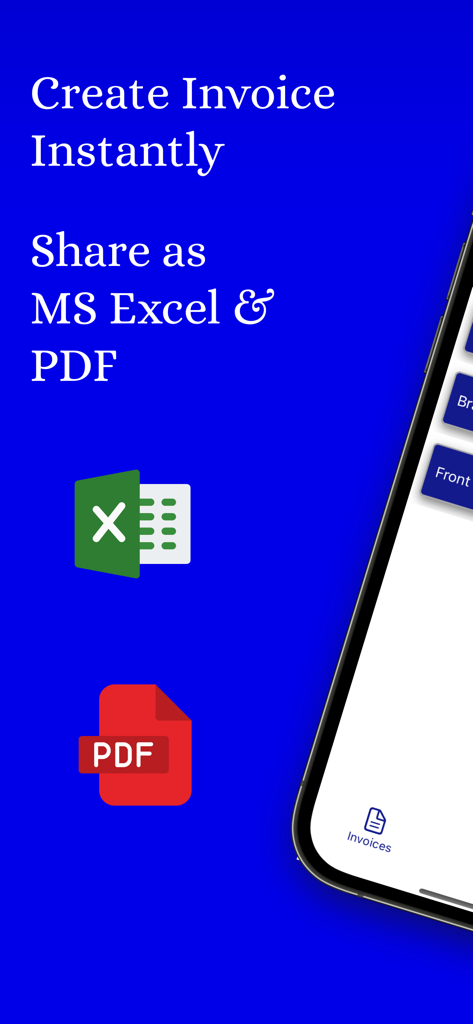
App interface for creating invoices instantly and exporting them to MS Excel and PDF

App interface for creating invoices instantly and exporting them to MS Excel and PDF

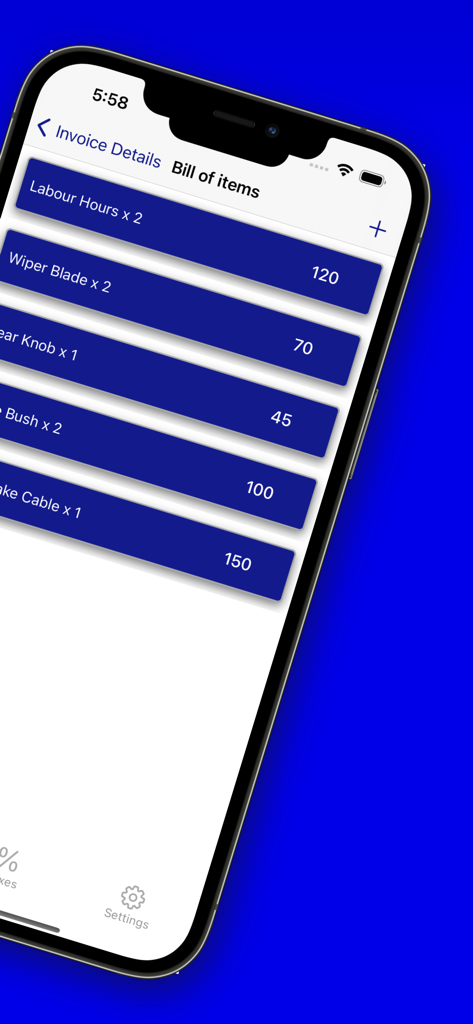
A smartphone screen displaying an itemized bill of items including labor and parts costs within an invoice creator app

A smartphone screen displaying an itemized bill of items including labor and parts costs within an invoice creator app

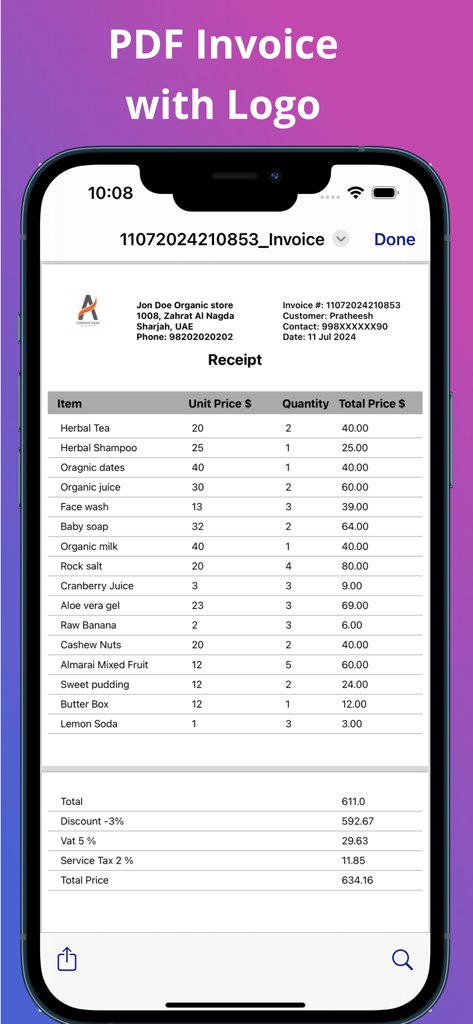
Mobile app screenshot showing a professional PDF invoice with a custom business logo and itemized receipt

Mobile app screenshot showing a professional PDF invoice with a custom business logo and itemized receipt

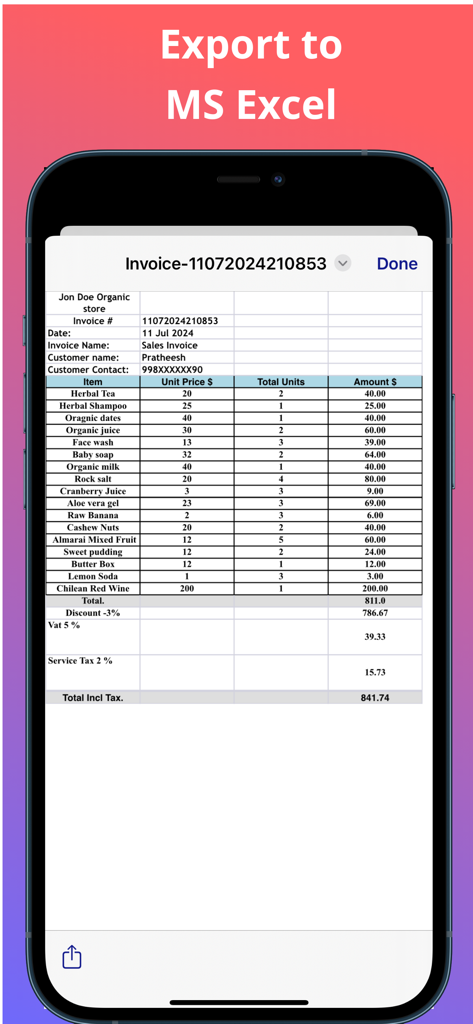
A smartphone displaying a detailed sales invoice exported to Microsoft Excel format.

A smartphone displaying a detailed sales invoice exported to Microsoft Excel format.

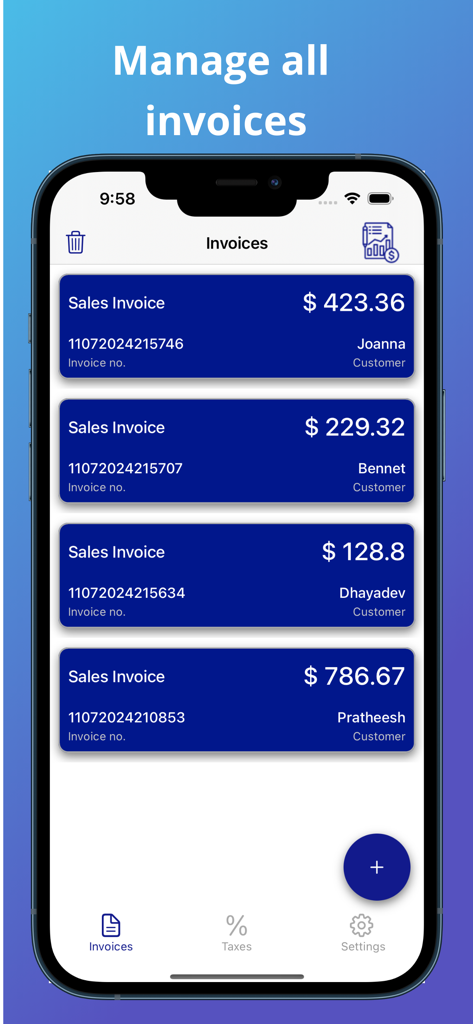
Mobile screen showing a summary of multiple sales invoices with customer names and total amounts.

Mobile screen showing a summary of multiple sales invoices with customer names and total amounts.

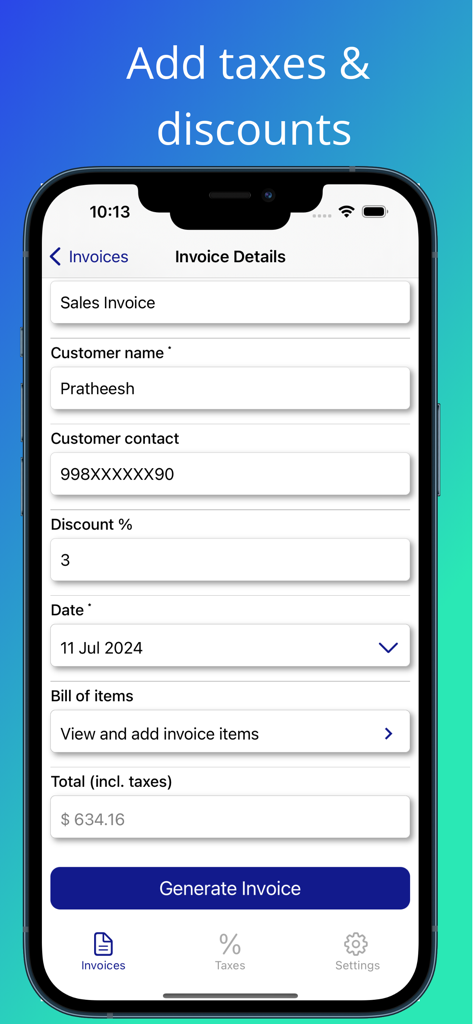
Mobile app interface showing sales invoice details including customer name discount percentage and total amount with taxes

Mobile app interface showing sales invoice details including customer name discount percentage and total amount with taxes

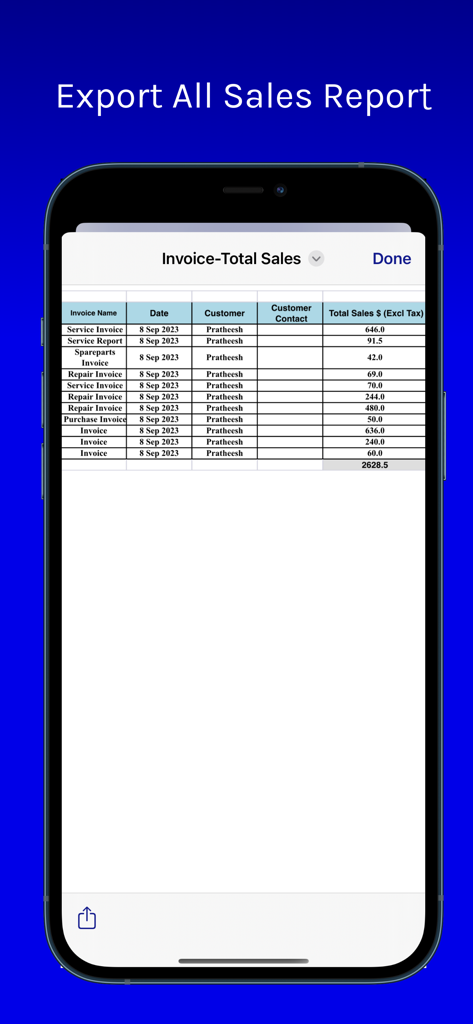
A spreadsheet-style sales report view in a mobile invoice app showing total sales data.

A spreadsheet-style sales report view in a mobile invoice app showing total sales data.

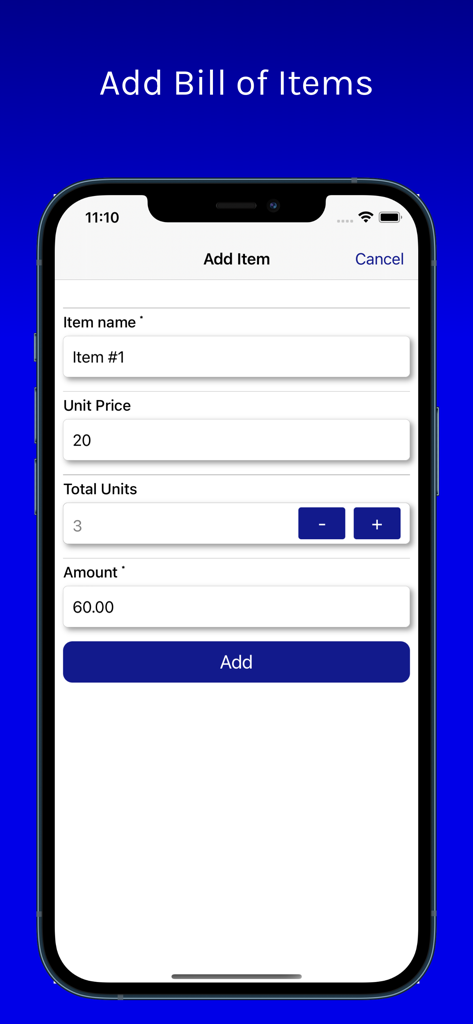
Interface for adding a line item with price and quantity to an invoice

Interface for adding a line item with price and quantity to an invoice

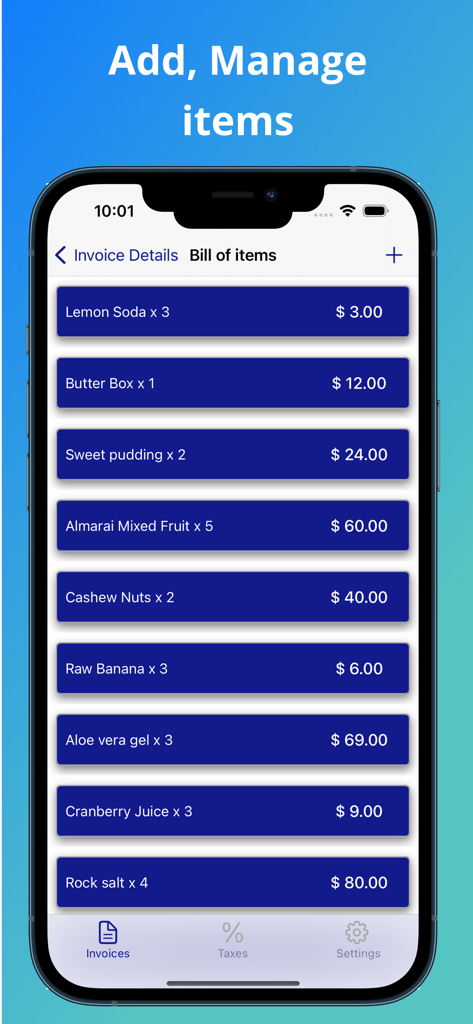
Mobile app interface showing an itemized bill of products with prices and quantities for invoice creation

Mobile app interface showing an itemized bill of products with prices and quantities for invoice creation

Professional Billing, Built for the Field

The tools that make this app stand out, trusted by 5K+ users.

🚀

Zero Setup, Instant Invoicing

No accounts, no passwords, and no data collection. Just open the app and start billing your clients in under sixty seconds.

🌲

100% Offline Reliability

Whether you are in a basement or a rural job site, generate and save invoices without needing a cell signal or Wi-Fi.

💼

Look Like a Pro

Impress clients with branded PDF invoices and stay organized with one-tap Excel exports for your own tax records.

About the app

Everything you need to know about MS Excel & PDF Invoice Creator.

Description

Deal professionally and streamline your business operations. Easily create professional invoices and bills, complete with taxes and discounts. Export invoice documents to MS Excel or PDF formats with a single tap. Generate, manage, and share invoices seamlessly across platforms with relevant stakeholders. The key features are as follows, * Intuitive MS Excel, PDF invoice template * Add your company details in the PDF Settings section such as the name, phone number, and address * Fill out your client’s details in the invoice section, including name, and contact * Add each line item and rate * Add discounts to invoice * Enter applicable tax rates when computing the total payable amount * Customize your invoice by adding a logo Do I need to sign up or create an account? No, you do not need to sign up or create an account of any kind. This is a mobile-first offline app. Start creating invoices straight away. Just a reminder, you're always protected by Apple's refund system. Special attribution: Icons created by iconscout & Hotpot AI Excel Icon by Maskur Rosadi Special Attribution: Icons created by Freepik - Flaticon

Latest Version

3.1.5

Size

25.1 MB

First Released

Oct 4, 2022

Ready to Get Paid? No Sign-Up Required.

Stop fighting with complex software and monthly subscriptions. Download the offline-first tool built for pros who value speed and simplicity. Create and send your first professional invoice in under 60 seconds.

Download on App Store
FAQ

Frequently Asked Questions

Everything you need to know about MS Excel & PDF Invoice Creator

What is the primary function of the MS Excel & PDF Invoice Creator app?

The MS Excel & PDF Invoice Creator app enables users to create professional invoices and bills, complete with taxes and discounts, and export them to MS Excel or PDF formats for seamless sharing and management.

Does MS Excel & PDF Invoice Creator app require an account or sign-up?

No, the MS Excel & PDF Invoice Creator app does not require users to sign up or create an account. It functions as a mobile-first, offline application, allowing immediate invoice creation.

Can I include my company's details on invoices using MS Excel & PDF Invoice Creator?

Yes, the MS Excel & PDF Invoice Creator app allows users to add company details such as name, phone number, and address within the PDF Settings section, enhancing invoice professionalism.

What export options are available for invoices in the MS Excel & PDF Invoice Creator app?

The MS Excel & PDF Invoice Creator app supports exporting invoices to both MS Excel and PDF formats. This feature allows for easy generation, management, and sharing across various platforms.

Can I apply taxes and discounts to invoices within the MS Excel & PDF Invoice Creator app?

Yes, the MS Excel & PDF Invoice Creator app allows users to easily add discounts to invoices and accurately apply tax rates when calculating the total payable amount for each bill.

Does MS Excel & PDF Invoice Creator app support adding a company logo to invoices?

Yes, the MS Excel & PDF Invoice Creator app provides an option to customize invoices by adding a company logo. This feature contributes to a professional and branded appearance for generated documents.

How does MS Excel & PDF Invoice Creator app manage sales reports?

The MS Excel & PDF Invoice Creator app allows users to generate and export an "All Sales Report." This report provides comprehensive data including invoice names, dates, customer information, and total sales.

What client information can be added in the MS Excel & PDF Invoice Creator app?

The MS Excel & PDF Invoice Creator app allows users to input client details, including name and contact information, directly within the invoice section. This ensures accurate record-keeping.

App information, icons, screenshots, and descriptions displayed on this page are sourced from the Apple App Store and are the property of their respective developers. Download estimates and rankings are based on MWM's proprietary models and may not reflect actual figures. This page is provided for informational and analytical purposes only.

Believe this page infringes your intellectual property? File a dispute