MultiTrack Recorder Plugin

MultiTrack Recorder Plugin

Download on App Store
Logo of MultiTrack Recorder Plugin

MultiTrack Recorder Plugin: The Professional Recording Timeline for AUM

Transform your modular setup into a powerful 8-track studio. Effortlessly record, edit, and export audio with full AUv3 host sync and drag-and-drop ease.

Download on App Store

Publisher

Limelight Software

Category

Music

Downloads

15K+

User Rating

4.2/5

Total Ratings

100

Locales

1

Your Studio, Visualized

Discover the interface used by 15K+ users.
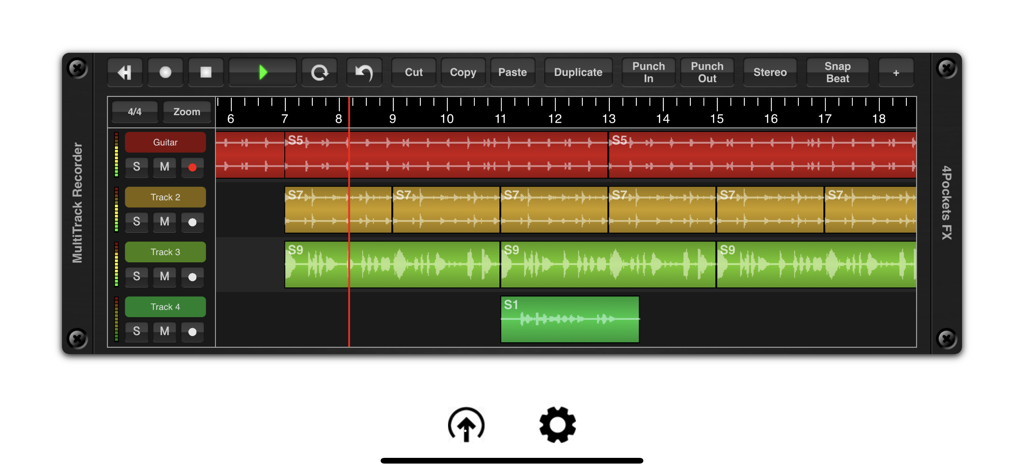
A multi-track audio recording interface showing various tracks with waveforms and editing tools

A multi-track audio recording interface showing various tracks with waveforms and editing tools

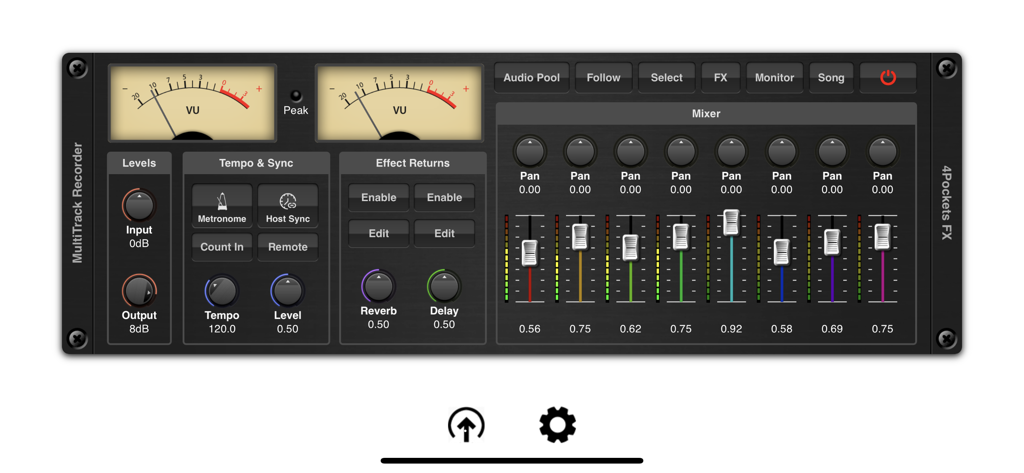
MultiTrack Recorder Plugin interface featuring VU meters and an eight channel mixer.

MultiTrack Recorder Plugin interface featuring VU meters and an eight channel mixer.

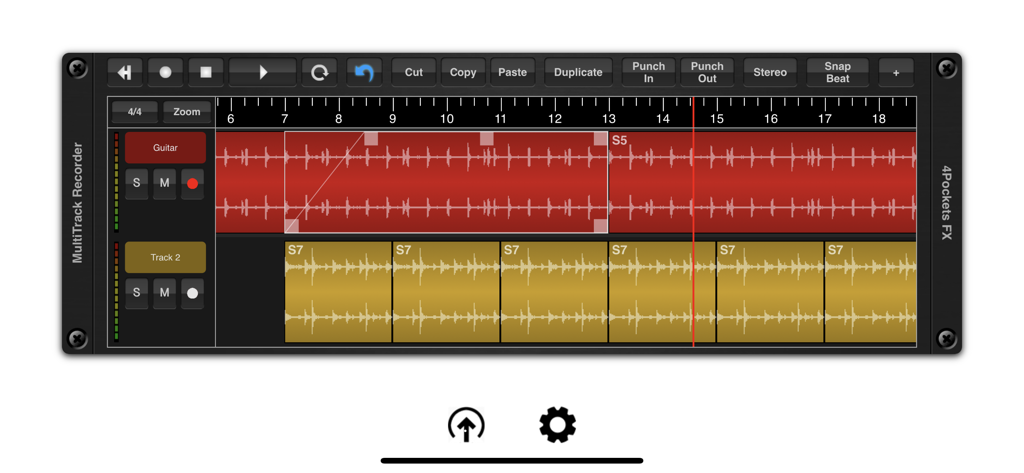
MultiTrack Recorder app interface showing audio waveform tracks and editing tools

MultiTrack Recorder app interface showing audio waveform tracks and editing tools

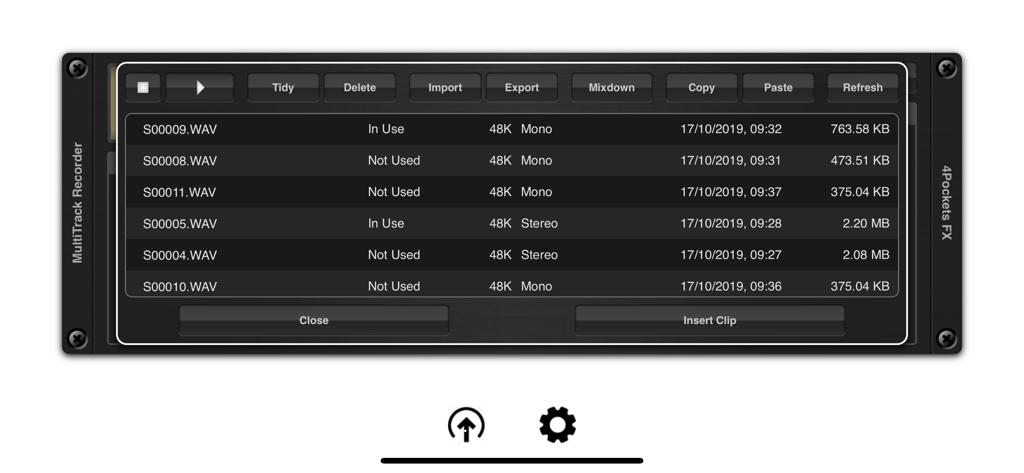
Audio pool interface displaying a list of recorded wav files with file management options

Audio pool interface displaying a list of recorded wav files with file management options

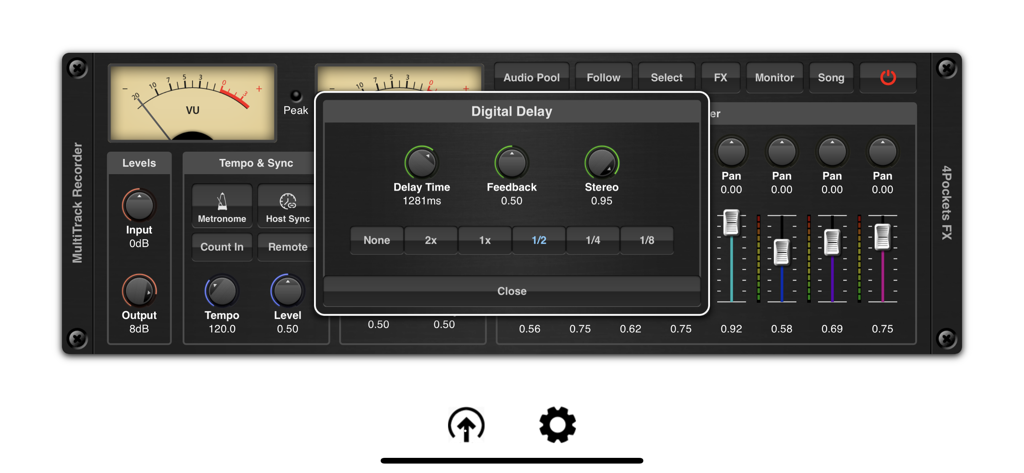
Digital delay effect settings window overlay on the MultiTrack Recorder plugin mixer interface

Digital delay effect settings window overlay on the MultiTrack Recorder plugin mixer interface

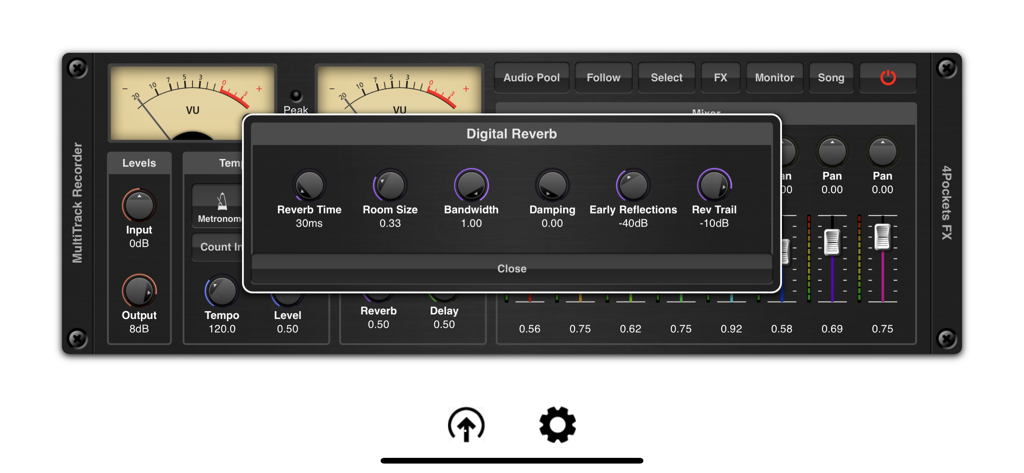
Interface of MultiTrack Recorder Plugin showing the Digital Reverb settings window and mixer controls

Interface of MultiTrack Recorder Plugin showing the Digital Reverb settings window and mixer controls

The Missing Link in Your Mobile Studio

The tools that make this app stand out, trusted by 15K+ users.

🧩

Seamless AUv3 Integration

Purpose-built for AUM and modular hosts, MultiTrack fills the gap by adding a robust linear timeline and multi-track recording to your existing environment.

🎯

Studio-Grade Precision

Execute sample-accurate punch-ins, normalization, and time-stretching with a multi-level undo system optimized for a tactile, touch-first experience.

📂

Frictionless Stem Export

Move your recordings effortlessly with iPadOS Drag & Drop and Files App integration, making it the perfect tool for capturing mobile sketches for your desktop DAW.

About the app

Everything you need to know about MultiTrack Recorder Plugin.

Description

This is an AUv3 compatible Multi-Track Recorder plugin specifically designed for AUM and other DAW's that don't support audio recording capabilities. MultiTrack can be used for a host of purposes such as a tool for recording and layering audio for export to other DAW's , creating that perfect loop for other third party applications or recording vocal sessions to accompany you in AUM. Its uses are endless. It features the ability to record up to 8 mono or stereo audio tracks per instance, with the ability to run multiple instances under the control of your host DAW. MultiTrack has the ability to run standalone using it's own transport or synced to a host which allows synchronous control of multiple instances. MultiTrack supports various recording modes including the ability to set punch in and out points for sample accurate recordings. Press the Host Sync in order to the advantage of the hosts transport controls or enable the remote button to enable host recording controls (great for NS2). Use the Audio Pool window to quickly and easily import, export and perform mix-downs of audio clips. Quickly and easily move audio files using drag and drop to the time line or between the audio pool and the Files App. Imported audio is automatically converted to the projects sample rate. The audio pool also features the ability to copy and paste audio directly from the iOS pasteboard as well as preview and manage your data. An intergrated 8 channel mixer allows you to control the level, pan and effect send levels. Although AUM allows some great routing options for third party effects, MultiTrack also includes an extremely CPU friendly beat synced delay and reverb which can be used where recording pre-effected instruments is not an option. MultiTrack allows per clip volume level as well as being able to control start and end cropping and fade in/out on a clip by clip basis. All these operations are quick and easy to make using the touch screen alone. Also included is the ability to perform operations such as splitting, normalising, reversing and time stretching of audio clips all with a multi-level undo built right in. A comprehensive set of selection, copying and duplication tools make editing a breeze. Each track has it's own mute, solo and metering which can also be used to monitoring incoming signal levels. Finally you have the ability to mix down a selected range of your song or create perfectly looped samples for use in other DAW's , samplers and drum machines such as DigiStix. Features: ○ 8 tracks per instance. ○ Mixer with level, pan and effect settings. ○ Mix mono or stereo clips on a track. ○ Built in CPU friendly delay and reverb. ○ Multi-level undo function. ○ Loop play and record modes (when not synced to host). ○ Mix-down facility. ○ Cut, copy, paste and duplicate clips. ○ Ability to sync to host tempo. ○ Metronome with count-in. ○ Drag and drop support with the Files App. ○ Backup and Restore of individual songs. ○ Automatic conversion of imported audio. ○ Zoom mode for use when cropping clips.

Latest Version

1.26

Size

10.9 MB

First Released

Oct 21, 2019

The Missing Piece for Your Modular Studio

Bridge the gap between live jamming and structured production. Download the ultimate AUv3 recorder and start capturing studio-quality multi-track stems directly within AUM.

Download on App Store
FAQ

Frequently Asked Questions

Everything you need to know about MultiTrack Recorder Plugin

Is MultiTrack Recorder Plugin AUv3 compatible?

Yes, MultiTrack Recorder Plugin is an AUv3 compatible multi-track recorder plugin. It integrates with AUM and other DAWs lacking audio recording capabilities.

How many audio tracks can MultiTrack Recorder Plugin record?

MultiTrack Recorder Plugin records up to 8 mono or stereo audio tracks per instance. It supports running multiple instances under host DAW control.

What audio editing features does MultiTrack Recorder Plugin offer?

MultiTrack Recorder Plugin offers splitting, normalizing, reversing, time-stretching, and multi-level undo for audio clips. It also includes selection, copying, and duplication tools.

Does MultiTrack Recorder Plugin include built-in effects?

Yes, MultiTrack Recorder Plugin includes a CPU-friendly, beat-synced delay and reverb. These built-in effects are available for use when recording pre-effected instruments.

How does MultiTrack Recorder Plugin handle audio file management?

MultiTrack Recorder Plugin uses an Audio Pool window for importing, exporting, and mix-downs. It supports drag and drop with the Files App, iOS pasteboard, and automatic sample rate conversion.

Can MultiTrack Recorder Plugin synchronize with a host DAW?

Yes, MultiTrack Recorder Plugin synchronizes with a host DAW for transport controls. It also supports remote recording controls for compatible hosts like NS2.

Does MultiTrack Recorder Plugin support punch in/out recording?

Yes, MultiTrack Recorder Plugin supports setting punch in and out points for sample-accurate recordings. This ensures precise audio capture during sessions.

Does MultiTrack Recorder Plugin have a metronome?

Yes, MultiTrack Recorder Plugin includes a metronome with a count-in feature. This assists users with precise timing during recording sessions, ensuring rhythmic accuracy.

Can MultiTrack Recorder Plugin backup and restore songs?

Yes, MultiTrack Recorder Plugin offers backup and restore functionality for individual songs. This feature ensures project safety and portability across devices.

App information, icons, screenshots, and descriptions displayed on this page are sourced from the Apple App Store and are the property of their respective developers. Download estimates and rankings are based on MWM's proprietary models and may not reflect actual figures. This page is provided for informational and analytical purposes only.

Believe this page infringes your intellectual property? File a dispute