Musivibe - Enjoy Offline Music


Save data and escape subscription fatigue. From deep focus to Zen relaxation, enjoy curated soundscapes and personalized playlists anytime, anywhere—no internet required.
Publisher
Category
MusicDownloads
1M+User Rating
Total Ratings
900Locales
5Discover the interface used by 1M+ users.
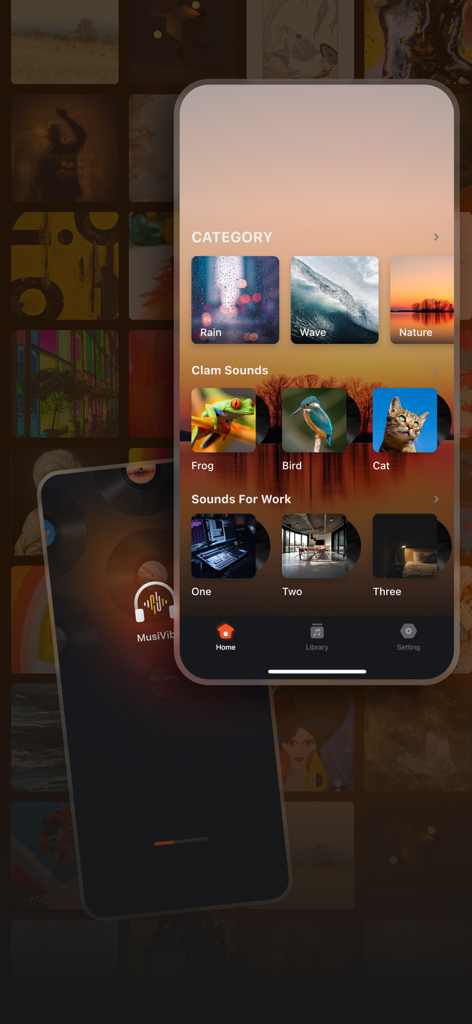
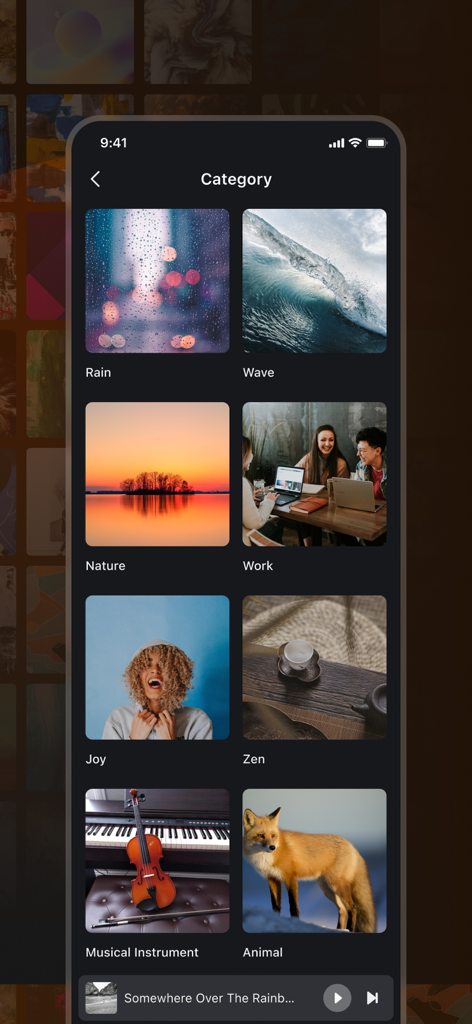
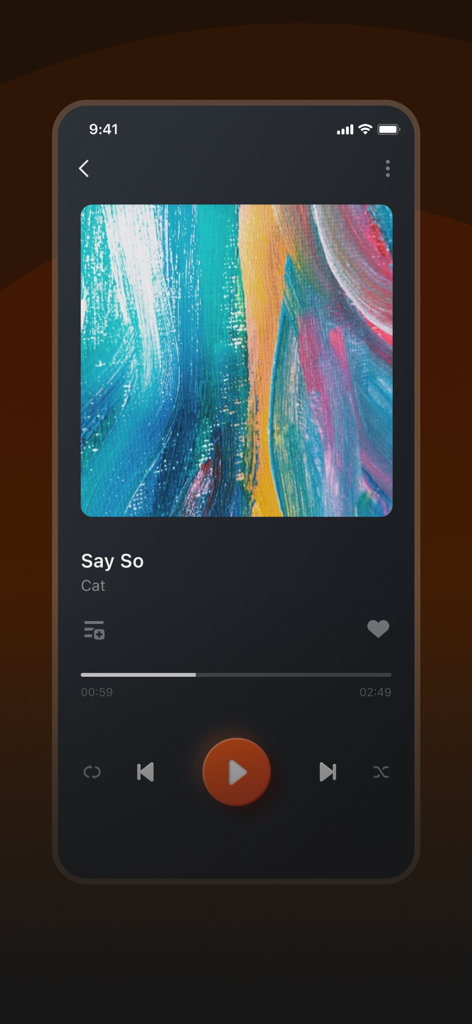
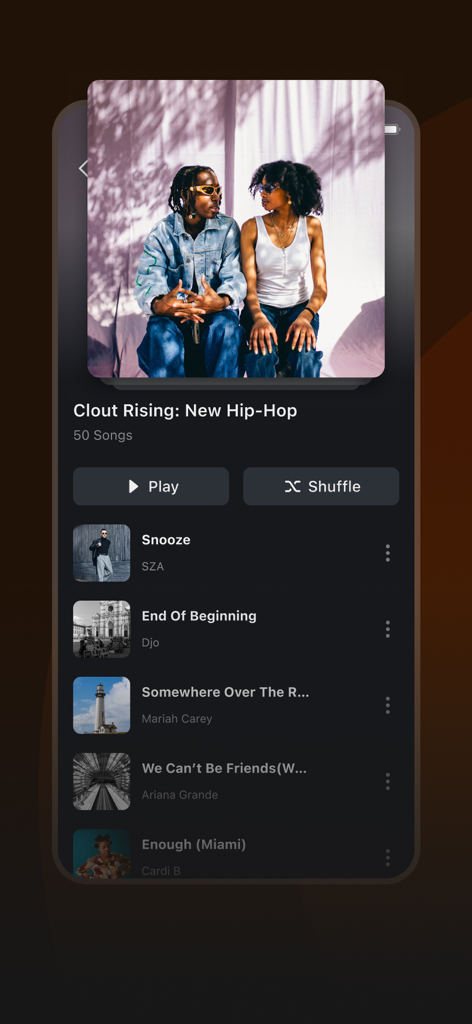
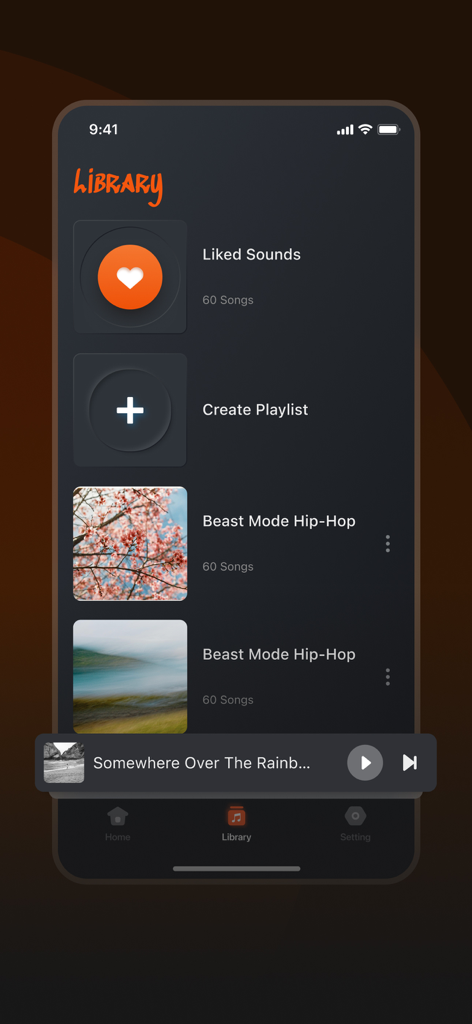
The tools that make this app stand out, trusted by 1M+ users.
Save data and avoid buffering. Perfect for subway rides, long flights, and urban areas with spotty 5G coverage.
From Rain to Zen, instantly access curated categories designed to drown out distractions and help you enter a flow state.
Easily build and manage custom collections that match your daily rituals, from morning work sessions to evening relaxation.
Everything you need to know about Musivibe - Enjoy Offline Music.
Description
Latest Version
1.1.5
Size
99.2 MB
First Released
Nov 19, 2024
From daily commutes to deep focus sessions, enjoy seamless listening without data limits or subscription fatigue. Join over 1 million users and start your offline experience today.
Everything you need to know about Musivibe - Enjoy Offline Music
Musivibe is an offline music player with innovative sound categorization and an intuitive design. It enhances your listening experience, allowing you to enjoy favorite tunes and sounds effortlessly, anytime, anywhere.
Musivibe offers extensive sound categories like Rain, Ocean Waves, Nature, Work, Cheerful, Zen, Instruments, and Animals, suitable for various moods. Screenshots #1 and #2 display these categories.
Yes, Musivibe allows users to create and organize custom playlists that match their preferences or activities. This feature is explicitly shown in Screenshot #5, labeled "Create Playlist."
Musivibe Premium offers a lifetime VIP for $39.99, a yearly VIP for $29.99, and a weekly VIP for $2.99. These provide all VIP functions and no ads.
Musivibe Premium subscribers receive no ads and access to all VIP functions within the app. Users can choose between weekly, yearly, or lifetime VIP options for these enhanced features.
Musivibe subscriptions automatically renew. The payment deducts from your iTunes Account. To prevent renewal, users must disable auto-renewal at least 24 hours before the current billing cycle ends.
You can manage your Musivibe subscriptions and auto-renewal settings directly within your iTunes Account Settings after the purchase. This provides control over your plan.
Yes, Musivibe features a seamless and intuitive user interface designed for ease of navigation and smooth functionality. Screenshots #1 and #2 visually demonstrate its streamlined design.
Musivibe's Terms of Service are at http://musivibeplayer.top/terms.html, and its Privacy Policy is at http://musivibeplayer.top/privacy.html. These links are explicitly provided in the app description for user access.
Apps with similar features and user experience
App information, icons, screenshots, and descriptions displayed on this page are sourced from the Apple App Store and are the property of their respective developers. Download estimates and rankings are based on MWM's proprietary models and may not reflect actual figures. This page is provided for informational and analytical purposes only.
Believe this page infringes your intellectual property? File a dispute