MyRogers (Shaw)

MyRogers (Shaw)

Download on App StoreDownload on Google Play
Logo of MyRogers (Shaw)

MyRogers (Shaw): Streamlined Control for Your Connected Household

The ultimate tool for the modern household manager. Effortlessly pay bills, monitor data usage, and access instant live-agent support without ever picking up the phone.

Download on App Store

Publisher

Rogers Communications Inc.

Category

Utilities

Downloads

1M+

User Rating

4.3/5

Total Ratings

47K+

Locales

1

Control at Your Fingertips

Discover the interface used by 1M+ users.
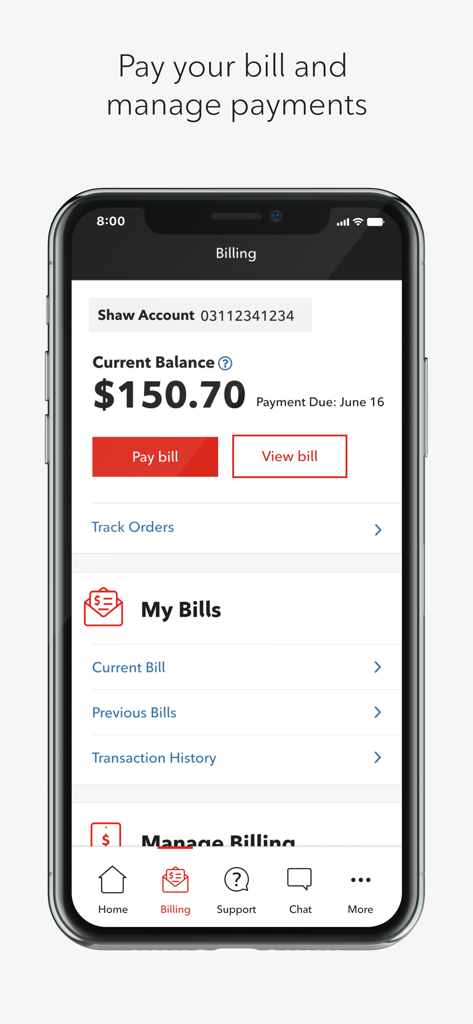
Screenshot of the MyRogers Shaw app billing dashboard showing a current balance of 150.70 dollars and options to pay or view the bill

Screenshot of the MyRogers Shaw app billing dashboard showing a current balance of 150.70 dollars and options to pay or view the bill

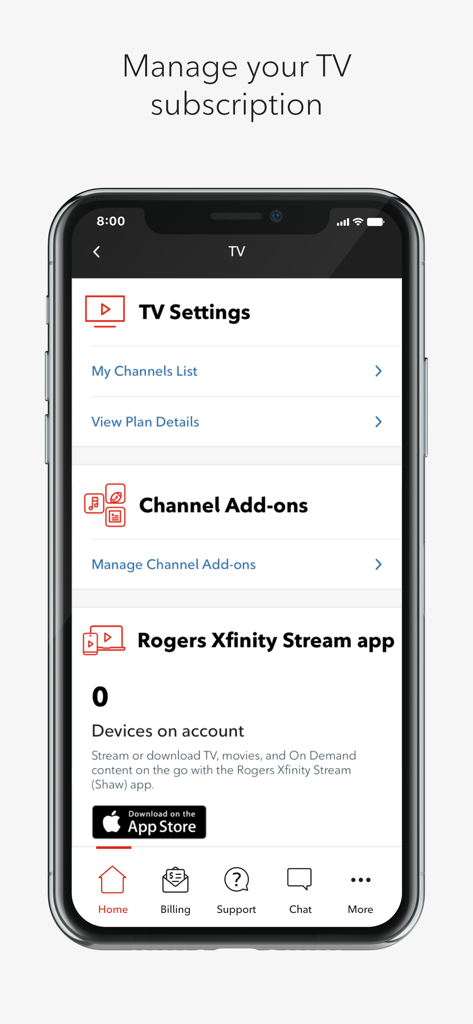
Interface of the MyRogers Shaw app showing TV settings and channel add ons management options

Interface of the MyRogers Shaw app showing TV settings and channel add ons management options

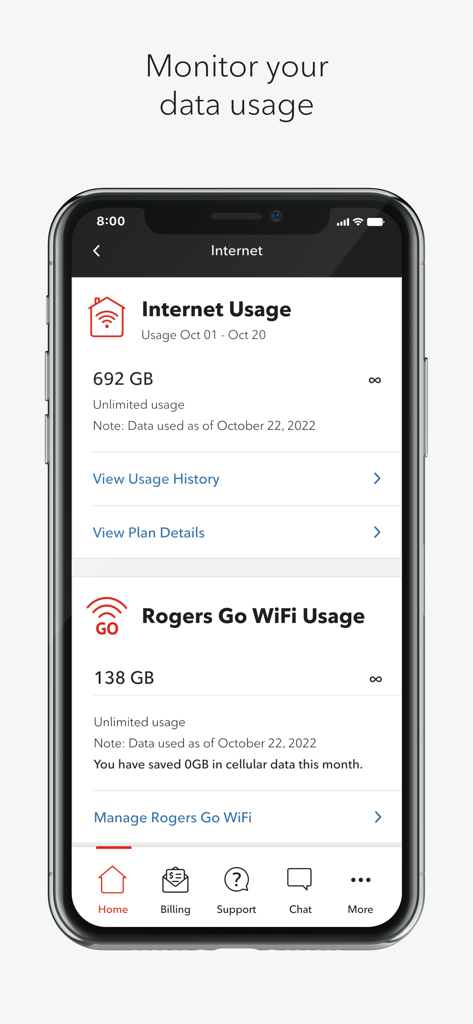
Screenshot of the MyRogers Shaw app showing internet and WiFi data consumption

Screenshot of the MyRogers Shaw app showing internet and WiFi data consumption

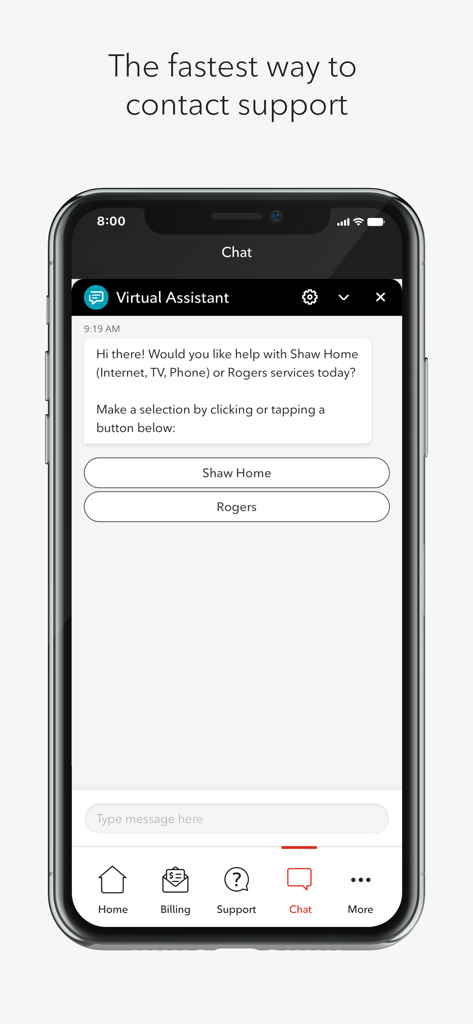
MyRogers Shaw app chat interface showing a virtual assistant providing support options for home and mobile services

MyRogers Shaw app chat interface showing a virtual assistant providing support options for home and mobile services

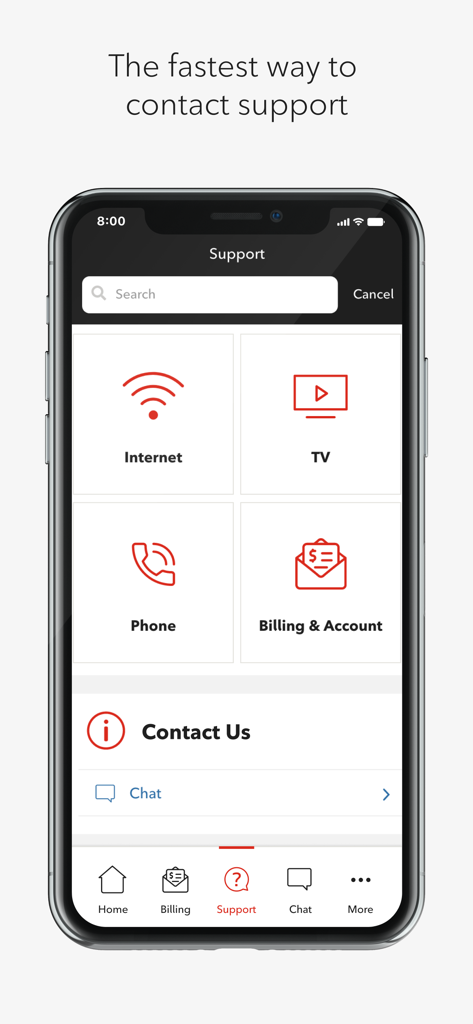
The support screen of the MyRogers Shaw app showing help categories for internet TV and billing with a live chat option

The support screen of the MyRogers Shaw app showing help categories for internet TV and billing with a live chat option

Effortless Control of Your Home Services

The tools that make this app stand out, trusted by 1M+ users.

💳

Seamless Bill Management

Pay bills in seconds, store payment details securely, and request payment extensions directly within the app.

📊

Real-Time Usage Insights

Stay ahead of your limits with a visual snapshot of your data usage, helping you avoid unexpected charges.

💬

Instant Live Support

Skip the phone queue and chat with a real agent instantly, or access expert guides to solve issues on your own.

Review Analysis

Insights from user reviews.

Sentiment Score

4%
Negative

Summary

Users express extreme dissatisfaction with the mobile app, primarily due to pervasive login difficulties, including broken Multi-Factor Authentication (MFA), constant re-login demands, and non-functional Face ID. Many report that core functionalities, such as paying or viewing bills and managing services, are inaccessible or riddled with errors, rendering the app largely 'useless'. Users widely criticize the in-app customer support for being unhelpful and slow, noting a significant degradation in overall app quality and service reliability, particularly since the Rogers acquisition of Shaw. Specific version bugs, such as persistent login issues following updates around October 8th and September 26th, have also been reported.

Common Themes

Login Difficulties(25)
Core Functionality Issues(24)
Customer Support Experience(12)
Billing Specific Issues(12)
App Performance(9)
Post-Merger Degradation(8)

About the app

Everything you need to know about MyRogers (Shaw).

Description

Get the most out of your products and services with the MyRogers (Shaw) app. Whether you’re on the go or at home, you can manage every aspect of your account on your smartphone. From paying your bills to chatting with support, you can do it all with MyRogers (Shaw). Restrictions • The MyRogers (Shaw) app requires a valid Username. • Two-step verification is required. • Accessible only to residential accounts. • Does not support My Shaw Direct accounts or My Shaw Business accounts at this time. Features Billing Made Simple • Manage billing and payments for all your services in one place, including auto-payments and eBills. • Pay your bill in app, and save payment details for future payments. • Convenient and fast way to handle your bill; signing up for eBill is easy, or viewing your bill in app. • Need a couple more days to make your payment? Now submit a payment extension request directly within the app. Live-agent support chat • The fastest way to connect with the support you need and chat with a real representative right in the app Monitor your data usage • Keep an eye on your data and your limits with an easy-to-read visual snapshot of your data usage. TV Subscription Management • Quickly access your channel list for your TV subscription and theme packs • Manage the devices that can use the Rogers Xfinity App for on-the-go access to your TV subscription. Access Voicemail for personal home phone • Easily access voicemail messages left to your personal home phone through the app. You can listen to, archive and manage your voicemail messages on the go. Support Library • How do you program your remote? Tips on improving your WiFi network? Access a curated list of the most popular product and troubleshooting guides from our support community. Notifications • Receive chat notifications easily while multi-tasking between apps and change your billing preferences. Functions • Using your Network access permissions, the MyRogers (Shaw) app will: • View connection information and see available Wi-Fi connections to enable the app to connect to the Wi-Fi network. • Detect the network state, read the device status, detect running apps, view app history and identity to implement network preference. Submitting a payment extension request, the MyRogers (Shaw)app will: • Send you an email confirmation.

Latest Version

1.16.5

Size

52.6 MB

First Released

Aug 16, 2017

Take full control of your home services in seconds.

Join over 1 million users who skip the hold music and manage bills, data usage, and live support directly from their pocket.

Download on App StoreDownload on Google Play
FAQ

Frequently Asked Questions

Everything you need to know about MyRogers (Shaw)

What is the MyRogers (Shaw) app used for?

The MyRogers (Shaw) app allows users to manage their Rogers or Shaw account. It enables bill payment, customer support chat, data usage monitoring, TV subscription management, and voicemail access for home phones.

Can I pay my bill using the MyRogers (Shaw) app?

Yes, you can pay your bill directly within the MyRogers (Shaw) app. It also allows you to manage auto-payments, eBills, and save payment details for future transactions.

How do I request a payment extension with the MyRogers (Shaw) app?

You can submit a payment extension request directly within the MyRogers (Shaw) app. The app confirms the submission by sending an email.

Does the MyRogers (Shaw) app offer live chat support?

Yes, the MyRogers (Shaw) app provides live-agent support chat. This feature allows users to connect with a real representative directly within the app for assistance.

How can I monitor my data usage with the MyRogers (Shaw) app?

The MyRogers (Shaw) app provides an easy-to-read visual snapshot to monitor your data usage and limits. You can also view detailed usage history and plan details.

Can I manage my TV subscription using the MyRogers (Shaw) app?

Yes, the MyRogers (Shaw) app allows you to quickly access your channel list and manage theme packs for your TV subscription. You can also manage devices for the Rogers Xfinity App.

Does the MyRogers (Shaw) app provide access to home phone voicemail?

Yes, the MyRogers (Shaw) app provides easy access to voicemail messages left for your personal home phone. You can listen to, archive, and manage these messages on the go.

Are there any account restrictions for using the MyRogers (Shaw) app?

Yes, the MyRogers (Shaw) app requires a valid Username and two-step verification. It is accessible only to residential accounts and does not support My Shaw Direct or My Shaw Business accounts.

Does the MyRogers (Shaw) app include a support library?

Yes, the MyRogers (Shaw) app features a Support Library. It provides a curated list of popular product and troubleshooting guides, including tips for programming remotes or improving WiFi networks.

What network permissions does the MyRogers (Shaw) app require?

The MyRogers (Shaw) app requires network access permissions to view connection information and available Wi-Fi. It detects network state and device status to implement network preferences.

App information, icons, screenshots, and descriptions displayed on this page are sourced from the Apple App Store and are the property of their respective developers. Download estimates and rankings are based on MWM's proprietary models and may not reflect actual figures. This page is provided for informational and analytical purposes only.

Believe this page infringes your intellectual property? File a dispute