Mywellness

Mywellness

Download on App Store
Logo of Mywellness

Mywellness: The Elite Ecosystem for Data-Driven Performance

Seamlessly connect with Technogym equipment, track every MOVE, and optimize your fitness journey with precision data and personalized coaching tailored for your high-performance lifestyle.

Download on App Store

Publisher

Technogym S.p.A

Category

Health & Fitness

Downloads

5M+

User Rating

4.6/5

Total Ratings

60K+

Locales

20

The Interface of Elite Performance

Discover the interface used by 5M+ users.
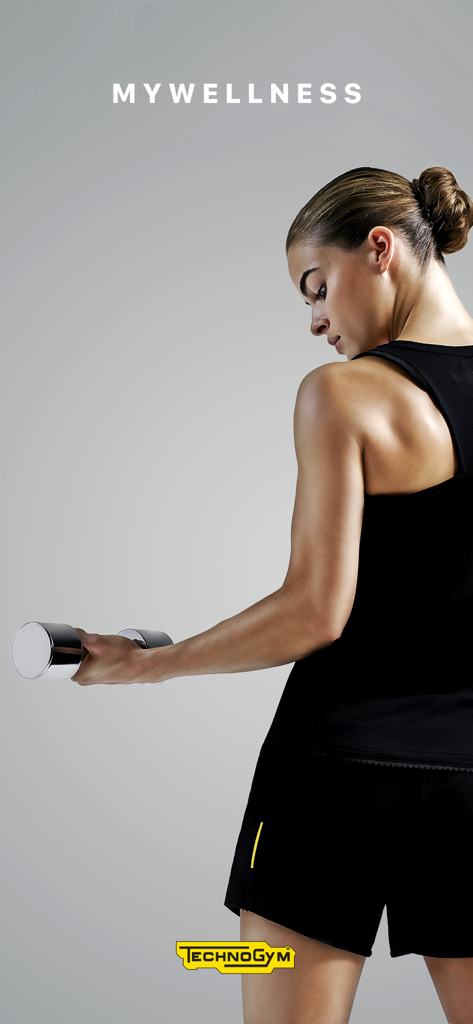
A woman performing a dumbbell workout for the Technogym Mywellness app

A woman performing a dumbbell workout for the Technogym Mywellness app

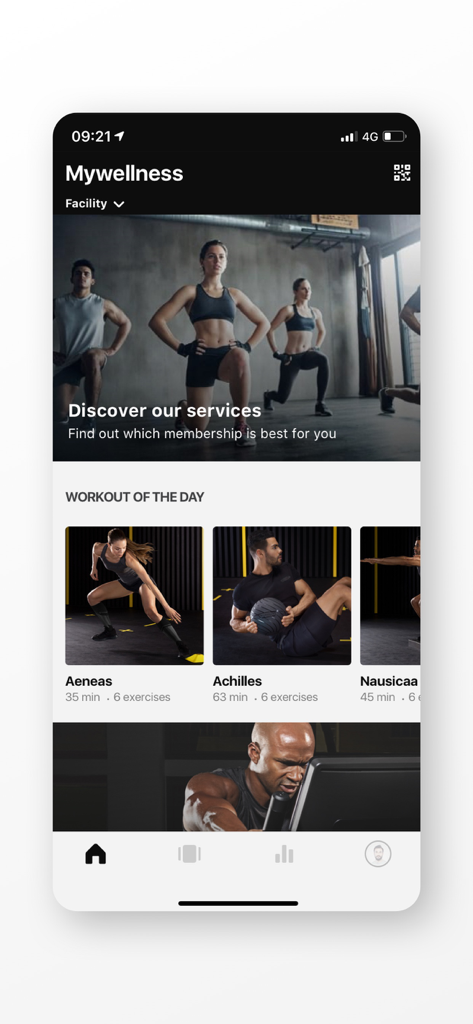
Mywellness app interface showing the workout of the day and fitness programs

Mywellness app interface showing the workout of the day and fitness programs

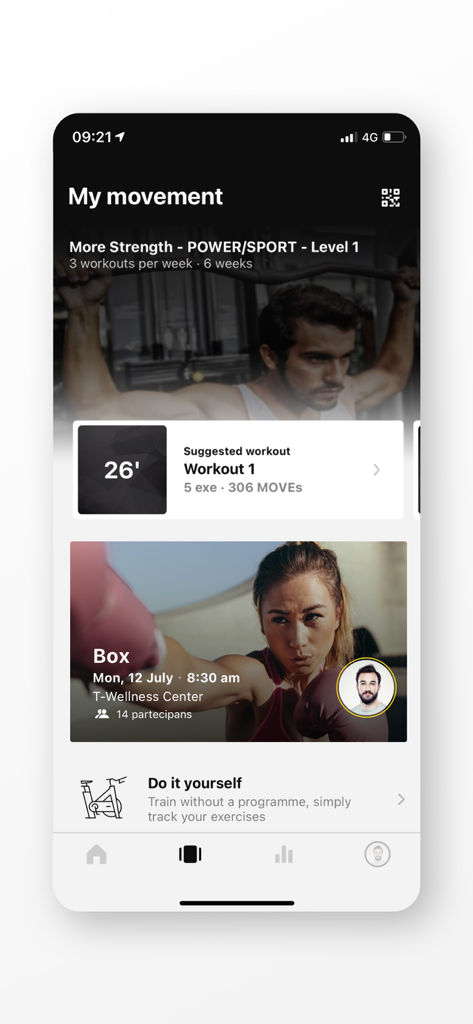
Mywellness app dashboard displaying a personalized strength training program and fitness classes.

Mywellness app dashboard displaying a personalized strength training program and fitness classes.

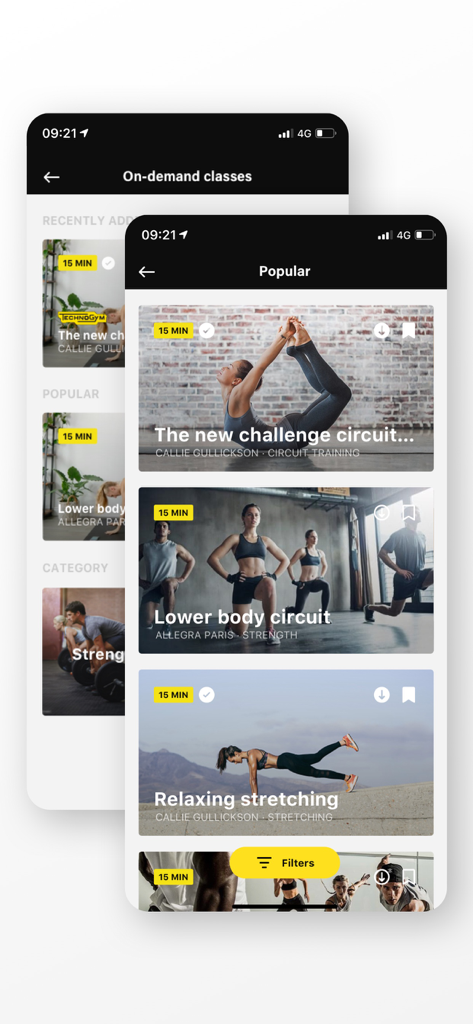
Smartphone screens displaying a selection of on demand fitness classes in the Mywellness app

Smartphone screens displaying a selection of on demand fitness classes in the Mywellness app

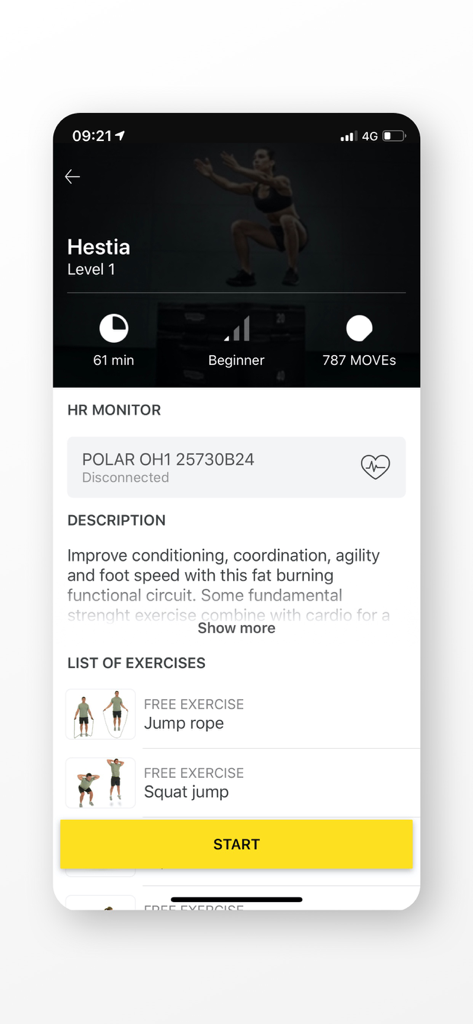
Mywellness app showing the Hestia workout screen with duration, difficulty level, and a list of exercises including jump rope and squat jumps.

Mywellness app showing the Hestia workout screen with duration, difficulty level, and a list of exercises including jump rope and squat jumps.

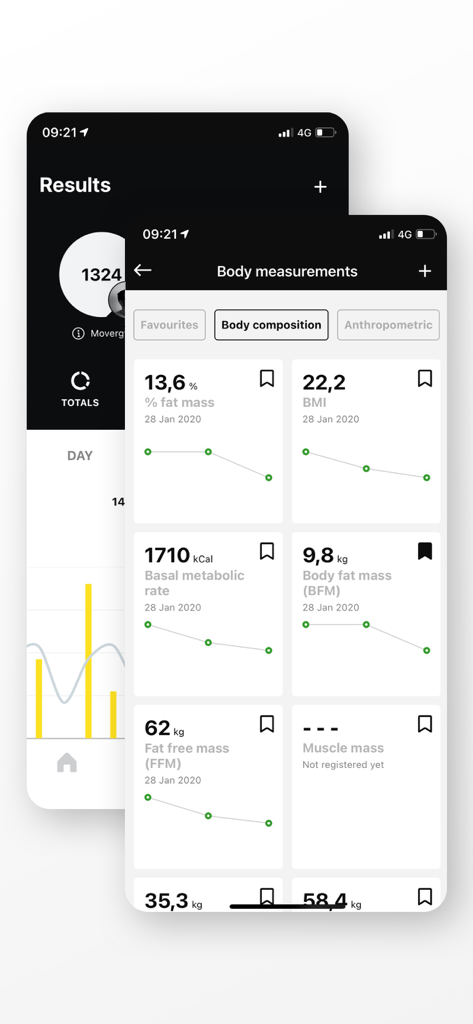
Mywellness app screens showing fitness results and body composition metrics like fat mass and BMI

Mywellness app screens showing fitness results and body composition metrics like fat mass and BMI

Precision Training, Personalized for You

The tools that make this app stand out, trusted by 5M+ users.

Zero-Friction Equipment Sync

Log in instantly via Bluetooth or QR code. Your personalized routine loads automatically, so you can focus entirely on your performance.

📊

Unified Performance Metrics

Track your MOVEs and body composition in one place. Seamlessly integrate data from Apple Health, Strava, and Garmin for a 360-degree health view.

🗓️

Smart Facility Management

Effortlessly book boutique classes and access custom training programs designed by experts to fit your demanding professional lifestyle.

About the app

Everything you need to know about Mywellness.

Description

Mywellness app by Technogym helps you to get the most out of the services of your club when you train both indoor and outdoor. The completely redesigned look and feel envisages four areas: - FACILITY AREA: Discover all the services that your club provides and choose what interests you most. - MY MOVEMENT: Here you can find what you’ve chosen to do: your programme, the classes you’ve booked, the challenges you’ve joined and all the other activities you’ve chosen to do at your club. - RESULTS: Check your progresses, collect MOVEs and get more and more active every day. - OTHER: in this new area you can leave your feedback, sync your fitness apps and connect your heart rate band. Enjoy the best experience in Technogym equipped clubs using mywellness app to connect with every single equipment by Bluetooth or QR Code. The equipment will automatically set up with your programand your results will be automatically tracked on your mywellness account. Log MOVEs manually or sync with other apps such as Apple Health, Fitbit, Garmin, MapMyFitness, MyFitnessPal, Polar, RunKeeper, Strava, Swimtag and Withings. --------------------------------- WHY USE THE MYWELLNESS APP? - YOUR FACILITY CONTENTS AT A GLANCE: discover in the FACILITY AREA of the app all the programmes, classes and challenges that your club promotes. - HANDS ON VIRTUAL COACH THAT GUIDES YOU IN THE WORKOUT: easily choose the workout you want to do today in MY MOVEMENT page and let the app guide you through the workout. Mywellness app automatically moves to next exercise, gives you the possibility to rate your experience and schedule your next workout. - CUSTOMIZED PROGRAMS: get your personalized and complete training program including cardio, functional or strength exercises, group classes and any kind of sport activity. Access to all the exercise instructions and tutorial videos, keep track of your results automatically by logging into Mywellness and connect Technogym equipments, wherever you are in the world. - SUPERIOR CLASSES EXPERIENCE: use Mywellness app to easily find the classes of your interest and book a space. You will receive smart reminders to help you not to forget your reservation. The day of the class use Mywellness app to login on Technogym Group Cycle Connect equipment and enjoy a unique experience with your trainer and other users. Check your class results immediately on Mywellness app and book your next class to secure a place. You can also have a look to the featured classes, the most innovative and top - quality group courses that your center offers, and book your place in the classes of two or more facilities of the club chain if your subscription allows it. - OUTDOOR ACTIVITY: keep track of your outdoor activities directly on Mywellness app, or automatically synchronize the data you have stored in other fitness applications. - FUN: join the challenges organized by your facility, train and improve your challenge ranking in real time. - BODY MEASUREMENTS: keep track of your measurements (weight, body fat, etc..) and check your progresses over time.

Latest Version

6.7.18

Size

222.9 MB

First Released

May 31, 2012

Ready to Master Your Performance?

Join the elite community of data-driven athletes. Download Mywellness to seamlessly sync with Technogym equipment and turn every workout into measurable progress.

Download on App Store

App information, icons, screenshots, and descriptions displayed on this page are sourced from the Apple App Store and are the property of their respective developers. Download estimates and rankings are based on MWM's proprietary models and may not reflect actual figures. This page is provided for informational and analytical purposes only.

Believe this page infringes your intellectual property? File a dispute