Nakamichi Remote App

Nakamichi Remote App


Download on App Store
Logo of Nakamichi Remote App

Nakamichi Remote App: Absolute Command Over Your Home Theater

Precision control for your DRAGON or Shockwafe system. Fine-tune every channel, optimize your EQ settings, and connect with our expert California Concierge for the ultimate audiophile experience.

Download on App Store

Publisher

Nakamichi LLC

Category

Music

Downloads

0

User Rating

4.6/5

Total Ratings

0

Locales

1

Precision at Your Fingertips

Discover the interface used by 0 users.
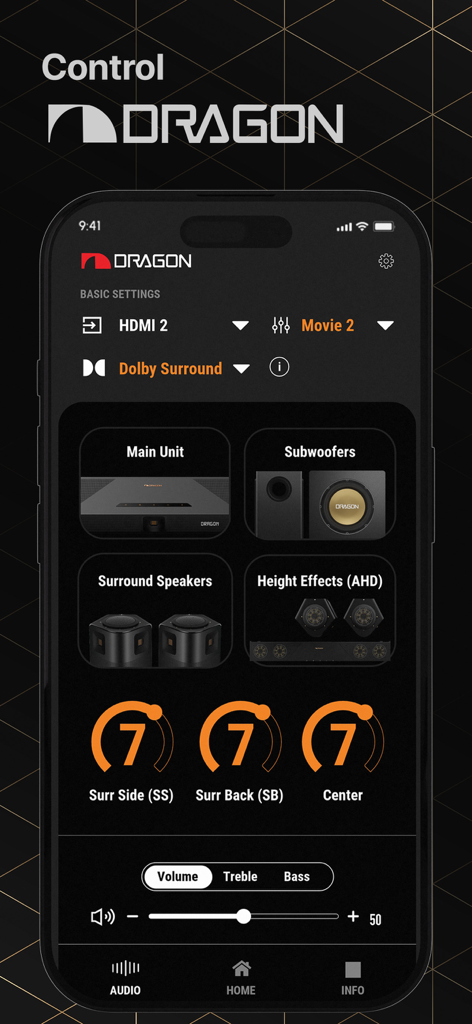
Interface of the Nakamichi Remote App showing audio settings and volume controls for the Dragon home theater system

Interface of the Nakamichi Remote App showing audio settings and volume controls for the Dragon home theater system

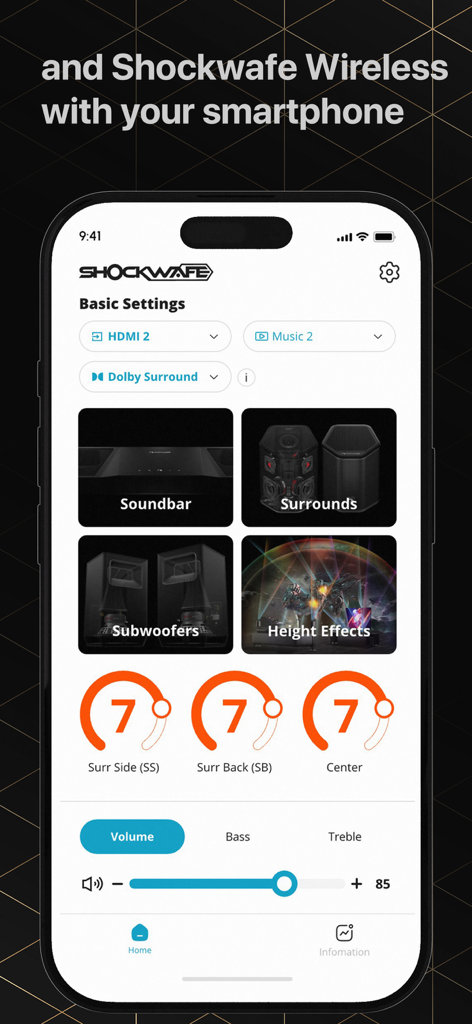
Nakamichi Remote App interface showing audio settings for a Shockwafe surround sound system.

Nakamichi Remote App interface showing audio settings for a Shockwafe surround sound system.

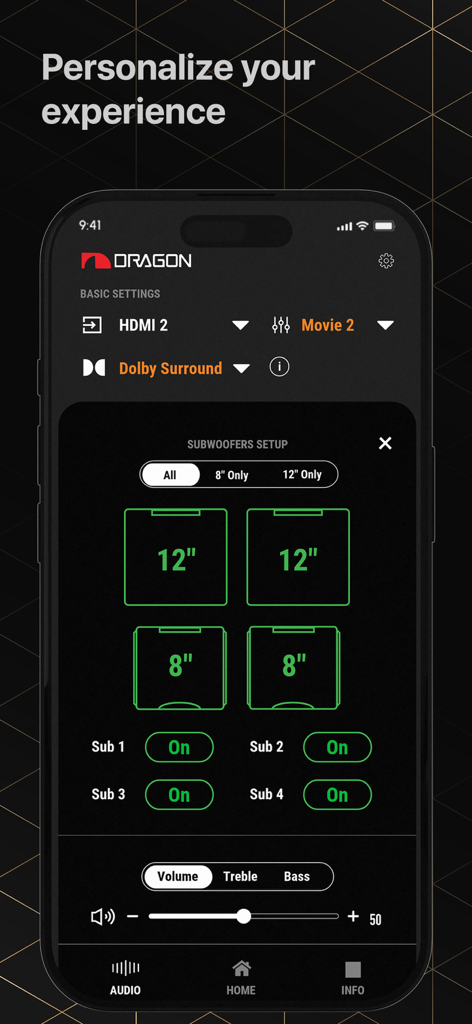
The Nakamichi Remote App interface displaying subwoofer configuration and volume settings for a home theater system

The Nakamichi Remote App interface displaying subwoofer configuration and volume settings for a home theater system

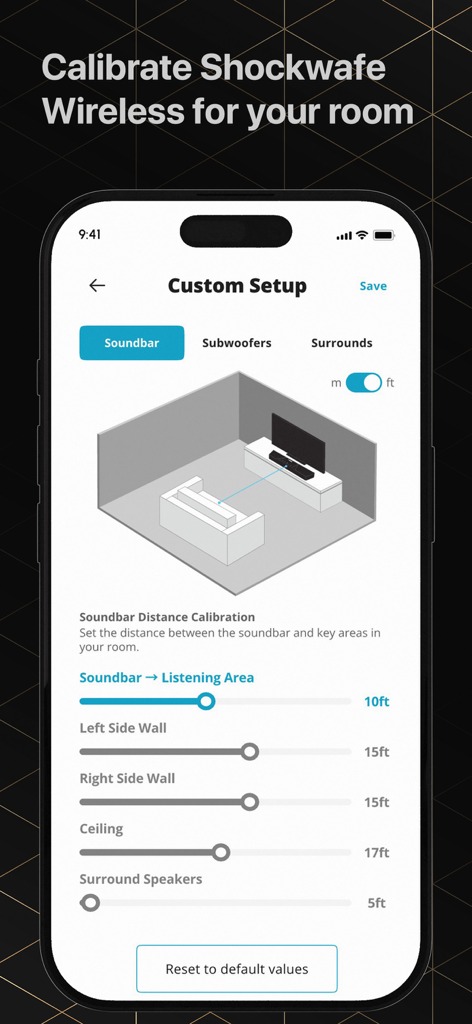
A smartphone screen displaying the Nakamichi Remote App custom setup page with room calibration sliders and a 3D room visualization for soundbar placement

A smartphone screen displaying the Nakamichi Remote App custom setup page with room calibration sliders and a 3D room visualization for soundbar placement

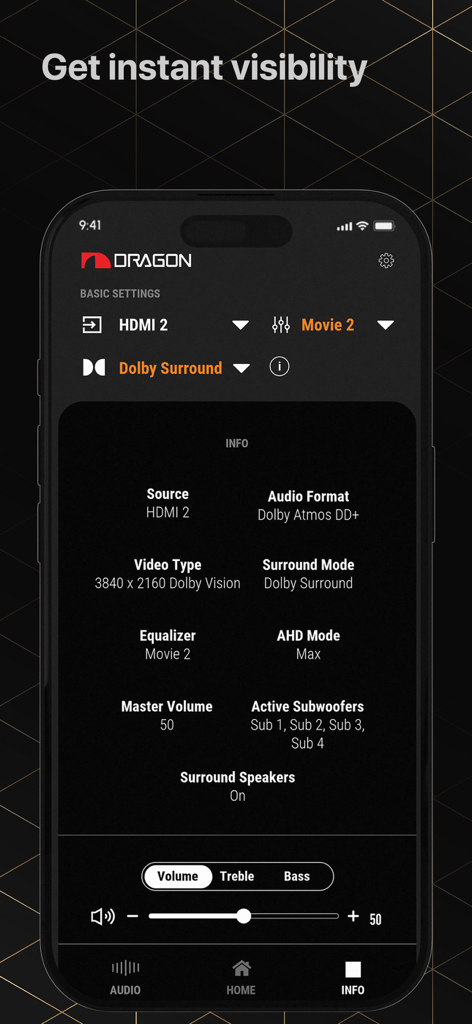
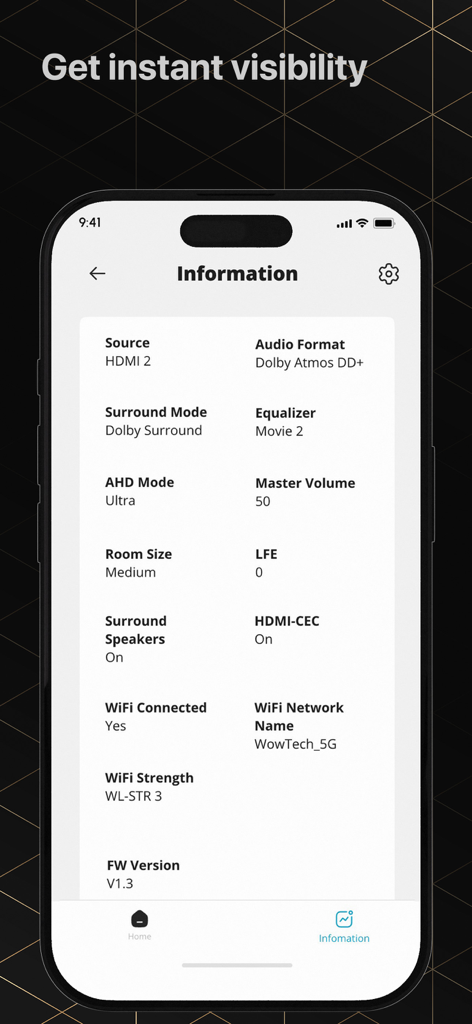
Nakamichi Remote App interface showing real-time audio and video format information for the Dragon sound system.

Nakamichi Remote App interface showing real-time audio and video format information for the Dragon sound system.

Nakamichi Remote App information screen showing audio format and device status

Nakamichi Remote App information screen showing audio format and device status

Master Your Cinematic Soundstage

The tools that make this app stand out, trusted by 0 users.

🎚️

Precision Calibration

Fine-tune individual channel levels and equalizer settings to perfectly match your room's unique acoustics.

πŸ’Ž

Bit-Perfect Monitoring

Instantly verify incoming audio and video formats to ensure you are receiving the full Dolby Atmos or DTS:X experience.

πŸ›‘οΈ

Elite Concierge Access

Get direct, personalized assistance from our California-based experts to optimize your high-end theater setup.

About the app

Everything you need to know about Nakamichi Remote App.

Description

Take full control of your Nakamichi DRAGON Home Surround Sound System and Shockwafe Wireless 11.2.6. Install this app to: * Enjoy seamless control. Effortlessly adjust key settings and switch input sources instantly. * Personalize your audio experience with just a few taps. Adjust the equalizer, surround mode, individual channel volume levels, and other preferences to match your room and content. * Instantly view the audio and video format of your content. * Get access to Nakamichi Concierge: Enjoy personalized assistance and tips tailored to your setup by our experts based in California. A Nakamichi DRAGON Home Surround Sound System or Shockwafe Wireless 11.2.6 Soundbar System is required to use this application. A Nakamichi account is needed to personalize your experience. Please refer to the app for the terms of usage and our privacy policy.

Latest Version

3.2.0

Size

164.0 MB

First Released

Aug 19, 2023

Master Your Soundstage Today

Take total control of your DRAGON or Shockwafe system. Fine-tune your EQ, verify your audio formats, and access our California-based experts directly from your iPhone.

Download on App Store

App information, icons, screenshots, and descriptions displayed on this page are sourced from the Apple App Store and are the property of their respective developers. Download estimates and rankings are based on MWM's proprietary models and may not reflect actual figures. This page is provided for informational and analytical purposes only.

Believe this page infringes your intellectual property? File a dispute