NetFlow Analyzer

NetFlow Analyzer

Download on App Store
Logo of NetFlow Analyzer

NetFlow Analyzer: Real-Time Visibility and Bandwidth Control from Anywhere

Empower your IT operations with instant traffic analytics and performance alerts. Monitor your LAN and WAN, identify bandwidth hogs, and troubleshoot network issues on the go directly from your iPhone.

Download on App Store

Publisher

Zoho Corporation

Category

Business

Downloads

0

User Rating

4.3/5

Total Ratings

0

Locales

6

Your Network at a Glance

Discover the interface used by 0 users.
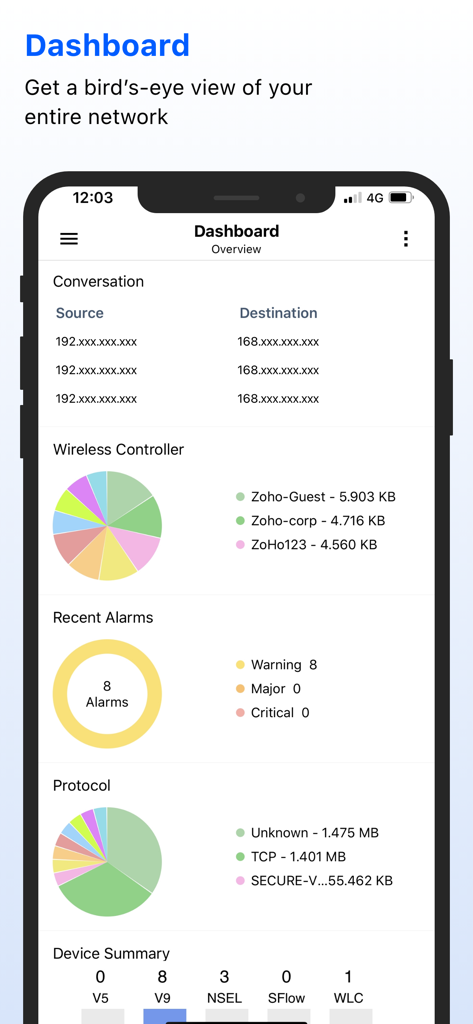
The dashboard of the ManageEngine NetFlow Analyzer app displaying network traffic charts and active alarms.

The dashboard of the ManageEngine NetFlow Analyzer app displaying network traffic charts and active alarms.

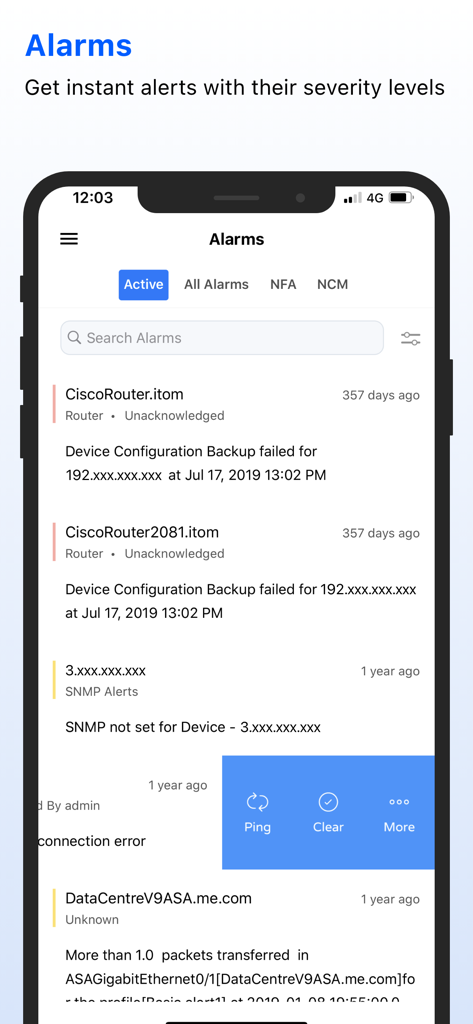
NetFlow Analyzer mobile app displaying a list of active network alarms and device configuration alerts.

NetFlow Analyzer mobile app displaying a list of active network alarms and device configuration alerts.

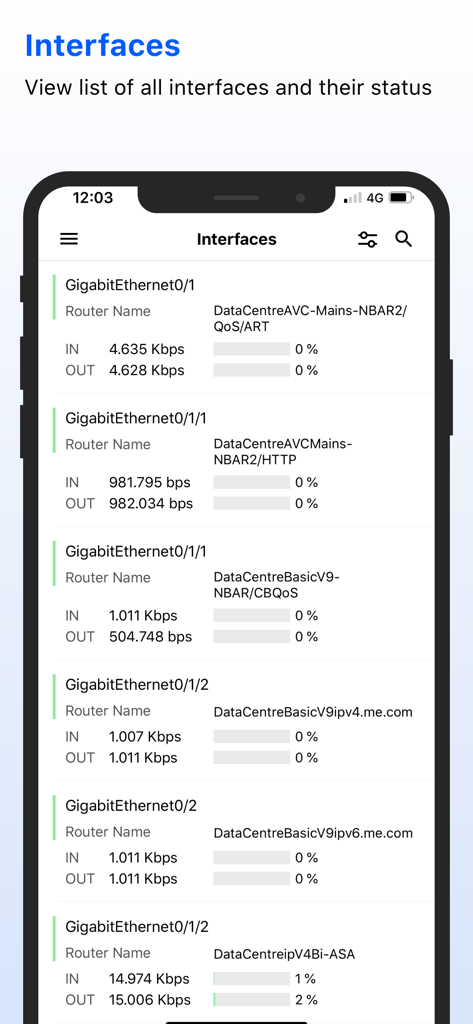
A mobile interface from the NetFlow Analyzer app displaying a detailed list of network interfaces with real-time inbound and outbound traffic metrics.

A mobile interface from the NetFlow Analyzer app displaying a detailed list of network interfaces with real-time inbound and outbound traffic metrics.

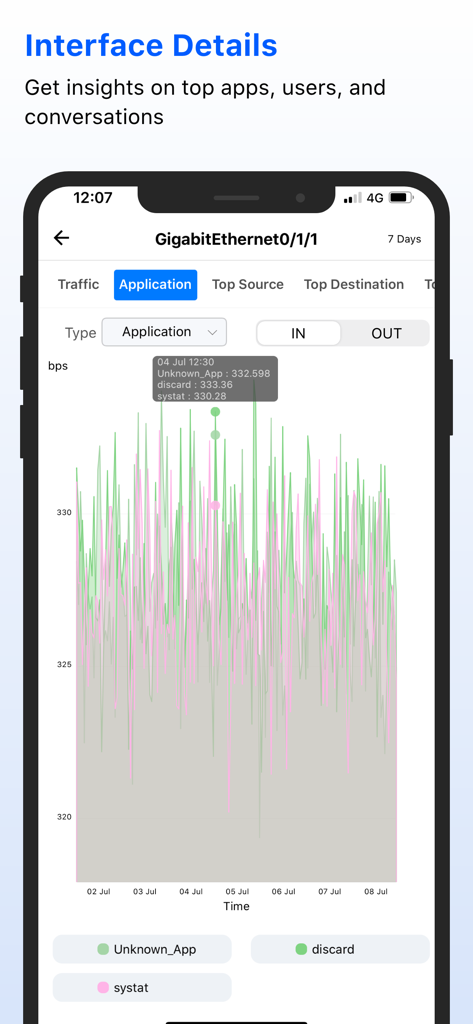
ManageEngine NetFlow Analyzer mobile app displaying a detailed application traffic graph for a Gigabit Ethernet interface

ManageEngine NetFlow Analyzer mobile app displaying a detailed application traffic graph for a Gigabit Ethernet interface

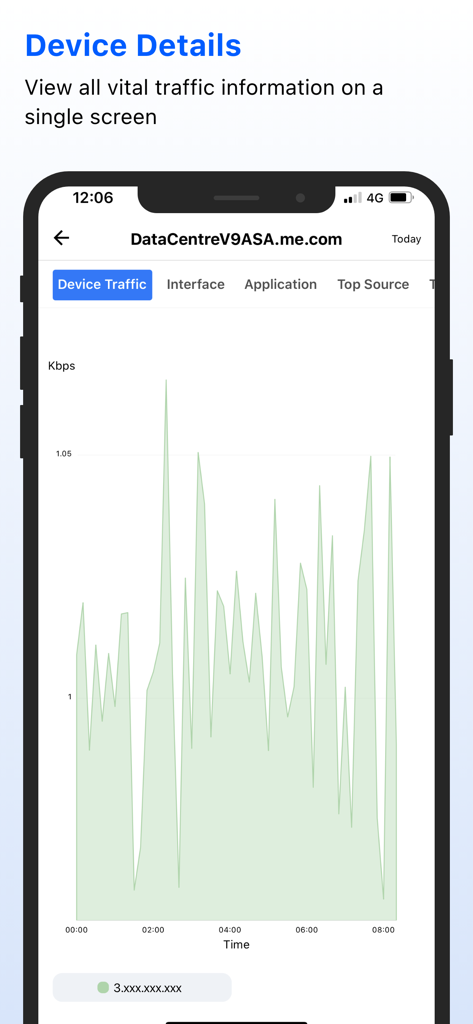
Mobile dashboard of NetFlow Analyzer showing a real-time device traffic graph in Kbps

Mobile dashboard of NetFlow Analyzer showing a real-time device traffic graph in Kbps

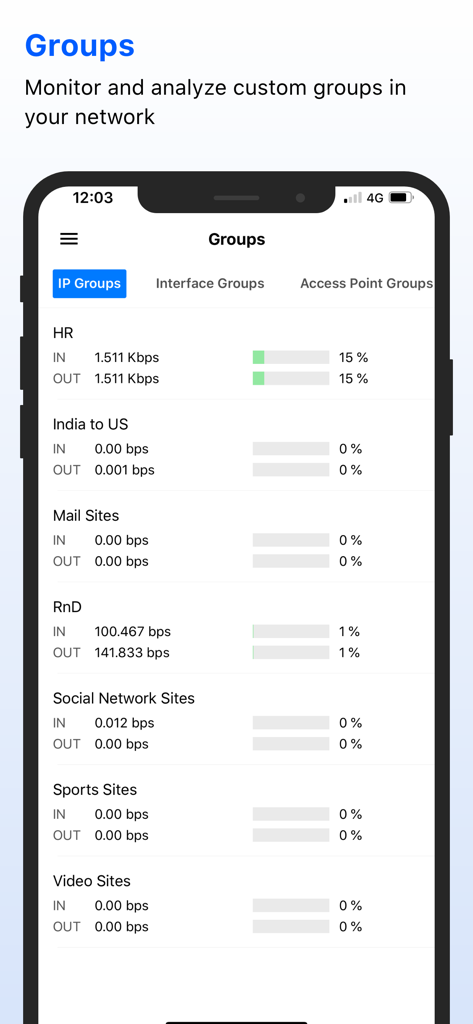
ManageEngine NetFlow Analyzer app screen showing network traffic data for custom IP groups like HR and RnD

ManageEngine NetFlow Analyzer app screen showing network traffic data for custom IP groups like HR and RnD

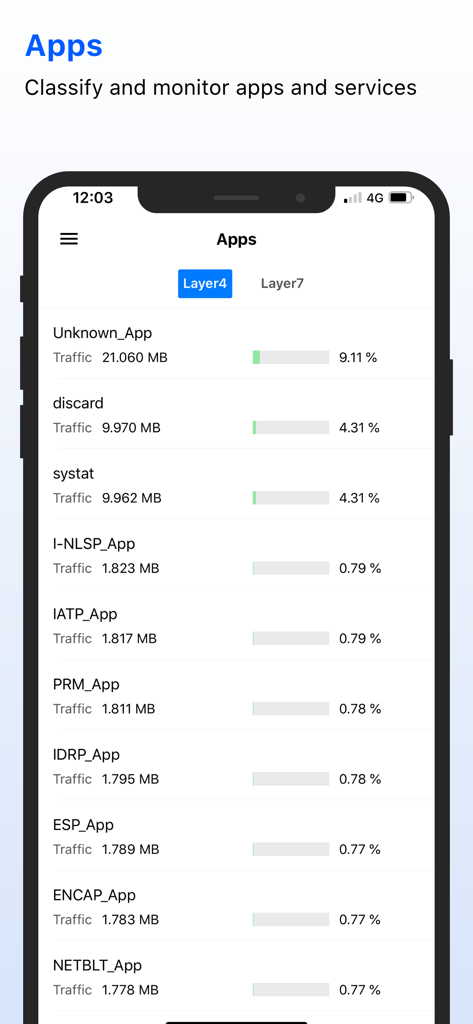
NetFlow Analyzer mobile app screen displaying a list of applications with their respective network traffic data and usage percentages

NetFlow Analyzer mobile app screen displaying a list of applications with their respective network traffic data and usage percentages

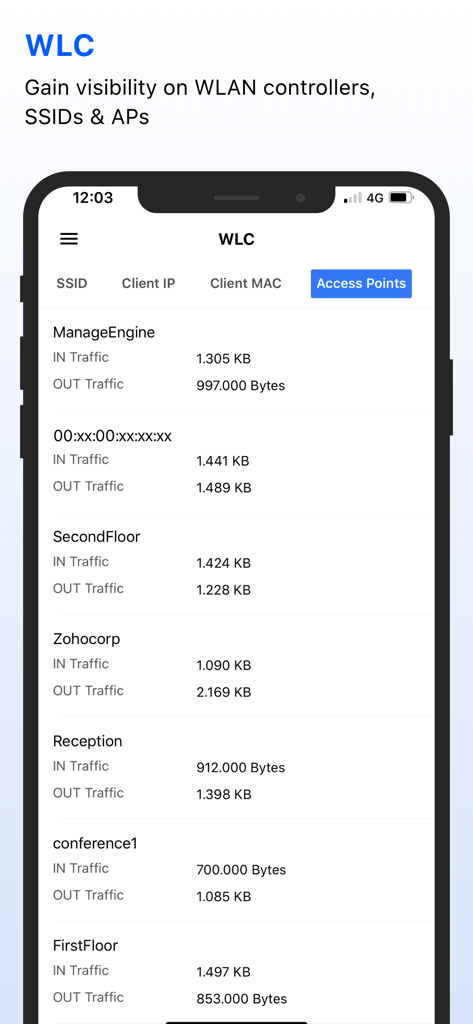
ManageEngine NetFlow Analyzer app interface showing WLC traffic data for various SSIDs and access points including IN and OUT traffic metrics

ManageEngine NetFlow Analyzer app interface showing WLC traffic data for various SSIDs and access points including IN and OUT traffic metrics

Network Intelligence in Your Pocket

The tools that make this app stand out, trusted by 0 users.

📊

Comprehensive Traffic Visibility

Identify top applications, users, and conversations consuming your bandwidth with detailed flow-based reporting and real-time visualization.

🚨

Proactive Incident Alerts

Receive real-time notifications for traffic spikes and device downtime, allowing you to acknowledge and clear alarms while on the move.

🔍

Remote Troubleshooting

Pinpoint bandwidth hogs and diagnose network anomalies instantly by drilling down into IN/OUT traffic across devices and IP groups.

About the app

Everything you need to know about NetFlow Analyzer.

Description

You need to run ManageEngine NetFlow Analyzer on your on-premise server to use this app. To start using the app, you must log in with your existing NetFlow Analyzer credentials. ManageEngine NetFlow Analyzer, a complete traffic analytics tool, leverages flow technologies to provide real-time visibility into the network bandwidth performance. It is a unified solution that collects, analyzes, and reports on what your network bandwidth is being used for and by whom. NetFlow Analyzer helps you keep track of network traffic activities, and diagnose and troubleshoot network anomalies and bandwidth hogs in real-time.
 With the NetFlow Analyzer iOS app, you can monitor and analyze network traffic and streamline it, while on the move. Access, manage, visualize data, and keep tabs on your LAN and WAN traffic and devices from anywhere, anytime. 
Note: This app is compatible with NetFlow Analyzer Builds 12.4 and above.   Key features - Get an overview of the top applications, users, and conversations in your network - Get alerts for network device availability and performance, downtime, and traffic spikes - View, clear, and acknowledge alarms and events that are raised - View IN/OUT traffic by devices, interfaces, and IP groups   Have questions? Get in touch with us at netflowanalyzer-support@manageengine.com

Latest Version

2.4.0

Size

24.1 MB

First Released

Oct 10, 2014

Network Performance in Your Pocket

Monitor traffic, troubleshoot bandwidth hogs, and respond to critical alerts on the go. Log in with your existing ManageEngine credentials to stay connected to your infrastructure 24/7.

Download on App Store

App information, icons, screenshots, and descriptions displayed on this page are sourced from the Apple App Store and are the property of their respective developers. Download estimates and rankings are based on MWM's proprietary models and may not reflect actual figures. This page is provided for informational and analytical purposes only.

Believe this page infringes your intellectual property? File a dispute