NewsTap (Usenet Newsreader)

NewsTap (Usenet Newsreader)


Download on App Store
Logo of NewsTap (Usenet Newsreader)

NewsTap: The Definitive Usenet Newsreader for the Digital Professional

Take full control of your newsgroups with advanced filtering, offline reading, and a graphical tree view designed for the sophisticated iPad and iPhone user.

Publisher

Alexander Clauss

Category

News

Downloads

74K+

User Rating

3.5/5

Total Ratings

600

Locales

2

The Power of Pure Usenet

Discover the interface used by 74K+ users.
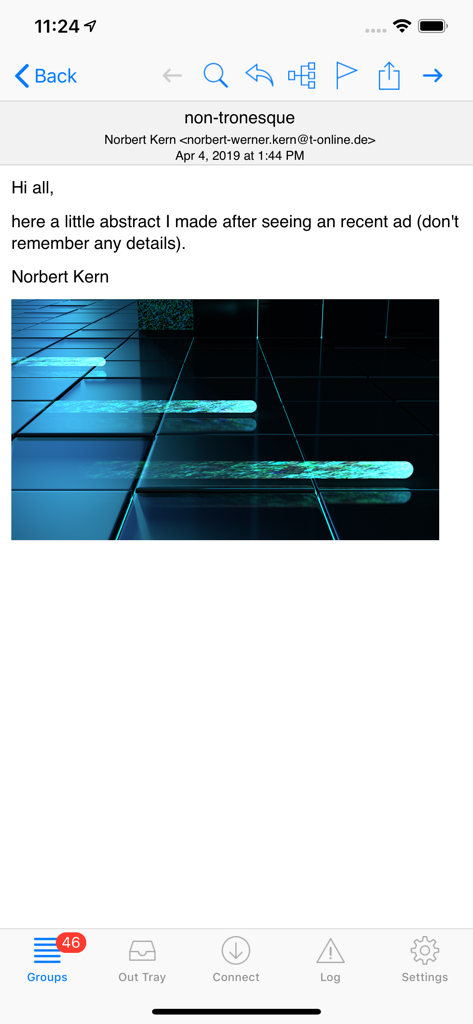
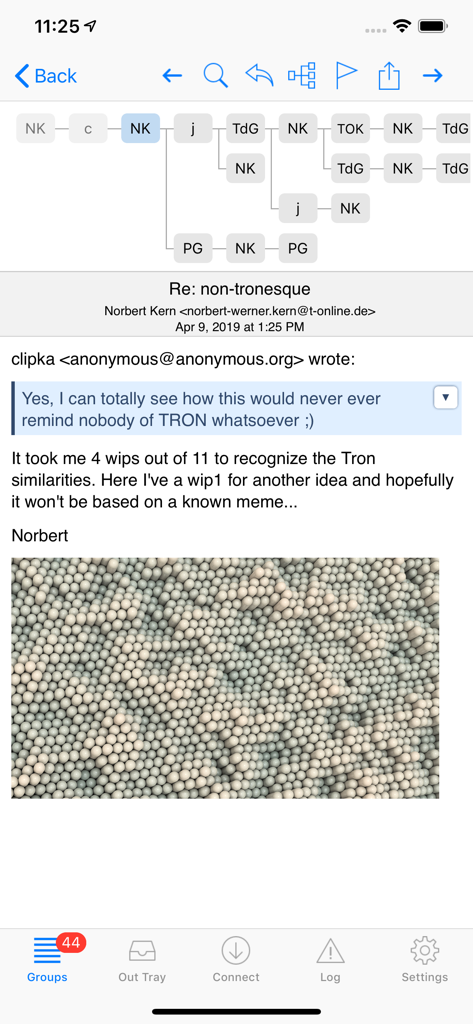
Interface of NewsTap app showing a Usenet newsgroup article with an embedded image

Interface of NewsTap app showing a Usenet newsgroup article with an embedded image

Graphical tree view of a discussion thread in the NewsTap Usenet newsreader app

Graphical tree view of a discussion thread in the NewsTap Usenet newsreader app

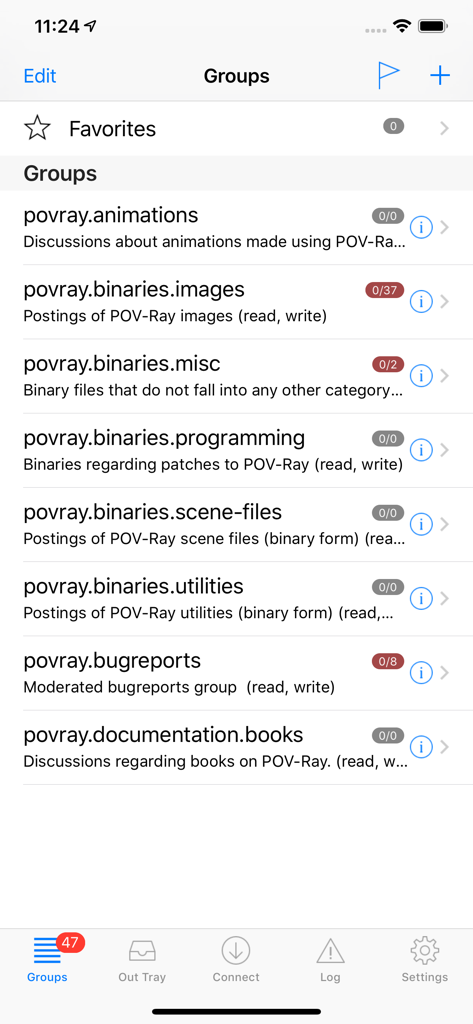
NewsTap app showing a list of subscribed Usenet newsgroups with article counts and descriptions

NewsTap app showing a list of subscribed Usenet newsgroups with article counts and descriptions

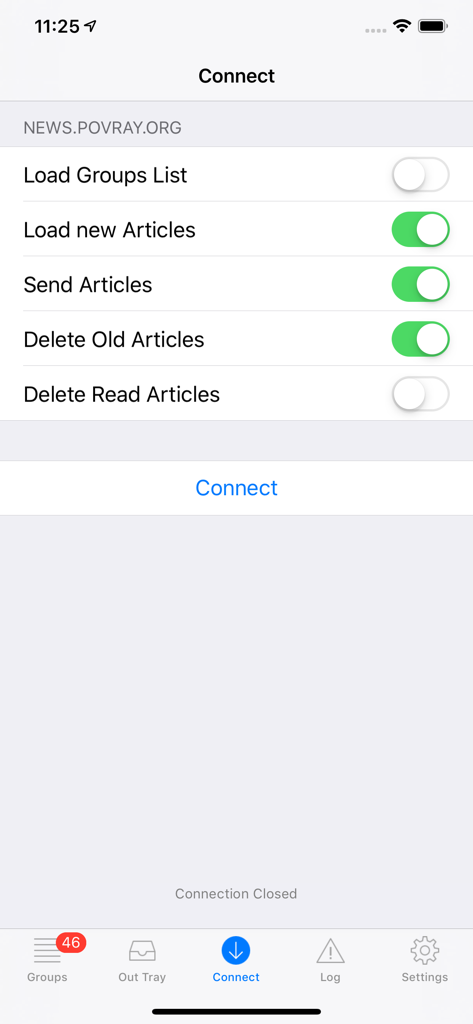
Connect settings screen for the NewsTap Usenet newsreader app showing server synchronization options.

Connect settings screen for the NewsTap Usenet newsreader app showing server synchronization options.

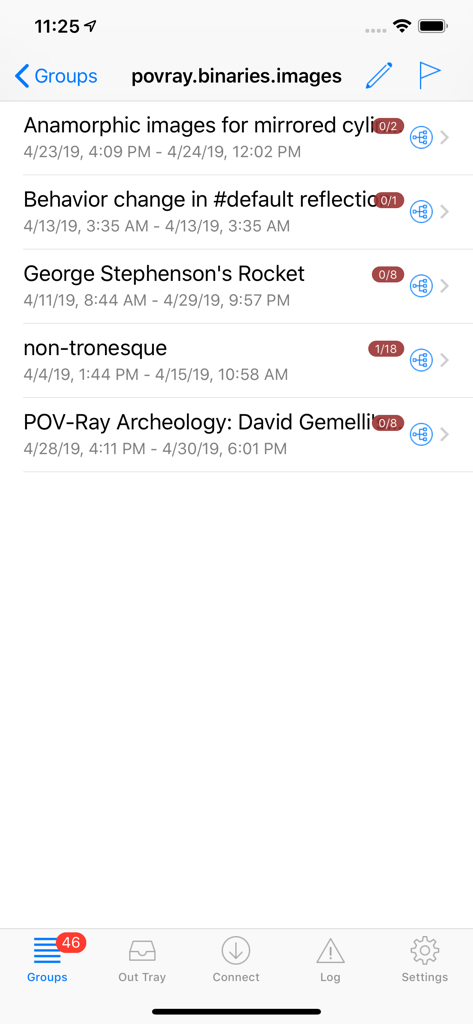
NewsTap app showing a list of discussion threads in a Usenet newsgroup

NewsTap app showing a list of discussion threads in a Usenet newsgroup

Advanced Tools for Serious Usenet Users

The tools that make this app stand out, trusted by 74K+ users.

🛡️

Custom Killfiles & Filters

Take total control of your feed. Automatically hide unwanted posters or highlight essential topics with granular filtering rules that ensure you only see what matters.

🌳

Visual Thread Navigation

Master complex discussions with a graphical tree view. Visualize the entire genealogy of a conversation to follow and participate in deep-dive technical threads effortlessly.

✈️

Optimized Offline Reading

Synchronize your read states across devices using newsrc files via SFTP or iCloud. Download entire groups for offline access, perfect for reading during commutes or travel.

About the app

Everything you need to know about NewsTap (Usenet Newsreader).

Description

NewsTap is a powerful Usenet Newsreader for the iPad, iPhone and the iPod Touch. Features: - Optimized for offline usage, so you can read and write news articles without an internet connection - It's easy and simple to subscribe, manage and read news groups. - Filters (also known as "Killfile") can automatically mark articles as read or mark them with a certain color. - The application fully supports the portrait and landscape mode. - Support for binary groups (photos and other files). Photos and pictures can be displayed directly. It's possible to add photos into the photo album or open them in other Apps. - Quotes are displayed in different colors. Colors are also used to distinguish between read and unread articles, filtered articles. - Hyperlinks are automatically detected and can be opened in a web browser. - Optimized article layout for the small iPhone display. The original article layout is also available. - Navigate within the articles from within the thread view or simply by flipping to the next/previous article with your finger. - A graphical „tree view“ visualizes a complete discussion and makes it super-easy to follow and participate discussions. - It's possible to hide articles that are already read and to hide quotes. - Sync the read/unread states of the articles using a „newsrc“ file with other usenet client. The sync can be done via SFTP, WebDAV, Dropbox and iCloud. - Post new articles or send followups. - Build-in help, which explains all the application features. For more screenshots please look at the developers web site.

Latest Version

5.6.1

Size

3.5 MB

First Released

Oct 8, 2008

Bring the Power of Classic Usenet to Your iOS Device

Join thousands of veterans and reclaim your newsgroups with full offline access, graphical tree views, and advanced filtering—all perfectly synced with your workflow.

Download on App Store

App information, icons, screenshots, and descriptions displayed on this page are sourced from the Apple App Store and are the property of their respective developers. Download estimates and rankings are based on MWM's proprietary models and may not reflect actual figures. This page is provided for informational and analytical purposes only.

Believe this page infringes your intellectual property? File a dispute