
NOS Net


Effortlessly manage passwords, set parental controls, and optimize your network performance with the most intuitive remote management app for your home internet.
Publisher
Category
EntertainmentDownloads
69K+User Rating
Total Ratings
2K+Locales
1Discover the interface used by 69K+ users.
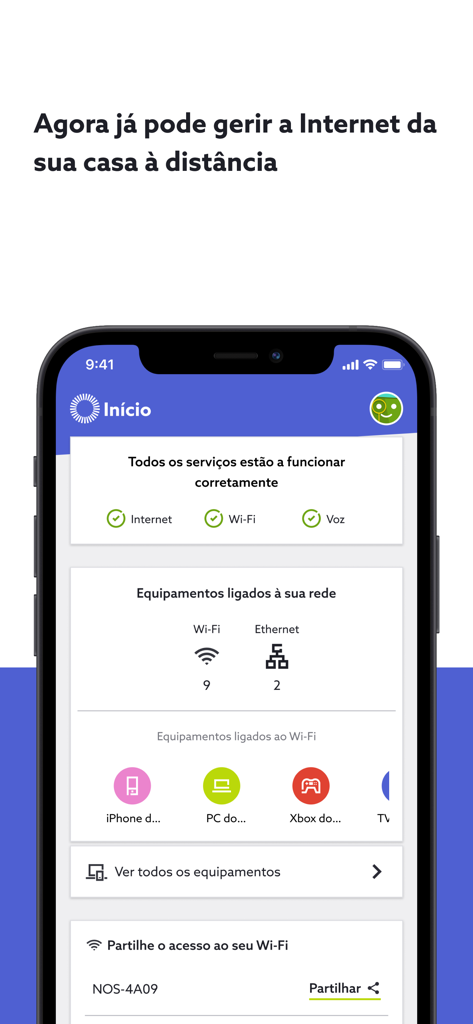
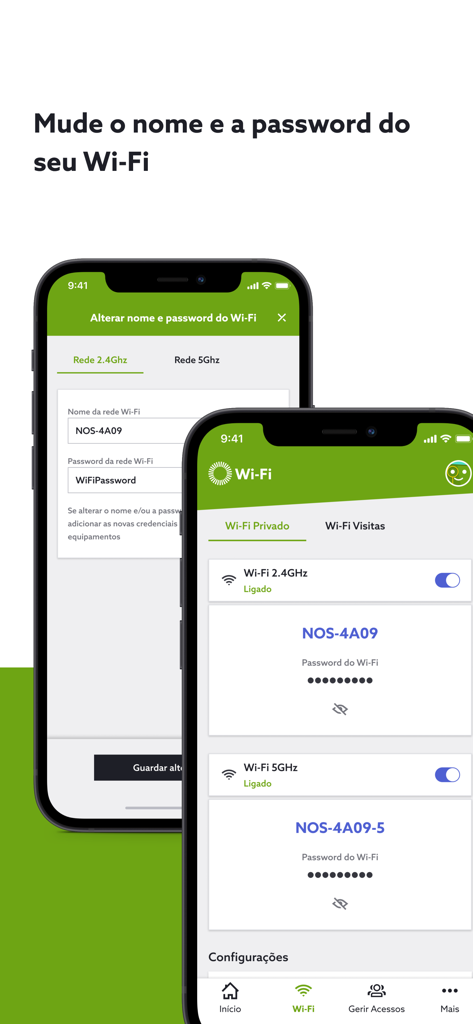
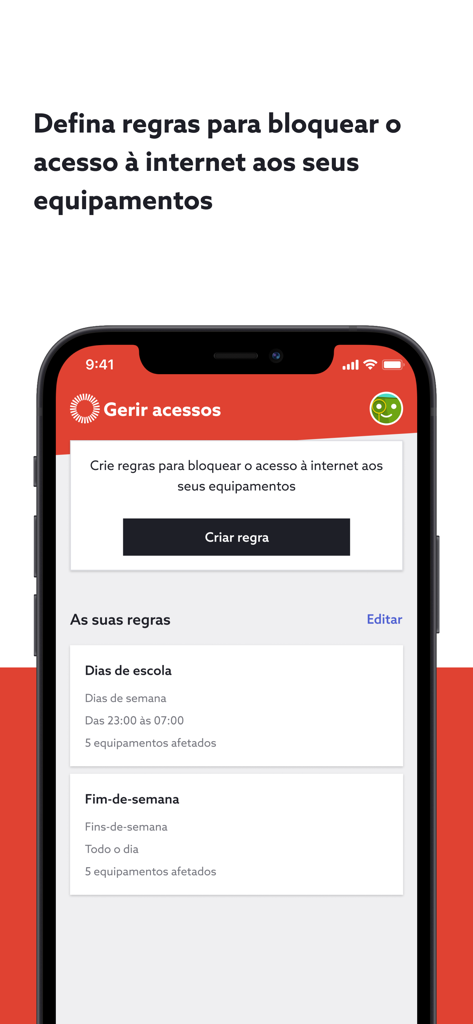
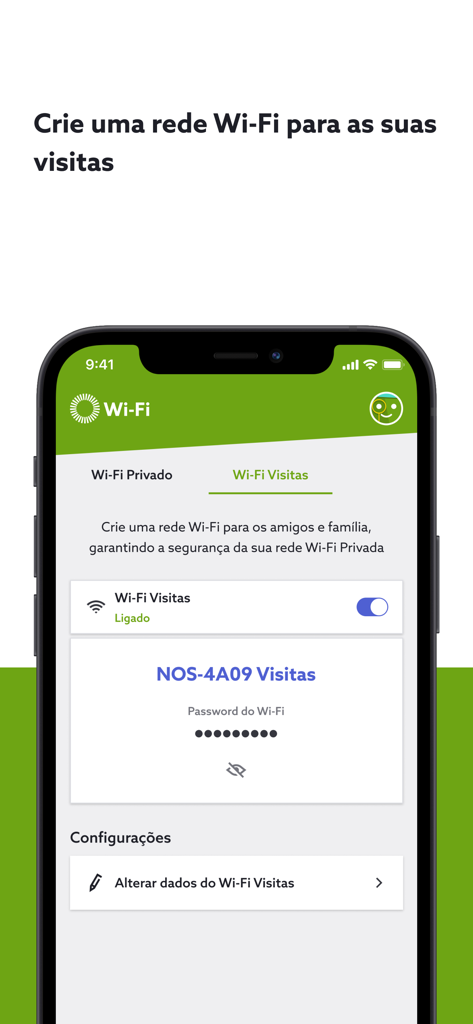
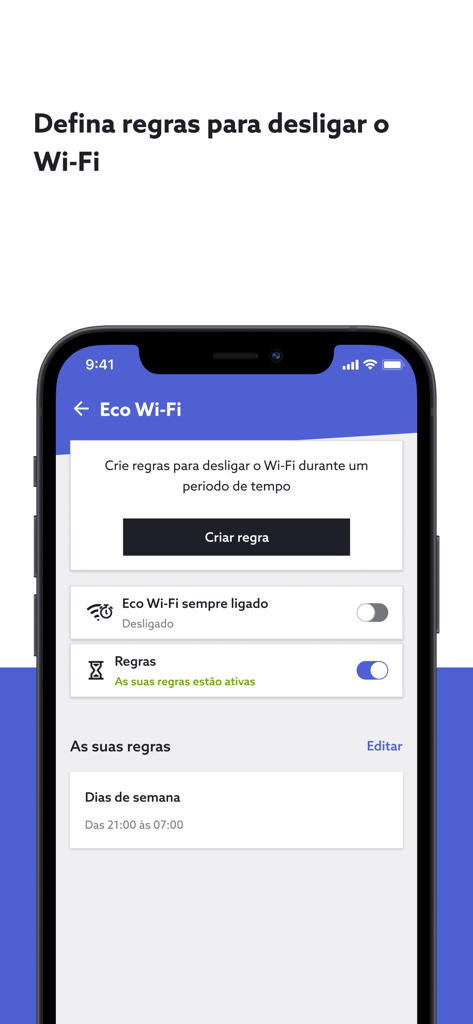
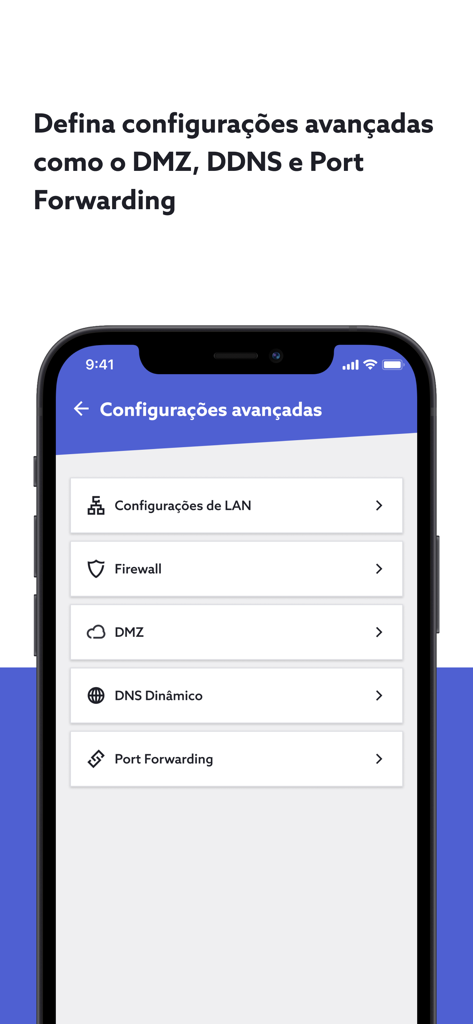
The tools that make this app stand out, trusted by 69K+ users.
Monitor connected devices and change your Wi-Fi password in seconds to keep your home network safe and private.
Set digital bedtimes for the kids or manage connectivity for your rental property with custom internet schedules.
Whether you are in the US or Portugal, remotely optimize your Wi-Fi, set up Guest networks, and stay connected to what matters.
Everything you need to know about NOS Net.
Description
Latest Version
3.4.5
Size
31.4 MB
First Released
Oct 30, 2018
Whether you are at home or across the ocean, managing your Wi-Fi has never been easier. Download NOS Net today to optimize your connection, manage guest access, and secure your property with a single tap.
Everything you need to know about NOS Net
The NOS Net app enables users to remotely manage their home internet services directly from a smartphone or tablet. It offers an intuitive experience for controlling various Wi-Fi settings and connected devices.
Yes, the NOS Net app allows users to view and identify all equipment currently connected to their Wi-Fi router, enhancing network oversight.
Yes, the NOS Net app allows users to configure both the name (SSID) and password of their Wi-Fi network. This function is available within the app's Wi-Fi management section.
Yes, the NOS Net app features "Wi-Fi Visitas," which allows users to create a separate, independent Wi-Fi network specifically for guests, friends, and family, ensuring network security.
Yes, the NOS Net app includes "Gestão de Acessos" (Access Management), enabling users to configure specific schedules when each connected device can access the internet.
The NOS Net app offers an "Eco Wi-Fi" feature. Users can define rules and schedule specific periods to automatically turn off the Wi-Fi network based on their usage profile.
The NOS Net app provides several advanced network configurations. These include options for Port Forwarding, DMZ (Demilitarized Zone), and DDNS (Dynamic Domain Name System) settings for comprehensive router management.
No, the NOS Net app is available for clients with NOS Wi-Fi Routers but explicitly excludes specific models. These include Zyxel VMG8825-T50K, Technicolor TG789, Nokia Fastmile 5G Gateway 3.1, Huawei B310/B311/B525/E5172, and Alcatel Y800/858/Netgear CVG/CBVG devices.
Top-ranked apps in the same category

TIKTOK PTE. LTD.

Netflix, Inc.

256 REWARDS LTD

STORYMATRIX PTE. LTD

WarnerMedia Global Digital Services, LLC

AMZN Mobile LLC

NETSTORY PTE. LTD.

New Leaf Publishing, Inc.

Disney Electronic Content, Inc.
App information, icons, screenshots, and descriptions displayed on this page are sourced from the Apple App Store and are the property of their respective developers. Download estimates and rankings are based on MWM's proprietary models and may not reflect actual figures. This page is provided for informational and analytical purposes only.
Believe this page infringes your intellectual property? File a dispute