Numeo - Finance Tracker

Numeo - Finance Tracker

Logo of Numeo - Finance Tracker

Numeo - Finance Tracker: The Private, AI-Powered Command Center for Your Wealth

Master your spending with a native Apple experience. Track transactions effortlessly using Apple Intelligence, manage multiple currencies, and keep your financial data 100% private and local.

Publisher

Marc Azevedo

Category

Finance

Downloads

100+

User Rating

5.0/5

Total Ratings

0

Locales

7

Your Wealth, Visualized

Discover the interface used by 100+ users.
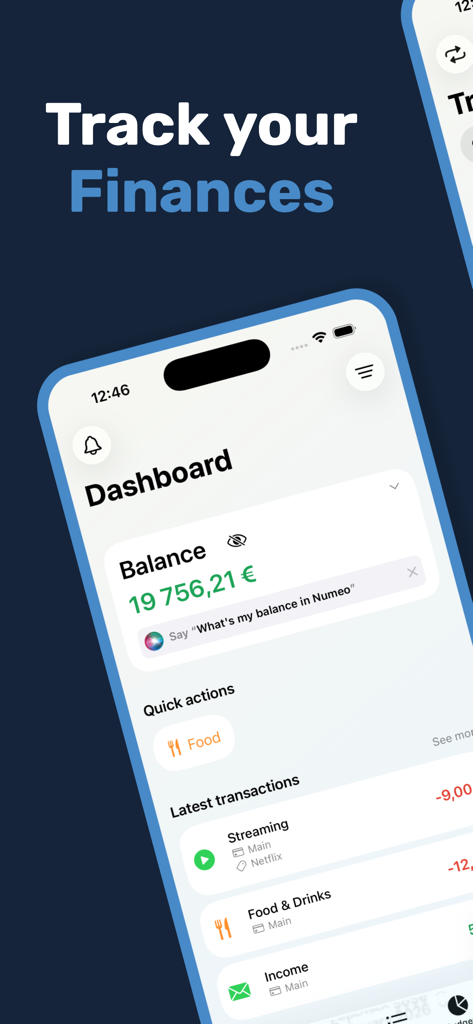
Numeo finance tracker dashboard interface on iPhone showing account balance and recent transactions

Numeo finance tracker dashboard interface on iPhone showing account balance and recent transactions

A transactions overview screen in the Numeo app showing various categorized expenses and income records.

A transactions overview screen in the Numeo app showing various categorized expenses and income records.

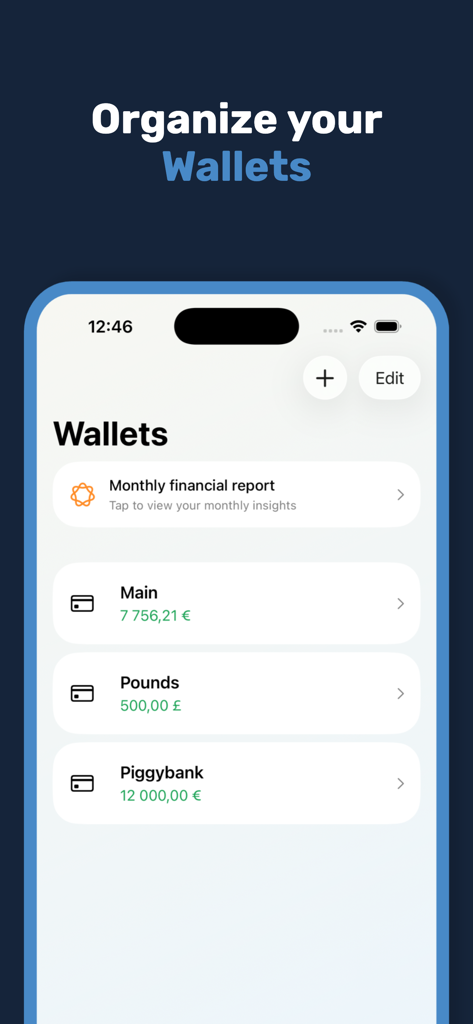
Numeo finance tracker app interface showing the wallets management screen with multiple currency accounts

Numeo finance tracker app interface showing the wallets management screen with multiple currency accounts

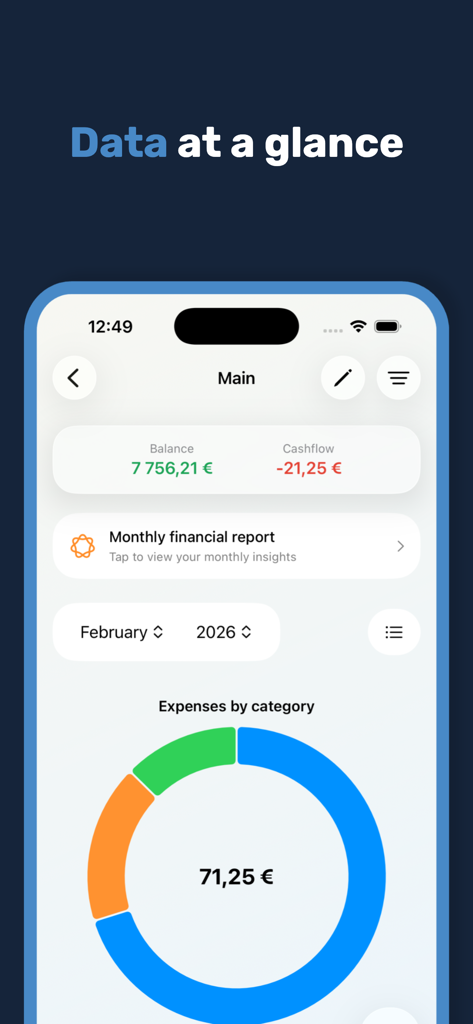
Numeo finance tracker dashboard showing balance cashflow and monthly expenses donut chart

Numeo finance tracker dashboard showing balance cashflow and monthly expenses donut chart

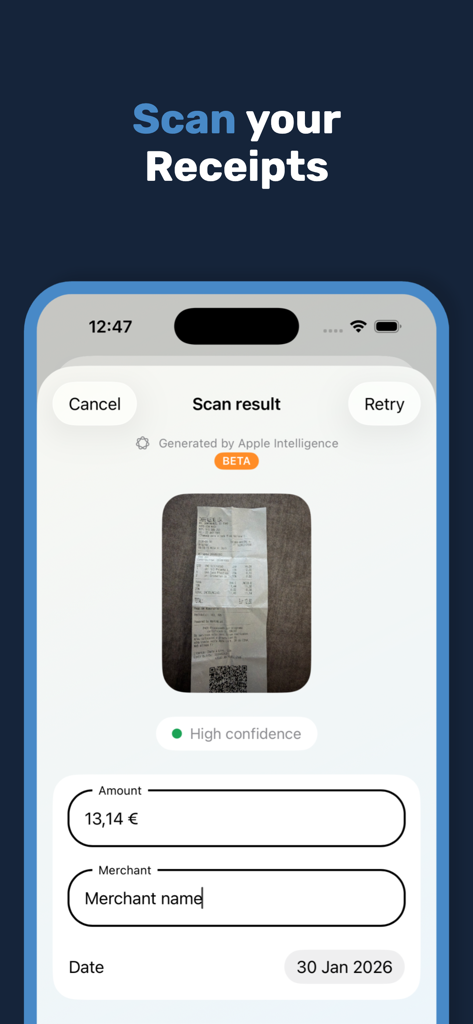
Numeo app using Apple Intelligence to scan a receipt and automatically fill transaction details like amount and merchant name

Numeo app using Apple Intelligence to scan a receipt and automatically fill transaction details like amount and merchant name

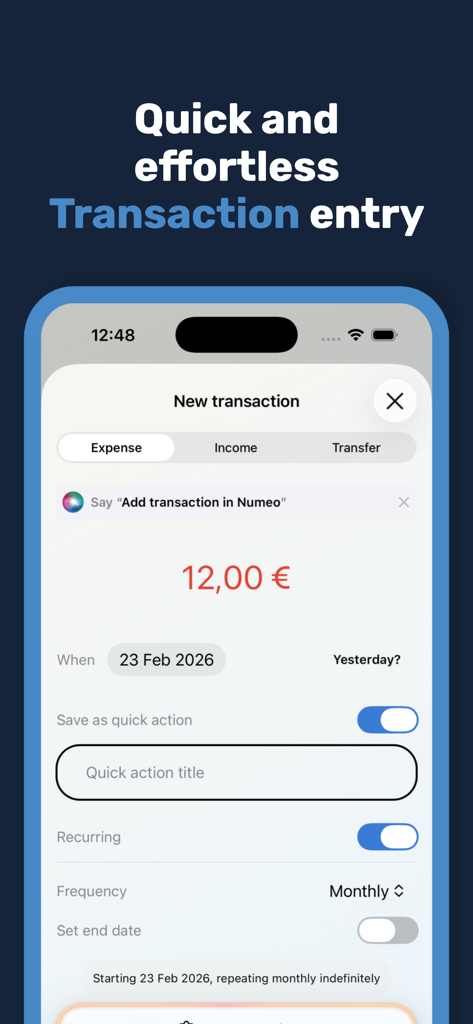
Interface of Numeo app showing a new transaction entry screen on an iPhone with recurring payment options.

Interface of Numeo app showing a new transaction entry screen on an iPhone with recurring payment options.

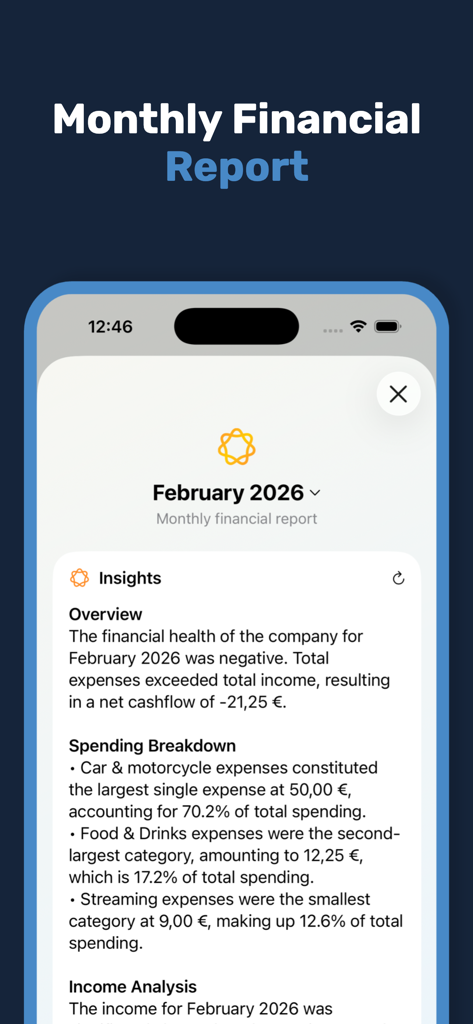
Numeo app interface showing an AI-generated monthly financial report with spending breakdown and overview insights

Numeo app interface showing an AI-generated monthly financial report with spending breakdown and overview insights

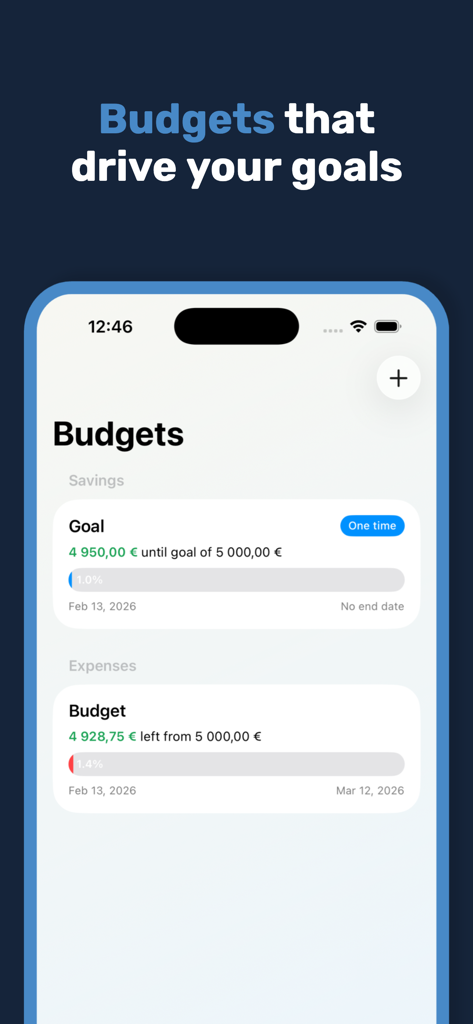
Numeo app interface showing financial budget and savings goal progress bars on an iPhone.

Numeo app interface showing financial budget and savings goal progress bars on an iPhone.

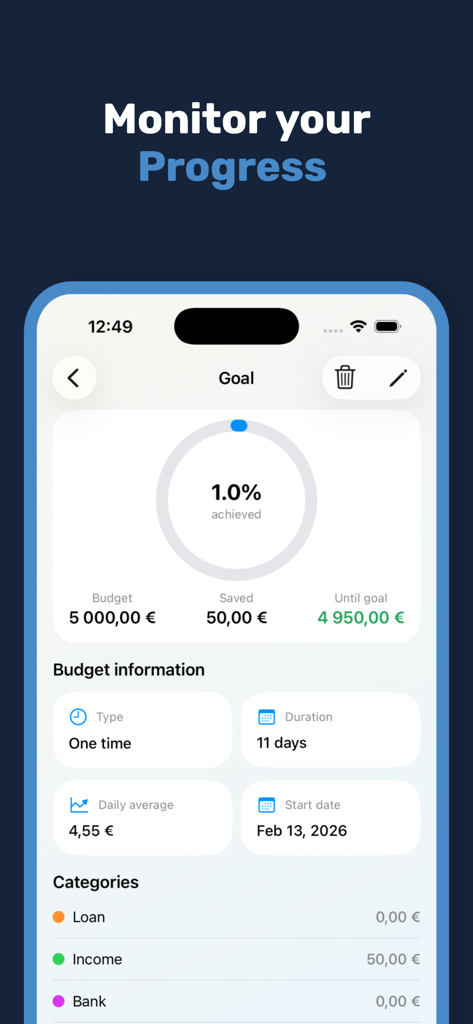
Numeo app screen showing a financial savings goal with a progress percentage and budget statistics

Numeo app screen showing a financial savings goal with a progress percentage and budget statistics

Master Your Wealth with Total Privacy

The tools that make this app stand out, trusted by 100+ users.

🛡️

Privacy-First Architecture

Your financial data stays on your device and your personal iCloud. We never see your transactions and we never sell your data.

Smart AI Automation

Leverage Apple Intelligence to scan receipts, suggest transactions, and generate deep monthly insights without the manual effort.

🎨

Fully Personalized Control

Manage multiple wallets, set custom budgets, and tailor the interface with themes and widgets that fit your unique financial lifestyle.

About the app

Everything you need to know about Numeo - Finance Tracker.

Description

Track your finances with NUMEO - Dashboard Choose what information you wish to see. Quick glance at your financial history with statistics and charts. - Transactions Stay on top of every transaction with intuitive, quick and seamless transactions entry. Add recurrent transactions. Use the built-in calculator while adding new operations. Filter the report period. Save your transaction as a "Quick Action" shortcut. See transactions in a calendar view. - Budgets Set budgets to control your spendings and/or achieve saving goals displayed in simple and detailed info graphics. - Data Your data is stored locally and it's never shared. Upgrade to Premium to back up your data which is safely secured in your iCloud account. - Wallets Organize your cash and bank account with different wallets. See full history of your transaction in a list or in chart view. Multiple currencies available. Search and select which categories you want to see and use. - Apple Intelligence: Generate month reports; Read receipts and auto fill transactions; Transaction suggestions. Key Features: - Dark mode; - Built in calculator; - Multiple currencies; - Quick and seamless transaction entry; - Intuitive and user friendly app; - Filter the categories you wish to use and see; - Recurring transactions; - Simple information graphics; - Available in 8 languages (more to come); - Personalize your account with custom expense/income categories, colors, tags and notes; - Calendar view; - AI Features like month reports, receipt scanning and transaction suggestions. NUMEO Premium: - Manual and automatic backups; - Import/export data; - Unlimited wallets; - Unlimited budgets; - Unlimited quick actions; - Unlimited recurring transactions; - Full calendar history; - Receipt scanner driven by Apple Intelligence; - Transaction suggestion driven by Apple Intelligence; - Widgets; - App themes and icons. Terms of Use (EULA): https://www.apple.com/legal/internet-services/itunes/dev/stdeula/

Latest Version

1.9

Size

54.5 MB

First Released

Jan 7, 2026

Master Your Finances with Apple-Native Precision

Join a community of privacy-conscious optimizers. Secure your data with iCloud and harness Apple Intelligence to transform your financial habits today.

App information, icons, screenshots, and descriptions displayed on this page are sourced from the Apple App Store and are the property of their respective developers. Download estimates and rankings are based on MWM's proprietary models and may not reflect actual figures. This page is provided for informational and analytical purposes only.

Believe this page infringes your intellectual property? File a dispute