Oracle Primavera P6 EPPM

Oracle Primavera P6 EPPM


Download on App Store
Logo of Oracle Primavera P6 EPPM

Oracle Primavera P6 EPPM: Real-Time Project Control from the Field

The essential companion for project teams on the go. Update schedules, submit timesheets, and capture site progress instantly to keep your most complex projects on track—even when you are offline.

Publisher

Oracle America, Inc.

Category

Business

Downloads

9K+

User Rating

3.4/5

Total Ratings

0

Locales

13

Precision at Your Fingertips

Discover the interface used by 9K+ users.
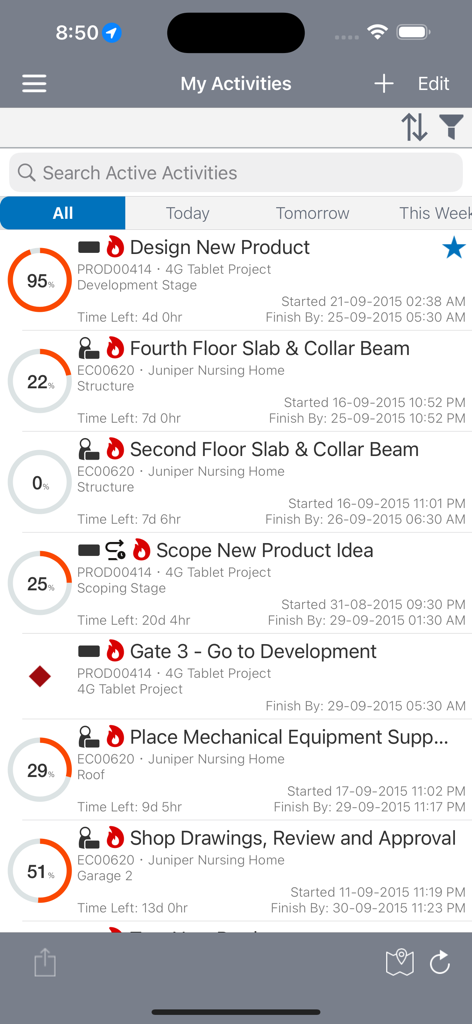
Oracle Primavera P6 EPPM mobile app interface showing a list of project activities with progress percentages and deadlines

Oracle Primavera P6 EPPM mobile app interface showing a list of project activities with progress percentages and deadlines

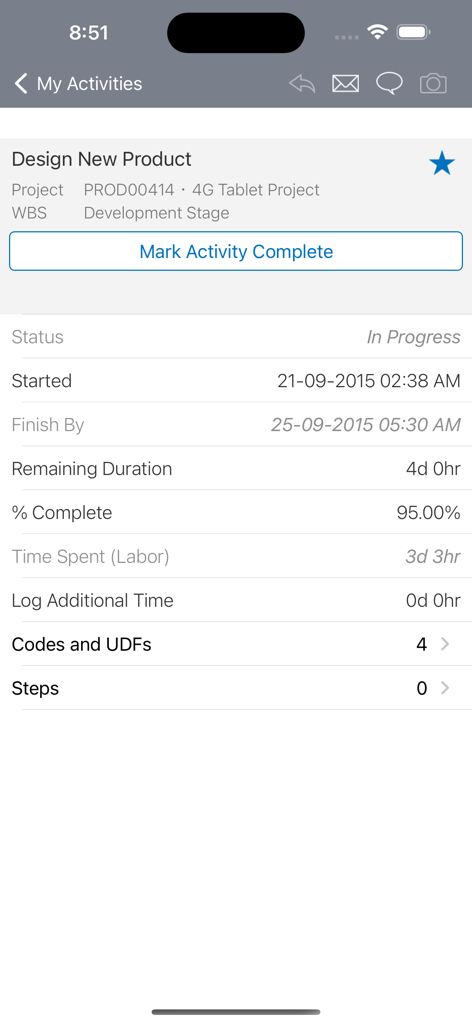
Oracle Primavera P6 mobile app showing project activity details and status tracking

Oracle Primavera P6 mobile app showing project activity details and status tracking

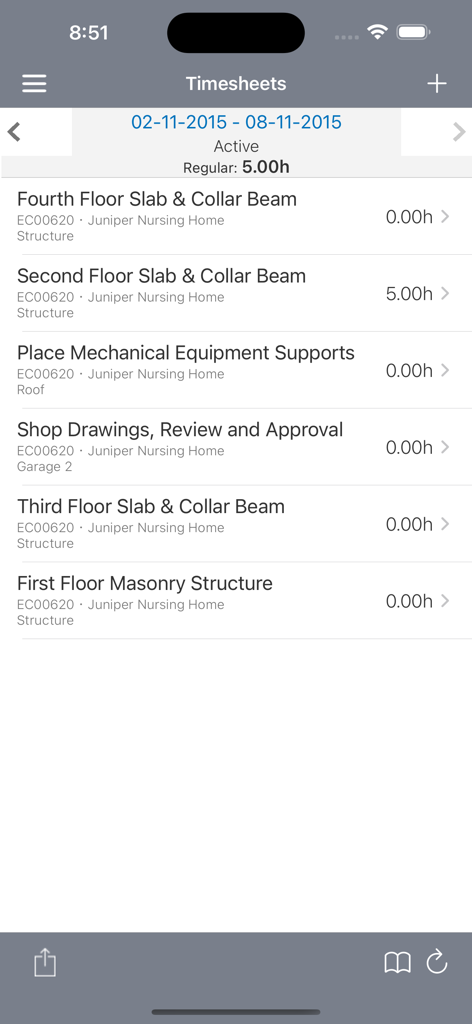
Oracle Primavera P6 EPPM mobile app interface showing timesheet entries and hours for construction project tasks

Oracle Primavera P6 EPPM mobile app interface showing timesheet entries and hours for construction project tasks

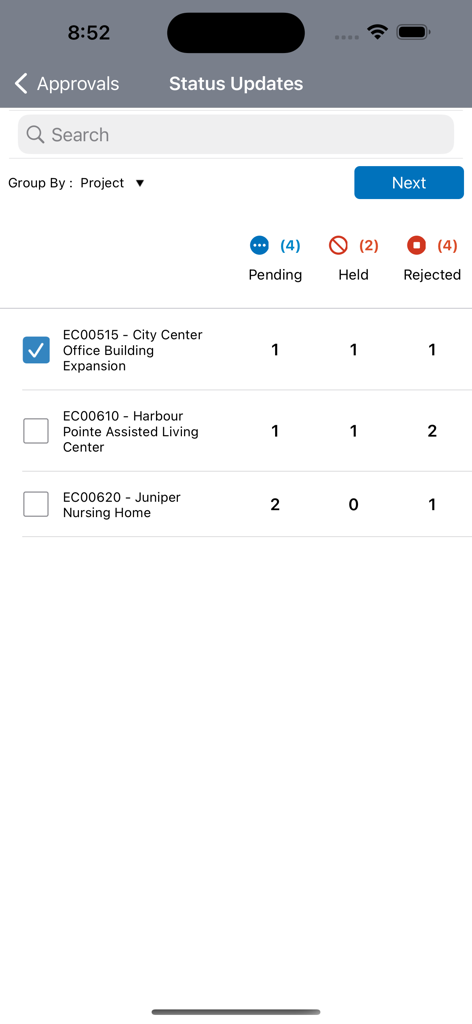
Oracle Primavera P6 EPPM status updates approval screen showing pending held and rejected project tasks

Oracle Primavera P6 EPPM status updates approval screen showing pending held and rejected project tasks

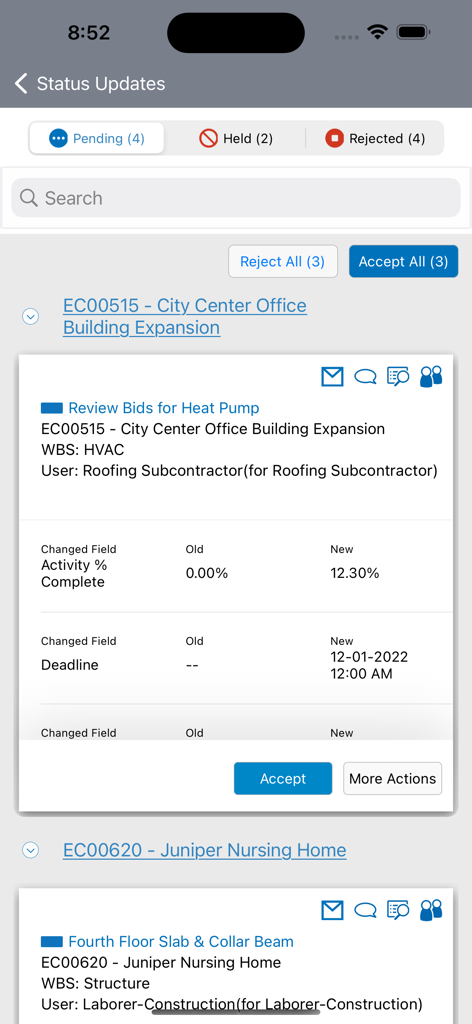
Status updates screen in the Oracle Primavera P6 EPPM app showing project activity progress and deadline changes.

Status updates screen in the Oracle Primavera P6 EPPM app showing project activity progress and deadline changes.

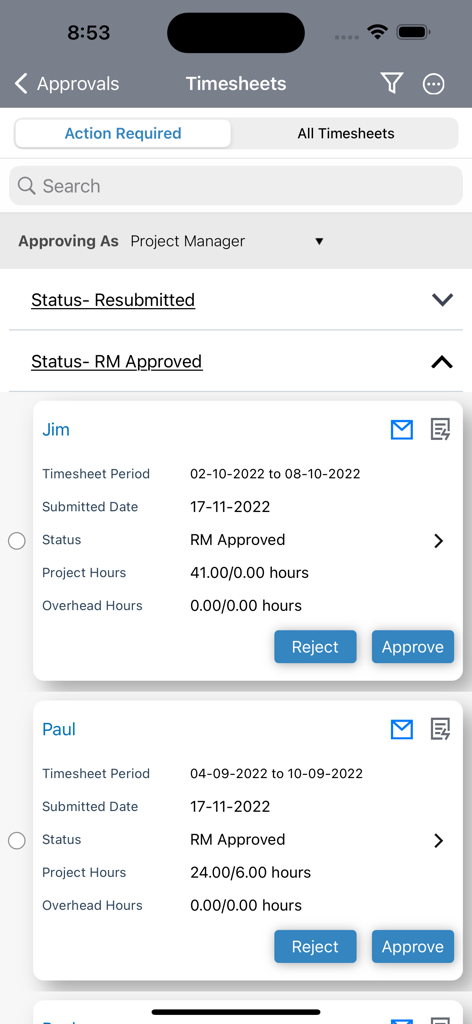
Timesheet approval interface in Oracle Primavera P6 EPPM mobile app

Timesheet approval interface in Oracle Primavera P6 EPPM mobile app

Master Your Project Schedule from the Field

The tools that make this app stand out, trusted by 9K+ users.

🏗️

Real-Time Status Updates

Update activity progress and submit timesheets directly from the job site to keep your project on the critical path.

📸

Visual Documentation

Attach photos and markups to provide immediate proof of work and eliminate disputes with visual evidence.

🔄

Reliable Offline Mode

Record data in remote areas without connectivity and sync automatically once your internet connection is restored.

About the app

Everything you need to know about Oracle Primavera P6 EPPM.

Description

By installing this app you agree to the End User License Agreement terms at https://docs.oracle.com/cd/E68201_01/EULA/en/P6iOS_EULA.html. If you already have a current license and connection to Primavera P6, P6 mobile is the perfect companion to P6 web for team members on the go. The simple interface allows for quick status updates and timesheet submittal so a project schedule remains accurate and timely. Features: Update activity progress and submit timesheets right from the place where the work is happening. Provide status updates for other resources assigned to activities. Customize your activity list with built-in filters, including projects, WBS, status, location, due date, primary resource, and starred status. View the activity location in map view and navigate to the job site using the map application on your device. View and update additional activity details such as codes, user defined fields, steps, notebook topics, documents, and related activities. Attach pictures, markup and visually update the activity progress. Create multiple reminders based on activity start dates and timesheet due dates. Update activities in offline mode and automatically synchronize changes when internet connectivity is restored. Choose whether and when to download the most recent data from the server to facilitate working offline. Note: P6 for iOS includes a demo mode that enables you to evaluate the app without a license or connection to Oracle P6. For full functionality, a current license and connection to Oracle P6 Enterprise Project Portfolio Management 15.1 or later is required. The P6 mobile app for iOS is tested on iOS 11 and above.

Latest Version

26.1

Size

22.7 MB

First Released

Aug 25, 2011

Take Control of Your Project Timeline from Anywhere

Bridge the gap between the field and the office. Download the P6 mobile companion to update activity progress, submit timesheets, and keep your schedule on track in real-time.

Download on App Store

App information, icons, screenshots, and descriptions displayed on this page are sourced from the Apple App Store and are the property of their respective developers. Download estimates and rankings are based on MWM's proprietary models and may not reflect actual figures. This page is provided for informational and analytical purposes only.

Believe this page infringes your intellectual property? File a dispute