Passport Booth

Passport Booth

Download on App StoreDownload on Google Play
Logo of Passport Booth

Passport Booth: Your All-in-One Professional ID Photo Studio

Skip the pharmacy lines and expensive fees. Create, edit, and print government-compliant passport photos for 150+ countries from the comfort of your home in minutes.

Publisher

TAPUNIVERSE LLC

Category

Graphics & Design

Downloads

1M+

User Rating

4.7/5

Total Ratings

36K+

Locales

1

Picture Perfect Results

Discover the interface used by 1M+ users.
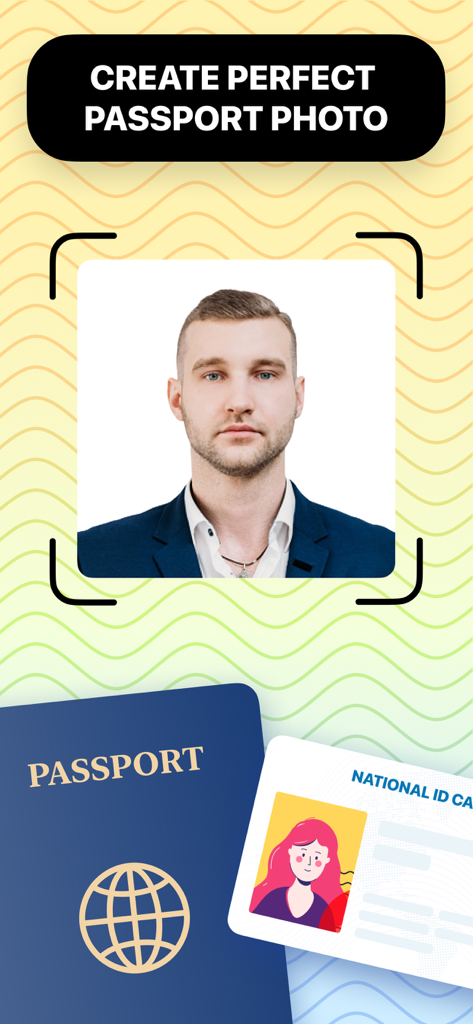
Passport Booth app screen showing a passport photo cropping tool with a portrait and travel documents

Passport Booth app screen showing a passport photo cropping tool with a portrait and travel documents

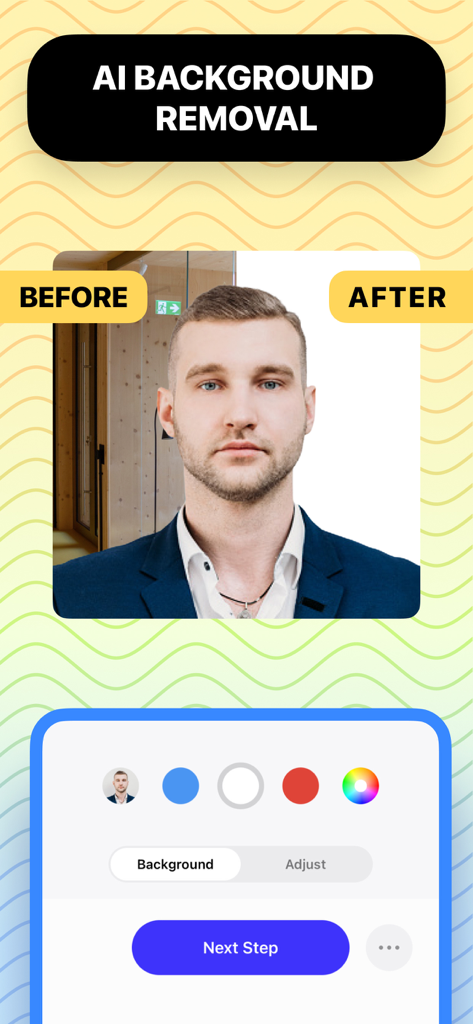
A demonstration of the AI background removal feature in the Passport Booth app showing a before and after comparison of a portrait.

A demonstration of the AI background removal feature in the Passport Booth app showing a before and after comparison of a portrait.

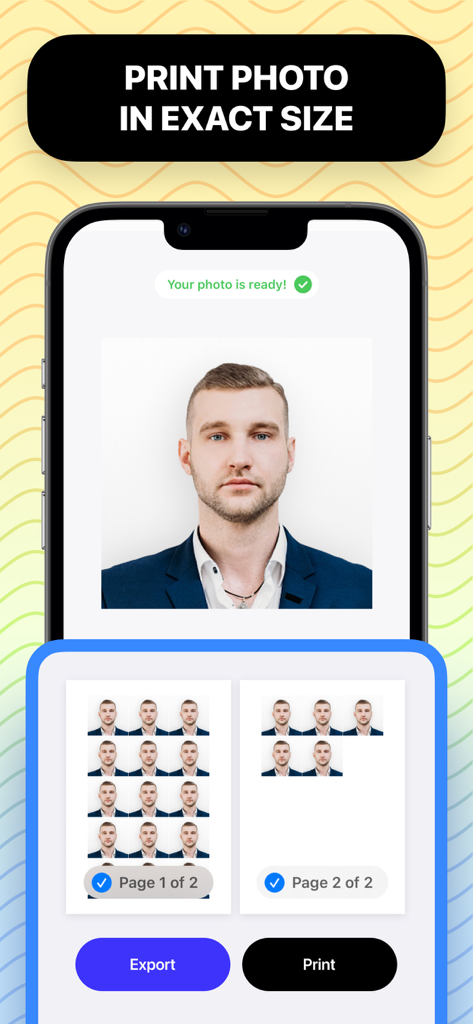
iPhone displaying a finished passport photo and a multi photo print layout for exact size printing

iPhone displaying a finished passport photo and a multi photo print layout for exact size printing

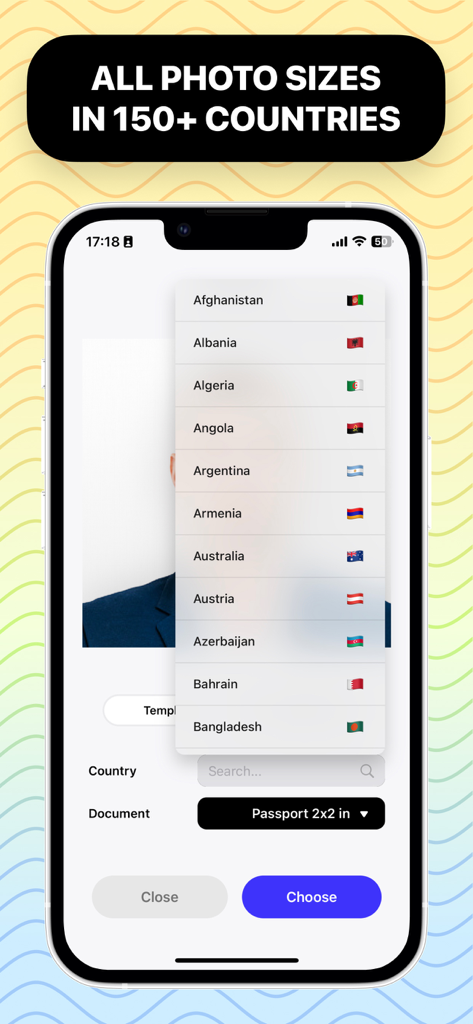
Smartphone screen showing the Passport Booth app with a scrollable list of 150 countries for passport photo size selection

Smartphone screen showing the Passport Booth app with a scrollable list of 150 countries for passport photo size selection

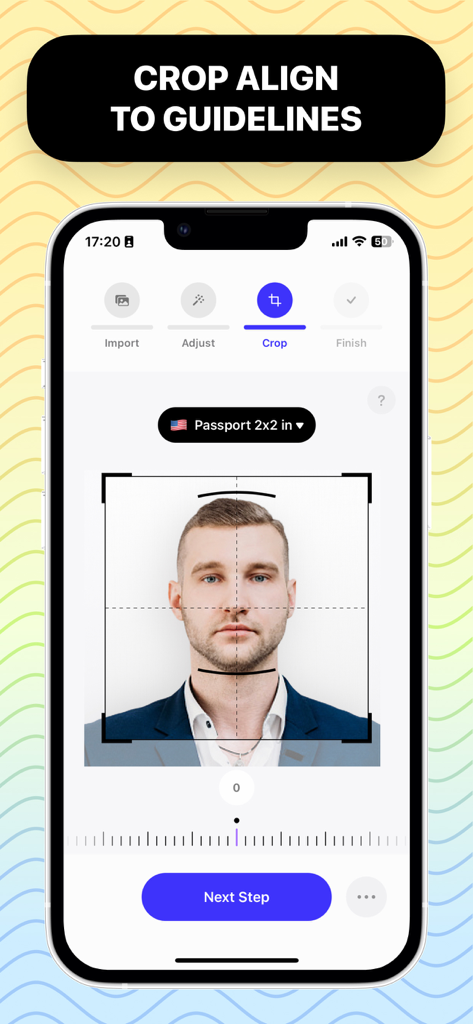
Passport Booth app screen showing face alignment for a 2x2 inch passport photo

Passport Booth app screen showing face alignment for a 2x2 inch passport photo

Professional ID Photos Made Simple

The tools that make this app stand out, trusted by 1M+ users.

Global Compliance Guaranteed

Access specific requirements for 150+ countries and 500+ document types with built-in visual guides that ensure your application is never rejected.

AI Background Removal

Don't worry about finding the perfect white wall. Our powerful AI automatically removes backgrounds and replaces them with official colors in one tap.

💰

Unlimited Retakes & Huge Savings

Take as many photos as you want until you're happy with your look. Save up to 90% compared to pharmacy prices by printing your own 4x6 sheets.

About the app

Everything you need to know about Passport Booth.

Description

** All-in-one tool that let you create a perfect Passport / ID photo ** ** From powerful auto background removal to visual photo requirement guides ** ** With support for passport/id/license photo requirements from 150+ countries and 500+ document types ** Start making your - for sure accepted - passport/id photo today. IN 5 EASY STEPS: 1. Take a photo with your iPhone/iPad camera or import it from your photos or files. 2. Edit background to refine your photo. You can change background to any color you need. 3. Select country and document type like Passport or ID. 4. Crop, rotate and align your photo to visual photo requirement guides. 5. Select paper size and number of copies to start printing or share it anywhere you want. FULL FEATURES: - Take photo from camera or import from Photos/Files app. - Support 150+ countries with 500+ document types. - Support custom photo size. - Visual photo requirement guides. - Crop & Rotate photo. - Automatic background removal and replace with any color. - Adjust background color & brightness. - Adjust background opacity - Adjust subject color & brightness. - Save or share photo in JPEG, PNG or HEIF format. - Support all popular paper sizes. - Support custom paper size. - Automatic photo placement for printing. - Print wirelessly to wifi printer. - Save or share paper in JPEG, PNG, HEIF or PDF format.

Latest Version

2.0.29

Size

10.3 MB

First Released

Jan 16, 2020

Get Your Perfect, Government-Approved Photo in Minutes

Skip the $20 pharmacy fees and the rushed retail experience. Join over 1 million users who take unlimited retakes from home to ensure a photo they actually love, with guaranteed acceptance for 150+ countries.

Download on App StoreDownload on Google Play
FAQ

Frequently Asked Questions

Everything you need to know about Passport Booth

What is the primary function of Passport Booth?

Passport Booth is an all-in-one tool designed for creating perfect Passport and ID photos. It features automatic background removal and provides visual photo requirement guides.

How many countries and document types does Passport Booth support?

Passport Booth supports photo requirements from over 150 countries and 500+ document types. This includes international passports, IDs, and licenses.

Can Passport Booth automatically remove photo backgrounds?

Yes, Passport Booth offers automatic background removal. Users can replace the background with any desired color and adjust its opacity and brightness within the app.

What are the steps to create an ID photo using Passport Booth?

To create an ID photo, users import or take a picture, edit the background, select the country/document type, crop with guides, then choose paper size for printing or sharing.

Does Passport Booth allow direct printing of passport photos?

Yes, Passport Booth supports direct printing. Users can select paper size, specify copies, and print wirelessly to Wi-Fi printers, with automatic photo placement for correct layouts.

What image formats can Passport Booth save photos in?

Passport Booth saves individual photos in JPEG, PNG, or HEIF formats. For printed paper layouts, it also supports saving and sharing in PDF format.

Does Passport Booth provide visual guides for photo cropping?

Yes, Passport Booth includes visual photo requirement guides. These guides assist users in accurately cropping, rotating, and aligning their photos to meet specific document standards.

App information, icons, screenshots, and descriptions displayed on this page are sourced from the Apple App Store and are the property of their respective developers. Download estimates and rankings are based on MWM's proprietary models and may not reflect actual figures. This page is provided for informational and analytical purposes only.

Believe this page infringes your intellectual property? File a dispute