Passport Photo - ID Photo

Passport Photo - ID Photo


Download on App Store
Logo of Passport Photo - ID Photo

Passport Photo - ID Photo: Professional ID Photos Made Simple

Skip the expensive drugstore lines. Use AI-powered background removal and official templates to create, print, and save perfect passport photos for 100+ countries in seconds.

Download on App Store

Publisher

Vitalij Schaefer

Category

Photo & Video

Downloads

3M+

User Rating

4.5/5

Total Ratings

43K+

Locales

33

Picture Perfect Results

Discover the interface used by 3M+ users.
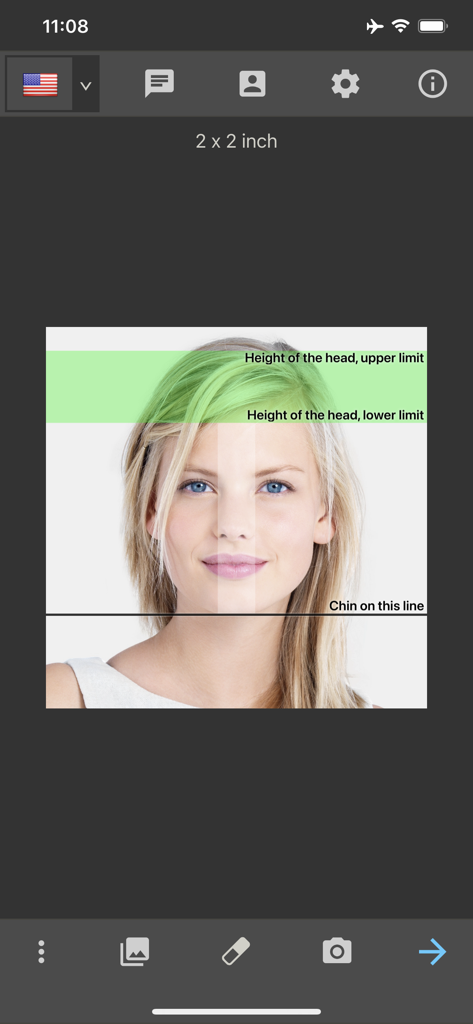
US passport photo template with head alignment guides in the ID photo app

US passport photo template with head alignment guides in the ID photo app

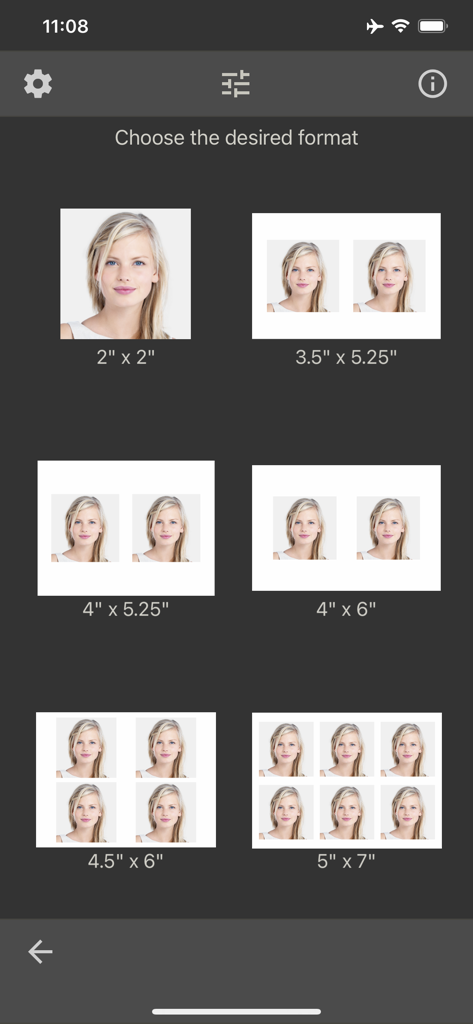
A menu screen showing various print paper sizes and layouts for passport and ID photos

A menu screen showing various print paper sizes and layouts for passport and ID photos

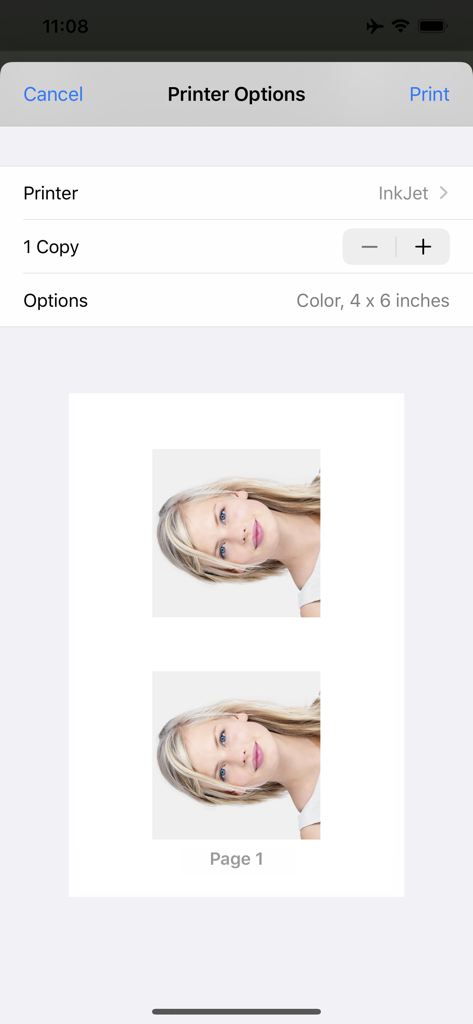
Interface showing printer options and a preview of two passport photos ready for printing on a four by six inch paper size

Interface showing printer options and a preview of two passport photos ready for printing on a four by six inch paper size

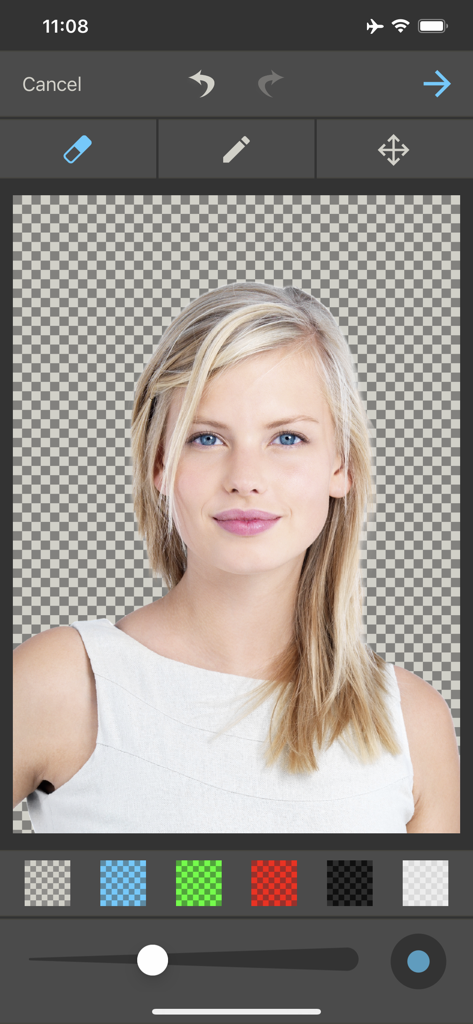
Interface of a passport photo app showing background removal and editing tools for an ID picture

Interface of a passport photo app showing background removal and editing tools for an ID picture

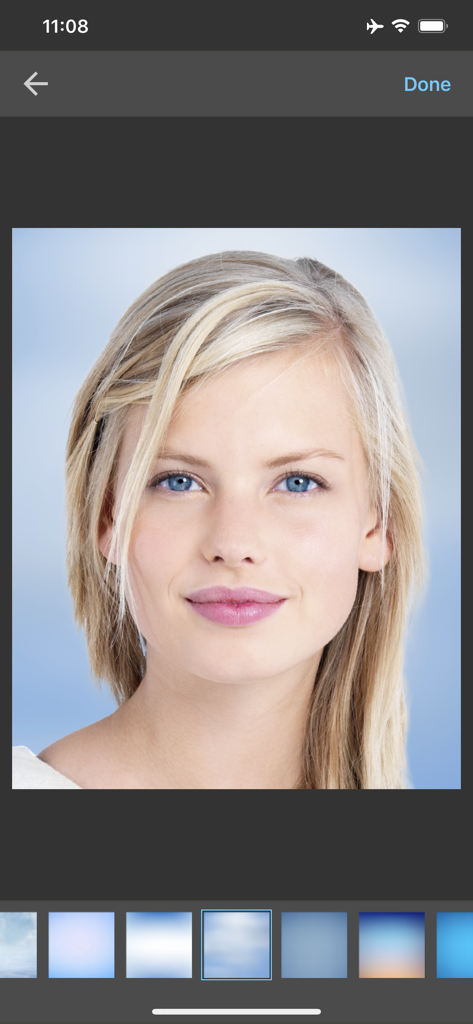
Passport photo app interface showing a portrait with various professional background options

Passport photo app interface showing a portrait with various professional background options

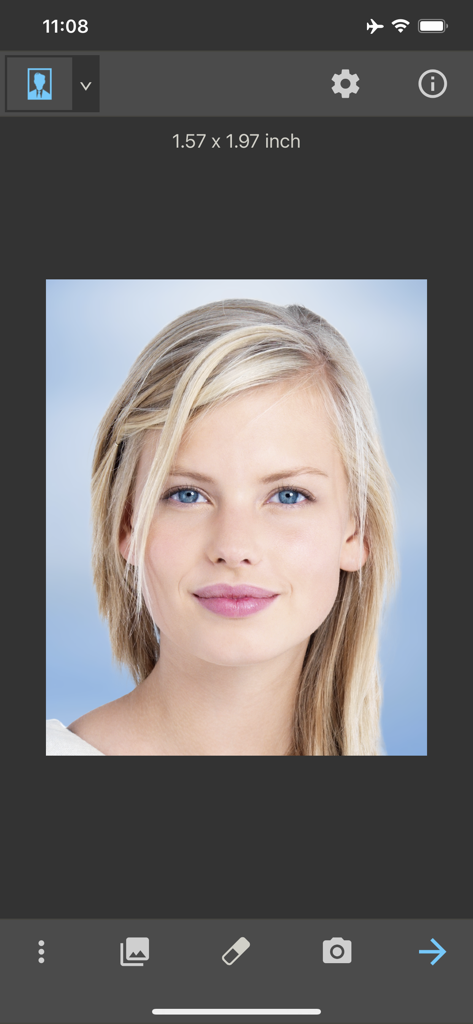
A portrait photo of a woman being edited in the Passport Photo app for identification documents

A portrait photo of a woman being edited in the Passport Photo app for identification documents

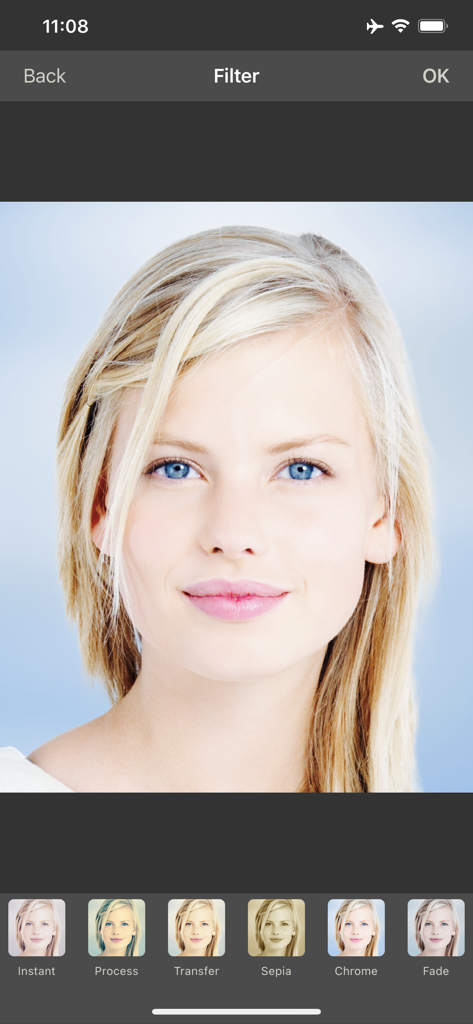
A mobile app screen showing various photo filters for a passport or ID portrait

A mobile app screen showing various photo filters for a passport or ID portrait

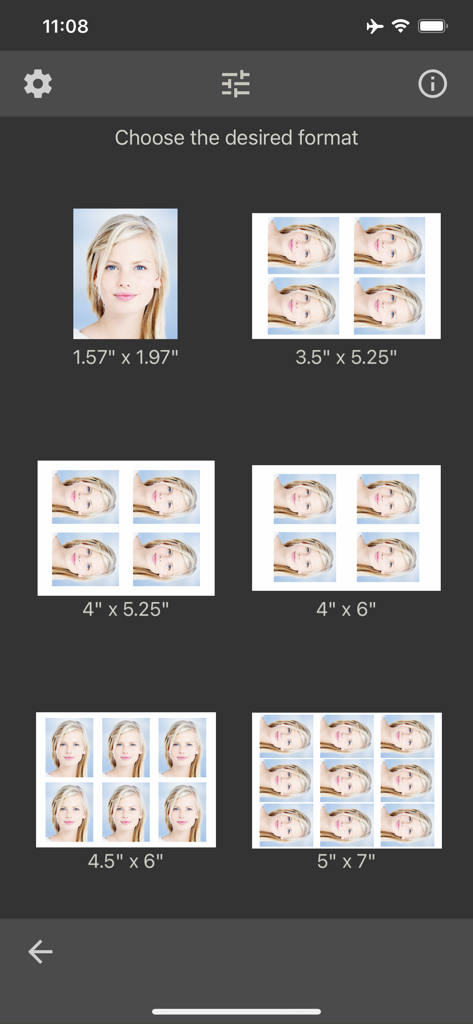
Selection of passport and ID photo print sizes and layout options

Selection of passport and ID photo print sizes and layout options

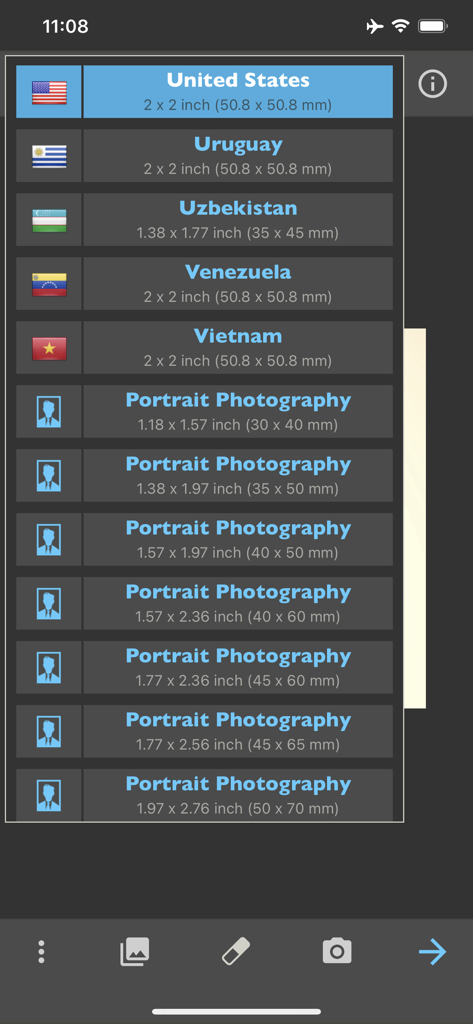
A list of passport and ID photo templates for different countries including the United States and various portrait sizes

A list of passport and ID photo templates for different countries including the United States and various portrait sizes

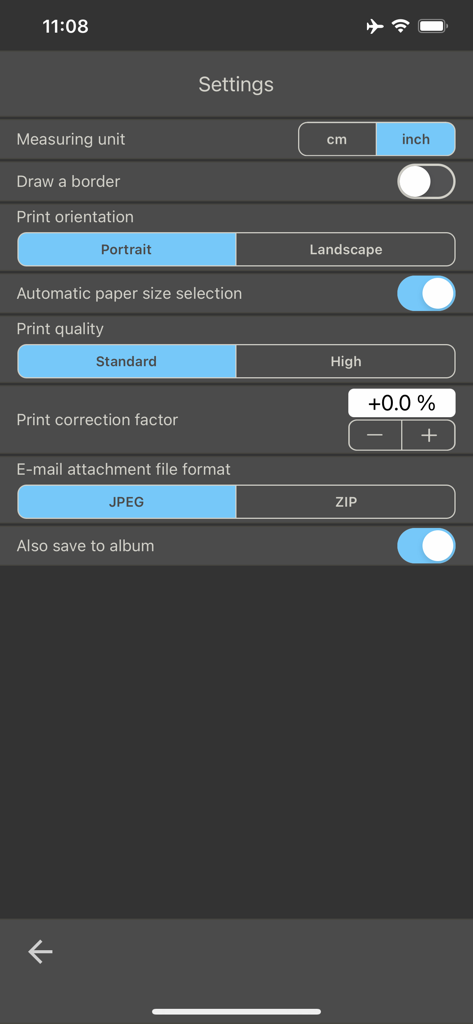
The settings menu of the Passport Photo app showing options for measuring units, print orientation, and photo quality.

The settings menu of the Passport Photo app showing options for measuring units, print orientation, and photo quality.

Professional Results in Seconds

The tools that make this app stand out, trusted by 3M+ users.

🌍

Global Compliance Templates

Access official photo standards for over 100 countries and job application formats to guarantee your documents are accepted every time.

AI Background Replacement

Automatically remove messy backgrounds and replace them with professional white or colored backdrops with a single tap.

🖨️

Print & Share Anywhere

Print directly to your home AirPrint printer or save high-resolution layouts for affordable printing at your favorite local photo lab.

About the app

Everything you need to know about Passport Photo - ID Photo.

Description

With this passport photo app, you can format, print, or save passport photos in seconds. It comes with passport photo templates for 100 countries. As well as passport photos, this app is ideal for printing photos for job applications. More than ten popular formats for job application photos have also been predefined. The feature of automatic background replacement is a great advantage of this app. It has never been easier to remove unwanted backgrounds and replace them with a clean, white background. Another 125 professional backgrounds can be unlocked with a one-time in-app purchase. Whether you need a professional passport photo for your ID, passport or driving license or are preparing for an important application - our app offers you the perfect tools to optimize your photos. This app can store, print, share or email multiple passport photos on photo paper. The resulting images can be printed directly, or ordered later (not from the app) from the photo lab of your choice on the Internet. To produce the passport photos, a photo can be taken from the camera or loaded from the album. The next step is to adjust the picture by multi-touch gestures with your fingers (position, zoom and rotation). Photo paper (cm): 9x13, 10x13, 10x15, 11x15, 13x18, single image (selected size) Photo paper (inch): 3½x5¼, 4x5¼, 4x6, 4½x6, 5x7, single image (selected size) This app supports printing on an AirPrint-compatible printer. The print size can be adjusted in the app if needed. The passport photo will be automatically printed slightly larger in order to facilitate cutting it out. The app already provides passport photo templates for the following countries: Albania, Algeria, Argentina, Armenia, Australia, Austria, Azerbaijan, Bahamas, Bangladesh, Belarus, Belgium, Bolivia, Bosnia and Herzegovina, Brazil, Bulgaria, Cambodia, Cameroon, Canada, Chile, China, Colombia, Croatia, Cuba, Cyprus, Czech Republic, Denmark, Dominican Republic, Ecuador, Egypt, El Salvador, European Union, Finland, France, Germany, Greece, Guatemala, Honduras, Hong Kong, Hungary, Iceland, India, Indonesia, Ireland, Israel, Italy, Jamaica, Japan, Kazakhstan, Kenya, Kyrgyzstan, Latvia, Lithuania, Luxembourg, Macedonia, Malaysia, Mexico, Moldova, Mongolia, Morocco, Myanmar, Netherlands, New Zealand, Nicaragua, Nigeria, Norway, Pakistan, Panama, Papua New Guinea, Paraguay, Peru, Philippines, Poland, Portugal, Qatar, Romania, Russia, Spain, Saudi Arabia, Serbia, Singapore, Slovakia, Slovenia, South Africa, South Korea, Spain, Sri Lanka, Sudan, Sweden, Switzerland, Taiwan, Thailand, Turkey, Turkmenistan, Uganda, Ukraine, United Arab Emirates, United Kingdom, United States, Uruguay, Uzbekistan, Venezuela, Vietnam We do not accept any liability for the correctness, accuracy, or up-to-dateness of the passport photo templates. Please check that the templates are suitable for you before using them. You should also find out about passport photo regulations from the relevant authorities. In particular, make sure that the shot you take is correct and meets the current regulations.

Latest Version

8.6

Size

45.4 MB

First Released

Dec 2, 2016

Skip the Drugstore Line and Save $20 Today

Join 3+ million users who create perfect, government-compliant passport photos in seconds. Take as many shots as you need to look your best and print directly from home.

Download on App Store
FAQ

Frequently Asked Questions

Everything you need to know about Passport Photo - ID Photo

What does the "Passport Photo - ID Photo" app do?

The "Passport Photo - ID Photo" app formats, prints, and saves passport photos. It includes templates for over 100 countries and supports job application photos, offering tools to optimize images for official use.

Does the "Passport Photo - ID Photo" app offer background replacement?

Yes, the "Passport Photo - ID Photo" app offers automatic background replacement. Users can remove unwanted backgrounds and replace them with a clean, white background or choose from 125 professional backgrounds via a one-time in-app purchase.

How many countries does "Passport Photo - ID Photo" support with templates?

The "Passport Photo - ID Photo" app provides passport photo templates for over 100 countries, including the United States, Canada, and the United Kingdom. Users must verify template suitability with relevant authorities.

Can I print photos directly from the "Passport Photo - ID Photo" app?

Yes, the "Passport Photo - ID Photo" app supports direct printing on AirPrint-compatible printers. Users can adjust print size and produce multiple photos on standard photo paper sizes such as 4x6 inches.

How do I get photos into the "Passport Photo - ID Photo" app?

Users can get photos into the "Passport Photo - ID Photo" app by taking a new picture directly with their device's camera or by loading an existing photo from their album for processing.

Is "Passport Photo - ID Photo" suitable for job application photos?

Yes, the "Passport Photo - ID Photo" app is ideal for job application photos. It includes over ten predefined popular formats specifically designed for professional job applications.

Does "Passport Photo - ID Photo" have in-app purchases?

Yes, the "Passport Photo - ID Photo" app has in-app purchases. A one-time in-app purchase is available to unlock 125 additional professional backgrounds for photo customization.

How can I adjust photos within the "Passport Photo - ID Photo" app?

The "Passport Photo - ID Photo" app allows users to adjust pictures using multi-touch gestures for positioning, zooming, and rotation. It also provides visual guidelines for proper head placement.

What are the output options for photos in "Passport Photo - ID Photo"?

The "Passport Photo - ID Photo" app offers multiple output options. Users can store, print, share, or email photos. Export formats include JPEG or ZIP files, and images can also be saved to the device's album.

Is the "Passport Photo - ID Photo" app responsible for template accuracy?

No, the "Passport Photo - ID Photo" app explicitly states it does not accept liability for template correctness or accuracy. Users are responsible for verifying templates and shot compliance with relevant authorities and regulations.

App information, icons, screenshots, and descriptions displayed on this page are sourced from the Apple App Store and are the property of their respective developers. Download estimates and rankings are based on MWM's proprietary models and may not reflect actual figures. This page is provided for informational and analytical purposes only.

Believe this page infringes your intellectual property? File a dispute