
PDF Joiner & Merger

The smartest way to combine specific pages, handle password-protected files, and keep all your annotations. Organize hundreds of PDFs instantly with professional-grade tools built for your iPhone and iPad.
Publisher
Category
BusinessDownloads
93K+User Rating
Total Ratings
0Locales
1Discover the interface used by 93K+ users.

The tools that make this app stand out, trusted by 93K+ users.
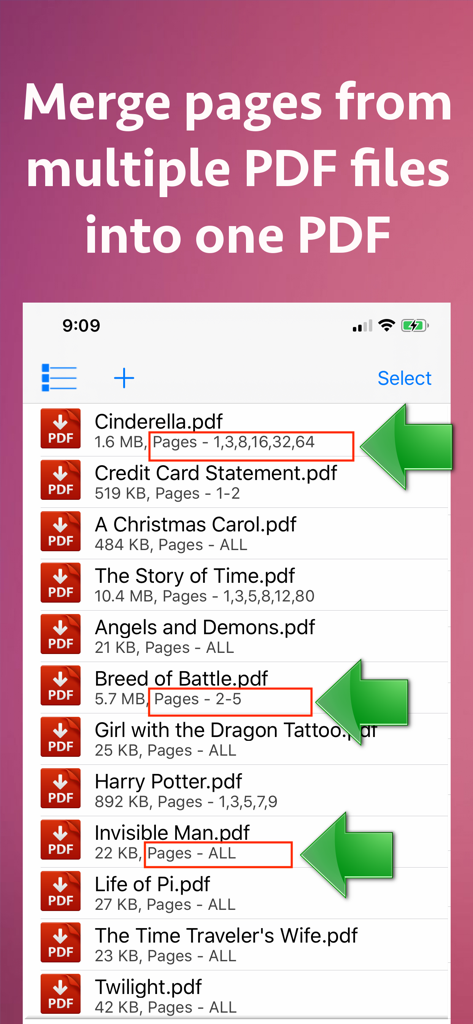
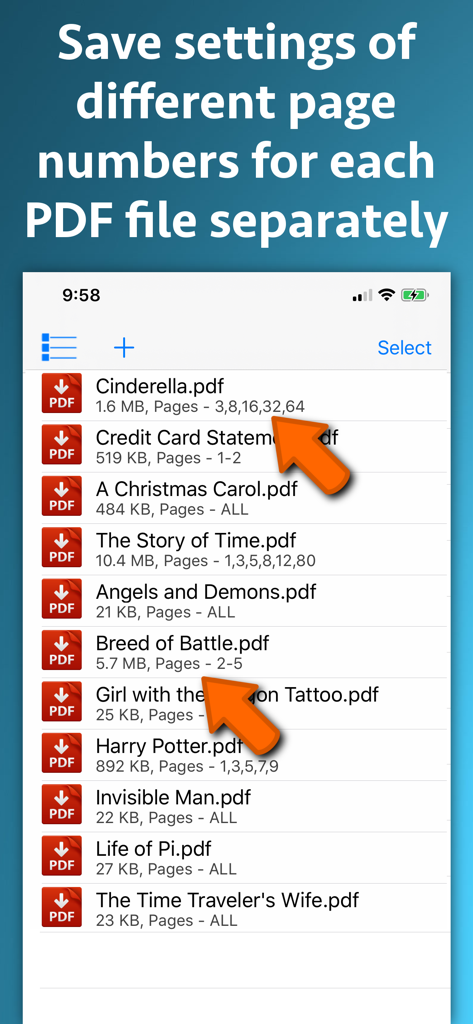
Don't settle for all-or-nothing merging. Select specific pages or custom ranges from hundreds of different PDFs to create one perfectly curated document.
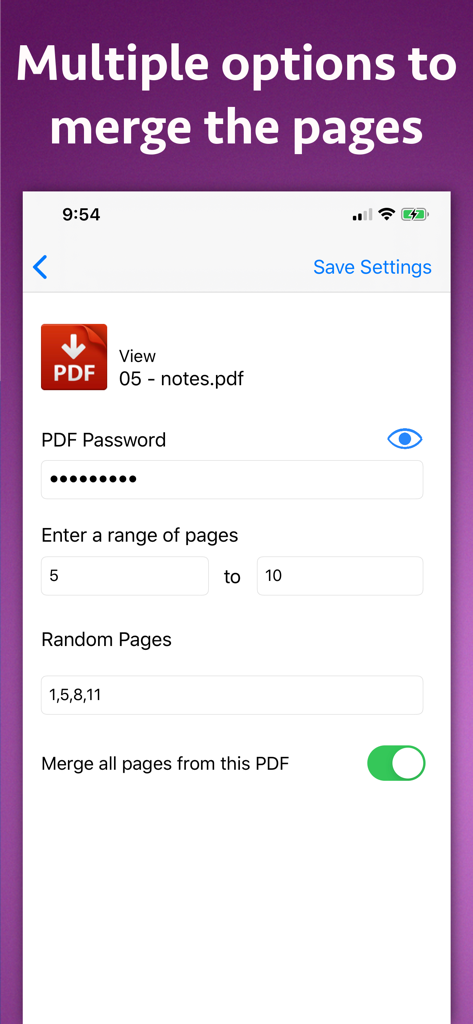
Easily merge password-protected documents. Our tool unlocks and combines your sensitive files into one accessible, clutter-free PDF without compromising your productivity.
Maintain the integrity of your research and notes. All annotations, highlights, and interactive links are fully preserved during the merging process.
Everything you need to know about PDF Joiner & Merger.
Description
Latest Version
15.2
Size
6.6 MB
First Released
Apr 22, 2018
Join 93,000+ professionals and students who merge, organize, and secure documents with surgical precision. Download the ultimate PDF power tool for your iPhone and iPad today.
Everything you need to know about PDF Joiner & Merger
The PDF Joiner & Merger application merges selected pages from multiple PDF files into one combined PDF document. It supports various customizations for page selection.
Yes, PDF Joiner & Merger can combine specific pages. For example, it merges selected pages from one PDF with specific pages from another into a single resulting document.
Yes, PDF Joiner & Merger supports merging page ranges. Users can merge a continuous sequence of pages, like pages 5 to 10 from one PDF, with pages from other PDFs.
Yes, PDF Joiner & Merger handles password-protected PDFs. Users provide the password, and the application processes the PDF. The resulting merged PDF file does not require a password.
Yes, PDF Joiner & Merger retains annotations and links. If original PDF files contain annotations or links, the merged PDF documents created by the application preserve them.
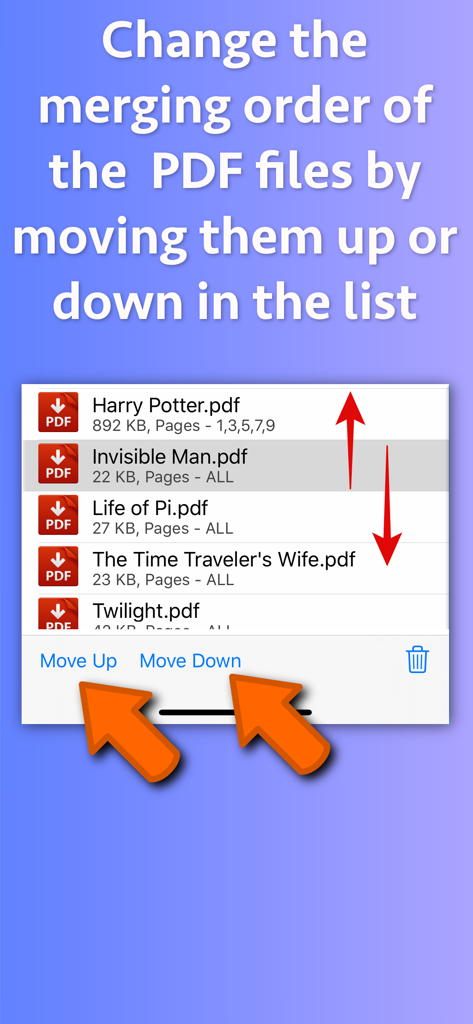
Users organize PDF merging order in PDF Joiner & Merger by adding files and then adjusting their sequence using the "Move Up" and "Move Down" buttons within the application interface.
Yes, PDF Joiner & Merger includes an inbuilt PDF previewer. This feature allows users to directly view all added PDF files, including those that are password-protected, before merging.
Yes, users specify random pages for merging in PDF Joiner & Merger. They input comma-separated values, such as "1,3,5,7,9,42,95", to select non-sequential pages from a PDF.
For each PDF in PDF Joiner & Merger, optional settings include providing a password, defining a page range, specifying random pages, or choosing to merge all pages.
Yes, PDF Joiner & Merger supports batch processing. This feature enables users to combine even hundreds of PDF files into a single merged PDF document in one operation.
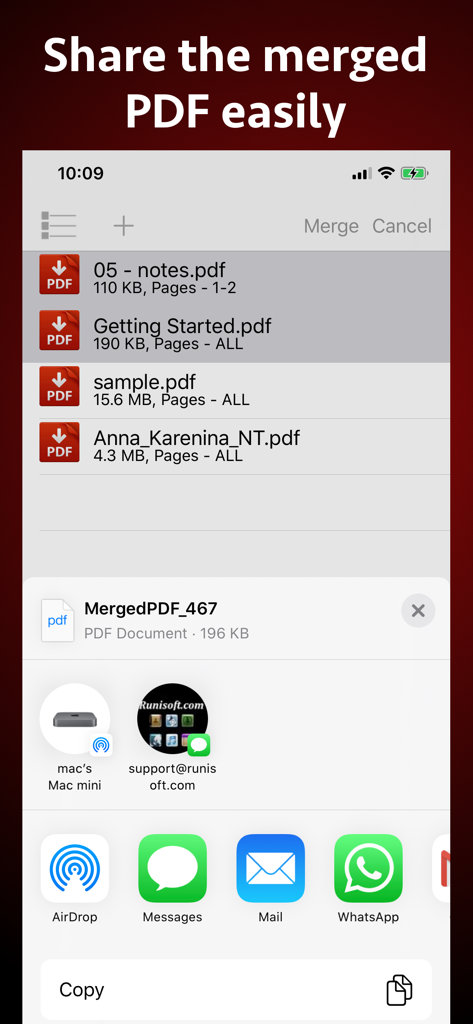
Users save merged PDF files to the cloud via the Files application. They can also share these documents with other applications directly from PDF Joiner & Merger after creation.
Top-ranked apps in the same category

Microsoft Corporation

Zoom Communications, Inc.

WhatsApp Inc.

Indeed Inc.

LinkedIn Corporation

Adobe Inc.

DingTalk Technology Co., Ltd.

Tencent Technology (Shenzhen) Company Limited

Beijing China Product Bo Farce Network Technology Co., Ltd.
App information, icons, screenshots, and descriptions displayed on this page are sourced from the Apple App Store and are the property of their respective developers. Download estimates and rankings are based on MWM's proprietary models and may not reflect actual figures. This page is provided for informational and analytical purposes only.
Believe this page infringes your intellectual property? File a dispute