PDF Library eBook Reader

PDF Library eBook Reader


Download on App Store
Logo of PDF Library eBook Reader

PDF Library eBook Reader: The Ultimate Digital Bookshelf for Students and Professionals

Transform your scattered documents into a beautifully organized library. Seamlessly sync your research, textbooks, and manuals across Mac, iPad, and iPhone with a distraction-free, subscription-free reading experience.

Publisher

Verbia Systems (Pty) Ltd

Category

Books

Downloads

5K+

User Rating

4.3/5

Total Ratings

0

Locales

6

Your Digital Bookshelf, Redefined

Discover the interface used by 5K+ users.
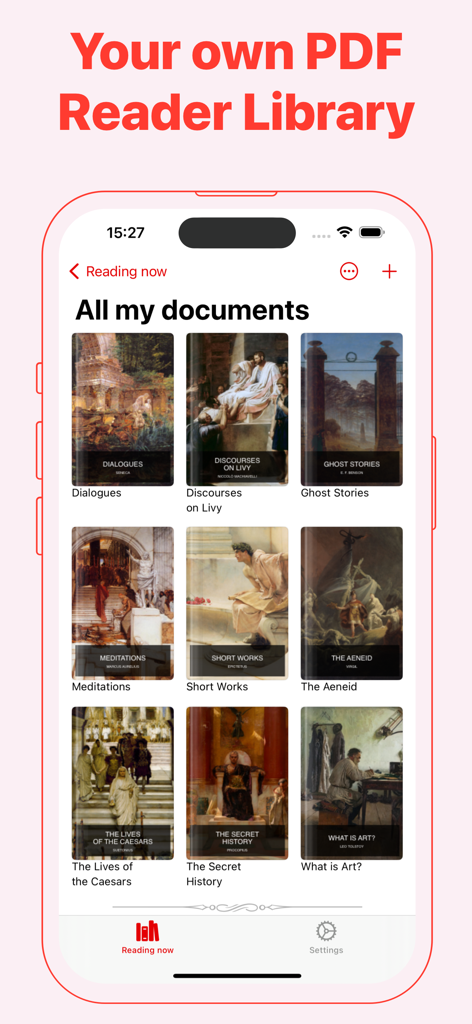
Main interface of the PDF Library app showing a grid of eBook covers on an iPhone.

Main interface of the PDF Library app showing a grid of eBook covers on an iPhone.

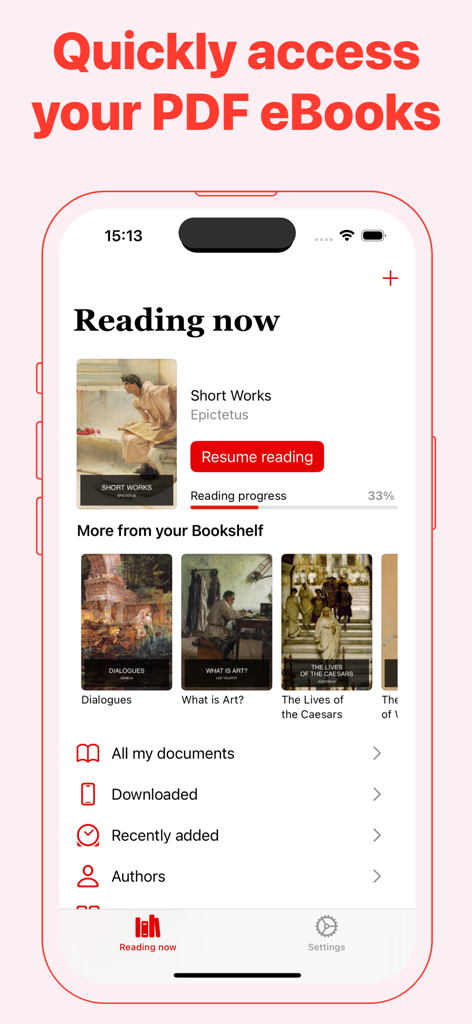
User interface of the PDF Library app on iPhone showing current reading progress and an ebook bookshelf.

User interface of the PDF Library app on iPhone showing current reading progress and an ebook bookshelf.

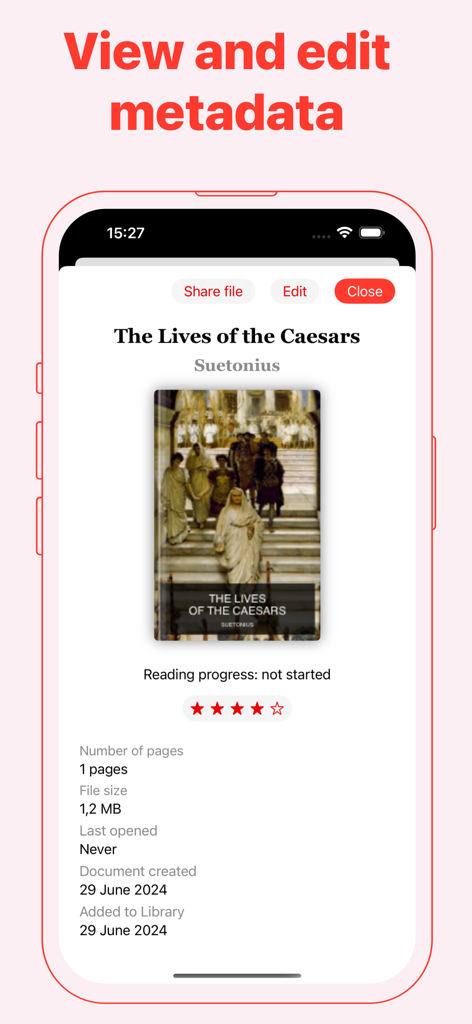
Smartphone display showing eBook metadata including title author and file details in the PDF Library app

Smartphone display showing eBook metadata including title author and file details in the PDF Library app

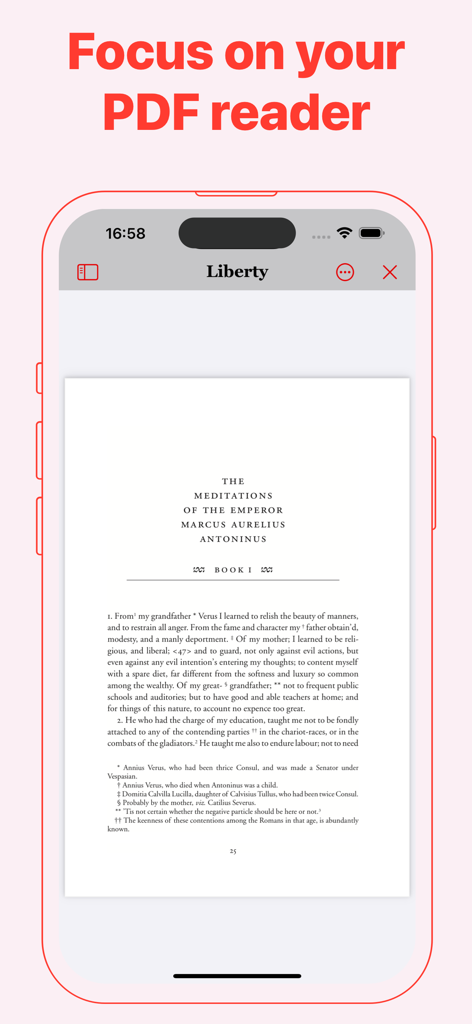
PDF Library app interface showing an ebook reader mode on an iPhone

PDF Library app interface showing an ebook reader mode on an iPhone

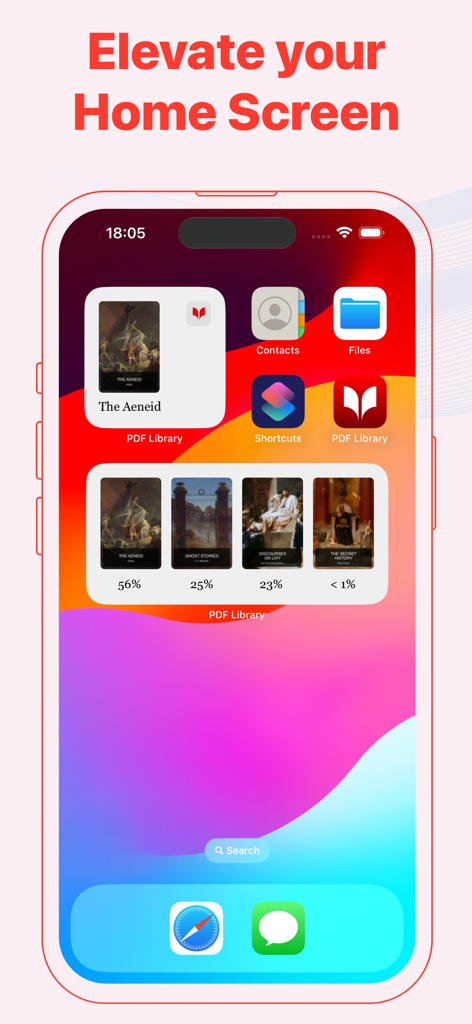
PDF Library app widgets on an iPhone home screen showing book covers and reading progress percentages.

PDF Library app widgets on an iPhone home screen showing book covers and reading progress percentages.

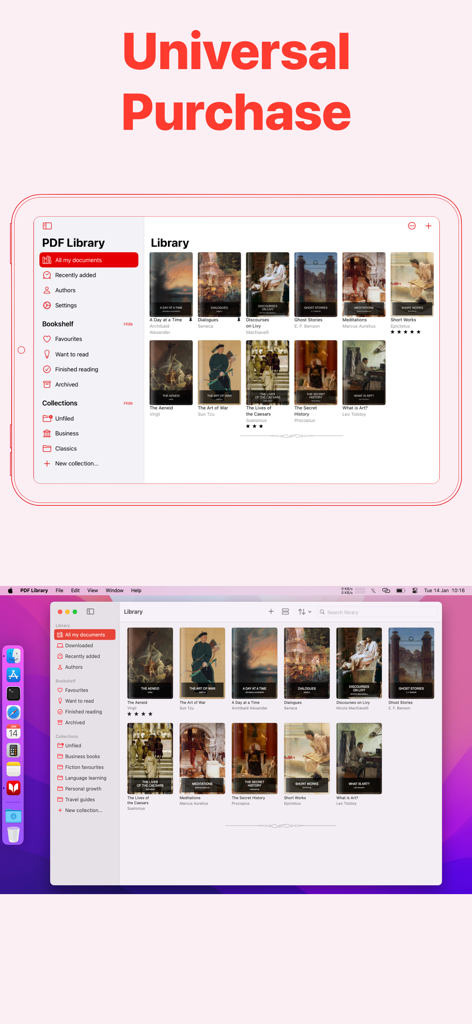
PDF Library eBook Reader interface on iPad and Mac highlighting universal purchase and cross-device syncing

PDF Library eBook Reader interface on iPad and Mac highlighting universal purchase and cross-device syncing

Elevate Your Reading Workflow

The tools that make this app stand out, trusted by 5K+ users.

🔄

Seamless Apple Ecosystem Sync

Start on your Mac, annotate on your iPad, and reference on your iPhone with instant, secure iCloud synchronization.

📚

Professional Library Curation

Clear the digital clutter by organizing research papers and textbooks into custom collections with personalized cover art.

👁️

Optimized for Reading Endurance

Minimize eye strain during long study sessions using Sepia mode and auto-save progress that remembers exactly where you left off.

About the app

Everything you need to know about PDF Library eBook Reader.

Description

Read, Organize, and Sync Your PDF eBooks Effortlessly PDF Library is the ultimate solution for reading long-form PDF documents and eBooks. Seamlessly manage, organize, and sync your PDF collection across all your devices, ensuring you have easy access wherever you are. Key Features: - Flexible Display Options: View your documents as customizable cards or a streamlined list in your Library. - Pin Your Favorites: Keep important PDFs at the top of your Library for quick access. - Dark Mode: Enjoy comfortable reading with less eye strain, day or night. - Custom App Icons: Personalize your home screen with unique app icons. - iCloud Sync: Securely sync your entire PDF Library across iPhone, iPad and Mac. - Home Screen Widgets: Instantly access recent PDFs right from your home screen. PDF Reader Features: - Auto-Save Reading Progress: Your place is saved automatically, so you’ll never lose track of where you left off. - Flexible Reading Modes: Read in Single-Page or Continuous mode, with both horizontal and vertical scrolling options. - Sepia Reading Mode: Reduce eye strain with a warm, soft color filter that provides a gentler reading experience. - Easy Navigation: Use the built-in Table of Contents for quick jumps to sections within any document. Organize Your PDF Library: - Track Reading Status: Mark PDFs as "Read Next", "Finished", or add them to your Favourites list for easy access. - Archive Documents: Clear up your Library by moving completed or inactive PDFs to the Archive. PDF Library Pro – Unlock Advanced Features: Enjoy PDF Library free with no limits on the number of PDFs you can store. Upgrade to PDF Library Pro with a one-time purchase to enhance your reading experience and support independent app development. Pro Features Include: - Organize into Collections: Create personalized Collections to group and sort your PDFs. - Edit Titles & Authors: Customize your Library’s display by editing document titles and authors. - Change Cover Art: Update the cover images of your PDFs for better organization and visual appeal. PDF Library Pro supports Family Sharing – so you can share these advanced features with your family members at no extra cost! PDF Library is perfect for students, researchers, and professionals. Whether you're at uni, working on university papers, or diving into educational ebooks and scientific research, PDF Library makes reading and managing your documents effortless. With features designed to streamline your workflow, it's ideal for organizing class notes, research papers, and ebooks for study or work. Privacy Policy: https://verbia.com/privacy Terms of Use: https://verbia.com/terms

Latest Version

2025.4

Size

5.2 MB

First Released

Jul 21, 2024

Build Your Ultimate Digital Bookshelf

Seamlessly sync your research, textbooks, and professional documents across iPhone, iPad, and Mac. Start organizing for free today.

Download on App Store

App information, icons, screenshots, and descriptions displayed on this page are sourced from the Apple App Store and are the property of their respective developers. Download estimates and rankings are based on MWM's proprietary models and may not reflect actual figures. This page is provided for informational and analytical purposes only.

Believe this page infringes your intellectual property? File a dispute