Pedometer Step Counter ZuStep

Pedometer Step Counter ZuStep


Download on App Store
Logo of Pedometer Step Counter ZuStep

Pedometer Step Counter ZuStep: Accurate Tracking That Won’t Drain Your Battery

Join 150k+ health-conscious users who track steps and calories without GPS tracking. Enjoy a simple, privacy-focused experience with beautiful home screen widgets and 100% battery-friendly performance.

Publisher

Denis Tomashevich

Category

Health & Fitness

Downloads

153K+

User Rating

4.4/5

Total Ratings

3K+

Locales

10

Your Goals in Focus

Discover the interface used by 153K+ users.
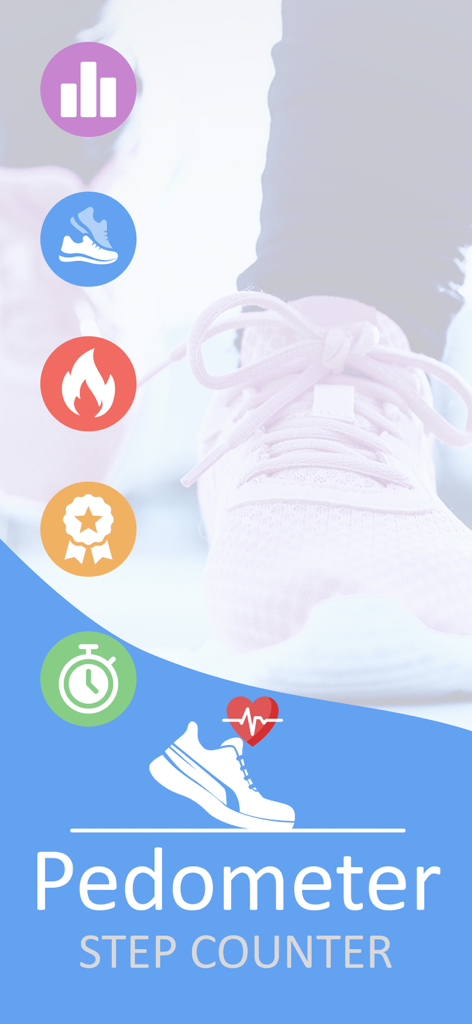
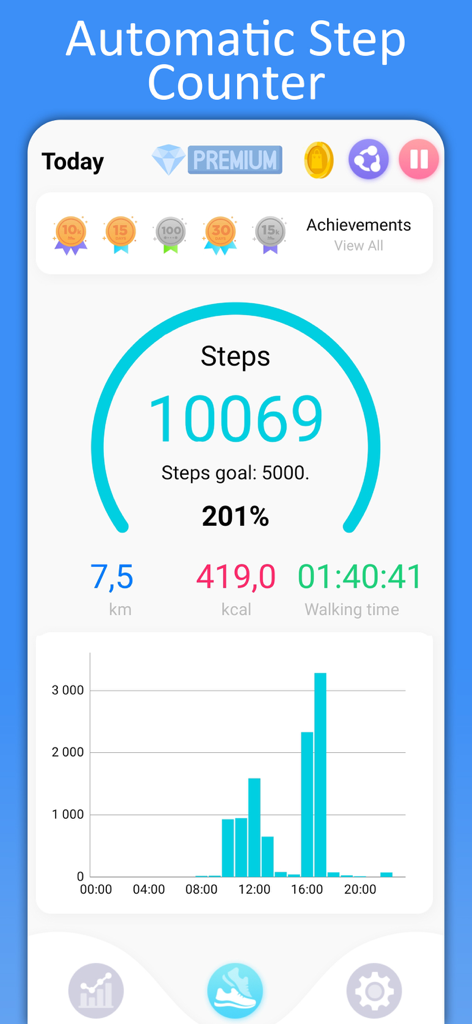
Pedometer Step Counter app intro screen with icons for steps calories and activity reports

Pedometer Step Counter app intro screen with icons for steps calories and activity reports

Step counter dashboard showing daily activity and achievements

Step counter dashboard showing daily activity and achievements

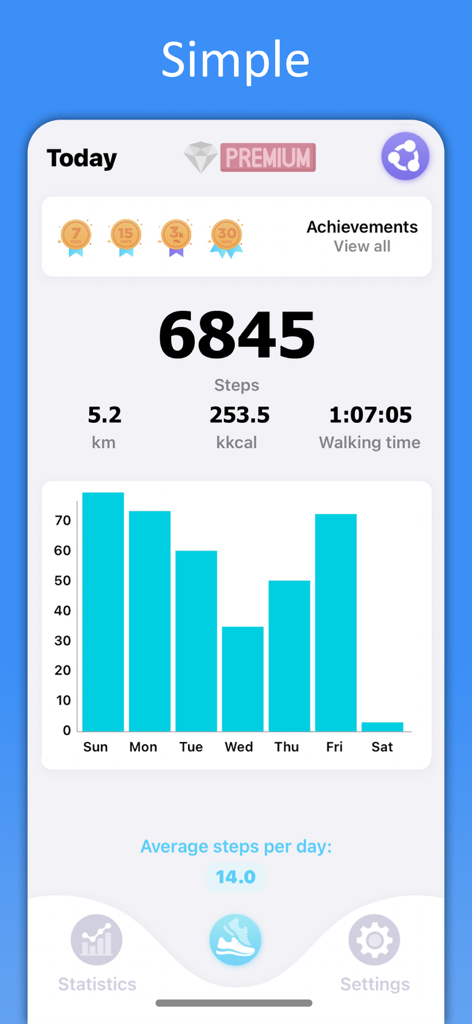
Daily step counter dashboard showing steps distance calories and weekly activity bar chart

Daily step counter dashboard showing steps distance calories and weekly activity bar chart

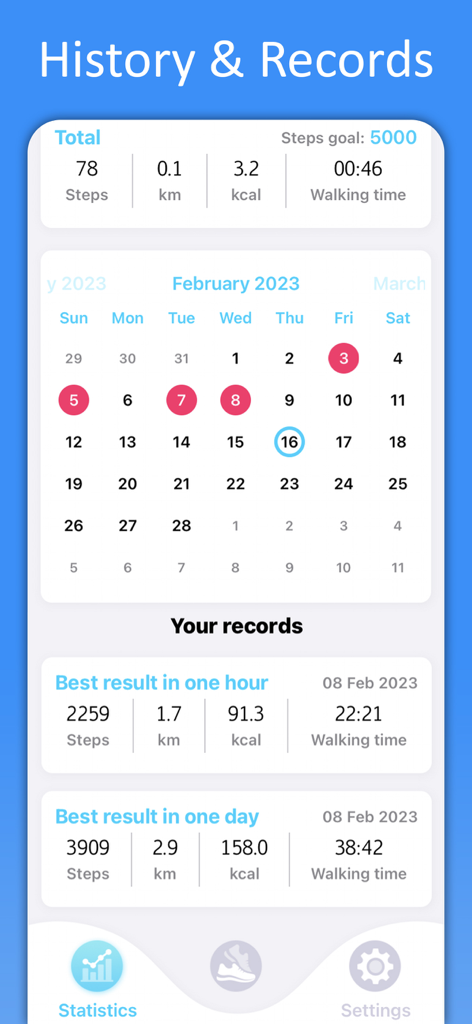
History and Records screen showing a monthly activity calendar and personal fitness statistics in the ZuStep app

History and Records screen showing a monthly activity calendar and personal fitness statistics in the ZuStep app

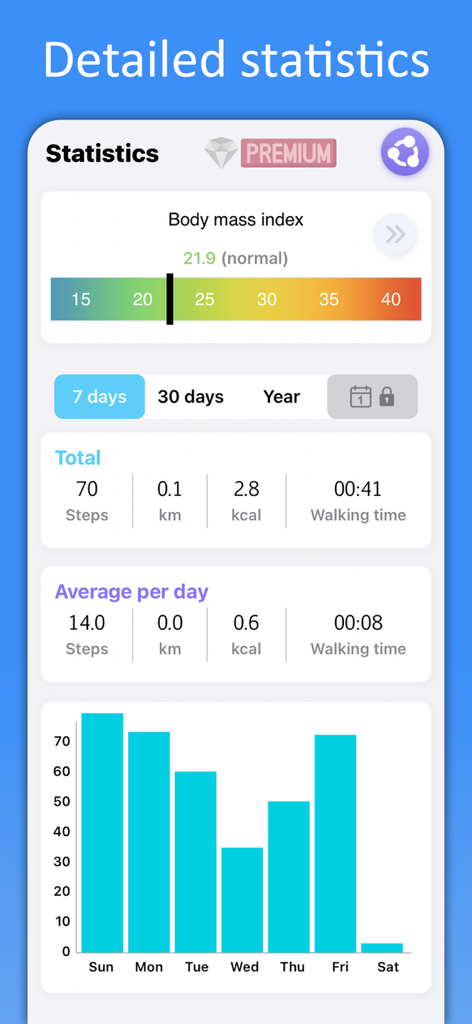
Pedometer app screen showing BMI index and weekly activity chart

Pedometer app screen showing BMI index and weekly activity chart

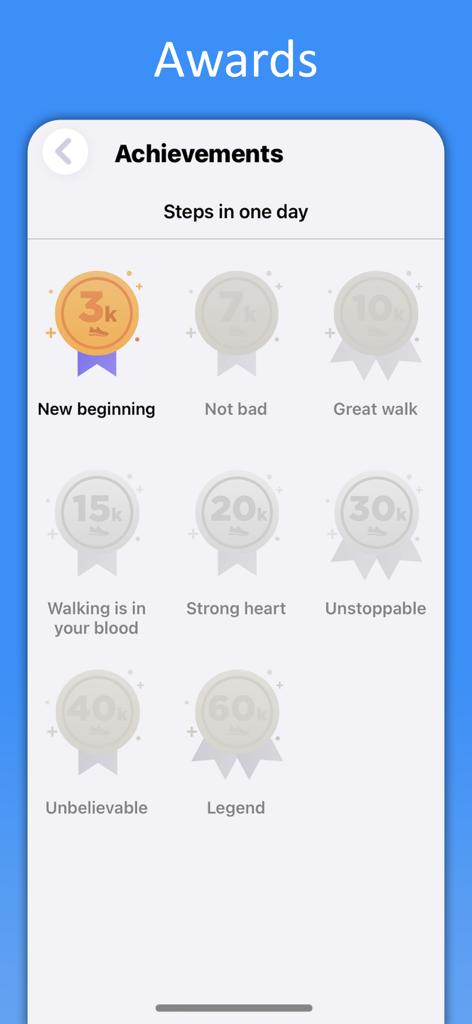
Step counter app screen showing daily walking achievements and award badges

Step counter app screen showing daily walking achievements and award badges

Your Daily Health, Simplified

The tools that make this app stand out, trusted by 153K+ users.

🔋

Battery-Friendly Tracking

Our zero-GPS technology ensures your phone stays charged all day while accurately counting every movement.

📱

Instant Home Screen Widget

View your progress at a glance without opening the app, keeping you motivated through your busy day.

📈

Clear Activity Insights

Stay on top of your fitness goals with easy-to-read daily, weekly, and monthly reports on calories and distance.

About the app

Everything you need to know about Pedometer Step Counter ZuStep.

Description

Arguably the best pedometer for walking and running. Step Tracker and pedometer - Calorie Counter. We have created an extremely precise step and calorie counter for leisurely strolls and gym workouts with a beautiful widget. With our pedometer, you will always be aware of the distance you've walked (in km). It's very simple to set up and use — and yet, very accurate, sensitive, and energy-efficient Step Tracker. To make our pedometer as energy-efficient as possible, we did this: - the pedometer works in the background mode if the widget is installed on the main screen - we removed GPS position tracking to save the battery - our pedometer works offline and does a great job counting steps and measuring the distance covered without an Internet connection. Daily step tracker, free pedometer & Easy Calorie Counter help Lose Weight Features: - Step Tracker - step counter free - calorie counter - distance counter (km or miles) - background mode - detailed daily, weekly, monthly, yearly reports (fitness tracker) - configurable sensitivity and step length calculation - achievement awards - all of the features are 100% free - a convenient and informative widget on the main phone screen - compact installation size If you want to stay in good shape, you need to make several thosand steps every day. Walking is highly beneficial for your health because it trains your heart, helps lose weight, activates various processes in your body, and evern substitutes a number of other physical exercises. So let's walk, get slimmer and healthier! Analyze your daily reports to know how much you've walked and what distance you've covered. You can download and install "Pedometer - Step Counter" free of charge. It's truly a must-have app for all phone owners. Download “Step Tracker and pedometer - Calorie Counter” _______ Subscription information: After the 3 days free trial this subscription automatically renews for per month or per year it is canceled at least 24 hours before the end of the trial period. Your Apple ID account will be charged for renewal within 24 hours before the end of the trial period. The subscription automatically renews unless it is canceled at least 24 hours before the end of the current period. You can manage and cancel your subscriptions by going to your account settings on the App Store. The instruction to cancel the subscription: https://support.apple.com/en-us/HT202039 Privacy policy and terms of use: https://denimob.ru/privacy-policy.html

Latest Version

2.0.114

Size

37.2 MB

First Released

Jun 6, 2020

Start Walking Toward a Healthier You Today

Join over 150,000 health-conscious users who track their progress without draining their battery. Download ZuStep now for a simple, private, and energy-efficient way to reach your fitness goals.

Download on App Store
FAQ

Frequently Asked Questions

Everything you need to know about Pedometer Step Counter ZuStep

What is the Pedometer Step Counter ZuStep app?

The Pedometer Step Counter ZuStep app is a precise step, calorie, and distance counter for walking and running. It offers detailed reports, a convenient widget, and achievement awards to support fitness goals.

Does the Pedometer Step Counter ZuStep app work offline?

Yes, the Pedometer Step Counter ZuStep app works offline. It accurately counts steps and measures distance covered without requiring an internet connection, ensuring continuous tracking.

Does Pedometer Step Counter ZuStep use GPS for step tracking?

No, the Pedometer Step Counter ZuStep app does not use GPS position tracking. This design choice helps to conserve battery life for the user's device.

Is the Pedometer Step Counter ZuStep app free to use?

Yes, the Pedometer Step Counter ZuStep app is free to download and install. It includes a 3-day free trial, after which a subscription automatically renews monthly or yearly.

What tracking metrics does the Pedometer Step Counter ZuStep app provide?

The ZuStep app tracks several metrics, including steps, calories burned, distance (in km or miles), and walking time. It presents this data in detailed daily, weekly, monthly, and yearly reports.

How can users view their progress in the Pedometer Step Counter ZuStep app?

Users can view their progress through detailed daily, weekly, monthly, and yearly reports. The app also features an 'Awards' section to display achievement badges for reaching step milestones.

How do I cancel my Pedometer Step Counter ZuStep app subscription?

To cancel your Pedometer Step Counter ZuStep app subscription, you must go to your account settings on the App Store. Cancellation is required at least 24 hours before the current period ends.

Does the Pedometer Step Counter ZuStep app offer a home screen widget?

Yes, the Pedometer Step Counter ZuStep app features a convenient and informative widget for the main phone screen. This widget also enables the app's energy-efficient background mode.

App information, icons, screenshots, and descriptions displayed on this page are sourced from the Apple App Store and are the property of their respective developers. Download estimates and rankings are based on MWM's proprietary models and may not reflect actual figures. This page is provided for informational and analytical purposes only.

Believe this page infringes your intellectual property? File a dispute