PEX: Simplify your spending

PEX: Simplify your spending


Download on App Store
Logo of PEX: Simplify your spending

PEX: Simplify your spending and take total control of your business expenses.

Empower your team with smart corporate cards while eliminating manual paperwork. Set precise spending limits, capture receipts on the go, and sync seamlessly with your accounting software.

Download on App Store

Publisher

Prepaid Expense Card Solutions Inc

Category

Business

Downloads

0

User Rating

4.8/5

Total Ratings

0

Locales

-

Control at a Glance

Discover the interface used by 0 users.
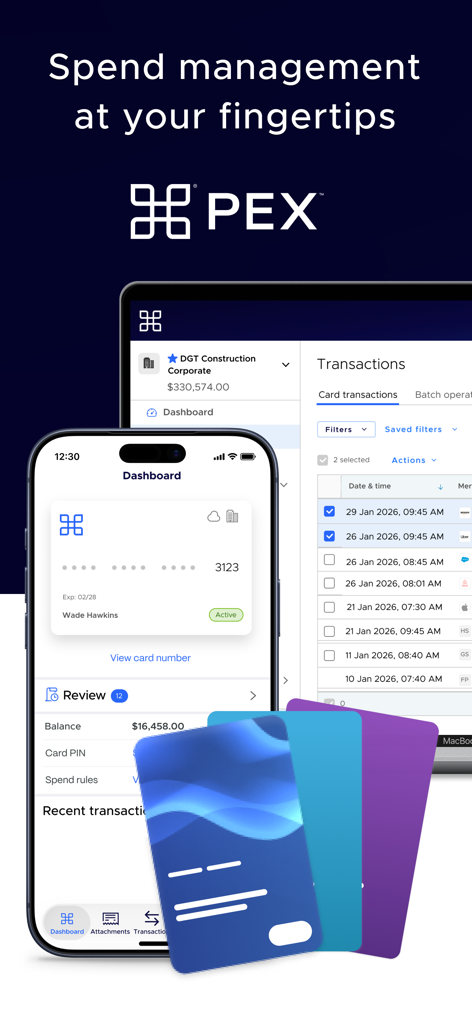
PEX spend management app interface displaying a mobile dashboard and desktop transaction management

PEX spend management app interface displaying a mobile dashboard and desktop transaction management

PEX mobile app screen showing a list of business transactions with options to add notes and receipts

PEX mobile app screen showing a list of business transactions with options to add notes and receipts

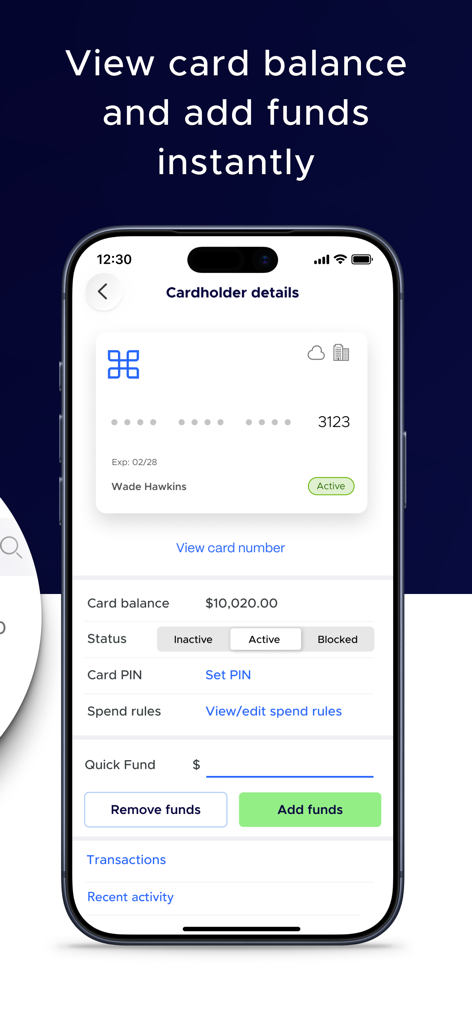
PEX app screen showing cardholder balance and fund management options

PEX app screen showing cardholder balance and fund management options

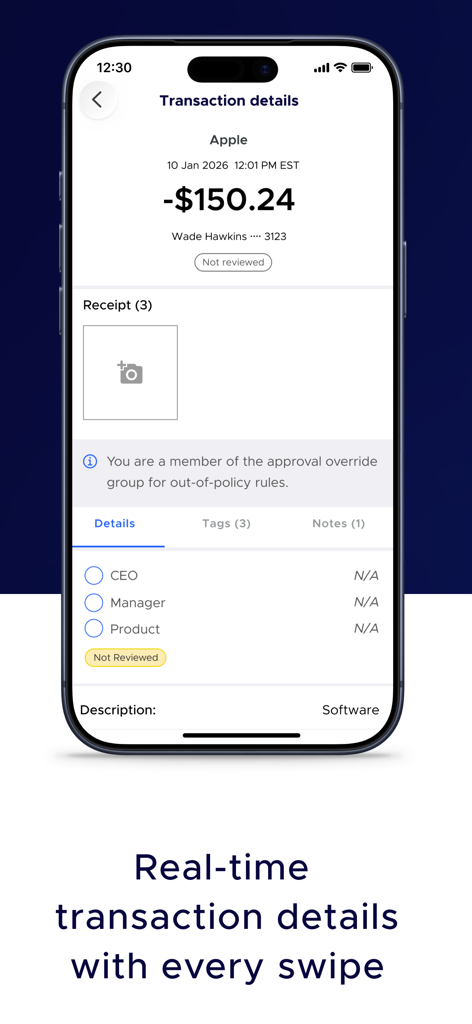
A mobile phone screen showing real-time transaction details receipt capture and expense tagging in the PEX app

A mobile phone screen showing real-time transaction details receipt capture and expense tagging in the PEX app

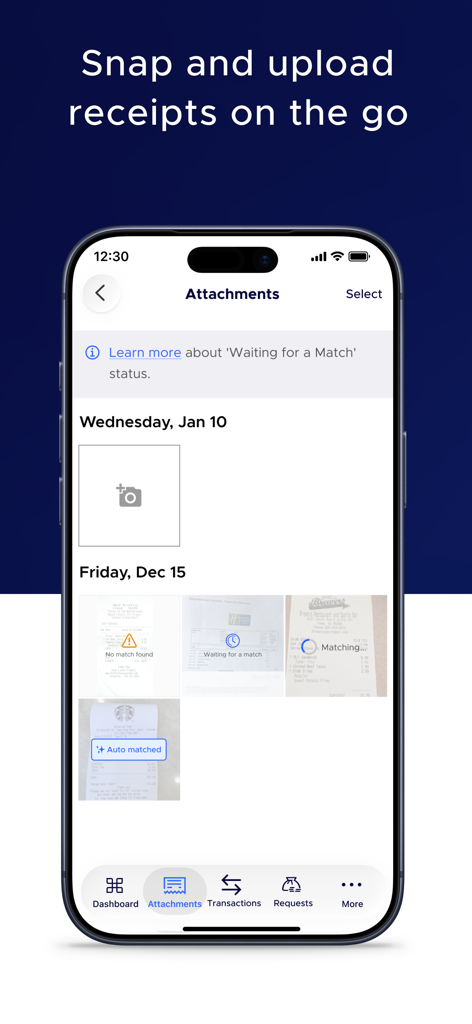
PEX mobile app screen showing the attachments section for capturing and matching receipt photos

PEX mobile app screen showing the attachments section for capturing and matching receipt photos

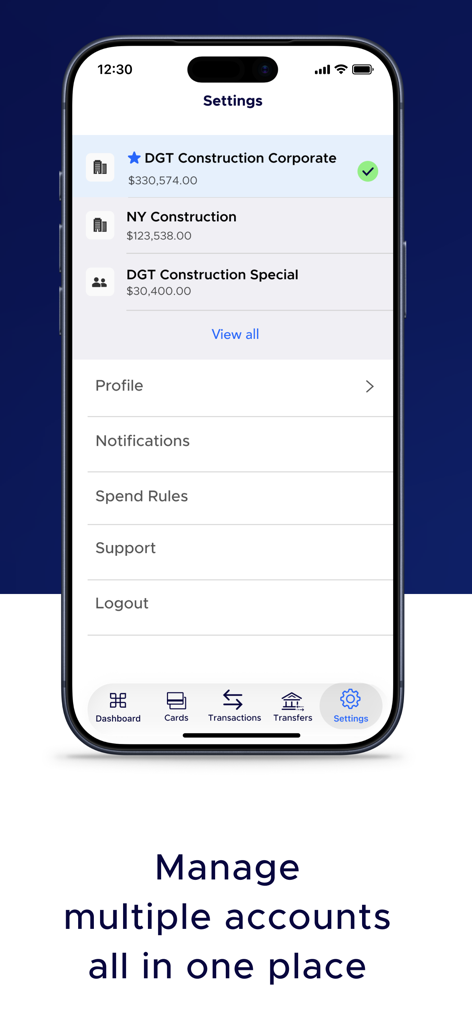
PEX app settings screen showing multiple construction company business accounts with their current balances

PEX app settings screen showing multiple construction company business accounts with their current balances

PEX business cards displayed in a digital wallet on an iPhone and Apple Watch

PEX business cards displayed in a digital wallet on an iPhone and Apple Watch

Take Control of Your Business Spending

The tools that make this app stand out, trusted by 0 users.

šŸ›”ļø

Smart Spending Guardrails

Prevent misuse before it happens by setting real-time limits on how much, where, and in which industries your team can spend.

šŸ“ø

Instant Receipt Capture

Stop chasing paper receipts. Cardholders simply snap a photo at the register and tag the transaction in seconds.

⚔

One-Click Reconciliation

Sync transaction data and custom GL tags directly to QuickBooks or Xero, saving your finance team hours of manual data entry.

About the app

Everything you need to know about PEX: Simplify your spending.

Description

The PEX financial platform and corporate cards provide powerful capabilities to manage business spending and reconciliation. PEX automates and simplifies your spend and expense workflows, saving you time on issues meaningful to your bottom line. PEX reduces data entry, helps manage cash flow, captures and tracks receipts, streamlines reconciliation, and provides detailed reporting. Your employees, volunteers or contractors can spend (only) when and where you want them to using their PEX Prepaid VisaĀ® or MastercardĀ®. PEX also provides on-demand virtual cards and a scalable API for custom needs. The PEX app is a free companion app for existing Administrators and Cardholders intended to complement the main PEX platform.* With the PEX platform, you can: • Control Spend. Modernize spending controls by automatically limiting what, where and how much an employee can purchase. In addition to daily, weekly, and monthly limits, employees can also be restricted to specific industries via the use of Merchant Category Codes (ā€œMCCsā€). • Capture Receipts. Seamlessly snap a photo of a receipt, add to a transaction, and annotate with custom notes. • Tag Transactions. Easily categorize and organize transactions by using PEX Tags. Append accounting or general ledger codes to transactions to speed up reconciliation. • Make Quick Transfers. Transfer funds from your organization’s bank account to your PEX account on an ad hoc basis, or schedule automatic transfers. Fund and de-fund employee cards instantly for granular control or allow cards to debit from a central shared account. • Request Funds. Allow employees to request funds from authorized administrators with an audit of the entire process. Push and email notifications keep everyone informed. • Enhanced Reporting. Quickly create a variety of reports on purchasing activity with detailed transaction data. Export via CSV or in custom formats. • Leverage Complimentary Systems. Easily integrate PEX with processes and tools you already use, including QuickBooks, Xero, Certify, and more. *When using a mobile device, standard text messaging and/or data rates from your wireless service provider may apply. *** Any questions? Email us at: sales@pexcard.com If you are interested in becoming a customer please visit: https://apply.pexcard.com *** The PEX VisaĀ® Prepaid Card and the PEX Disburse Visa Prepaid Card are issued by Fifth Third Bank, N.A., Member FDIC, or The Bancorp Bank, N.A., Member FDIC, pursuant to a license from Visa U.S.A Inc and may be used everywhere Visa Prepaid cards are accepted. The PEX Prepaid MastercardĀ® is issued by The Bancorp Bank, N.A. pursuant to license by Mastercard International Incorporated and may be used everywhere Debit Mastercard is accepted. Mastercard is a registered trademark, and the circles design is a trademark of Mastercard International Incorporated. Please see the back of your card for its issuing bank.

Latest Version

31.9.0

Size

104.4 MB

First Released

Dec 14, 2012

Ready to Simplify Your Business Spending?

Empower your team with PEX cards and manage every dollar in real-time. Download the app to automate your expenses and stop chasing receipts for good.

Download on App Store

App information, icons, screenshots, and descriptions displayed on this page are sourced from the Apple App Store and are the property of their respective developers. Download estimates and rankings are based on MWM's proprietary models and may not reflect actual figures. This page is provided for informational and analytical purposes only.

Believe this page infringes your intellectual property? File a dispute