Photo to Art: AI Art Generator

Photo to Art: AI Art Generator

Download on App Store
Logo of Photo to Art: AI Art Generator

Photo to Art: AI Art Generator — Your Portrait as a Timeless Masterpiece

Elevate your aesthetic with AI-powered Renaissance oil paintings and modern art filters. Join 10 million creators turning selfies into museum-quality portraits in just one tap.

Publisher

Kazuya Saito

Category

Graphics & Design

Downloads

334K+

User Rating

4.5/5

Total Ratings

3K+

Locales

13

Your Gallery Awaits

Discover the interface used by 334K+ users.
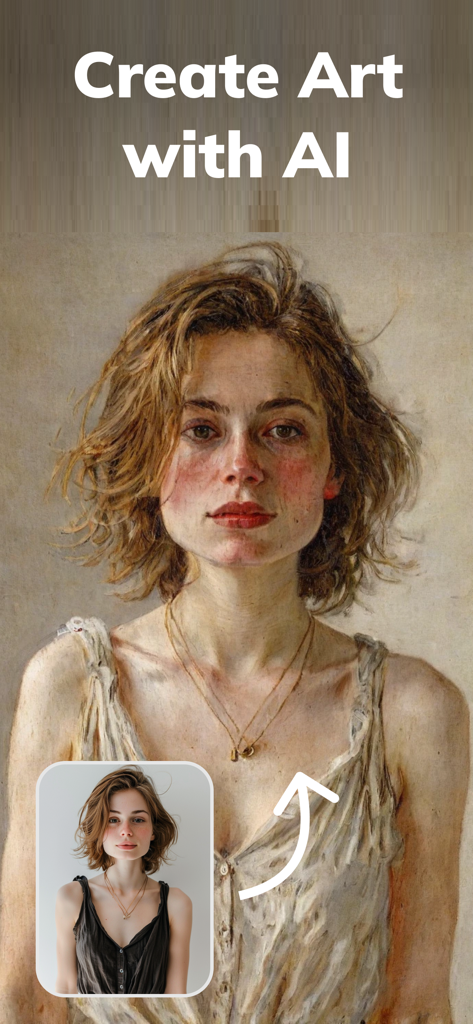
A comparison showing a portrait photo transformed into a Renaissance style oil painting using AI

A comparison showing a portrait photo transformed into a Renaissance style oil painting using AI

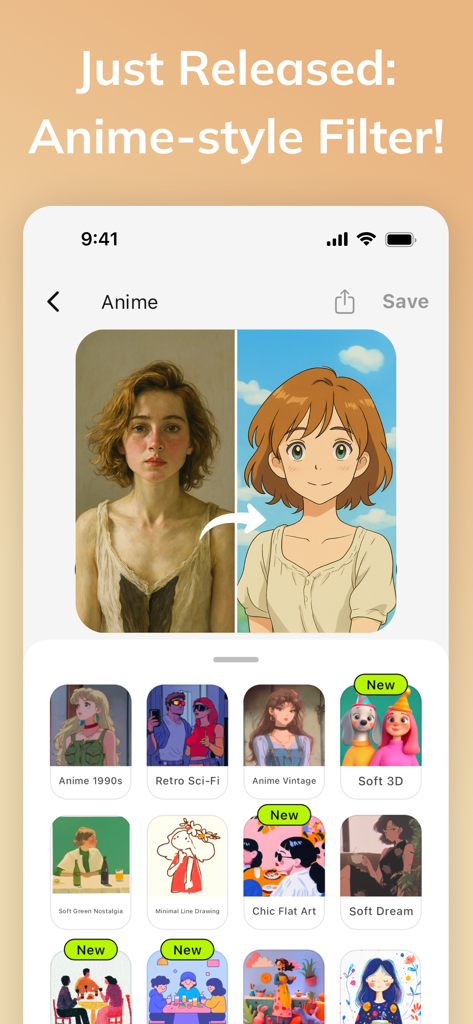
Side-by-side comparison of a portrait and its anime version using AI Gahaku art filters

Side-by-side comparison of a portrait and its anime version using AI Gahaku art filters

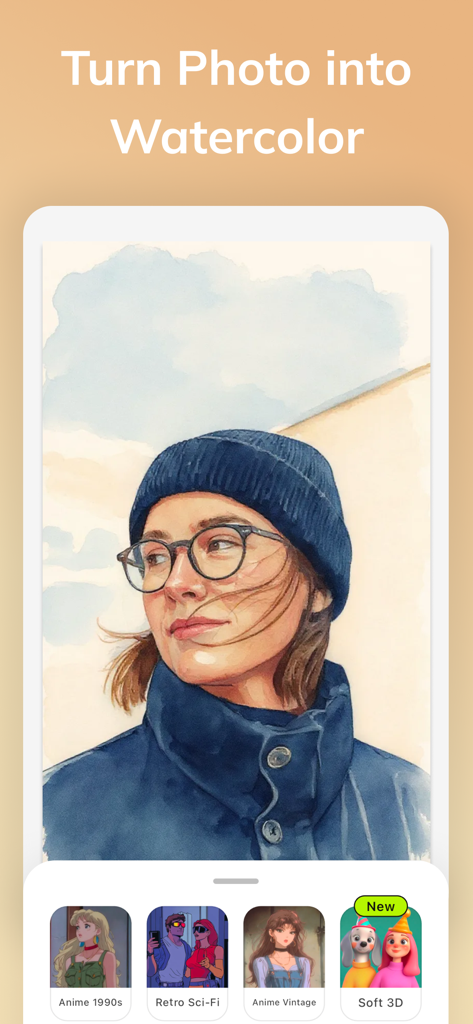
Portrait of a woman transformed into a watercolor painting using an AI art generator app showing different artistic style filters

Portrait of a woman transformed into a watercolor painting using an AI art generator app showing different artistic style filters

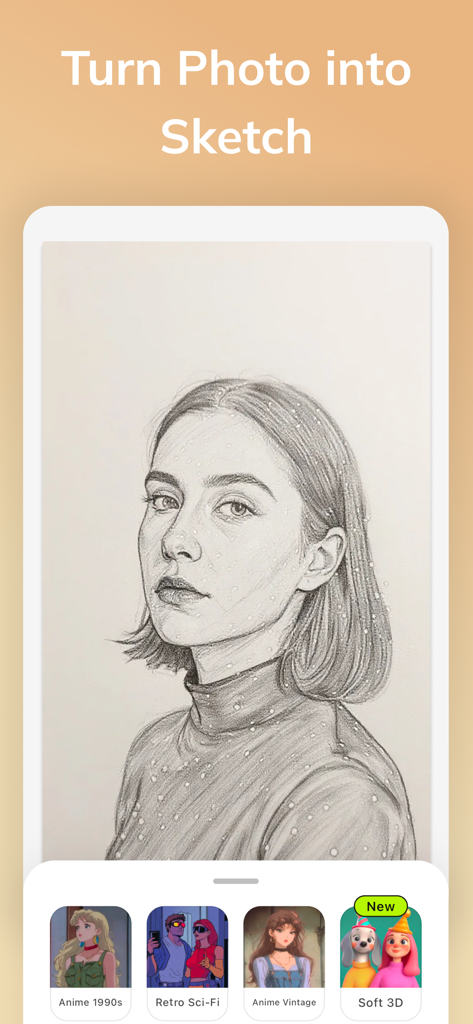
AI Gahaku app turning a portrait photo into a realistic pencil sketch

AI Gahaku app turning a portrait photo into a realistic pencil sketch

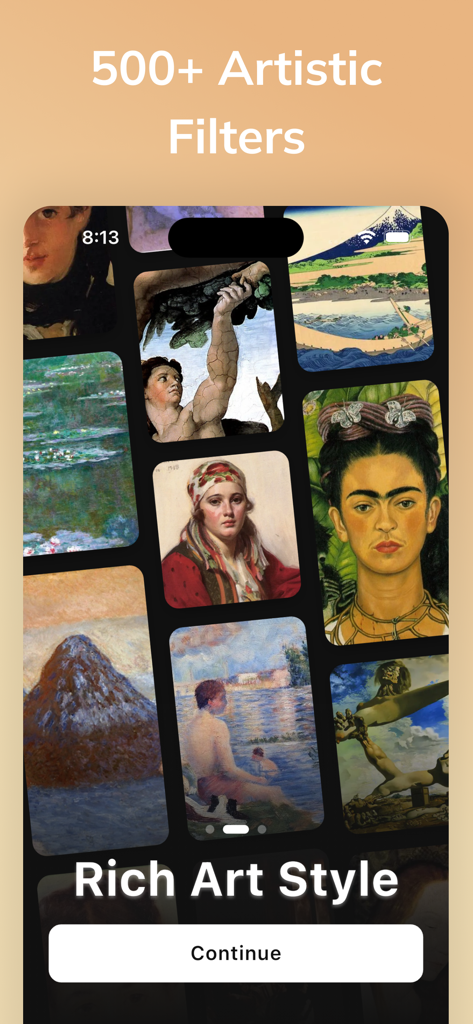
A gallery view showcasing diverse artistic filters and classical painting styles in the AI Gahaku app

A gallery view showcasing diverse artistic filters and classical painting styles in the AI Gahaku app

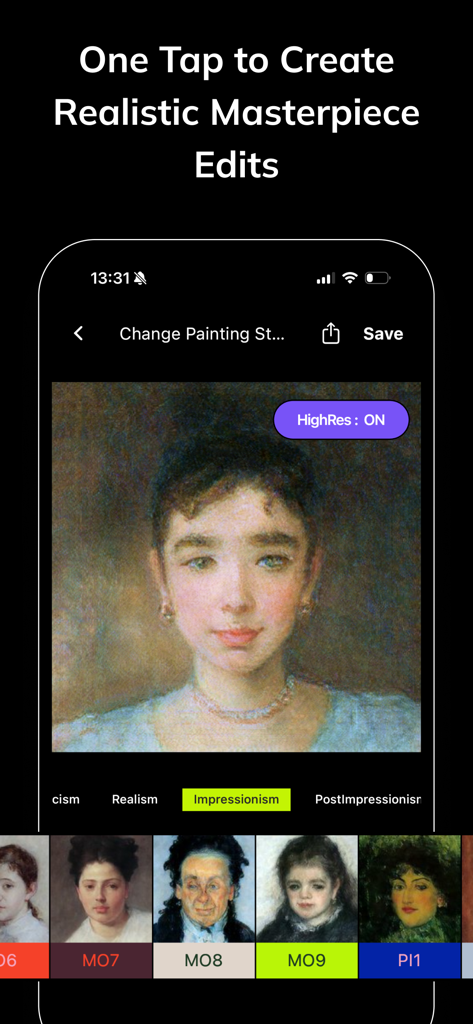
An iPhone screen showing the AI Gahaku app interface with an Impressionism filter applied to a portrait and various art style options.

An iPhone screen showing the AI Gahaku app interface with an Impressionism filter applied to a portrait and various art style options.

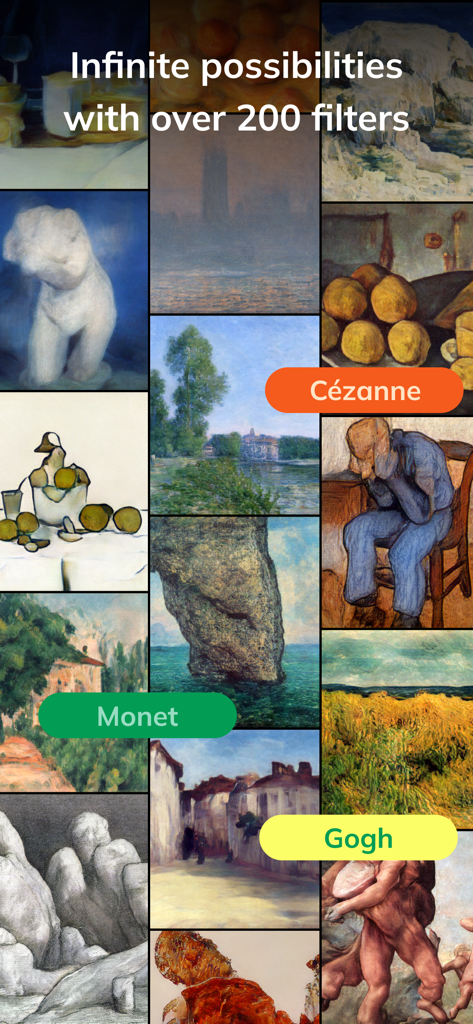
Collage of artistic filters inspired by painters like Monet and Gogh in the AI Gahaku app

Collage of artistic filters inspired by painters like Monet and Gogh in the AI Gahaku app

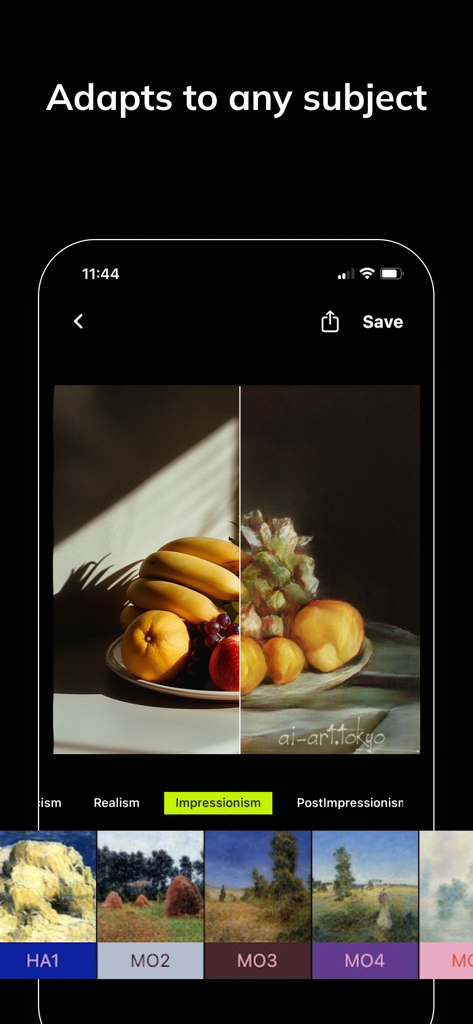
A comparison showing a still life photo of fruit transformed into an impressionist style painting using the AI Gahaku app

A comparison showing a still life photo of fruit transformed into an impressionist style painting using the AI Gahaku app

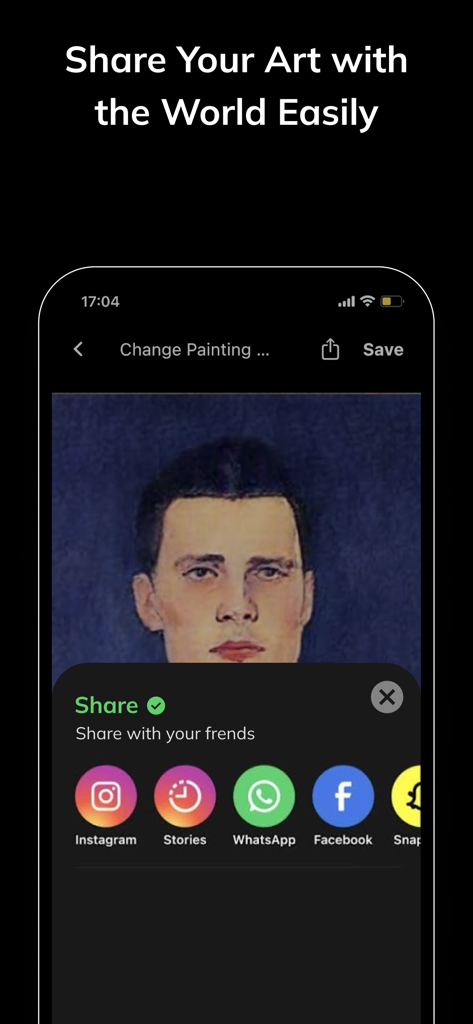
An AI generated portrait with options to share on social media platforms like Instagram and Facebook

An AI generated portrait with options to share on social media platforms like Instagram and Facebook

Masterpieces in Seconds

The tools that make this app stand out, trusted by 334K+ users.

🎨

300+ Artistic Styles

Explore an expansive library of filters—from Rembrandt to Warhol—to find the perfect artistic vibe for your next social post.

Smart Portrait Enhancement

Skip the complex editing apps. Our AI automatically retouches skin and optimizes lighting for a professional, atmospheric finish.

🖼️

Instant Digital Identity

Create unique avatars and gallery-worthy content for Instagram, TikTok, or Discord in seconds with zero technical skills needed.

About the app

Everything you need to know about Photo to Art: AI Art Generator.

Description

AI Gahaku turn your photo into a Renaissance portrait painting. This ai cam are used by over 10 million people around the world. Using AIGahaku’s art filters you can make your photo look as if Warhol pop art, Modigliani oil painting, Picasso, or even Rembrandt himself painted it for you! And with no picture editing or Photoshop skills needed, it’s easy to share your world. - 50+ OF STYLES: You'll find more than 300 art styles in AIGahaku art filter library. AIGahaku has the largest collection of different artistic styles to choose from. Find your favorite one! - Automatically retouches. Improves skin and brings out an atmospheric, natural portrait look. - Get instant results. It's very fast and easy to use. - BUILT FOR SOCIAL: Easily capture and share fun, high-quality photos to your favorite social network. Note for People of Color: We are so sorry that our AI has been trained mostly on portraits of people of European ethnicity. We're planning to fix this soon. AI Gahaku app works like a fully automated pro AI Portrait photo editor. It's also great for avatar generation. You can also check PortraitAI app and AI Gahaku Art website from Tokyo. AIGahaku photo editor is brought to you by AIGahaku(ai-art.tokyo). You must agree to AIGahaku privacy policy: =========================== AIGahaku PRO subscription options: =========================== AIGahaku PRO monthly - $4.99 per month Your AIGahaku PRO subscription will automatically renew 24-hours prior to the end of each term (month or year correspondingly) and your card will be charged through your iTunes account. You can turn off auto-renewal at any time in your iTunes account settings, but refunds will not be provided for any unused period of the term. ToonMe Terms of Use: https://ai-art.tokyo/en/terms/ ToonMe Privacy Policy: https://ai-art.tokyo/en/terms/

Latest Version

3.17.6

Size

96.9 MB

First Released

Nov 18, 2020

Turn Your Photos into Timeless Masterpieces

Join over 10 million creators today. Experience the magic of AI and see yourself through the eyes of the world's greatest artists with just one tap.

Download on App Store
FAQ

Frequently Asked Questions

Everything you need to know about Photo to Art: AI Art Generator

What is Photo to Art: AI Art Generator?

Photo to Art: AI Art Generator, also known as AI Gahaku, transforms photos into various artistic styles like Renaissance portraits, pop art, or oil paintings using AI filters. It is a fully automated AI portrait photo editor.

How many art styles and filters does Photo to Art: AI Art Generator offer?

The Photo to Art: AI Art Generator offers over 500 artistic filters and styles. These include Renaissance portraits, anime, watercolor, and sketch effects for photo transformation.

Does Photo to Art: AI Art Generator provide automatic photo retouching?

Yes, Photo to Art: AI Art Generator automatically retouches photos. It improves skin and enhances atmospheric, natural portrait looks for your images.

How can users share their art created with Photo to Art: AI Art Generator?

Users can easily share their art created with Photo to Art: AI Art Generator to favorite social networks. The app is built for social sharing, supporting platforms like Instagram, Facebook, and WhatsApp.

Is there a subscription for Photo to Art: AI Art Generator?

Yes, Photo to Art: AI Art Generator offers an AIGahaku PRO subscription. This monthly subscription costs $4.99.

How does the AIGahaku PRO subscription renew?

The AIGahaku PRO subscription automatically renews 24-hours before each term ends. Your card is charged via your iTunes account.

Can users turn off auto-renewal for the AIGahaku PRO subscription?

Yes, users can turn off auto-renewal for the AIGahaku PRO subscription anytime in their iTunes account settings. Refunds are not provided for unused periods.

Does Photo to Art: AI Art Generator have limitations for people of color?

Yes, the AI in Photo to Art: AI Art Generator has been trained mostly on portraits of people of European ethnicity. The developers state they are planning to fix this limitation soon.

Who developed the Photo to Art: AI Art Generator app?

The Photo to Art: AI Art Generator app, also known as AIGahaku photo editor, is developed and brought to you by AIGahaku (ai-art.tokyo).

Does the Photo to Art: AI Art Generator app require photo editing skills?

No, the Photo to Art: AI Art Generator app does not require picture editing or Photoshop skills. It offers instant results and is very fast and easy to use.

App information, icons, screenshots, and descriptions displayed on this page are sourced from the Apple App Store and are the property of their respective developers. Download estimates and rankings are based on MWM's proprietary models and may not reflect actual figures. This page is provided for informational and analytical purposes only.

Believe this page infringes your intellectual property? File a dispute