Piano Chords Master

Piano Chords Master

Download on App Store
Logo of Piano Chords Master

Piano Chords Master: Visualize, Compose, and Play Pro-Level Progressions

The ultimate sidekick for songwriters and students. Master complex jazz tensions, build custom song sheets, and sync with your MIDI keyboard to transform your musical practice.

Download on App Store

Publisher

Loop-Sessions.LLC.

Category

Music

Downloads

25K+

User Rating

4.4/5

Total Ratings

300

Locales

2

The Keys to Mastery

Discover the interface used by 25K+ users.
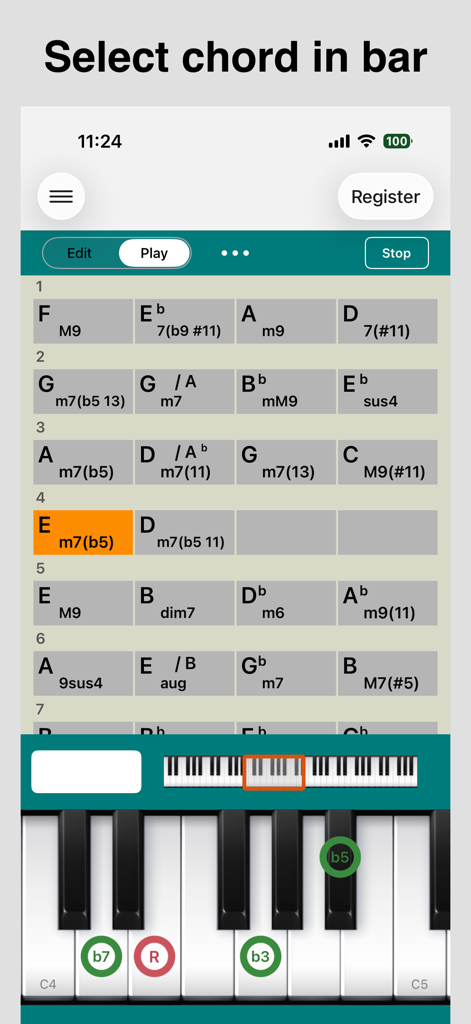
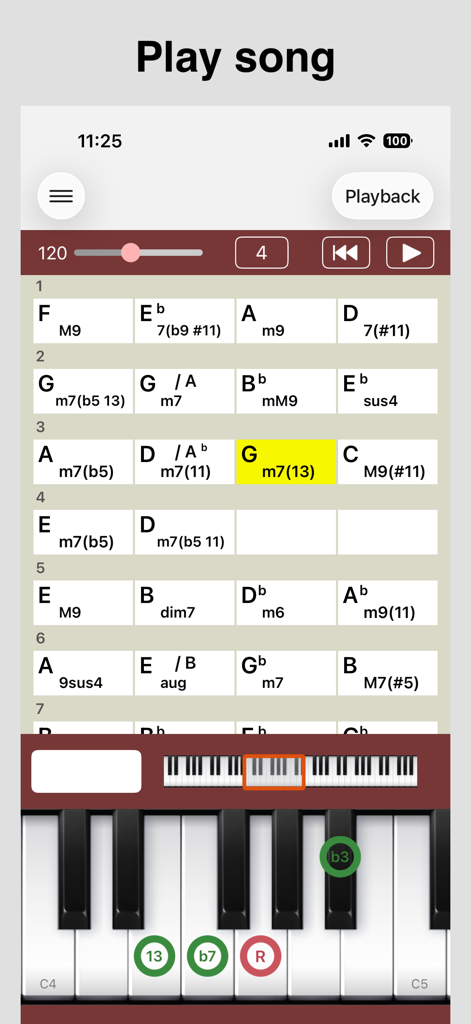
A screen from Piano Chords Master app showing a chord progression grid and a piano keyboard with chord tone indicators

A screen from Piano Chords Master app showing a chord progression grid and a piano keyboard with chord tone indicators

Interface of the Piano Chords Master app showing a sequence of complex chords and a piano keyboard highlighting note intervals.

Interface of the Piano Chords Master app showing a sequence of complex chords and a piano keyboard highlighting note intervals.

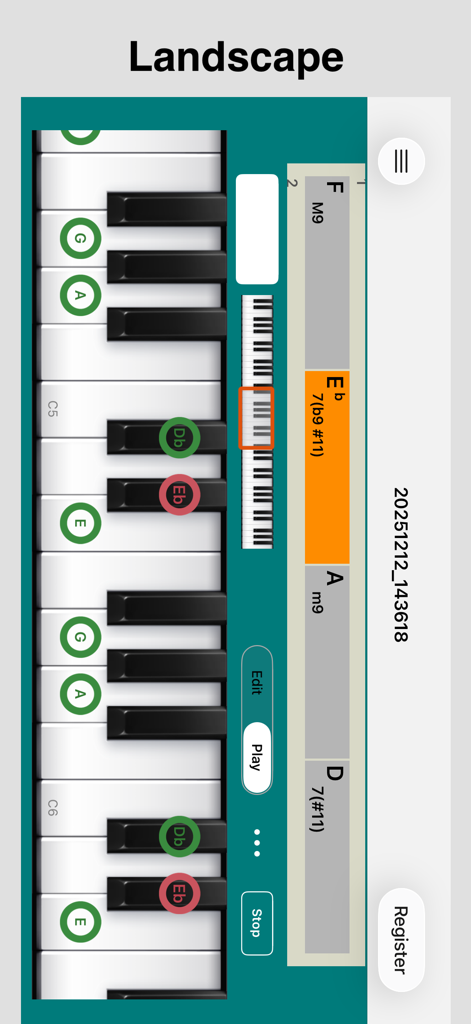
Piano Chords Master app showing a jazz chord progression and highlighted keys in landscape mode.

Piano Chords Master app showing a jazz chord progression and highlighted keys in landscape mode.

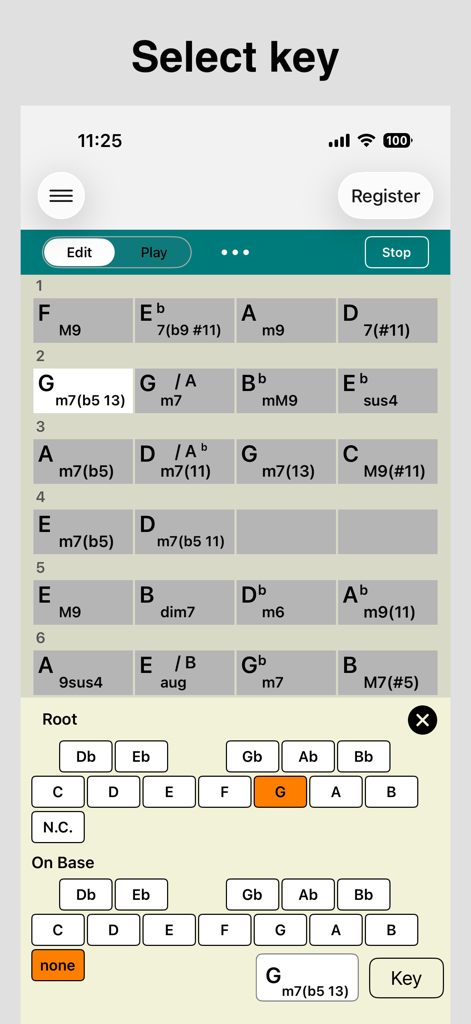
A screenshot of Piano Chords Master app showing a grid of complex music chords and a root note selection menu.

A screenshot of Piano Chords Master app showing a grid of complex music chords and a root note selection menu.

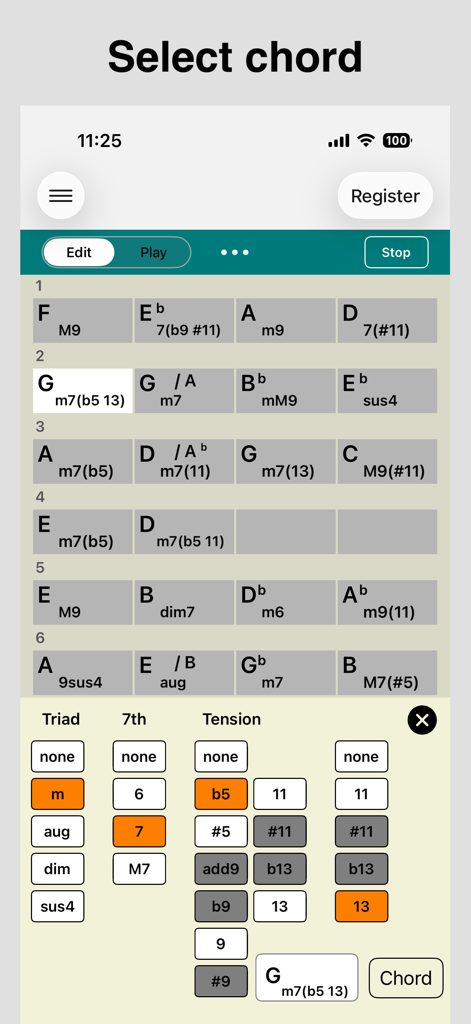
Piano Chords Master app screen showing chord progression grid and advanced chord editor

Piano Chords Master app screen showing chord progression grid and advanced chord editor

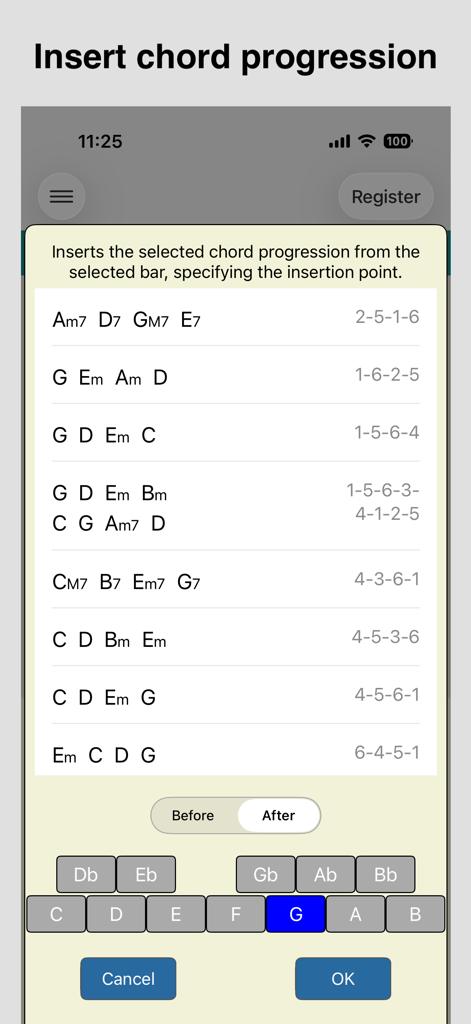
Selection screen for common piano chord progressions in the Piano Chords Master app

Selection screen for common piano chord progressions in the Piano Chords Master app

Elevate Your Piano Practice

The tools that make this app stand out, trusted by 25K+ users.

🎹

Visual Chord Mastery

Instantly see the exact notes for any chord—from basic triads to complex jazz tensions—displayed clearly on a virtual 6-octave keyboard.

🎼

Smart Song Composition

Build full tracks bar-by-bar using common chord progression templates. Perfect for sketching out your next R&B, Pop, or Jazz hit.

🔌

Pro MIDI Connectivity

Connect your digital piano via Bluetooth or Core MIDI to identify chords as you play them or send MIDI data directly to your DAW.

About the app

Everything you need to know about Piano Chords Master.

Description

This app supports chord piano playing. You can set the chord for each bar and check the chord tone and chord sounds on the keyboard. You can also play a song (all bars). We hope this app will help you practice songs that are composed of chords, such as pop music and jazz. ================================ Ver.3 New features: - Applying the concepts of "Bar" and "Song" (all bars). - "Bar" can contain a single chord or silence (N.C.). - "Song" can have any number of bars (previous version: 16). - Supports both portrait and landscape orientations. *If you would like to use the specifications of the previous version, please use 'Piano Chords Master [Classic]'. ================================ Main Features: - Set a chord per bar (including silence (N.C.)) - Display the chord tone of the selected chord (root, triad, 7th, tension, on-base) on the keyboard - Confirm the sound of the selected chord - Identify the chord when you press a key and display the chord name - Playback of song (all bars) (specifies BPM) - Save/load song (all bars) Convenient Features: - A variety of chord input methods > Set from the key/chord selection view > Set from the on-screen keyboard > Set from a MIDI-compatible keyboard (Core MIDI compatible) - Convenient chord registration method > Simply select a common chord progression (e.g., 1-6-2-5) and add it to a bar. > Select from presets (e.g., blues, jazz standards) and register them as templates for new songs. - Edit chords > Transposition (change the key of the entire bar) - Keyboard UI > 6-octave keyboard (C2 - C7) > Adjustable keyboard width - MIDI features > Supports MIDI message (note on/off) transmission > Supports Bluetooth MIDI connection * To enter and display all chord patterns, including tensions (b9, #9, 11, #11, b13, 13), In-app purchase is required. * There are 28 sounds in total (9 are available by default). To use them all, In-app purchase is required.) Chord type: M, 7, 7(b5), 7(#5), 6, 6 9, 9, add9, M7, M9, M7(b5), M7(#5), m, m6, m6 9, m(#5), m add9, m7, mM7, m7(b5), m7(#5), m9, mM9, aug, dim, dim7, sus4, 7sus4, 9sus4, M7sus4, M9sus4 (To use below, you need In-App Purchase.) 7(b9), 7(#9), 7(#11), 7(b13), 7(13), 7(b9 #11), 7(b9 b13), 7(b9 13), 9(#11), 9(b13), 9(13), 7(#9 #11), 7(#9 b13), 7(#9 13), M7(#11), M9(#11), M7(13), M9(13), m7(11), m7(13), m9(11), m7(b5 11), m7(b5 13) We'll update this app to help you in the future.

Latest Version

3.1.1

Size

10.5 MB

First Released

Jan 13, 2016

Master Every Chord, from Pop Hits to Jazz Standards.

Join over 25,000 musicians using the ultimate MIDI-compatible sidekick to simplify complex theory and elevate your piano sessions today.

Download on App Store

App information, icons, screenshots, and descriptions displayed on this page are sourced from the Apple App Store and are the property of their respective developers. Download estimates and rankings are based on MWM's proprietary models and may not reflect actual figures. This page is provided for informational and analytical purposes only.

Believe this page infringes your intellectual property? File a dispute