Piano Partner 2

Piano Partner 2

Download on App Store
Logo of Piano Partner 2

Piano Partner 2: The Ultimate Interactive Companion for Your Roland Piano

Transform your musical journey with smart accompaniment, digital sheet music, and personalized progress tracking right from your mobile device.

Publisher

Roland Corporation

Category

Music

Downloads

339K+

User Rating

2.2/5

Total Ratings

1K+

Locales

1

A Visual Tour

Discover the interface used by 339K+ users.
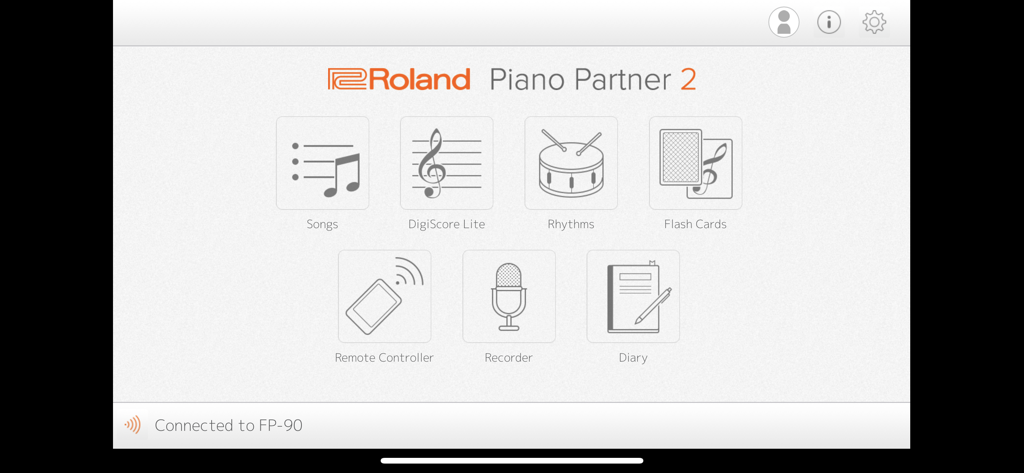
The main menu of the Roland Piano Partner 2 app showing icons for Songs, DigiScore Lite, Rhythms, Flash Cards, Remote Controller, Recorder, and Diary.

The main menu of the Roland Piano Partner 2 app showing icons for Songs, DigiScore Lite, Rhythms, Flash Cards, Remote Controller, Recorder, and Diary.

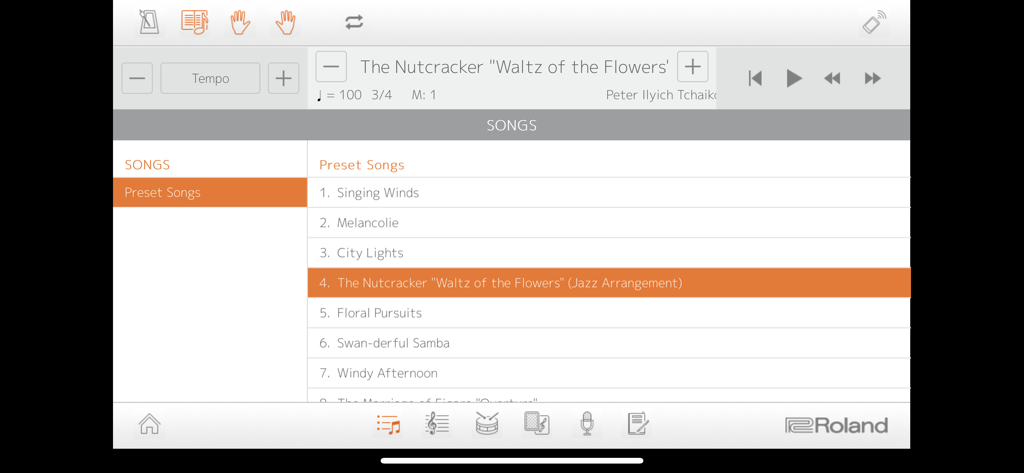
Interface of the Piano Partner 2 app displaying a library of preset songs for Roland digital pianos.

Interface of the Piano Partner 2 app displaying a library of preset songs for Roland digital pianos.

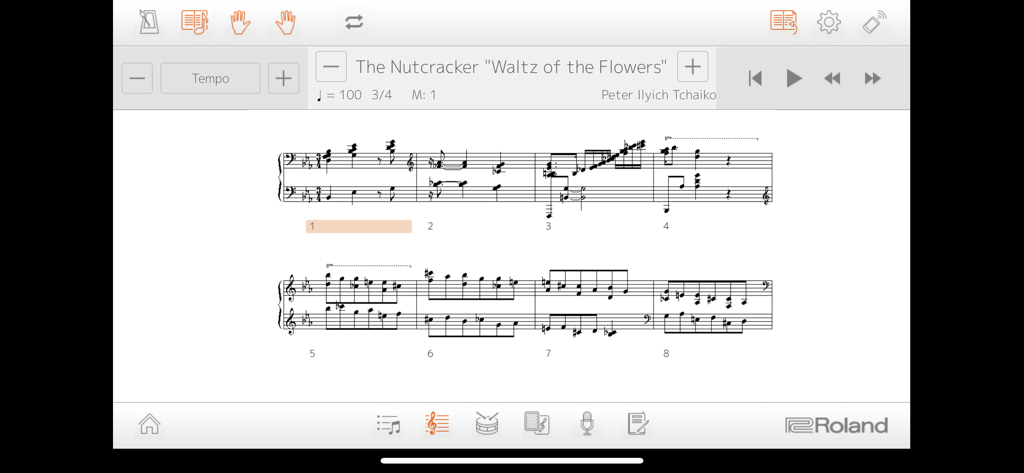
Digital sheet music for The Nutcracker Waltz of the Flowers in the Piano Partner 2 app interface

Digital sheet music for The Nutcracker Waltz of the Flowers in the Piano Partner 2 app interface

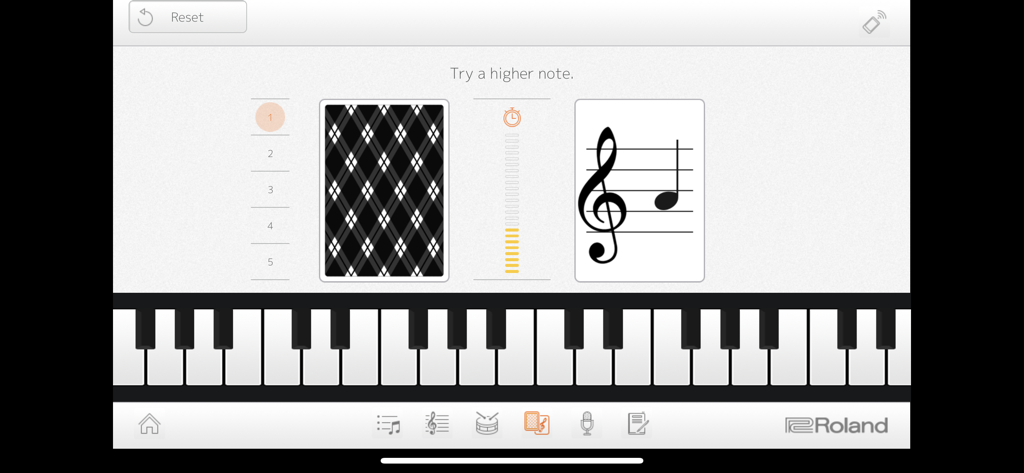
Flash card game in the Piano Partner 2 app for note reading practice

Flash card game in the Piano Partner 2 app for note reading practice

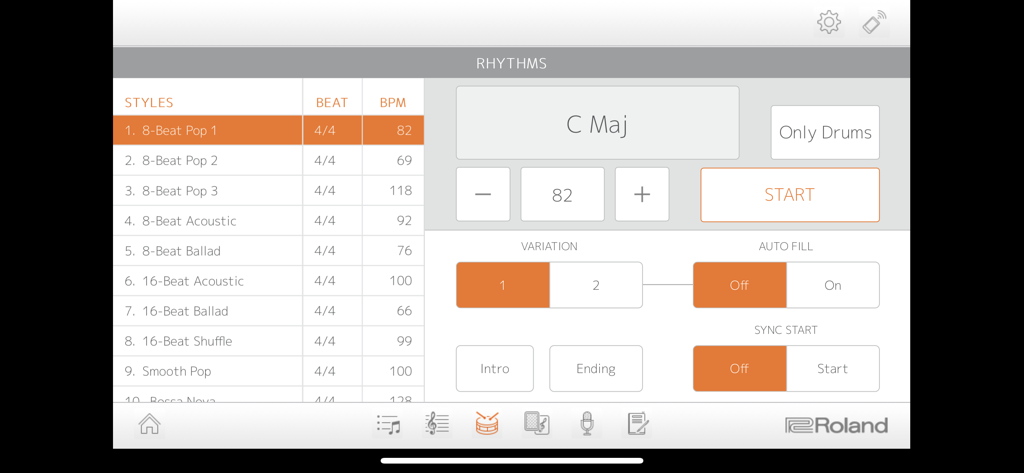
The Rhythms screen of the Piano Partner 2 app showing various music styles like 8-Beat Pop and settings for chord accompaniment and BPM.

The Rhythms screen of the Piano Partner 2 app showing various music styles like 8-Beat Pop and settings for chord accompaniment and BPM.

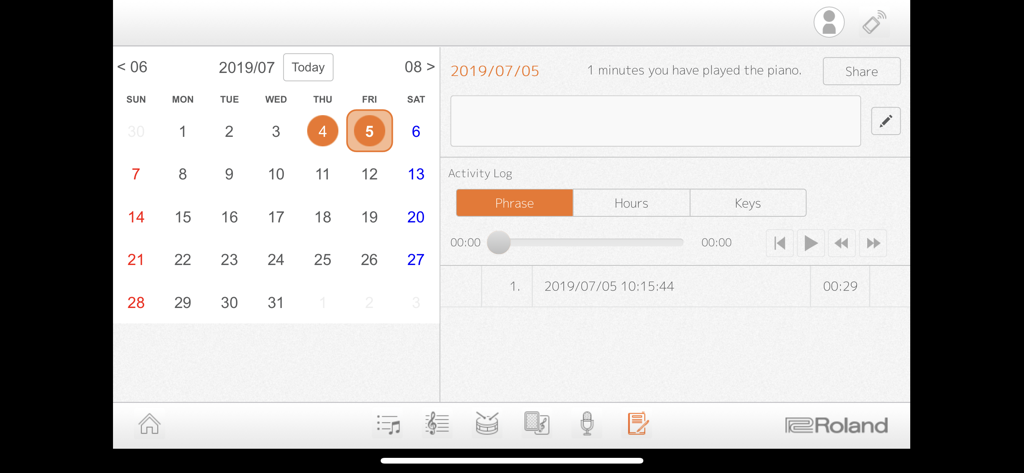
A calendar and activity log in the Piano Partner 2 app showing daily practice time and recordings.

A calendar and activity log in the Piano Partner 2 app showing daily practice time and recordings.

Master the Piano with Interactive Innovation

The tools that make this app stand out, trusted by 339K+ users.

🎹

Interactive Learning Games

Turn practice into play with Flash Cards and DigiScore Lite, helping students and hobbyists master note-reading and ear training through gamified challenges.

📱

Seamless Remote Control

Ditch the cryptic hardware buttons. Control your piano’s tones, rhythms, and settings through a beautiful, intuitive interface on your iPad or iPhone.

📈

Personalized Practice Diary

Track your progress with automated logs of playing time and performance recordings, making it easy to share achievements with teachers or family.

About the app

Everything you need to know about Piano Partner 2.

Description

Compatible Pianos: GP609、GP607、LX-17、LX-7、HP605、HP603A/HP603、HP601、RP501R、RP102、KIYOLA KF-10、DP603、F-140R、FP-90、FP-60、FP-30、FP-10、GO:PIANO(GO-61P)*、GP:PIANO88(GO-88P)、GO:PIANO with Alexa Built-in(GO-61P-A)*、 *Incompatible with iPad Pro 9.7 inch. Make sure your Roland digital piano is updated with the most current system program. The latest system program and setup instructions can be found at the support pages at www.roland.com. Introduction: The Piano Partner 2 app provides a friendly, interactive way to help you learn and enjoy music with your Roland digital piano. Songs and DigiScore Lite show the piano’s internal music collection on your device’s display, while Rhythm and Flash Card allow you to build skills with intelligent accompaniment and engaging music exercises. Piano Partner 2 also enables your iPad/iPhone to work as a remote controller for your Roland piano, offering an intuitive graphic interface for even easier operation. Recorder and Diary functions help you progress more quickly, allowing you to evaluate performances and keep track of your daily practice activities. The Diary logs stats about playing time, which keys you played, and more, and it’s even possible to share them with your family, friends, and teachers directly from the app. To use Piano Partner 2, connect your device and a compatible Roland piano wirelessly via Bluetooth®, or wired with a USB cable. -Songs—browse and select music from your Roland digital piano’s onboard song library -DigiScore Lite—display music notation for the onboard songs -Rhythm—develop your sense of rhythm with accompaniment that follows the chords you play -Flash Card game—fun challenges to develop ear-training and note-reading skills -Remote Controller—control Roland digital piano functions from your mobile device -Recorder—capture daily performances and listen back instantly -Diary—track your daily activities and share progress statistics on social media such as Twitter -Profiles—multiple users can track individual Diary data on one device Notes: - A connection with the compatible model is required to use this application except for the part of Flash Card. - The compatible model and an iPad or iPhone need Bluetooth connection or a wired connection by a USB cable. - When connecting an iPad or iPhone to the piano via a USB cable, a USB cable and Apple’s iPad Camera connection Kit or Lightning-USB Camera Adapter are required. - When using Piano Partner 2 with a compatible piano for the first time, an Internet connection for the tablet is required. - Songs and DigiScore Lite corresponds to only a built-in song of the piano. Log Retention Policies The Piano Partner 2 app collects information when it is used, including the device type and how the app is used (the functions used, date and time of use, etc.). We will never use this data for the purpose of collecting any personal information or identifying a specific person. We use the collected data for the following purposes only: • To improve the functionality of Piano Partner 2 and future related apps. • To create statistical analysis about how the app is used. When you download and use the Piano Partner 2 app, it is accepted that you agree with the above policies. If you do not accept these policies, we recommend that you do not use the app.

Latest Version

2.0.16

Size

25.2 MB

First Released

May 27, 2016

Ready to Master Your Roland Piano?

Join over 339,000 musicians and parents who have transformed their daily practice. Download Piano Partner 2 now to track your progress, gamify your learning, and unlock your instrument's full potential.

Download on App Store
FAQ

Frequently Asked Questions

Everything you need to know about Piano Partner 2

What is the Piano Partner 2 app?

Piano Partner 2 is a mobile application that helps users learn and enjoy music with their Roland digital piano. It offers features like song browsing, music notation display, rhythm exercises, and performance tracking.

Which Roland digital pianos are compatible with Piano Partner 2?

Piano Partner 2 is compatible with many Roland digital pianos including GP609, GP607, LX-17, HP605, RP501R, F-140R, FP-90, and others listed in the app description. Piano firmware must be up to date.

How do I connect my Roland piano to the Piano Partner 2 app?

You can connect your Roland digital piano to the Piano Partner 2 app either wirelessly via Bluetooth or with a wired connection using a USB cable. An Apple Camera Connection Kit is needed for USB.

Can I view music notation for songs in Piano Partner 2?

Yes, the Piano Partner 2 app features DigiScore Lite, which displays music notation for the Roland digital piano’s onboard song library directly on your mobile device.

Does Piano Partner 2 help with rhythm training?

Yes, the Piano Partner 2 app includes a Rhythm function. This feature provides intelligent accompaniment that follows the chords you play, helping you develop your sense of rhythm.

What is the Flash Card game in Piano Partner 2?

The Flash Card game in Piano Partner 2 offers fun challenges designed to help users develop their ear-training and note-reading skills. It can be used without connecting to a piano.

Can Piano Partner 2 record my piano performances?

Yes, Piano Partner 2 features a Recorder function. It allows you to capture your daily performances and listen back instantly, aiding in your progress evaluation.

How does the Diary function work in Piano Partner 2?

The Diary function in Piano Partner 2 tracks your daily practice activities. It logs statistics such as playing time and keys played, and you can share this progress data from within the app.

Does Piano Partner 2 collect personal user data?

No, Piano Partner 2 does not collect personal information or identify specific persons. It collects anonymized data like device type and app usage solely to improve functionality and for statistical analysis.

Is an internet connection required for Piano Partner 2?

An internet connection is required only when using Piano Partner 2 with a compatible piano for the very first time. Subsequent use does not necessitate an internet connection.

App information, icons, screenshots, and descriptions displayed on this page are sourced from the Apple App Store and are the property of their respective developers. Download estimates and rankings are based on MWM's proprietary models and may not reflect actual figures. This page is provided for informational and analytical purposes only.

Believe this page infringes your intellectual property? File a dispute