Pigments - Color Palettes

Pigments - Color Palettes


Download on App Store
Logo of Pigments - Color Palettes

Pigments: The Ultimate Color Palette Generator and Design Tool

Harness AI-powered generation, check WCAG accessibility, and export perfect color schemes. Built for UI/UX designers, digital artists, and professionals who value visual harmony and technical precision.

Download on App Store

Publisher

SORIN COVOR

Category

Graphics & Design

Downloads

31K+

User Rating

5.0/5

Total Ratings

0

Locales

1

Your Palette, Perfected

Discover the interface used by 31K+ users.
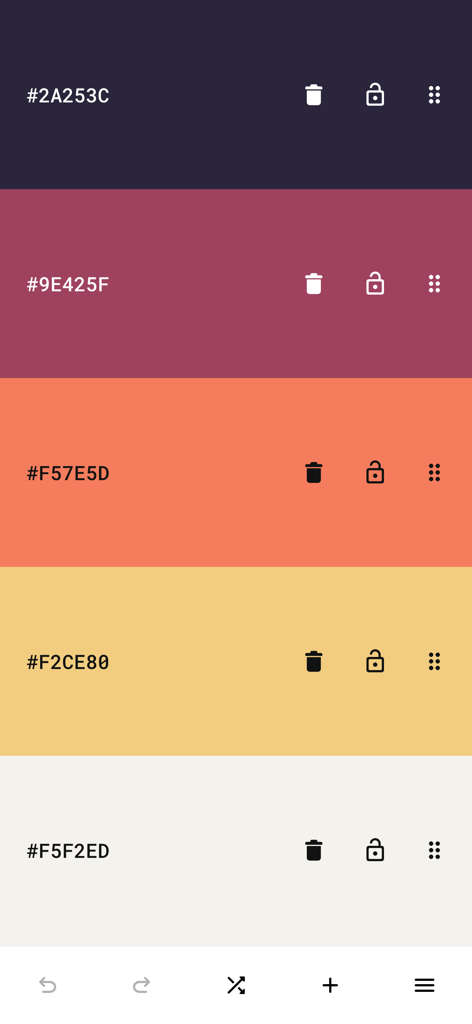
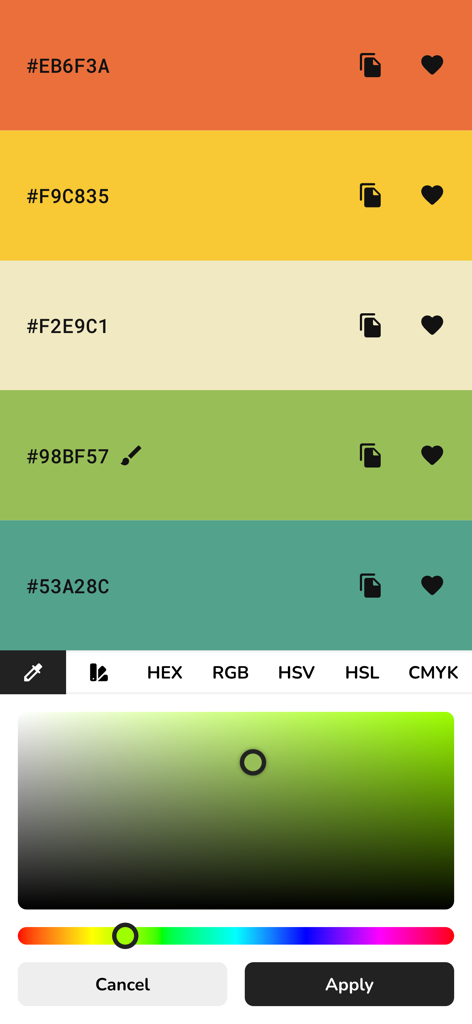
Mobile screen showing a five-color palette with HEX codes in the Pigments app.

Mobile screen showing a five-color palette with HEX codes in the Pigments app.

A mobile interface for the Pigments app showing a five-color palette with HEX codes and a professional color picker tool for adjusting shades.

A mobile interface for the Pigments app showing a five-color palette with HEX codes and a professional color picker tool for adjusting shades.

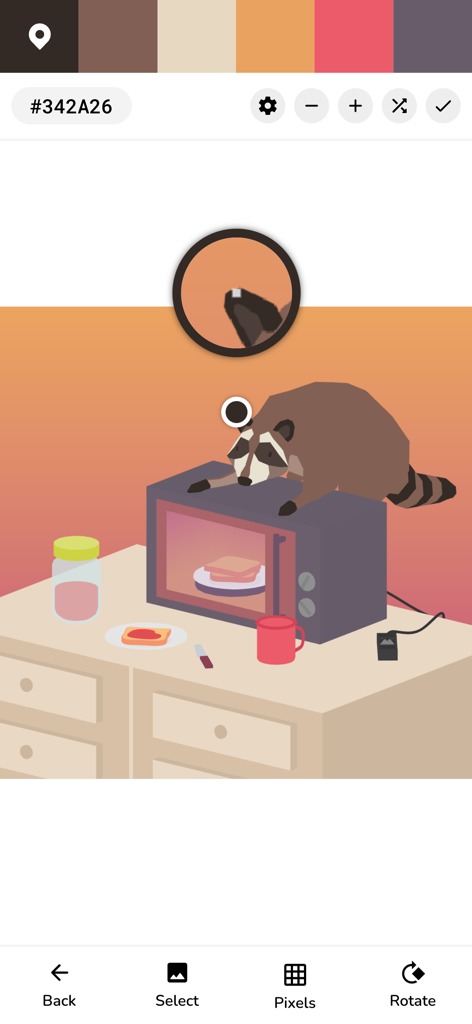
Interface of the Pigments app showing the image color picker tool extracting a color palette from a digital illustration

Interface of the Pigments app showing the image color picker tool extracting a color palette from a digital illustration

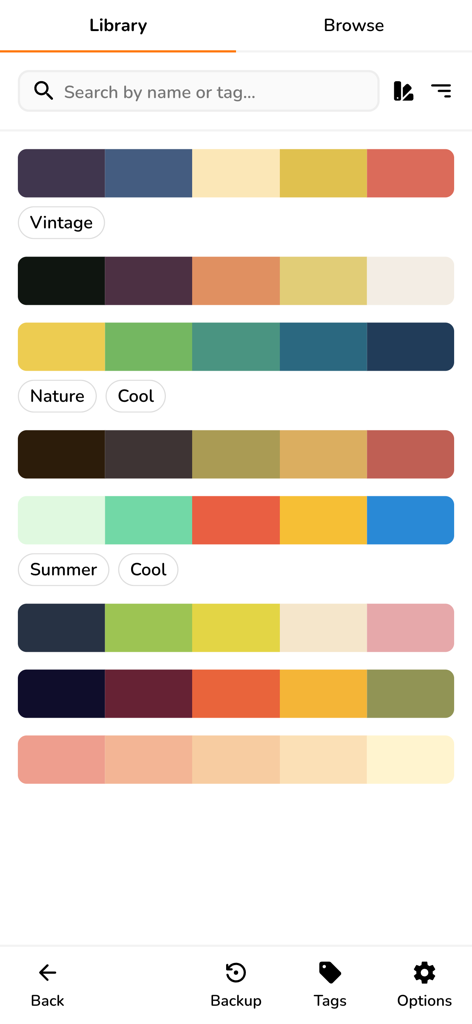
A library of saved color palettes in the Pigments app with descriptive tags like Vintage and Nature.

A library of saved color palettes in the Pigments app with descriptive tags like Vintage and Nature.

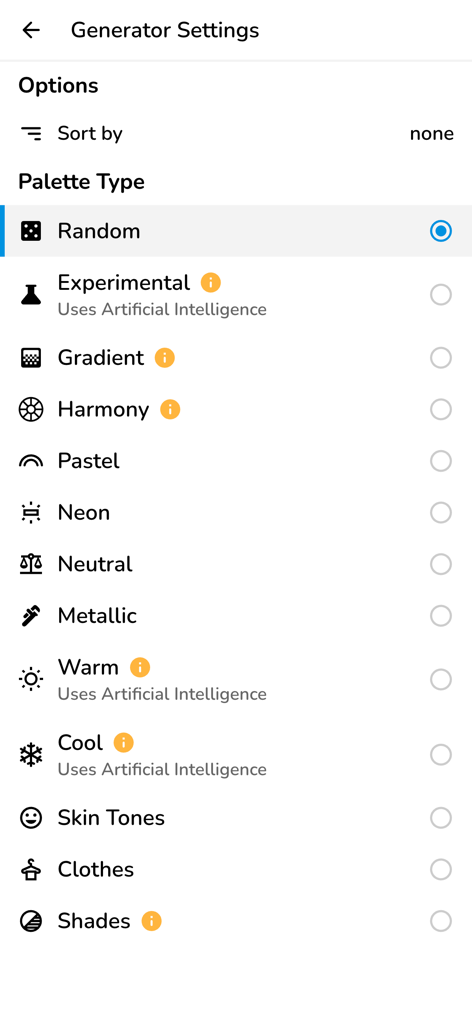
Generator settings screen in the Pigments app showing color palette options including AI, gradient, harmony, and neon modes

Generator settings screen in the Pigments app showing color palette options including AI, gradient, harmony, and neon modes

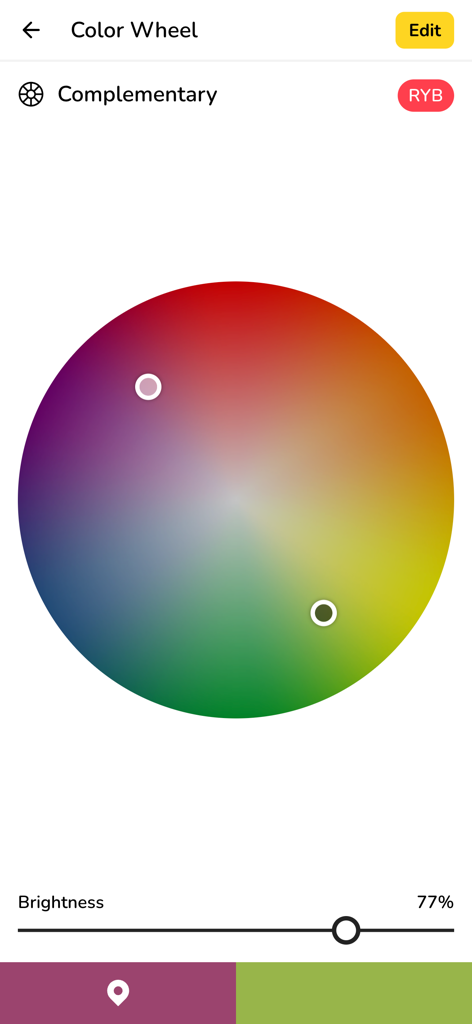
Pigments app color wheel showing complementary color harmony

Pigments app color wheel showing complementary color harmony

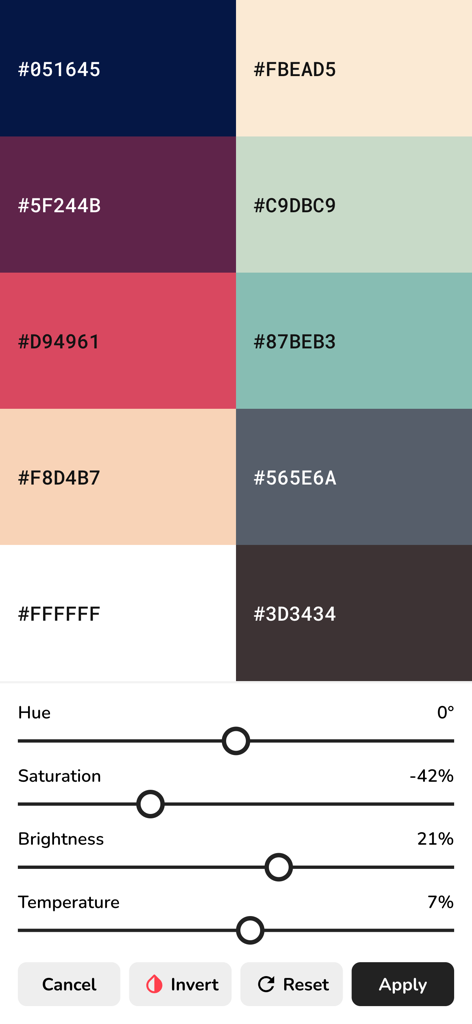
Interface of Pigments app showing a color palette grid with HEX codes and adjustment sliders for hue, saturation, brightness, and temperature.

Interface of Pigments app showing a color palette grid with HEX codes and adjustment sliders for hue, saturation, brightness, and temperature.

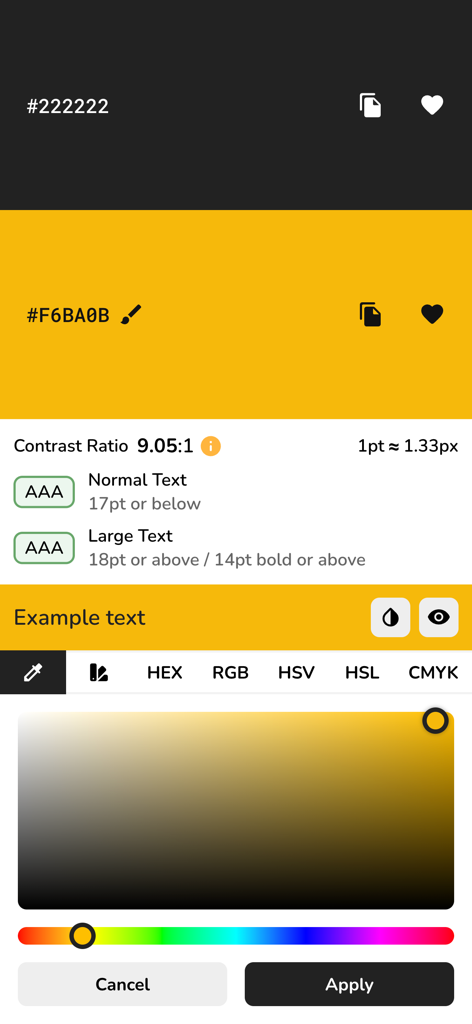
Interface of the Pigments app showing a WCAG color contrast checker and a color picker for accessible design.

Interface of the Pigments app showing a WCAG color contrast checker and a color picker for accessible design.

Elevate Your Creative Workflow

The tools that make this app stand out, trusted by 31K+ users.

🪄

Smart AI Generation

Generate perfect harmonies instantly. Choose from AI-driven modes, gradients, or palettes tailored to your specific project aesthetic.

👁️

Professional Accessibility

Design with confidence using WCAG contrast scoring and color vision deficiency simulations to ensure your digital work is inclusive for all.

📸

Image Color Extraction

Turn any photograph into a curated palette. Use the auto-pick feature to pull real-world inspiration directly into your design tool of choice.

About the app

Everything you need to know about Pigments - Color Palettes.

Description

Pigments is the all-around tool when it comes to creating and editing color palettes. Key Features: Smart Color Generation: - Create color schemes instantly with a single tap. - Choose from a variety of generator modes: random, gradient, pastel, neutral, metallic, AI-powered (artificial intelligence) generator modes, and more. - Great for artistic inspiration and fast creative workflows. Adjustable and Customizable: - Modify individual colors using the color picker mode of your choice (visual, HEX, RGB, HSV, HSL, or CMYK). - Adjust the hue, saturation, brightness or temperature of the entire color palette. - Add up to 30 colors to a palette. - Rearrange colors in any order. - Prevent specific colors from changing when generating a new color scheme. - Undo or redo changes made to the color palette. Design Tools: - Color wheel - Interactive RGB and RYB color wheels for generating color harmonies (monochromatic, analogous, complementary, compound, triadic, and more). - Contrast checker - Check the WCAG contrast score between two colors. - Simulate color vision deficiencies - Validate the accessibility of a color palette by simulating color blindness (protanopia, deuteranopia, tritanopia, etc.). - Isolation mode - Add spacing around the colors for better contrast. - Blend mode - Mix two colors together. - Image color picker - Create color palettes from images by manually selecting the colors or by using the auto-pick feature. Additional Features: - Browse an inspiring online library of curated color palettes. - Enable the minimal UI mode for a distraction-free interface. - Choose between a light and a dark color theme. Save, Export and Share: - Save color palettes locally and organize them with tags. - Export palettes in multiple formats compatible with design tools. - Share palettes via link for collaboration or showcasing your work. Perfect for: - Web developers & UI/UX designers - Digital artists & illustrators - Brand designers & marketers - Students & design educators - Anyone working with colors.

Latest Version

1.42

Size

12.2 MB

First Released

Jan 5, 2023

Master Your Color Workflow Today

Join over 31,000 designers and developers using AI-powered tools to create professional, accessible, and stunning color palettes in seconds.

Download on App Store

App information, icons, screenshots, and descriptions displayed on this page are sourced from the Apple App Store and are the property of their respective developers. Download estimates and rankings are based on MWM's proprietary models and may not reflect actual figures. This page is provided for informational and analytical purposes only.

Believe this page infringes your intellectual property? File a dispute