
Pixaki 4 Intro


Bring your indie game dreams and lo-fi visions to life with professional-grade tools designed for precision drawing, effortless animation, and seamless social sharing.
Publisher
Category
Graphics & DesignDownloads
214K+User Rating
Total Ratings
100Locales
1Discover the interface used by 214K+ users.
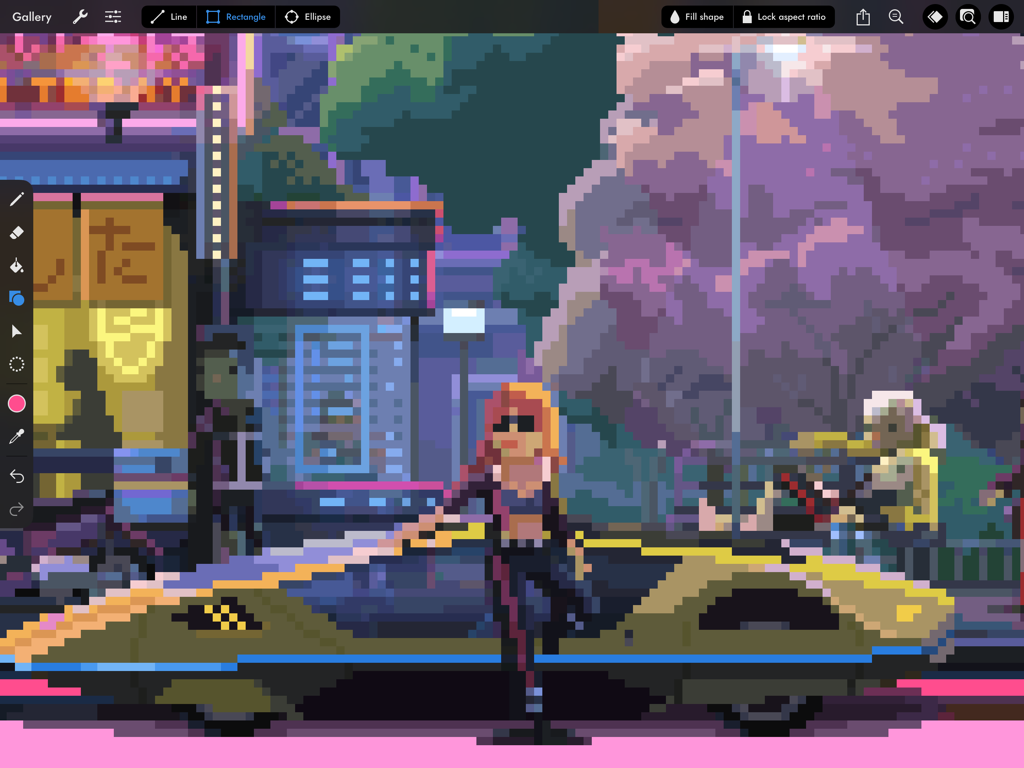
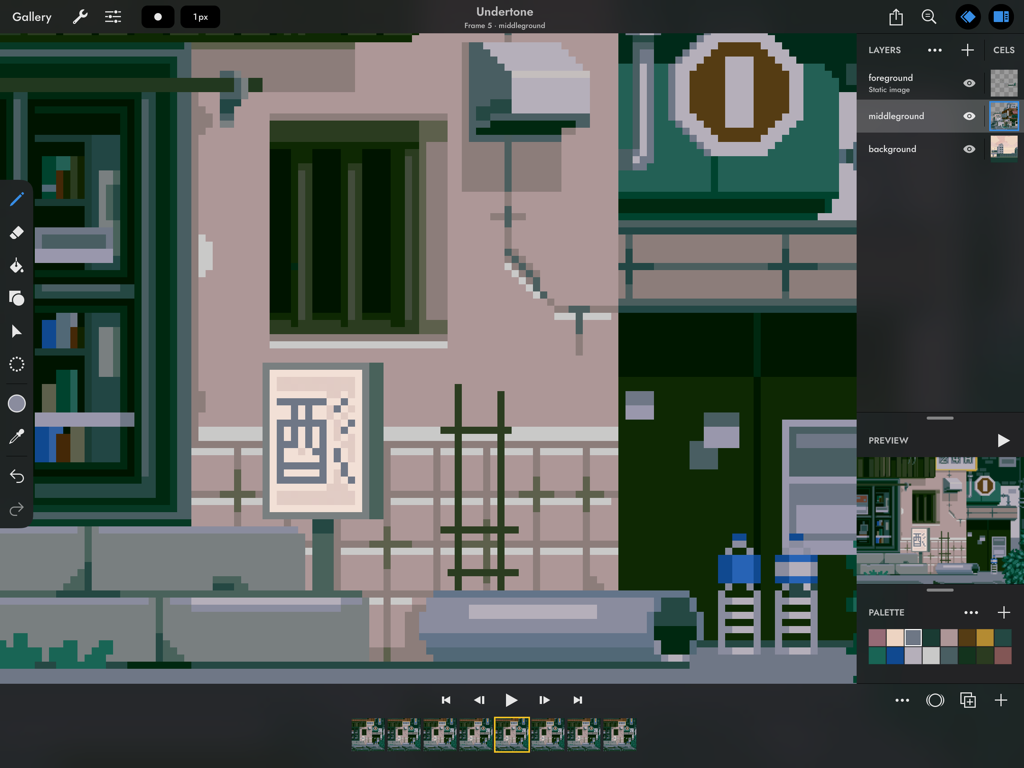

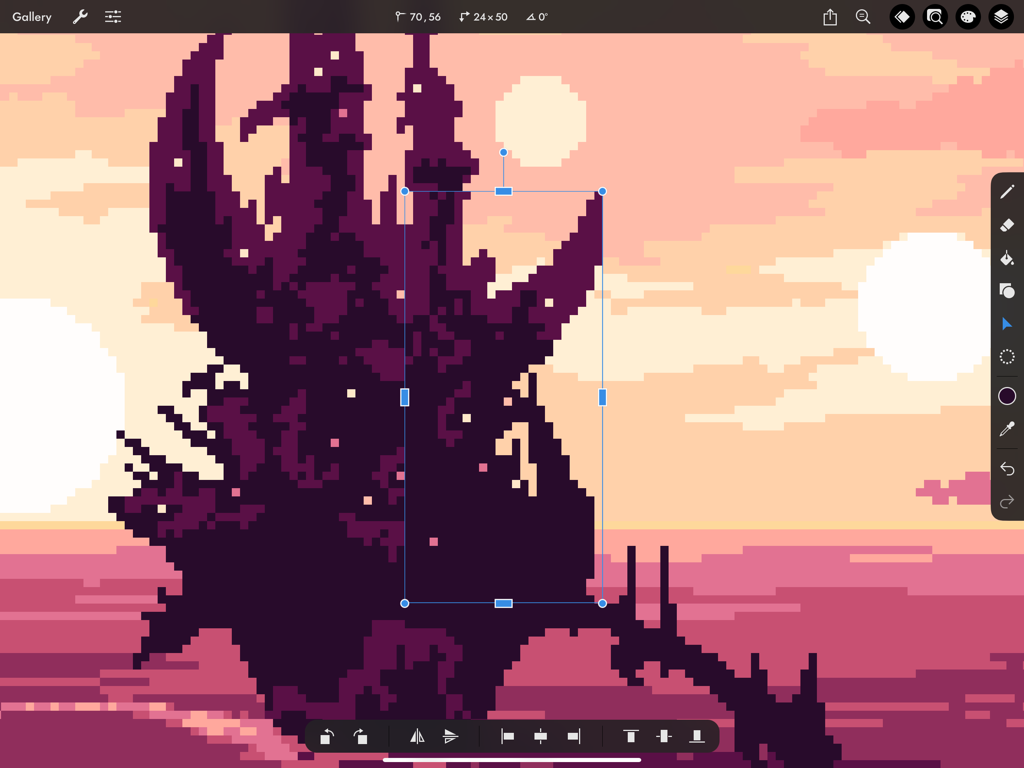
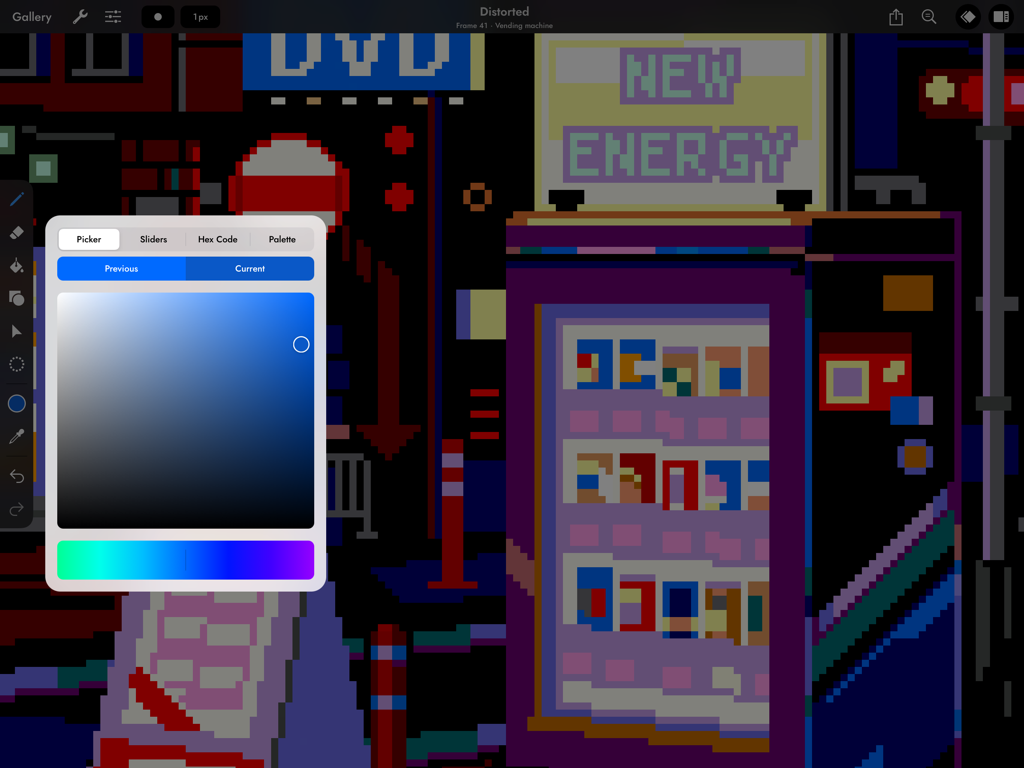
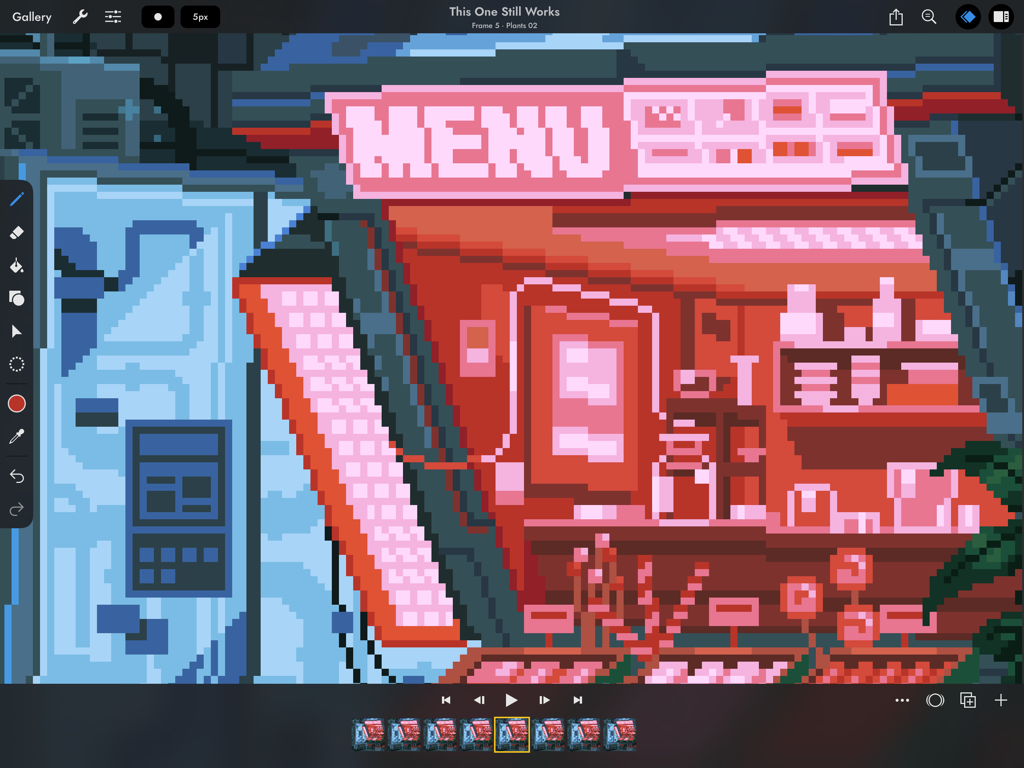
The tools that make this app stand out, trusted by 214K+ users.
Say goodbye to messy lines. Our smart drawing mode automatically cleans up double pixels, ensuring your line art is crisp and professional from the very first stroke.
Bring your characters to life with a scrubbable timeline and advanced onion skinning. Perfect for creating game-ready sprites, stickers, and lo-fi loops.
Export your work as configurable sprite sheets for game engines like Unity or high-resolution GIFs for social media. Seamlessly bridge the gap between art and development.
Everything you need to know about Pixaki 4 Intro.
Description
Latest Version
4.6
Size
28.3 MB
First Released
Mar 4, 2021
Join over 200,000 creators on iPad. Start animating, designing sprites, and mastering the retro aesthetic for free with Pixaki Intro.
Everything you need to know about Pixaki 4 Intro
Pixaki 4 Intro allows users to create pixel art sprites up to 160 × 160 px. It supports a maximum of 3 layers and 8 frames of animation, making it suitable for beginners.
Yes, Pixaki 4 Intro supports animation with up to 8 frames. It includes features such as a scrubbable timeline and advanced onion skin options for creating dynamic pixel art.
Pixaki 4 Intro provides pixel perfect painting, dither brushes, and tools for lines, rectangles, and ellipses. The line tool can also be locked to isometric angles for precise drawing.
Yes, Pixaki 4 Intro offers comprehensive color customization. It features four color selection modes including a square picker, HSB/RGB sliders, hex code input, and a project palette.
Pixaki 4 Intro features layers that are shared across the entire project, each possessing its own timeline. It supports static image layers, 18 blend modes, and allows layer renaming and reordering.
Pixaki 4 Intro exports single images or sequences as PNG, TIFF, or JPEG-2000. Animated images can be exported as GIF or APNG, and it also supports sprite sheet export with configurable columns.
Yes, Pixaki 4 Intro allows users to import various assets. It supports importing any static image or GIF to integrate into pixel art designs.
Pixaki 4 Intro provides robust transformation tools. Users can move, scale (uniformly or squash/stretch), rotate by any angle, and flip elements horizontally or vertically.
Top-ranked apps in the same category

LOHAS GAMES PTE. LTD.

Xiamen ShenZhuo Information Technology Co., Ltd.

BYTEDANCE PTE. LTD.

HUBX YAZILIM HIZMETLERI ANONIM SIRKETI

ibis inc.

Woohoo Tech. Ltd.

Sketchbook, Inc.

Guangzhou ZHIFENG Information Technology Co.,Ltd.

GM UniverseApps Limited
App information, icons, screenshots, and descriptions displayed on this page are sourced from the Apple App Store and are the property of their respective developers. Download estimates and rankings are based on MWM's proprietary models and may not reflect actual figures. This page is provided for informational and analytical purposes only.
Believe this page infringes your intellectual property? File a dispute