Planning Center Music Stand

Planning Center Music Stand


Download on App Store
Logo of Planning Center Music Stand

Planning Center Music Stand: The Ultimate Digital Binder for Worship Teams

Say goodbye to paper charts. Access your Planning Center Services repertoire, annotate music with your team, and sync page turns wirelessly for a seamless, distraction-free performance.

Publisher

Ministry Centered Technologies

Category

Business

Downloads

340K+

User Rating

3.5/5

Total Ratings

600

Locales

1

Excellence on Stage

Discover the interface used by 340K+ users.
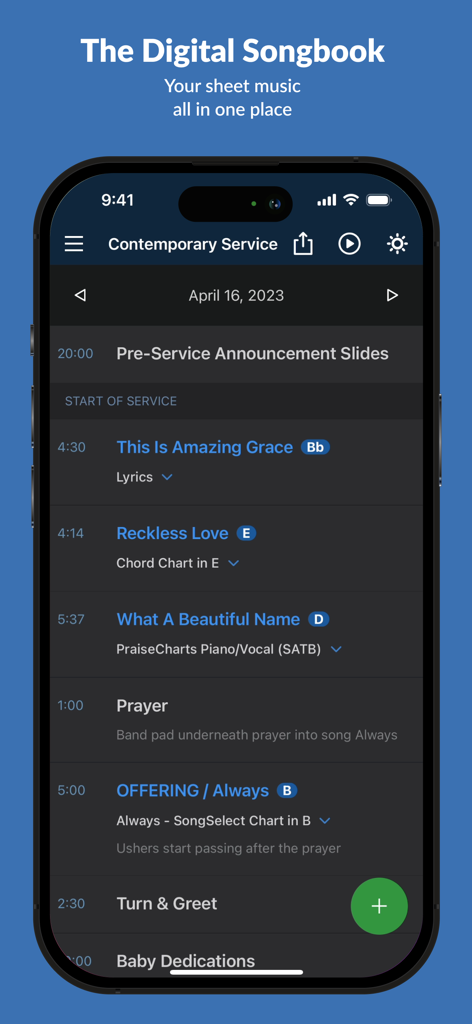
Planning Center Music Stand app displaying a digital worship service schedule with song titles and musical keys

Planning Center Music Stand app displaying a digital worship service schedule with song titles and musical keys

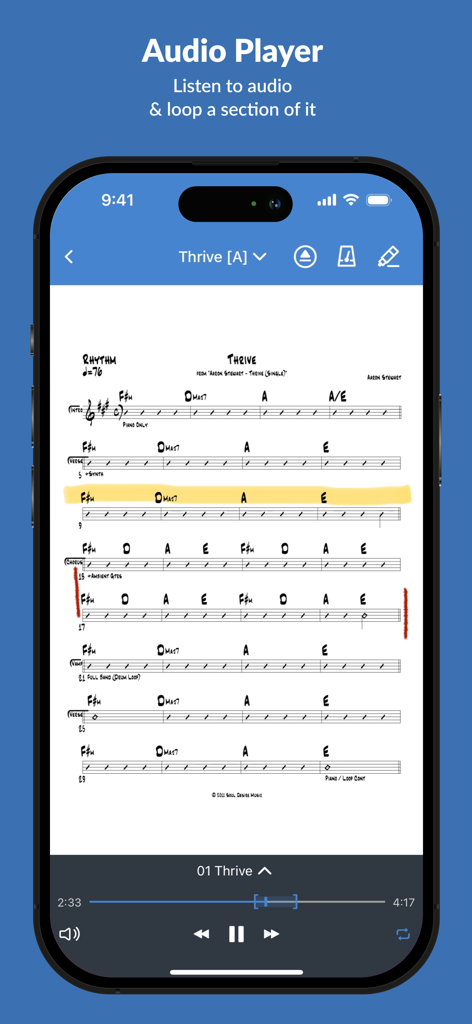
Planning Center Music Stand app interface showing a chord sheet for Thrive with an integrated audio player for rehearsing

Planning Center Music Stand app interface showing a chord sheet for Thrive with an integrated audio player for rehearsing

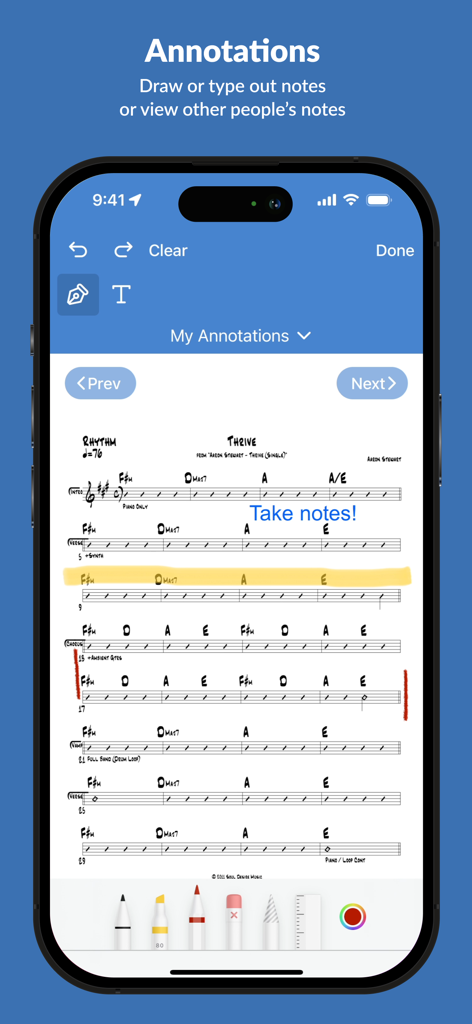
Planning Center Music Stand annotations feature showing digital notes on a sheet music chart

Planning Center Music Stand annotations feature showing digital notes on a sheet music chart

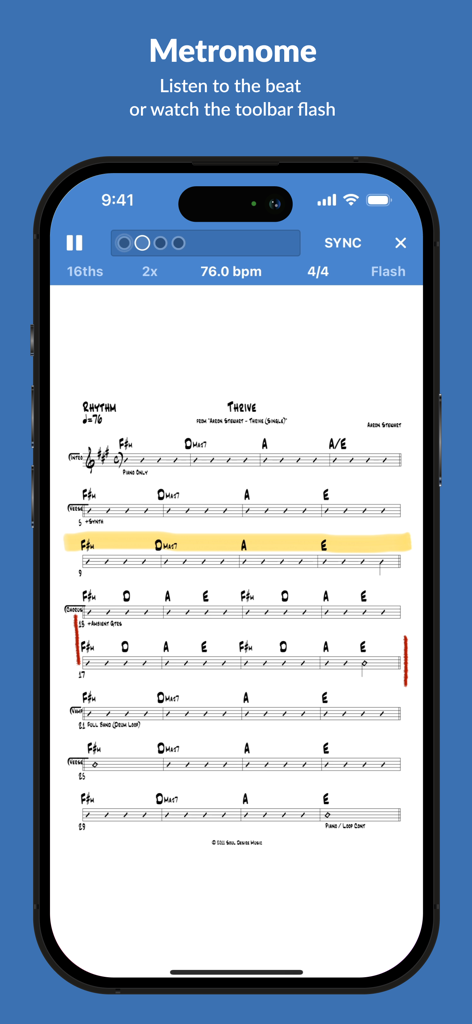
Integrated metronome and digital sheet music on Planning Center Music Stand app

Integrated metronome and digital sheet music on Planning Center Music Stand app

Everything You Need for a Flawless Sunday

The tools that make this app stand out, trusted by 340K+ users.

☁️

Instant Ecosystem Sync

Your setlists, charts, and keys are automatically pulled from Planning Center Services, ensuring you are always rehearsing with the right files without any manual uploads.

🦶

Hands-Free Performance

Stay in the moment by using Bluetooth foot pedals to flip pages effortlessly. Use 'Sessions' to wirelessly control every musician's screen from a single master device.

✏️

Smart Stage Tools

Mark up your charts with digital ink, use the integrated metronome to stay on beat, and toggle Dark Mode to keep your screen discreet under stage lights.

About the app

Everything you need to know about Planning Center Music Stand.

Description

Planning Center Music Stand is a digital music reader that connects to your Planning Center Services account to let you flip through pages and take notes. Features include: 1.) Log in to Planning Center, open any plan in your schedule, and choose which PDF to view for each song. 2.) Turn pages hands-free using a Bluetooth foot pedal, by swiping, tapping the edge of the page, or using a MIDI device. 3.) Use Annotation Tools (highlighter, pen, text) to take notes which are stored online for each user. See your notes from other files and keys. View other user's annotations, merge them with your own, or print your annotated PDFs. 4.) Listen to audio attached to each song and loop sections of the audio. 5.) The integrated metronome changes tempo as you advance to new songs. Listen to the beat or watch the toolbar flash. 6.) Rearrange the pages for any PDF to prevent awkward page turns. 7.) Pinch to Zoom the pages to your liking and save that setting for the future. 8.) Use online or offline. Offline mode stores the last 10 viewed plans. Notes taken offline sync when you reconnect. 9.) Sessions: Allow 1 device to wirelessly control the page turns of any connected devices. 10.) External display: Connect any TV or projector via an HDMI or VGA adapter, or via Airplay mirroring to an Apple TV. Displays two pages at a time. 11.) Use "dark mode" to keep your screen dim on stage. 12.) Editors can reorder items in the plan, add new songs to the plan, edit existing items, or delete them. NOTE: This application requires a Planning Center Services account with Music Stand enabled.

Latest Version

4.7.2

Size

90.3 MB

First Released

May 4, 2010

Ready to Ditch the Heavy Binders?

Join over 340,000 worship leaders and musicians. Sync your charts, annotate your arrangements, and lead your team with confidence—all within the Planning Center ecosystem you already trust.

Download on App Store

App information, icons, screenshots, and descriptions displayed on this page are sourced from the Apple App Store and are the property of their respective developers. Download estimates and rankings are based on MWM's proprietary models and may not reflect actual figures. This page is provided for informational and analytical purposes only.

Believe this page infringes your intellectual property? File a dispute