play:Sub: The Ultimate High-Fidelity Client for Your Personal Music Cloud
Take total control of your library with bit-perfect FLAC playback, gapless transitions, and seamless offline caching. Designed for audiophiles and self-hosters who demand ownership and uncompromising audio quality on every device.
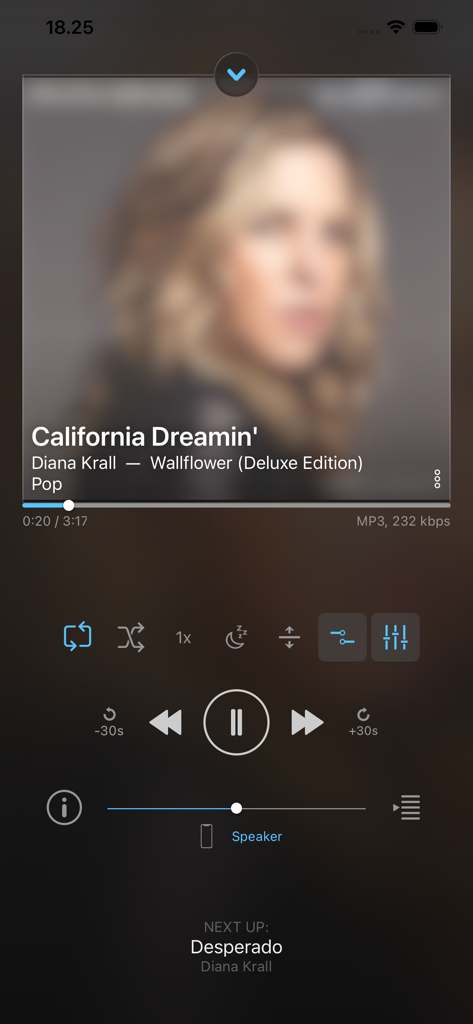
Now playing screen of the play:Sub Music Streamer app on an iPhone showing playback controls and song information
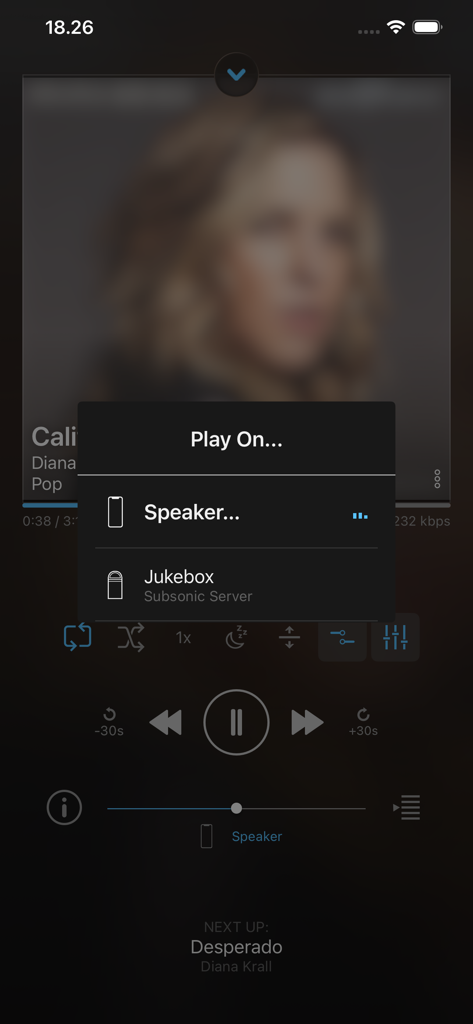
A menu in the play Sub app showing options to play music on a speaker or a jukebox server
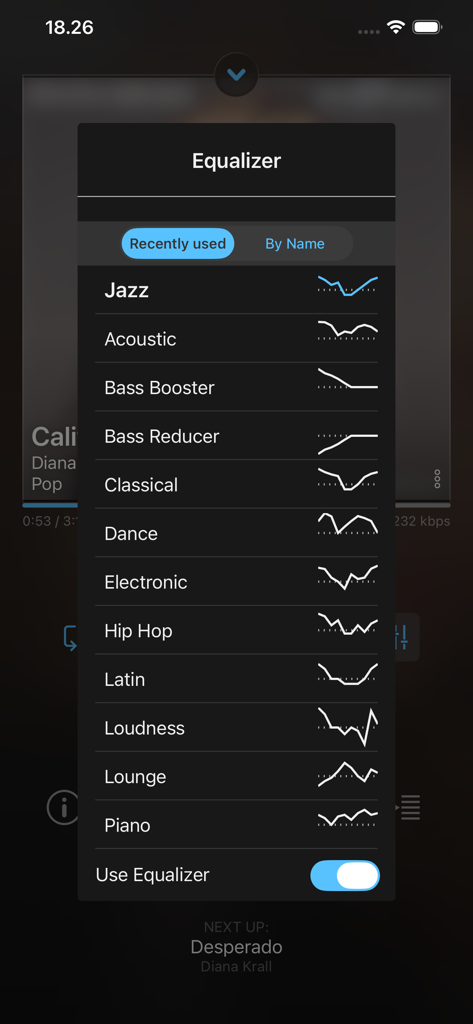
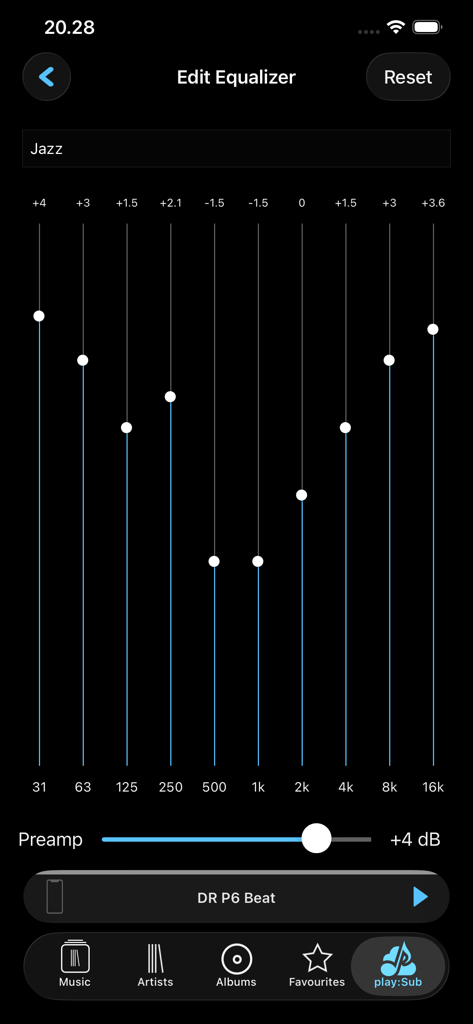
Equalizer settings menu in the playSub app showing various audio presets like Jazz and Acoustic
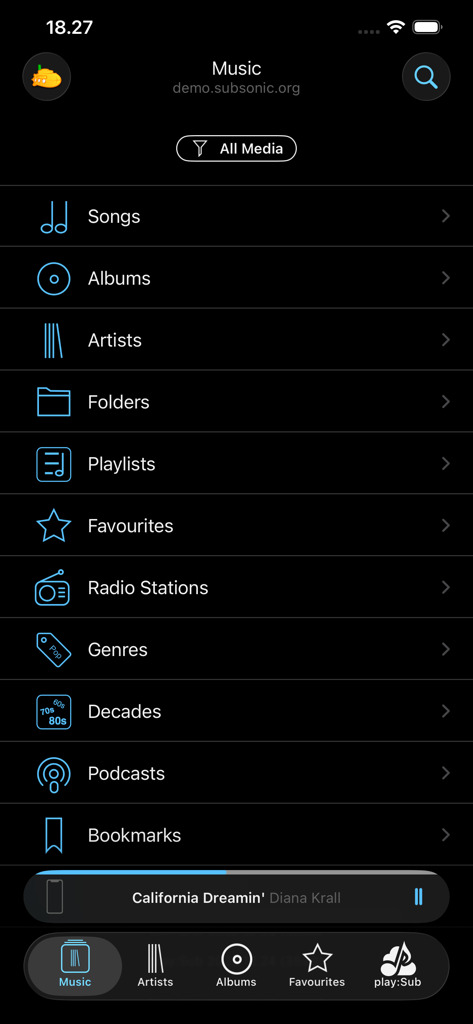
The main navigation menu of the play:Sub music streaming app showing categories like albums and artists
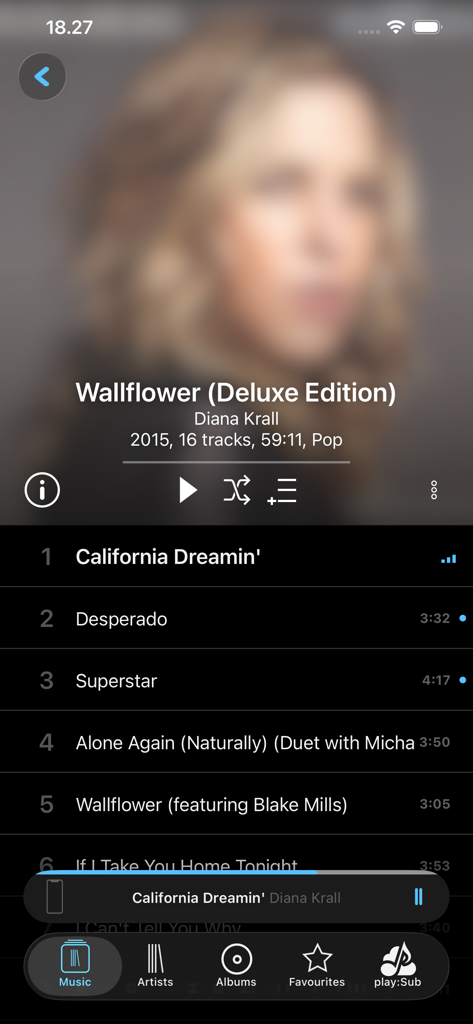
playsub music streamer app interface showing diana krall album tracklist and playback controls
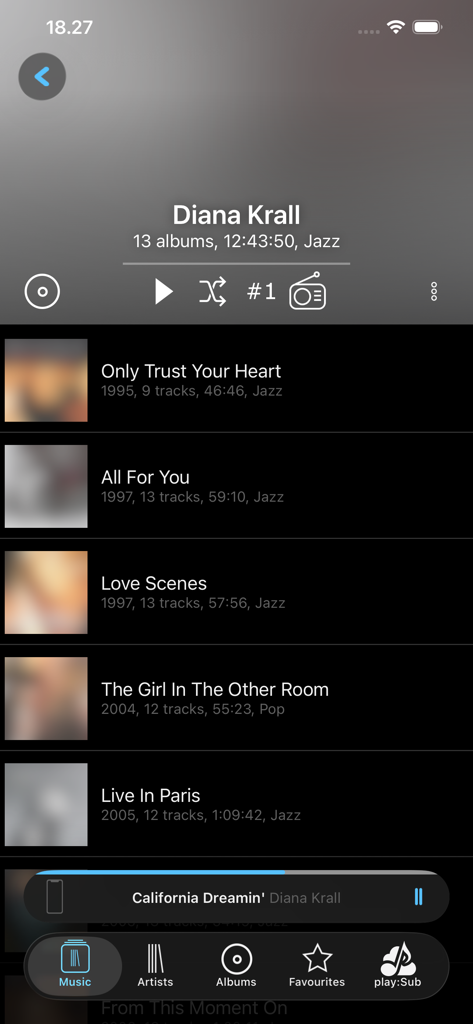
Artist album list view in the play Sub Music Streamer app interface showing discography and playback controls
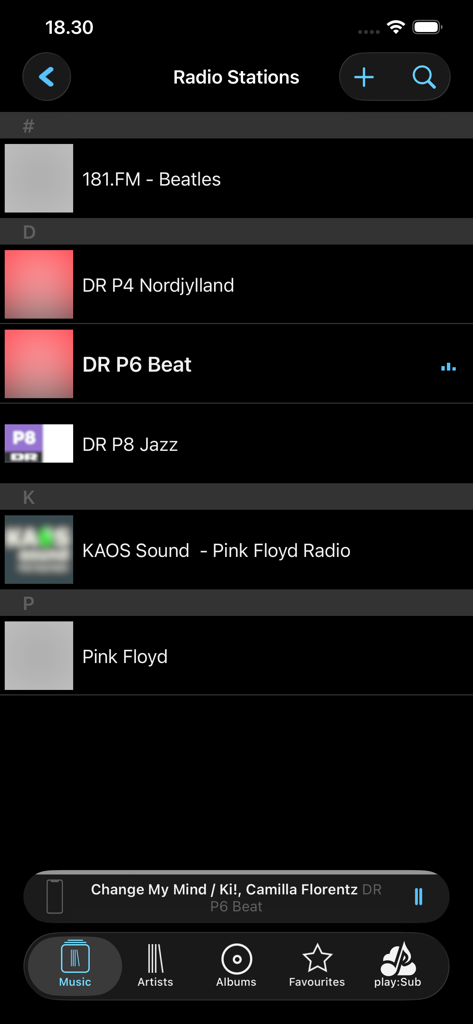
Interface showing a list of internet radio stations in the play:Sub Music Streamer app.
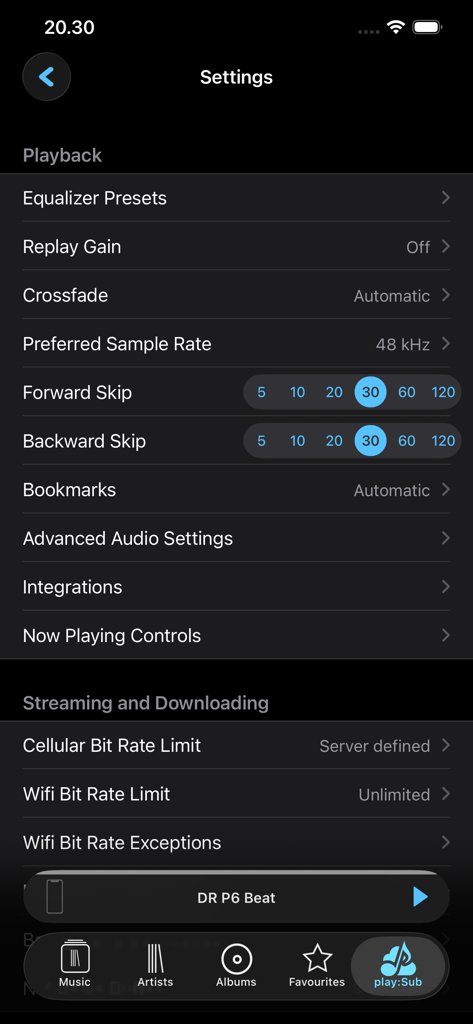
Settings interface of play:Sub Music Streamer showing playback options like sample rate and streaming bitrate limits.
play:Sub app interface showing a 10-band customizable equalizer with Jazz preset and preamp slider.
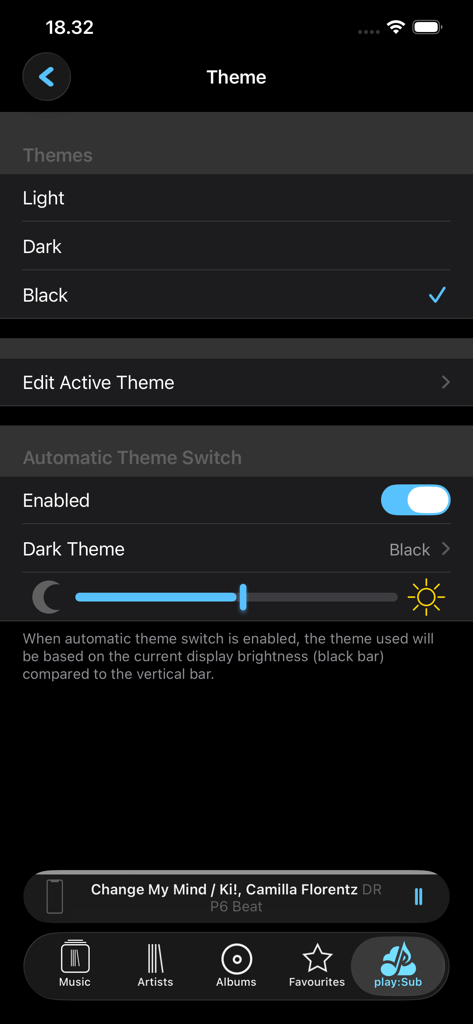
Theme settings screen in playSub Music Streamer showing options for light, dark, and black themes with automatic switching based on brightness
Master Your Personal Library
The tools that make this app stand out, trusted by 158K+ users.
🔊
Bit-Perfect Audiophile Sound
Stream lossless FLAC, ALAC, and Hi-Res audio up to 24-bit/192kHz. Enjoy your collection exactly as recorded with gapless playback and a custom 10-band equalizer.
📡
Universal Server Integration
The ultimate client for Subsonic, Navidrome, AirSonic, and more. Connect to multiple servers effortlessly and maintain total ownership of your data without the cloud fees.
💾
Intelligent Offline Caching
Eliminate dead zones with automatic and manual caching. Keep your favorite artists and playlists stored locally for reliable, high-bitrate listening anywhere, even without a signal.
About the app
Everything you need to know about play:Sub Music Streamer.
Description
Stream your Subsonic-server-hosted music to your iOS or CarPlay device, Chromecast device or Subsonic Jukebox.
Enjoy your music everywhere, anytime, in the quality you decide!
play:Sub supports playback of most audio formats like FLAC, MP3, AAC and more.
Lossless and gapless playback is supported, as well as crossfading between tracks.
Use the 10-band fully customizable equalizer to get the right sound.
The equalizer has presets for common genres and scenarios.
Apply crossfade and replay-gain for the perfect listening experience.
Browse your music your way, be it by folder, artist, album, decade.
Control playback using gestures, buttons or remote controlled from you headset.
Play on anything: builtin speaker, headphones, Bluetooth connected headphones/amp/speaker/car-stereo or AirPlay devices.
play:Sub streams your music over any connection, and caches songs for when connectivity is bad.
Played songs are cached automatically, and you can manually cache individual songs or entire folders, artists or albums.
SERVER SUPPORT
• Subsonic, AirSonic, Ampache, Madsonic, Funkwhale, Libresonic, Navidrome
• Supports multiple servers and easy switching between them
• Any Subsonic 4.8+ compatible server should work
• You may need to enable Subsonic API on some server types
USER INTERFACE
• Dark and light UI themes
• All orientations, incl. iPad multitasking support
AUDIO
• FLAC, AAC, ALAC, MP3, MP4, OGG, WAV, AIFF, WEBM and more
• Plays most audio formats without transcoding
• Lossless playback (wo transcoding)
• Gapless playback
• 10-band equalizer
• Crossfade
• Replay Gain
• HI-rez digital up to 24bit/192kHz
• Variable playback speed (0.5-2x)
PLAY ON
• Any iOS device
• CarPlay
• Chromecast
• Jukebox
DISCOVERY
• Artist radio.
• Artist top songs
• Similar artists
• Be inspired by random artist, album or songs
• Play random songs in a genre
BROWSE YOUR MUSIC ANY WAY YOU LIKE IT
• Artists, Albums, Songs
• Folders
• Playlists, Favorites, Genres
• Podcasts, Audiobooks, Bookmarks
• Decades
• Filter by Subsonic mediafolder
INTERNET RADIOSTATIONS
• Server configured / shared internet radiostation.
• 20000+ radiostation directory powered by radiobrowser,info
PLAYLISTS
• Create, update and delete playlists
• Personal and shared playlists
• Cache complete playlists to device
• Full playlist support in both online and offline mode
FAVORITES
• Starring of artists, albums, tracks and folders
• Starring works in both online and offline mode
• Items starred when offline is synced at first chance
• Easily filter lists for starred content
GENRES
• View All, Random or Starred albums from a genre
• View Random or Starred songs from a genre
CONTEXT MENU EVERYWHERE
• Long-press any item to show relevant actions
• Easily navigate between associated artist, album, tracks and folders
• Add tracks, albums, artists or folders to playlists
• Swipe-to-reveal shortcuts
CACHING
• Automatic caching of played tracks, pre-cache upcoming tracks
• Manually cache selected folders, artists, albums or tracks
• Upgrade cached audio to better bitrate when available
SEAMLESS OFFLINE MODE
• Play cached music when connectivity is bad
• Show only cached content
• Same user interface in online and offline mode
INTEGRATION
• AirPlay, Bluetooth, remote control, lock screen & control center integration
• Support iOS’ sleep timer
• Resumes music after being interrupted by phone calls
• Background downloads
CONNECTION
• SSL, self-signed certificates
• Secure authentication for Subsonic 5.3+ servers
• cellular/wifi dependent bitrate; override settings for slow/fast WiFi networks
SCROBBLING
• Scrobbles to last.fm if configured on the server
• Updates Now Playing on the server
• Updates server-playcounts when playing cached content
• Music played while offline is scrobbled when online again
NOTE: a licensed installation of Subsonic 4.8+ is required.
Some features need a higher server version (Top Songs, Artist Radio, Similar Artists, Last.fm Imagery, Album Info)
Latest Version
2025.12.26
Size
21.5 MB
First Released
Mar 26, 2015
Your Music, Your Server, No Compromises.
Join over 158,000 self-hosters and audiophiles who refuse to rent their music. Download play:Sub today and bring your high-fidelity library to your iOS devices, CarPlay, and Chromecast with bit-perfect precision.
App information, icons, screenshots, and descriptions displayed on this page are sourced from the Apple App Store and are the property of their respective developers. Download estimates and rankings are based on MWM's proprietary models and may not reflect actual figures. This page is provided for informational and analytical purposes only.
Believe this page infringes your intellectual property? File a dispute