PocketMoney: The Advanced Command Center for Your Personal and Professional Finances
Take total control of your net worth with 26 years of trusted reliability. From stock portfolios and crypto to small business invoicing and deep budget analytics—manage it all like a pro across your entire Apple ecosystem.
Publisher
PocketMoney GmbH
Category
Finance
Downloads
57K+
User Rating
3.0/5
Total Ratings
2K+
Locales
7
Your Financial Command Center
Discover the interface used by 57K+ users.
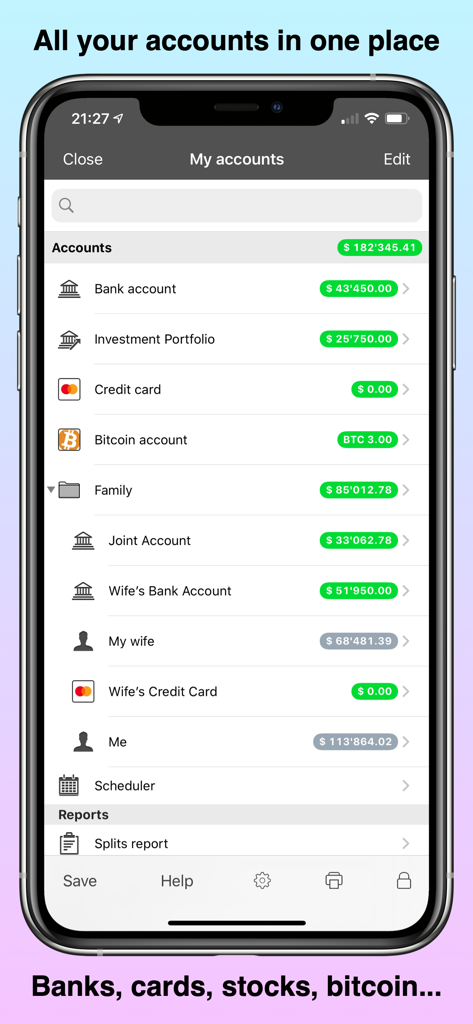
PocketMoney app dashboard showing bank investment credit card and bitcoin accounts in a list on an iPhone
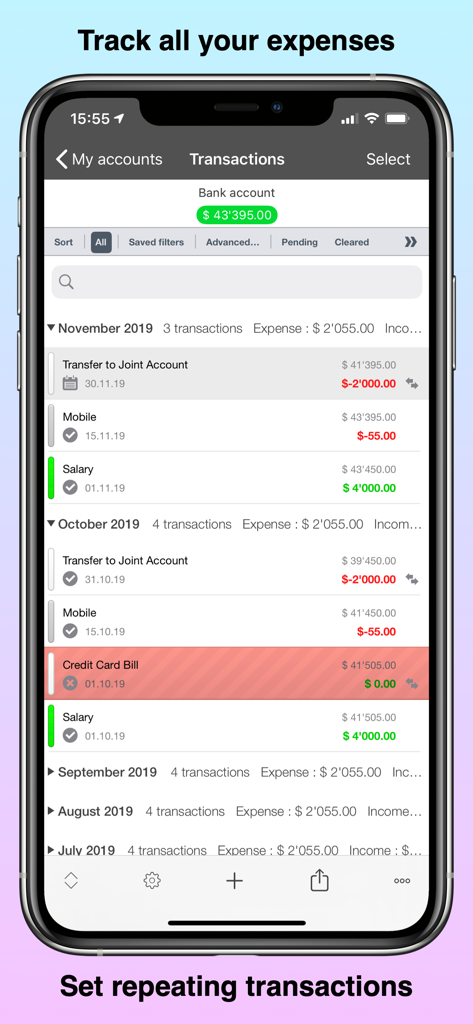
Detailed transaction history and expense tracking in the PocketMoney finance app
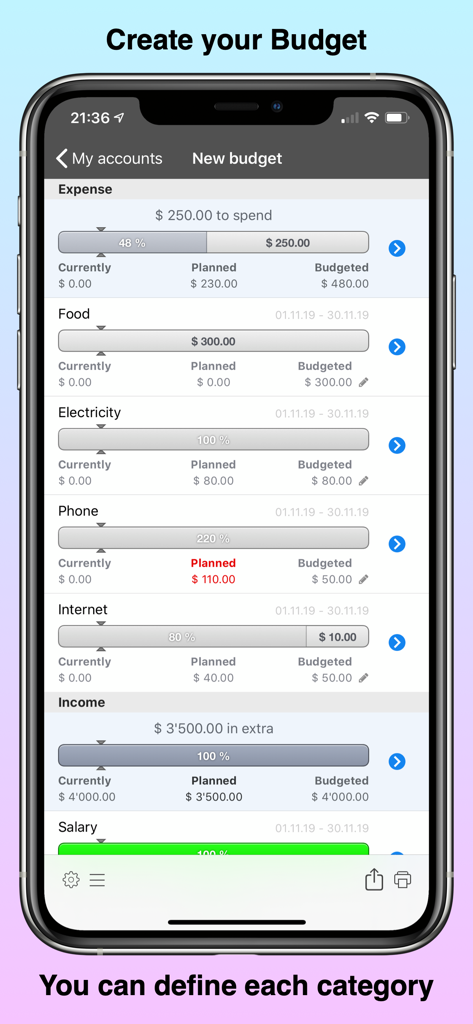
A detailed budget management screen in the PocketMoney app showing expense categories and progress bars.
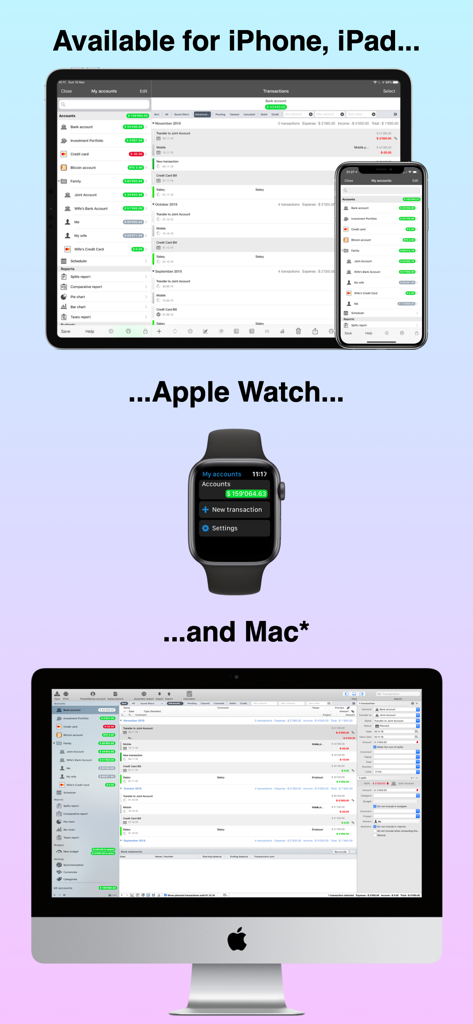
PocketMoney app interface shown on iPhone iPad Apple Watch and Mac computer
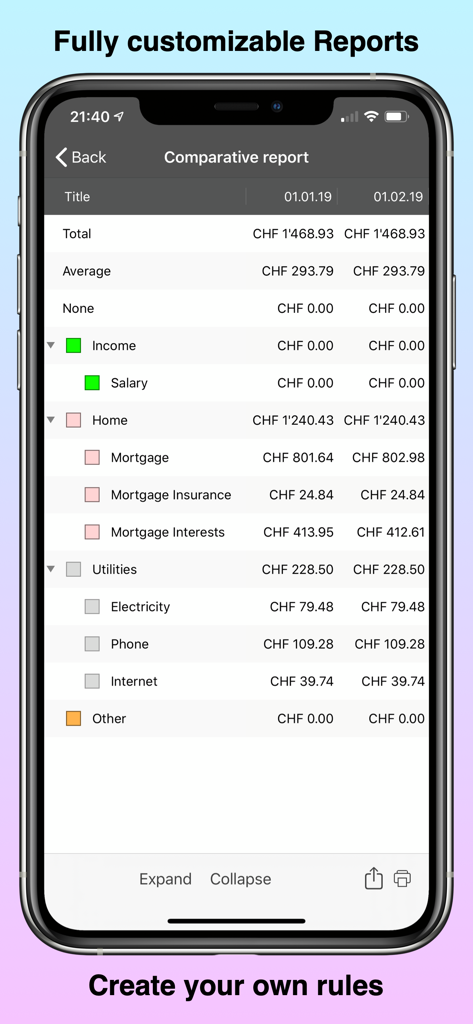
PocketMoney app screenshot showing a detailed comparative report of monthly home and utility expenses.
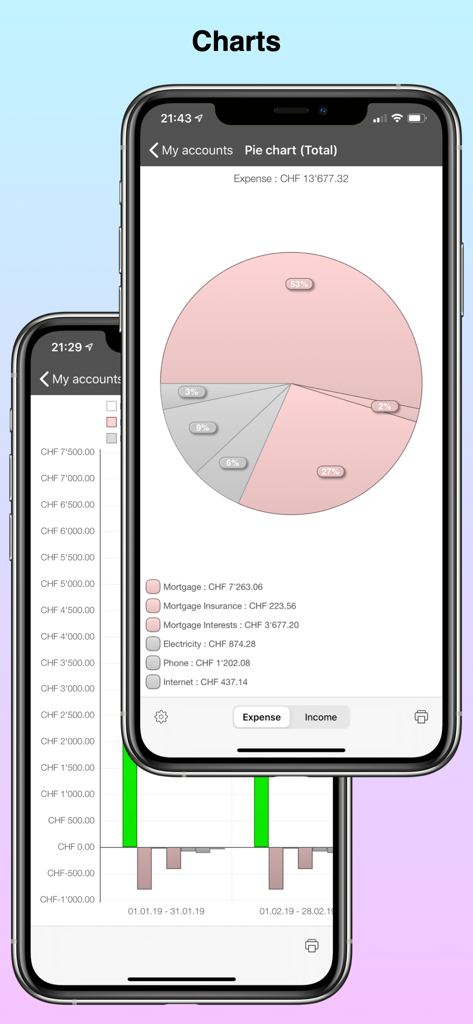
PocketMoney app interface displaying a detailed expense pie chart and historical financial bar graphs for professional budgeting.
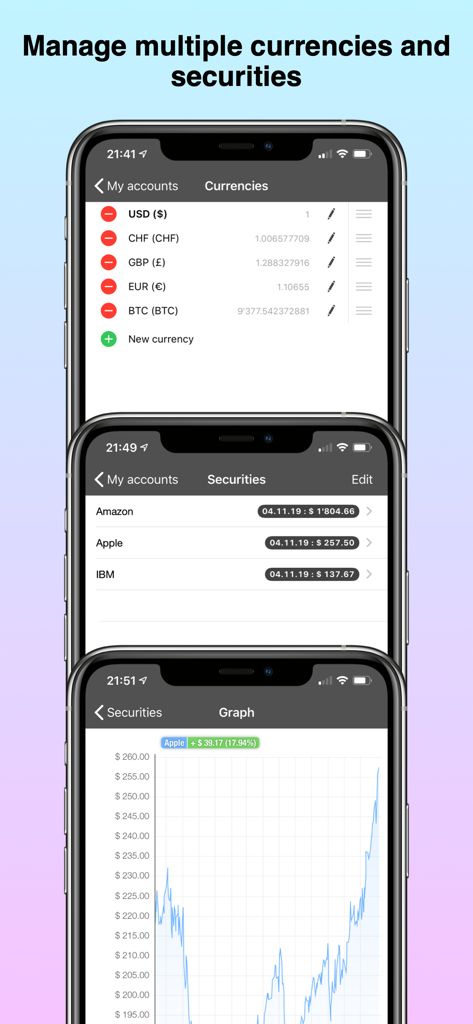
A display of the PocketMoney app showing currency lists, security tracking for stocks, and an investment performance graph.
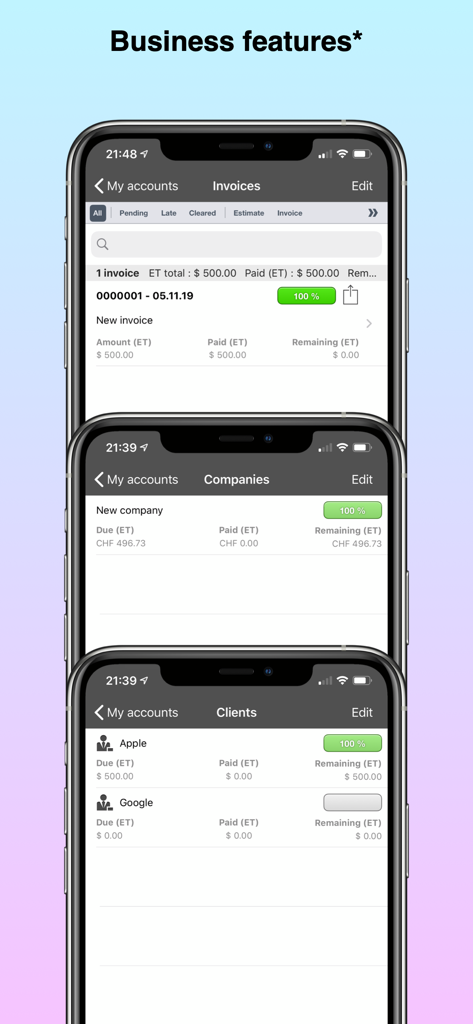
PocketMoney app business features showing invoices companies and client lists
Master Your Finances Like a Pro
The tools that make this app stand out, trusted by 57K+ users.
🔄
Seamless Bank Automation
Automatically download and categorize transactions from global banks to maintain an accurate real-time view of your cash flow without manual entry.
💼
Pro Business Tools
Scale your side hustle with client management, professional invoicing, and detailed tax reporting built directly into your financial dashboard.
📊
Unified Wealth Tracking
Monitor your entire net worth in one command center, from daily budgets and cash flow to stock portfolios and cryptocurrency investments.
About the app
Everything you need to know about PocketMoney.
Description
With 26 years’ history, 1 million total downloads and about ¼ of a million users worldwide, PocketMoney is one of the most used budgeting and personal financial apps in the App Store!
Find out why AppAdvice.com said about the former PocketMoney: “The app is easy to use that in fact, it is fast-becoming my most-used app on my iPad.”
PocketMoney has been fully rewritten and it is now the most advanced personal financial manager in the store, with the highest amount of features to manage your money like a PRO!
PocketMoney can track thousands of transactions through many years of financial data with no performance loss.
PocketMoney lets you track your income and expense, your cash flow, understand your net worth, schedule your bills, create budgets, monitor your stock portfolio and investments, show you where you spend the most, manage the accounts of a small business and improve the overall health of your finances. PocketMoney works on iPhone, iPad, and Mac OS.
Main features:
- NEW: Automatic transactions download from banks and financial institutions, so you don’t have to create transactions manually anymore. This feature is supported only in certain countries (*)
- Unlimited number of accounts (checking, credit cards, savings, retirement, PayPal, Bitcoin, Cryptocurrencies, investments and more), categories and transactions
- Simple, recurring and advanced transaction’s entry process with autocomplete funcitonalities
- Multiple ways to filter, order, mark and highlight transactions
- Multiple transaction’s editing
- Manage complex account transfers and splits
- Set planned and recurring transactions
- Multi-currency support
- Password protection (support regular passwords, Face ID on iOS and Touch ID on iOS and Mac OS)
- Create budgets to keep track of your cash flow
- Input photo receipts
- Reconcile accounts
- Apple Watch app
- Manage shared expenses
- Create tailor made reports and charts with a powerful rule engine
- Create charts
- Create simple and complex rules to automate the transaction input
- Monitor your stock portfolio and all your assets
- Import transactions from the following formats: QIF (Quicken), OFX, CSV, XML and JSON
- Automatic Synchronization between iPhone / iPad and Mac using iCloud or Dropbox, or your local network through an integrated web interface
- Use your own customised icons for the account
- Available in English, French, Spanish, Catalan, Italian, German and Japanese
Plans:
FREE with advertising
SILVER:
- Remove the majority of the advertising (no advertising in accounts and transactions, minor advertising only for secondary advanced features).
GOLD:
- All the features of SILVER
- Remove ALL the advertising
- Use the MacOS desktop application (available on the Mac App Store)
- Enable the professional features (you can manage your small business accounts, create multiple companies, manage clients, create invoices and handle taxes creating tax reports)
- Receive advanced support (in English)
PREMIUM:
- All the features of GOLD
- Automatically download transactions from banks and financial institutions (*).
(*) This feature is only available for users with a bank in the following countries: USA, Australia, Canada, Colombia, Hong Kong, India, Malaysia, Mexico, New Zealand, Netherlands, Singapore, South Africa, Thailand, UAE, and provided that the bank is covered by the service (it is possible to check inside the app before subscribing)."
https://www.pocketmoney.com/terms-of-use/
Latest Version
3.1.29
Size
59.2 MB
First Released
Sep 13, 2017
Manage Your Money Like a Pro
Join 1 million users worldwide. Secure your financial future with the most advanced personal finance and small business manager for iPhone, iPad, and Mac.
FAQ
Frequently Asked Questions
Everything you need to know about PocketMoney
What is PocketMoney used for?
PocketMoney is a personal financial manager for tracking income, expenses, cash flow, and net worth. It helps manage budgets, schedule bills, and monitor stock portfolios and investments.
Can PocketMoney automatically download bank transactions?
Yes, PocketMoney supports automatic transaction downloads from banks. This feature is available with the PREMIUM plan for users in specific countries such as the USA, Australia, and Canada.
Which devices does PocketMoney support?
PocketMoney supports iPhone, iPad, and Mac OS devices. It also offers a dedicated app for Apple Watch, providing comprehensive multi-platform accessibility for users.
Can I create budgets in PocketMoney?
Yes, PocketMoney enables users to create personalized budgets to manage cash flow. Users can define and customize each spending category within the app's budget creation interface.
What are the different subscription plans for PocketMoney?
PocketMoney offers a FREE plan with ads, a SILVER plan for most ad removal, a GOLD plan including the Mac app and business features, and a PREMIUM plan with automatic bank downloads.
Does PocketMoney support multiple currencies?
Yes, PocketMoney provides multi-currency support. Users can manage their financial accounts and transactions across various international currencies directly within the application.
How does PocketMoney secure personal financial data?
PocketMoney secures personal financial data with password protection. It supports biometric authentication, including Face ID on iOS and Touch ID on both iOS and Mac OS, for enhanced security.
Can PocketMoney be used for small business accounting?
Yes, PocketMoney offers professional features for small business accounting. With GOLD or PREMIUM plans, users can manage business accounts, clients, create invoices, and generate tax reports.
Does PocketMoney allow tracking of investments?
Yes, PocketMoney allows users to monitor their stock portfolio and other assets. It integrates various account types, including investment accounts, for a comprehensive financial overview.
How does PocketMoney synchronize data across devices?
PocketMoney synchronizes data automatically between iPhone, iPad, and Mac. It uses iCloud or Dropbox, or a local network via an integrated web interface, to keep financial data consistent across devices.
App information, icons, screenshots, and descriptions displayed on this page are sourced from the Apple App Store and are the property of their respective developers. Download estimates and rankings are based on MWM's proprietary models and may not reflect actual figures. This page is provided for informational and analytical purposes only.
Believe this page infringes your intellectual property? File a dispute