
Portal

Elevate your business dashboards and smart home controls with a distraction-free kiosk experience, custom icons, and zero browser clutter.
Publisher
Category
BusinessDownloads
27K+User Rating
Total Ratings
0Locales
1Discover the interface used by 27K+ users.
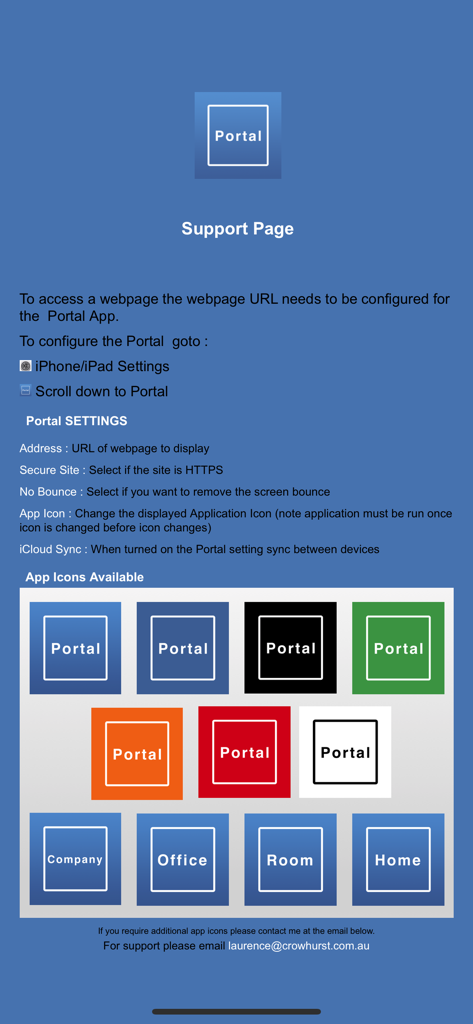
The tools that make this app stand out, trusted by 27K+ users.
Eliminate address bars and status indicators to give your web-based tools the dedicated, distraction-free space they deserve.
Select from several built-in icons to match your company’s visual identity or home automation theme, creating a white-label app experience.
Hardcode your target URL within device settings to prevent unauthorized browsing and keep users focused on your specific dashboard or POS.
Everything you need to know about Portal.
Description
Latest Version
2.0
Size
22.8 MB
First Released
Jul 26, 2018
Whether for a professional business kiosk or a sleek smart home dashboard, join thousands of users turning web tools into seamless, full-screen iOS apps today.
Everything you need to know about Portal
The Portal app provides a simple full-screen browser without an address bar. It displays your company website, web-based automation controllers, or web applications as an iOS app.
You configure the website URL for the Portal app in your iPad/iPhone settings. Navigate to settings, scroll down to Portal, and enter the desired webpage address.
Yes, the Portal app displays web content in full screen. It offers an option to turn off the top status bar to enhance the full-screen appearance of your web-based content.
Yes, the Portal app allows users to change its icon. Several built-in icons are available to match company colors or indicate specific app functions like "Company" or "Home".
You can find the setting to change the Portal app icon within the app's configuration settings. This option is typically labeled "App icon" and requires the application to be run once after changing.
Yes, the Portal app includes a "Secure Site" setting. Users can select this option if the website they wish to display is HTTPS, ensuring secure content rendering.
The "No Bounce" setting in the Portal app allows users to remove the screen bounce effect. Selecting this option provides a more static and controlled display experience.
Yes, the Portal app supports iCloud Sync. When this feature is turned on, the Portal settings automatically synchronize between all your devices, ensuring consistent configuration.
Portal makes a website appear as an iOS app by providing a simple full-screen browser without an address bar. It removes browser elements, letting the website fill the entire screen.
The URL Scheme for the Portal app is "CTC-Portal://". This scheme allows the app to be opened programmatically using a URL.
Top-ranked apps in the same category

Microsoft Corporation

Zoom Communications, Inc.

WhatsApp Inc.

Indeed Inc.

LinkedIn Corporation

Adobe Inc.

Tencent Technology (Shenzhen) Company Limited

Beijing China Product Bo Farce Network Technology Co., Ltd.

DingTalk Technology Co., Ltd.
App information, icons, screenshots, and descriptions displayed on this page are sourced from the Apple App Store and are the property of their respective developers. Download estimates and rankings are based on MWM's proprietary models and may not reflect actual figures. This page is provided for informational and analytical purposes only.
Believe this page infringes your intellectual property? File a dispute