
PoS Cash Register


The modern point-of-sale app for makers, vendors, and small businesses. Manage your catalog, track real-time profits, and serve customers with a professional register that works 100% offline.
Publisher
Category
BusinessDownloads
1K+User Rating
Total Ratings
0Locales
2Discover the interface used by 1K+ users.
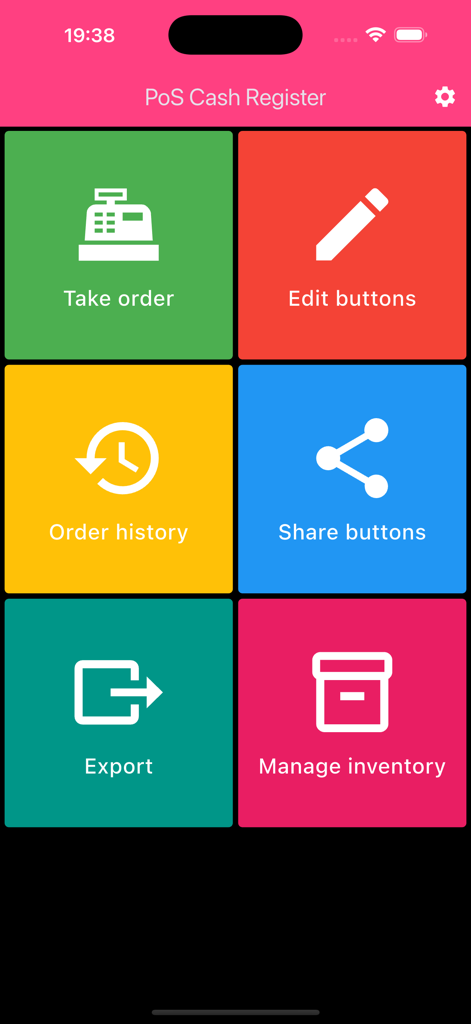
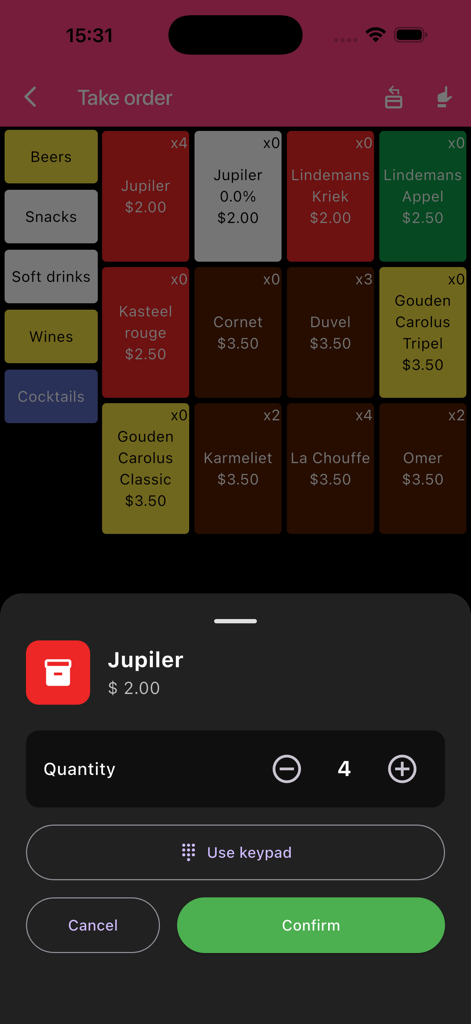
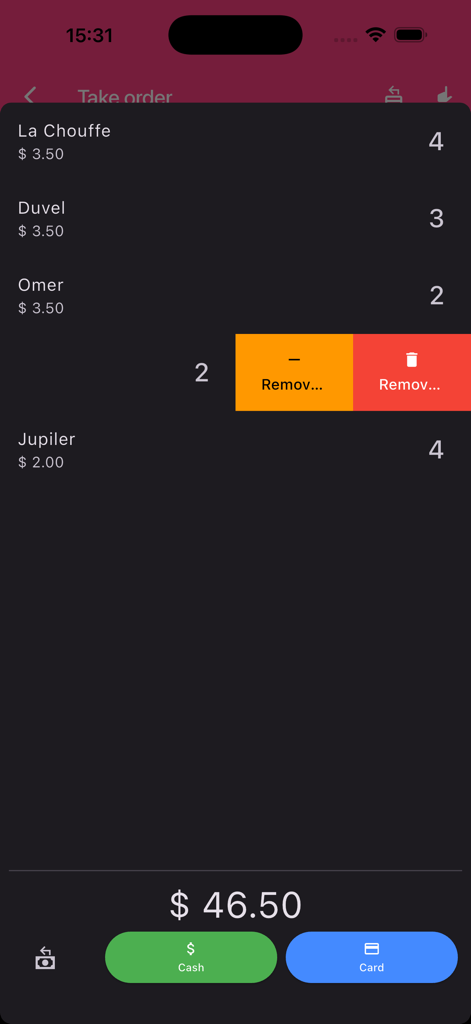
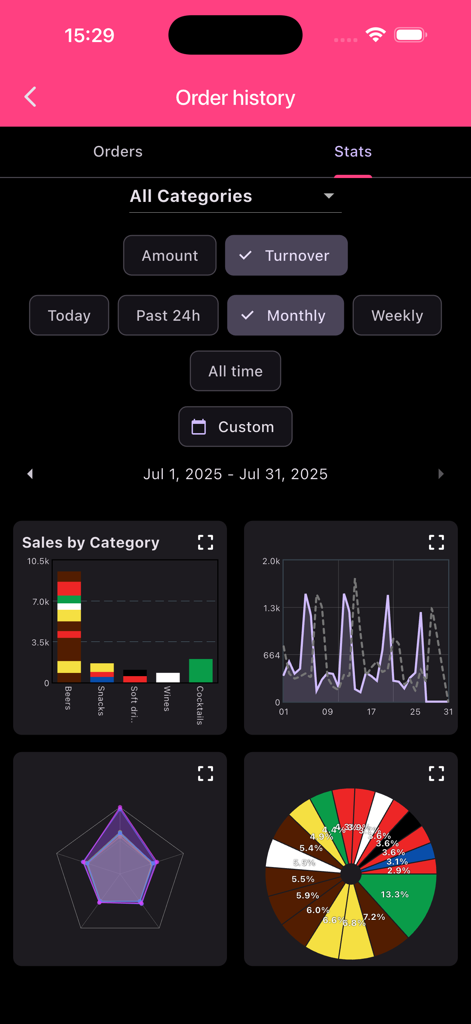
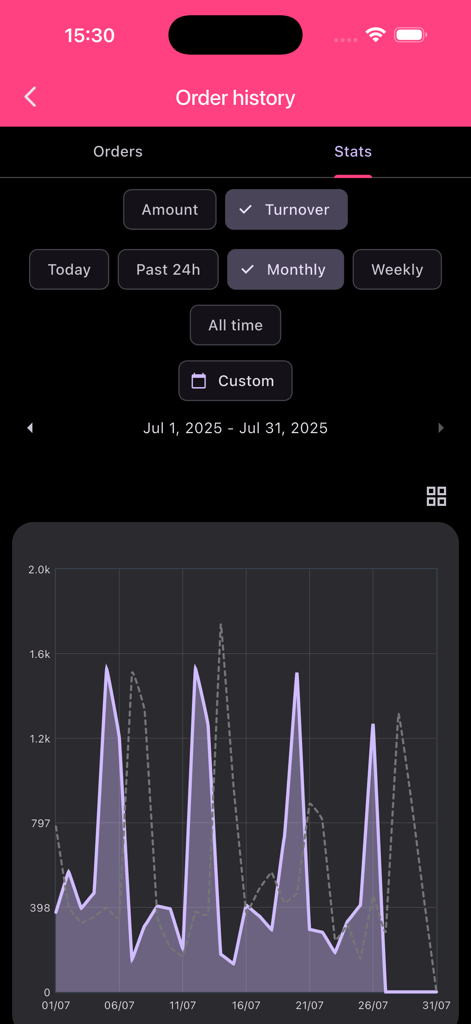
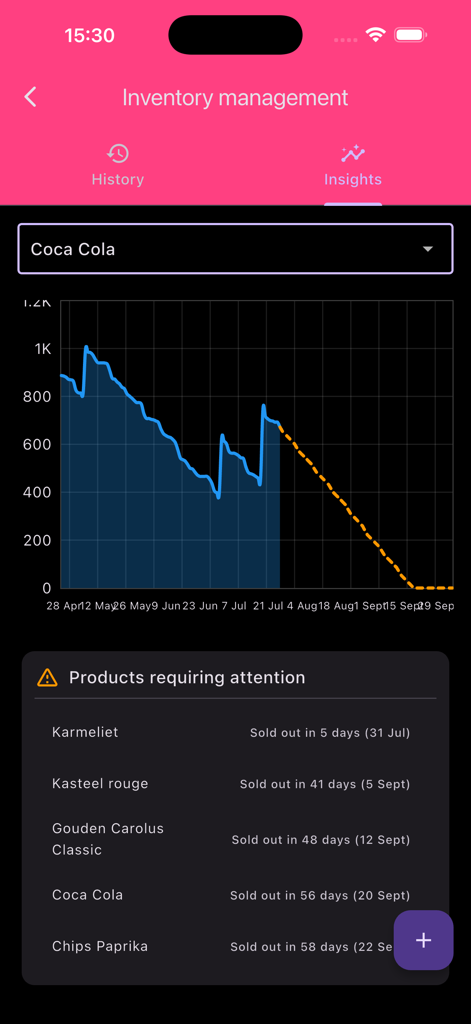
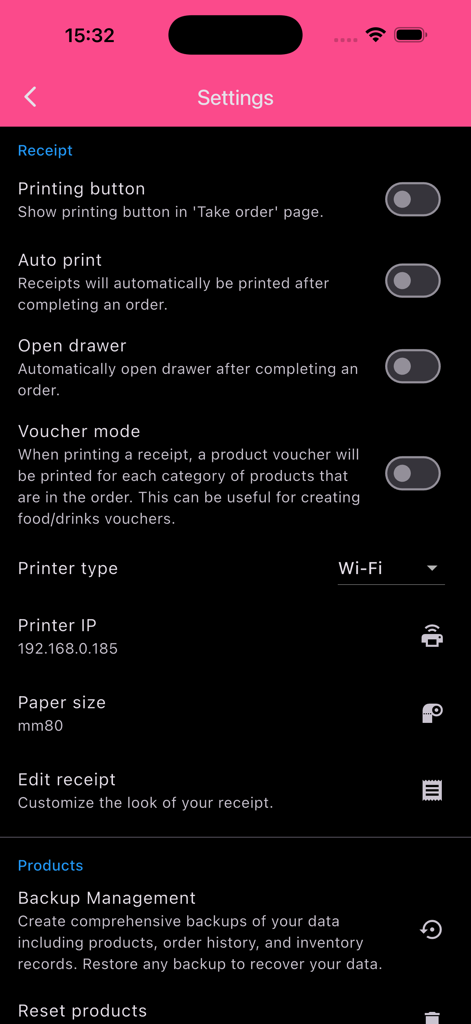
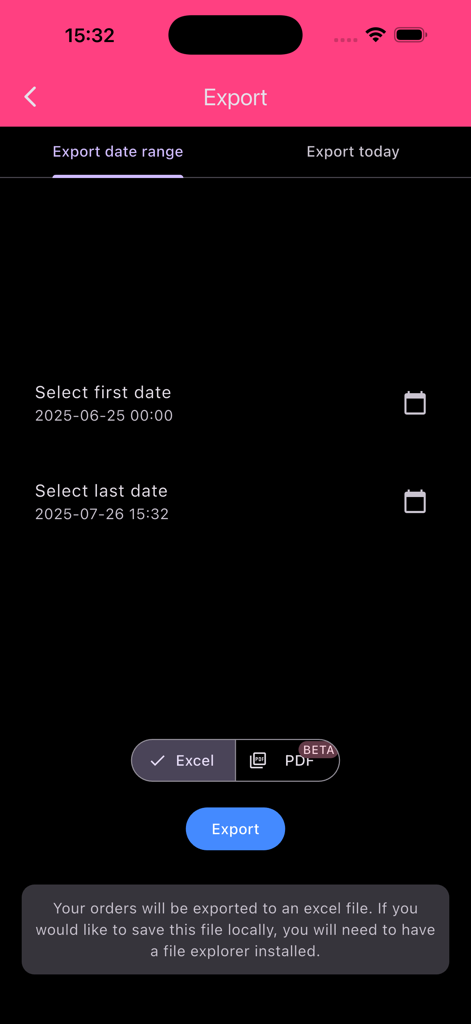
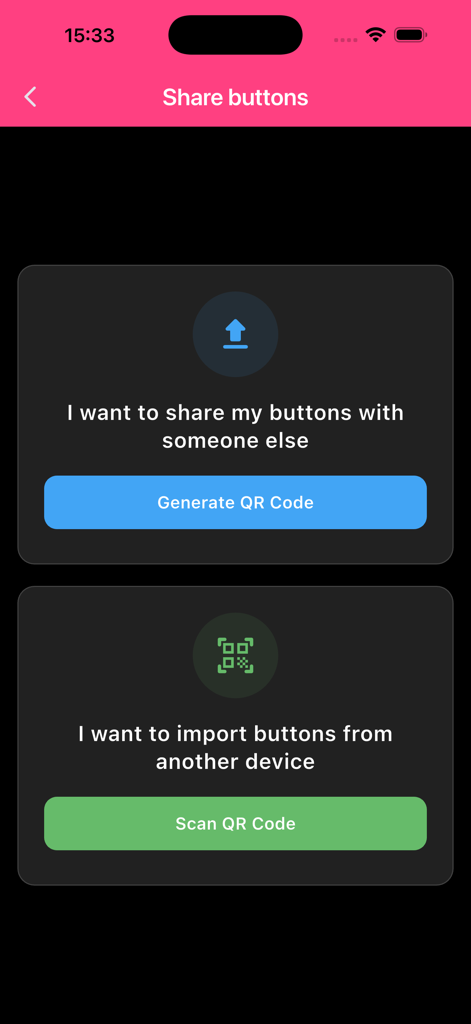
The tools that make this app stand out, trusted by 1K+ users.
Keep your business running in remote markets or crowded festivals. Every feature works without internet, ensuring you never miss a sale due to poor connectivity.
Organize products with color-coded categories and scan barcodes for instant checkouts. Keep your customers happy and your lines moving during peak hours.
Gain instant insights with the Stats screen. Identify your best-selling items and monitor your profits to grow your business with data-backed confidence.
Everything you need to know about PoS Cash Register.
Description
Latest Version
1.9.0
Size
51.4 MB
First Released
Aug 9, 2025
Join over 1,000 small business owners who use PoS Cash Register to simplify checkouts and track profits without high fees or internet hassles.
Everything you need to know about PoS Cash Register
PoS Cash Register is a modern point-of-sale application designed for restaurants, retail shops, and events of any size. It helps manage product catalogs, take orders, and track sales efficiently.
Yes, PoS Cash Register allows users to easily set up their entire product catalog, including names, prices, and categories. Products can be grouped into categories and assigned unique colors.
Yes, PoS Cash Register supports barcode scanning. Users can instantly add products to an order by using the built-in barcode feature, streamlining the sales process.
Yes, the Stats screen in PoS Cash Register provides instant insights into best-selling items. This feature helps users analyze product performance and make informed business decisions.
Yes, all core features of PoS Cash Register work completely offline. The only exception is sharing the setup with other devices, which requires an internet connection.
PoS Cash Register automatically saves completed orders to the Order History. The Stats screen provides insights into sales, turnover, and best-selling products, viewable by various timeframes.
Yes, PoS Cash Register allows users to instantly share their product setup across all devices in their organization. This feature requires an active internet connection.
Yes, PoS Cash Register can export order data. Users can select a specific date range and export their orders to an Excel file or a PDF (beta).
Yes, PoS Cash Register includes inventory management features. Users can view inventory history and insights, which include predictions for products requiring attention.
Yes, PoS Cash Register supports printing receipts. Users can configure settings like enabling a printing button, auto-printing, and a voucher mode for categories of products.
The End User License Agreement (EULA) for PoS Cash Register is available via a dedicated link provided within the app's description on the store page.
PoS Cash Register supports both cash and card payment methods for finalizing sales during the checkout process, offering flexibility for customers.
Yes, PoS Cash Register allows users to customize the look of their receipts through the "Edit receipt" option, found within the application's settings menu.
Yes, PoS Cash Register offers Backup Management. This feature allows users to create comprehensive backups of their data, including products, order history, and inventory records.
PoS Cash Register is suitable for various types of businesses, including restaurants, retail shops, and events of any size, offering a versatile point-of-sale solution.
Top-ranked apps in the same category

Microsoft Corporation

Zoom Communications, Inc.

WhatsApp Inc.

Indeed Inc.

LinkedIn Corporation

Adobe Inc.

Tencent Technology (Shenzhen) Company Limited

Beijing China Product Bo Farce Network Technology Co., Ltd.

DingTalk Technology Co., Ltd.
App information, icons, screenshots, and descriptions displayed on this page are sourced from the Apple App Store and are the property of their respective developers. Download estimates and rankings are based on MWM's proprietary models and may not reflect actual figures. This page is provided for informational and analytical purposes only.
Believe this page infringes your intellectual property? File a dispute