POS S Pro (Phone)

POS S Pro (Phone)

Download on App Store
Logo of POS S Pro (Phone)

POS S Pro: The Simplest Mobile Register for Small Businesses and Solo Sellers

Transform your iPhone into a fast, clutter-free point of sale. Perfect for farmers' markets, boutiques, and side hustles—manage sales, sync across devices, and export reports in seconds.

Download on App Store

Publisher

CenHo Co., Ltd.

Category

Business

Downloads

10K+

User Rating

1.0/5

Total Ratings

0

Locales

4

Efficiency at a Glance

Discover the interface used by 10K+ users.
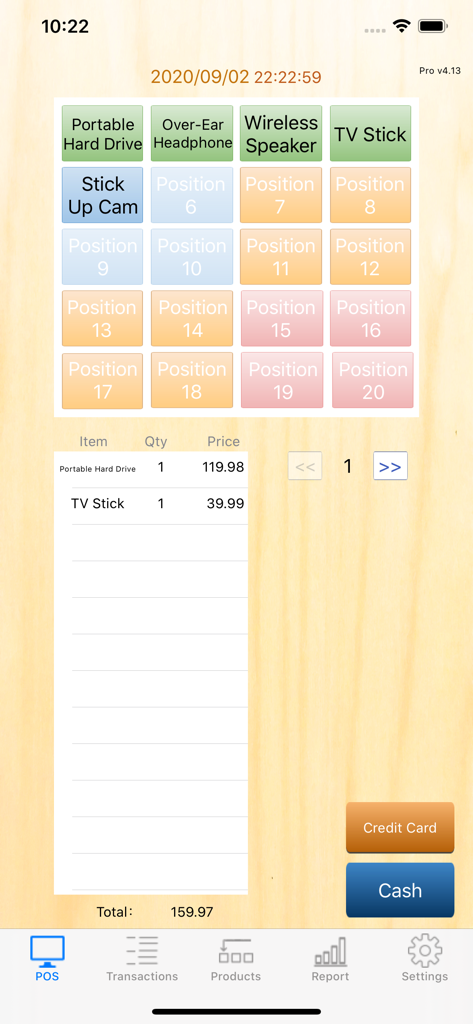
POS S Pro mobile app checkout screen showing product buttons for electronics and transaction total

POS S Pro mobile app checkout screen showing product buttons for electronics and transaction total

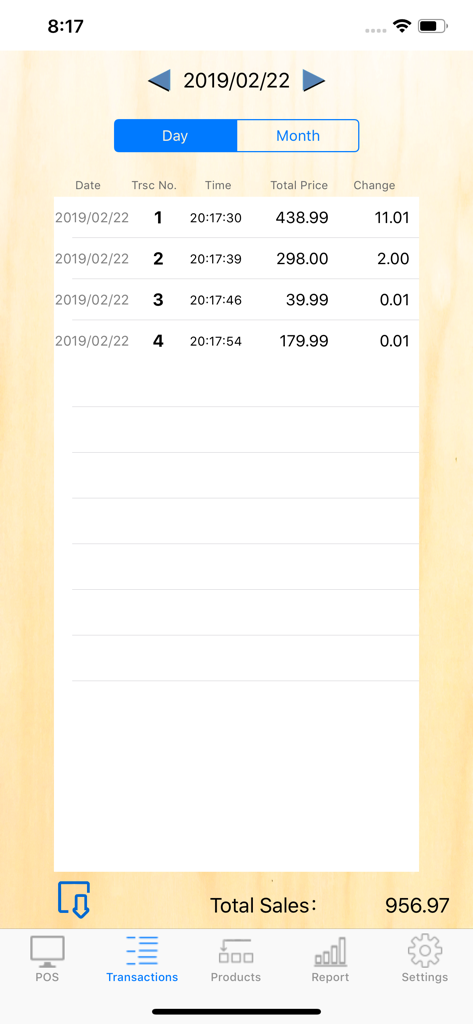
Transaction history screen in POS S Pro showing a list of daily sales and total revenue

Transaction history screen in POS S Pro showing a list of daily sales and total revenue

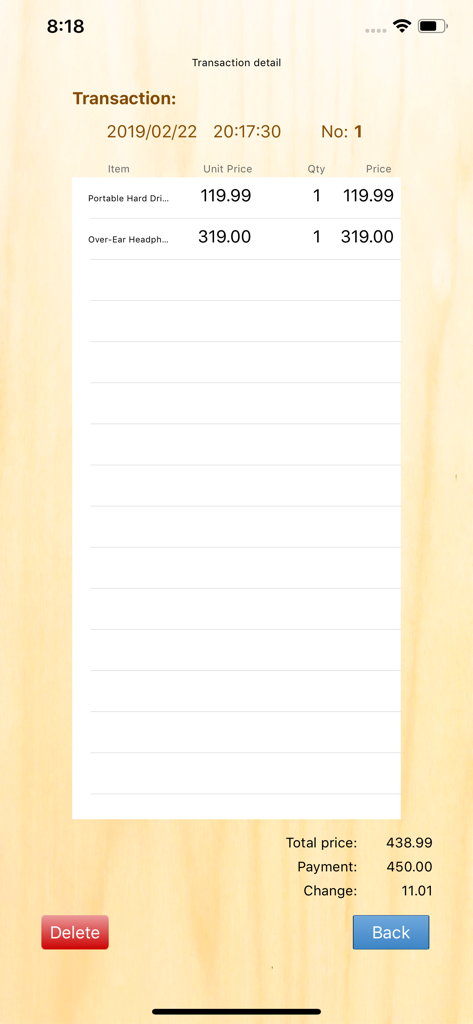
Transaction detail screen in POS S Pro showing itemized list total price and change calculation

Transaction detail screen in POS S Pro showing itemized list total price and change calculation

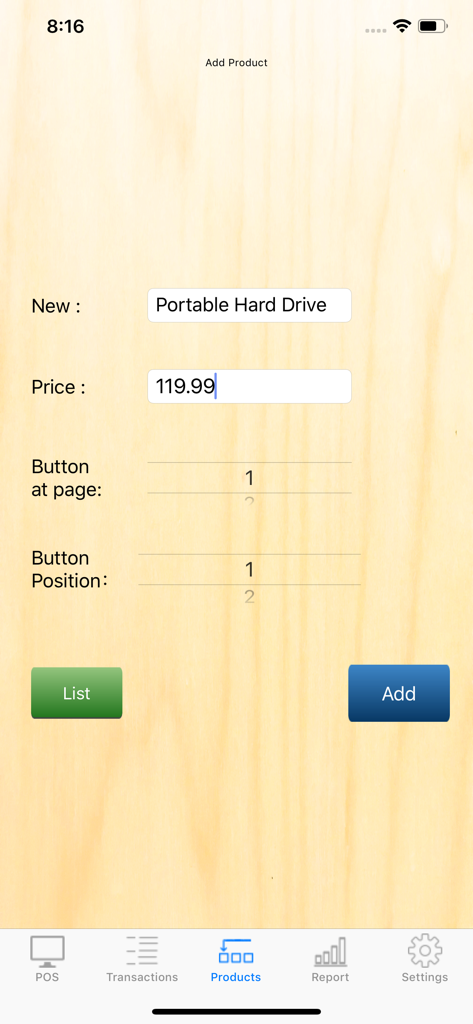
Add product interface in POS S Pro showing name price and button configuration

Add product interface in POS S Pro showing name price and button configuration

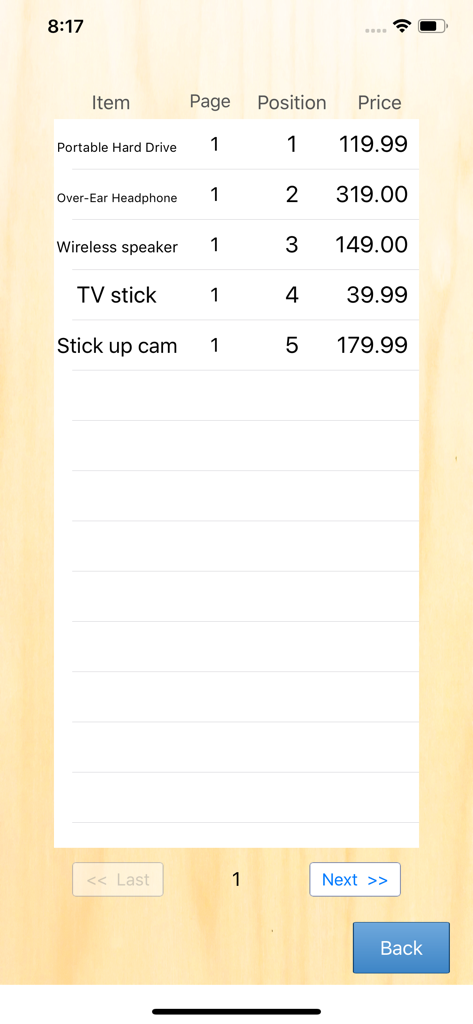
Inventory list screen in the POS S Pro app displaying products and prices.

Inventory list screen in the POS S Pro app displaying products and prices.

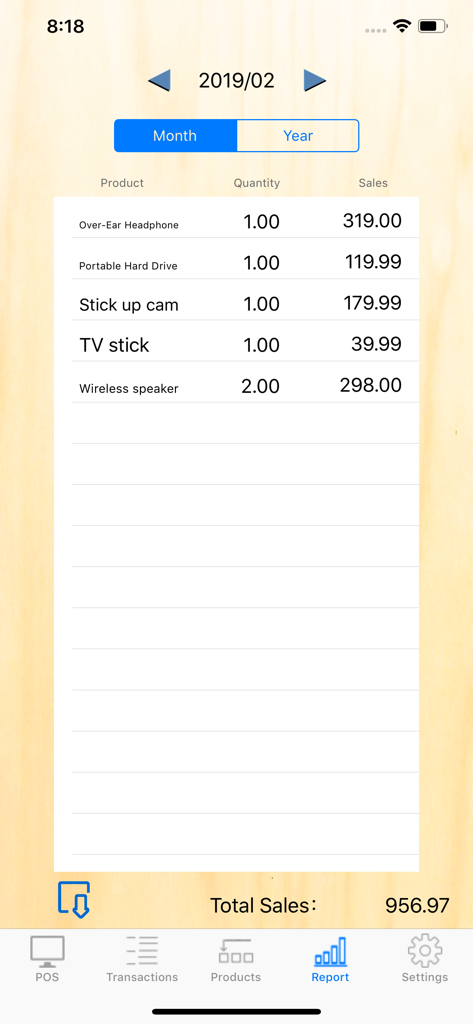
Monthly sales report screen in POS S Pro showing product names, quantities sold, and total sales figures

Monthly sales report screen in POS S Pro showing product names, quantities sold, and total sales figures

Powering Your Micro-Business

The tools that make this app stand out, trusted by 10K+ users.

Instant Checkout

A minimalist 60-item interface built for muscle-memory speed during your busiest market rushes.

📁

Tax-Ready Exports

Generate professional sales reports and export to CSV instantly for seamless accounting and stress-free tax prep.

🔄

Always In Sync

Leverage cloud backup to keep your iPhone and iPad data perfectly mirrored, ensuring your records are always at your fingertips.

About the app

Everything you need to know about POS S Pro (Phone).

Description

POS S Pro is suitable for retailer, restaurant, internet seller, eBayer, general shop....etc. 20 buttons per page, and total 3 pages. It allows you to allocate maximum 60 items. (Reminder: 3.5-inch screen is not supported.) Functions: 。"POS" screen: Tap product > Confirm the quantity > Tap "Pay" > Give change . It is simple and efficient. 。"Transactions": To review all transactions of the day or month. Also, it shows the total sales. 。"Product" screen: To allocate products to buttons as you wish. 。"Report" screen: To review whole moth/year sales by product. 。"Export" : Export records to a CSV file. 。"Recalculate": For interruptions of app which cause incorrect data, this function can recalculate the data correctly. 。"Cloud service": Log in to the same cloud account so that data can be transmitted between different devices.(iPad, iPhone each other able.) Any suggestion, you can mail us. tallyforgrace@gmail.com S series of CenHo ERP

Latest Version

6.1

Size

9.0 MB

First Released

Feb 25, 2019

Ready to Simplify Your Sales?

Join over 10,000 small business owners who trust POS S Pro for fast transactions and effortless reporting. Download now and turn your iPhone into a professional register today.

Download on App Store

App information, icons, screenshots, and descriptions displayed on this page are sourced from the Apple App Store and are the property of their respective developers. Download estimates and rankings are based on MWM's proprietary models and may not reflect actual figures. This page is provided for informational and analytical purposes only.

Believe this page infringes your intellectual property? File a dispute