Quick Poses: Gesture Drawing

Quick Poses: Gesture Drawing

Download on App Store
Logo of Quick Poses: Gesture Drawing

Quick Poses: Master Dynamic Gesture Drawing

Simulate professional figure drawing sessions on your iPad. Sharpen your anatomy, build confidence, and track your progress with the ultimate tool for digital artists.

Download on App Store

Publisher

Frederic Ruaudel

Category

Graphics & Design

Downloads

73K+

User Rating

4.8/5

Total Ratings

100

Locales

2

Master the Flow

Discover the interface used by 73K+ users.
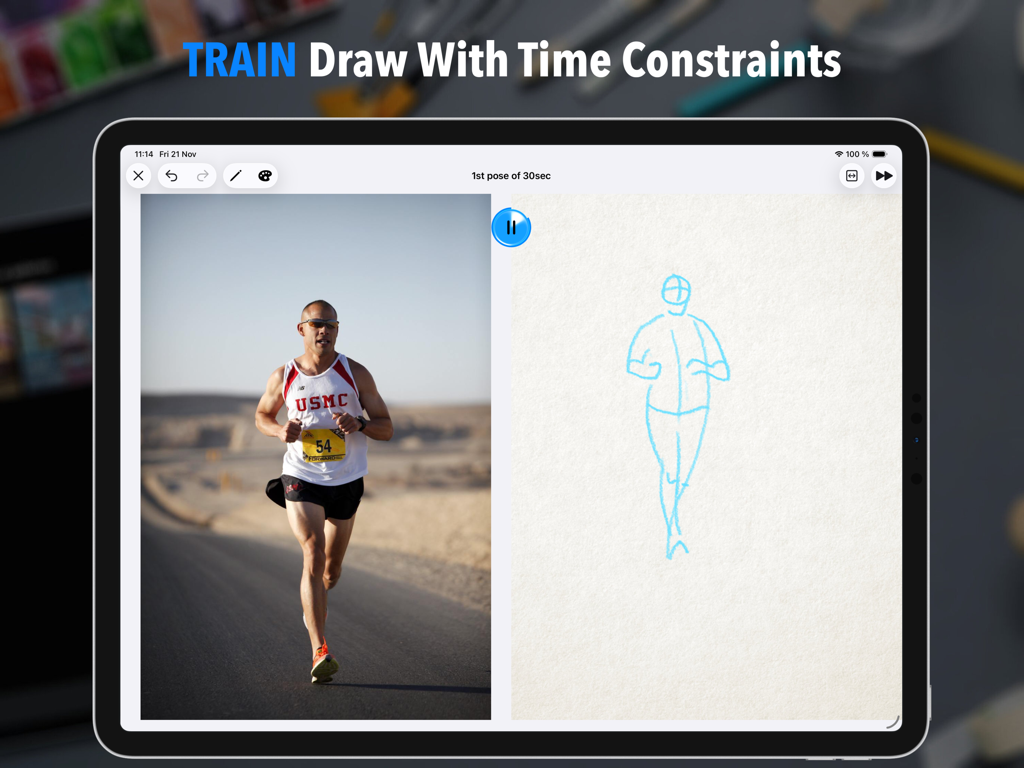
A split-screen iPad interface showing a reference photo of a runner and a quick gesture drawing sketch with a timer.

A split-screen iPad interface showing a reference photo of a runner and a quick gesture drawing sketch with a timer.

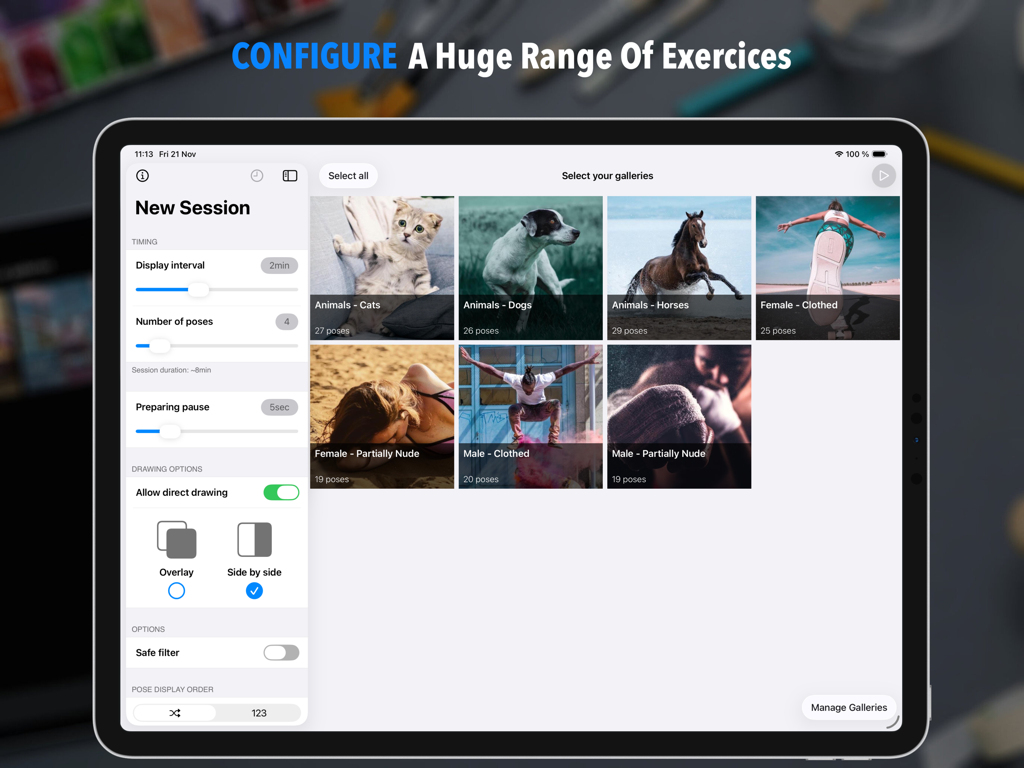
iPad screen showing the configuration for a new gesture drawing session in the Quick Poses app with timing settings and image gallery selection

iPad screen showing the configuration for a new gesture drawing session in the Quick Poses app with timing settings and image gallery selection

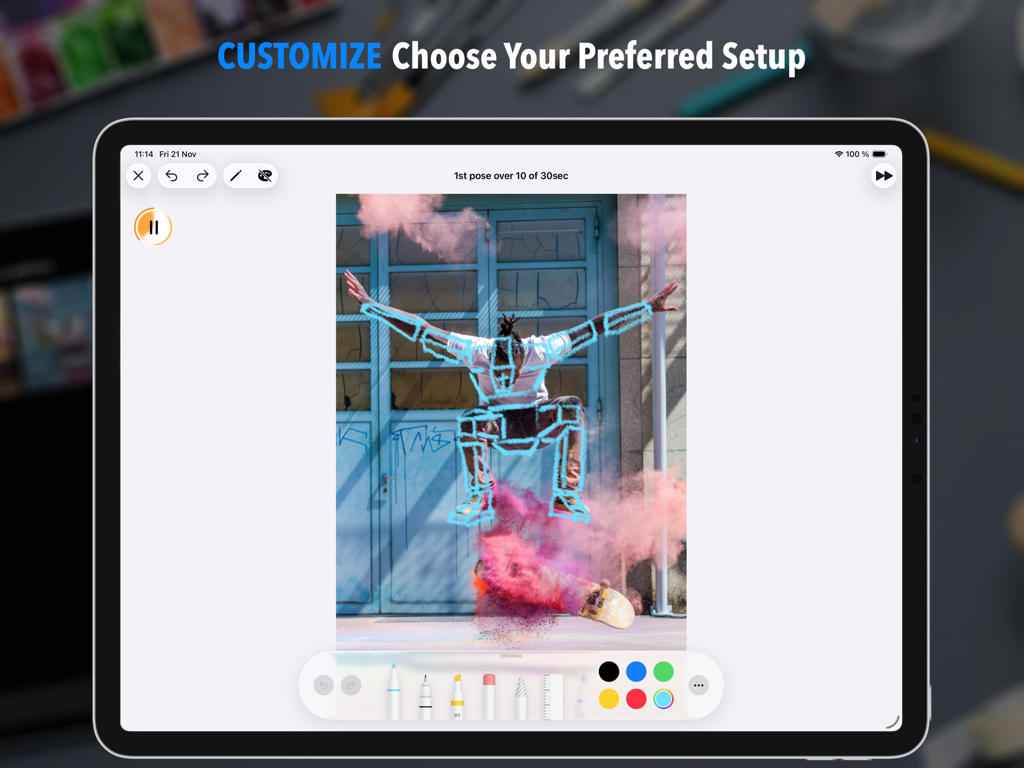
Quick Poses iPad app showing gesture drawing on a skateboarding photo with a timer and drawing tools

Quick Poses iPad app showing gesture drawing on a skateboarding photo with a timer and drawing tools

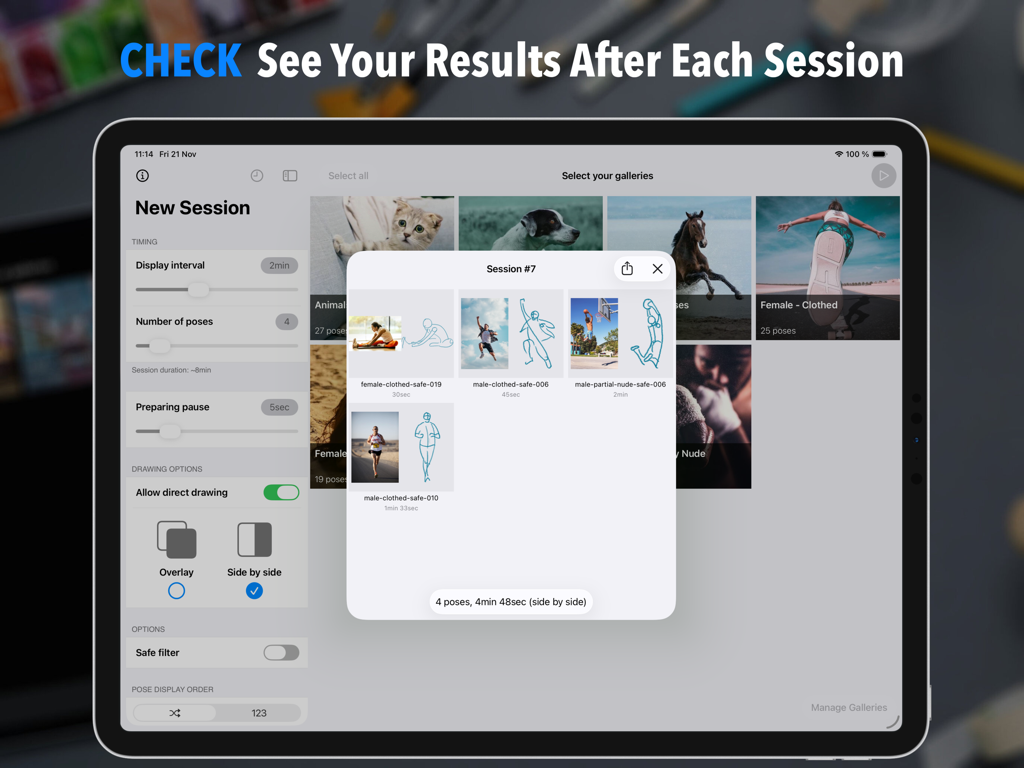
Quick Poses app session summary showing a series of user gesture sketches next to their reference photos on an iPad.

Quick Poses app session summary showing a series of user gesture sketches next to their reference photos on an iPad.

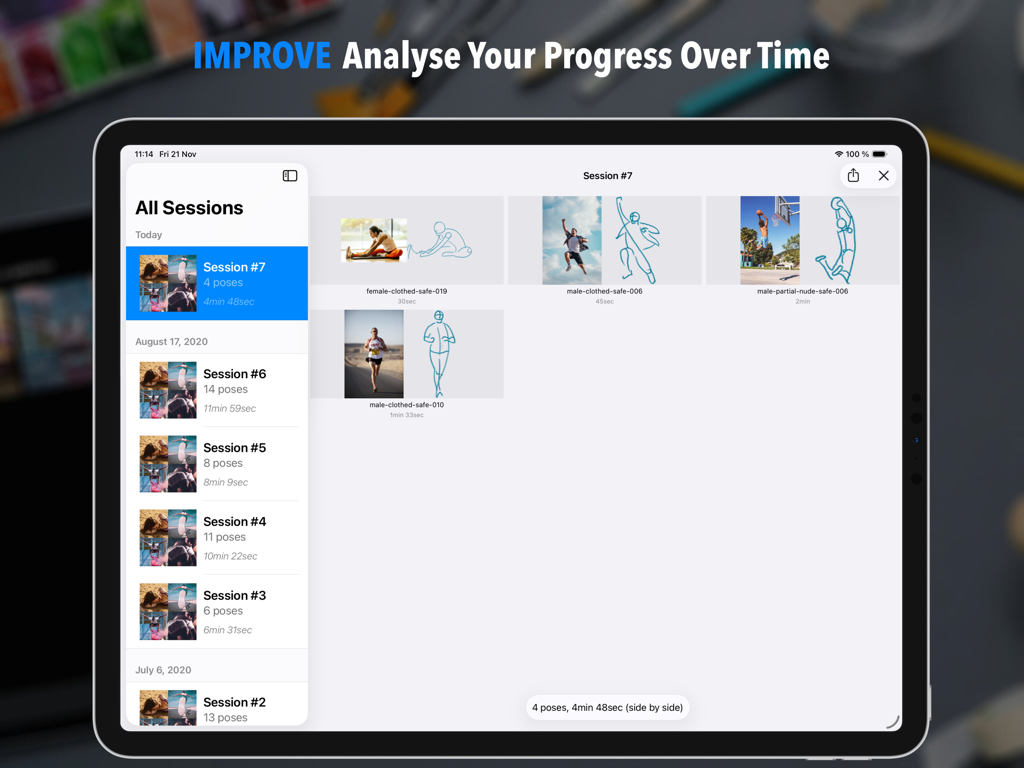
An iPad screen displaying the session history in the Quick Poses app with sketches and reference images for progress tracking.

An iPad screen displaying the session history in the Quick Poses app with sketches and reference images for progress tracking.

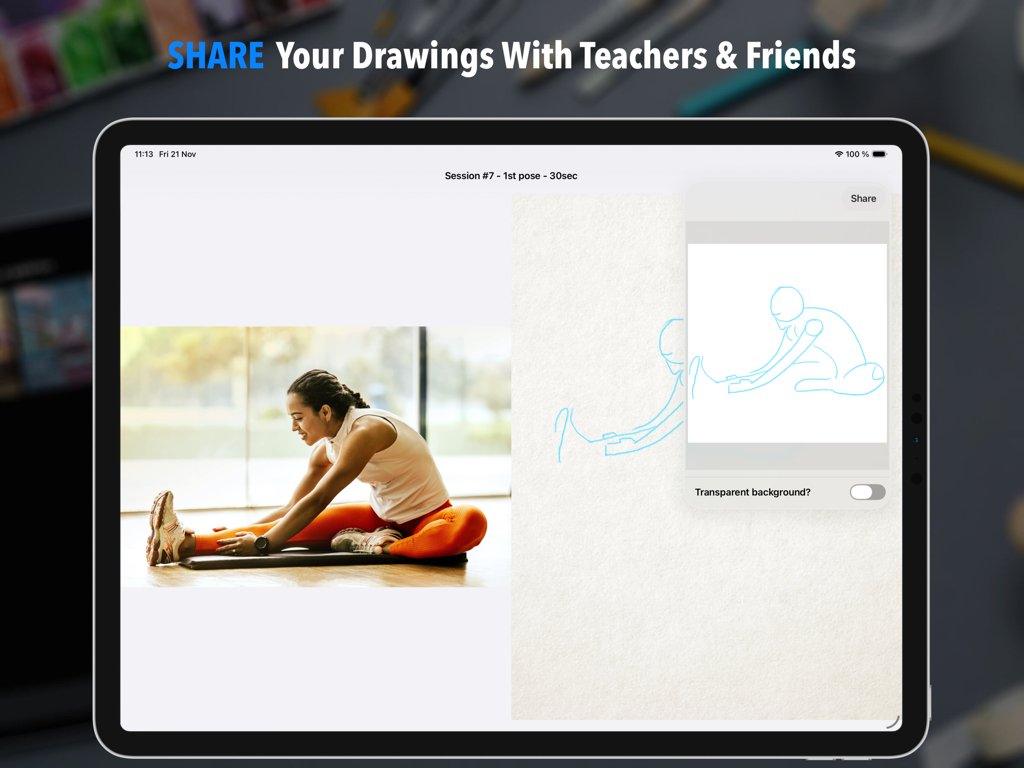
Share interface in the Quick Poses app showing a side by side reference photo and gesture sketch

Share interface in the Quick Poses app showing a side by side reference photo and gesture sketch

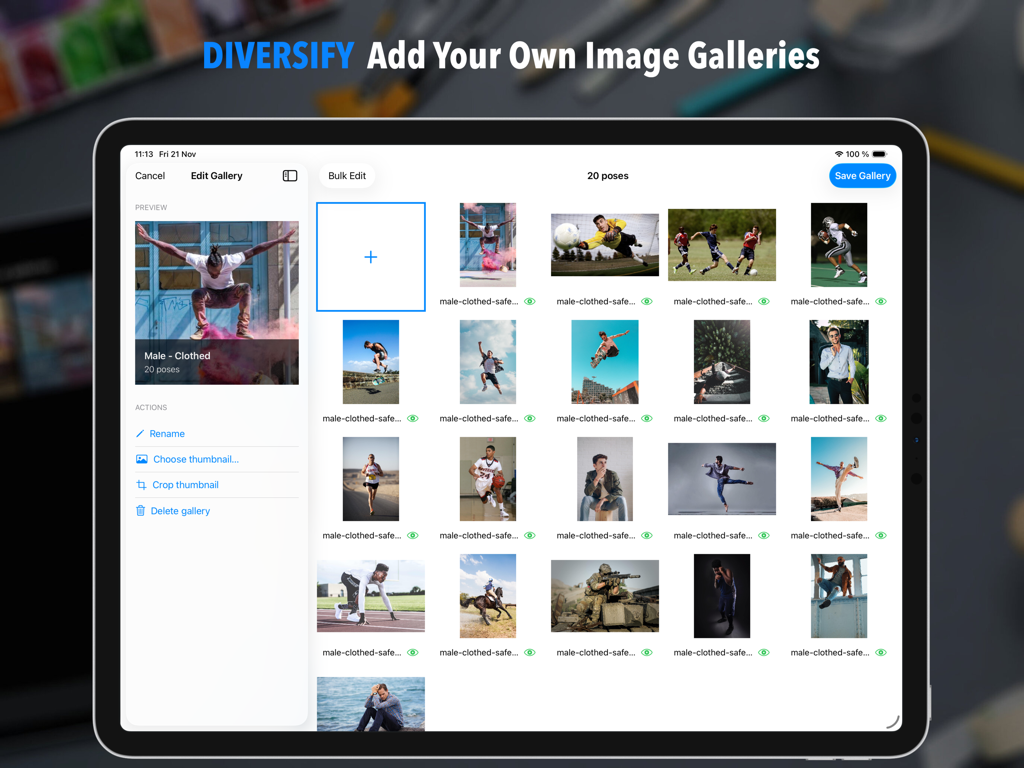
iPad interface of the Quick Poses app showing the feature to add and edit custom image galleries for gesture drawing

iPad interface of the Quick Poses app showing the feature to add and edit custom image galleries for gesture drawing

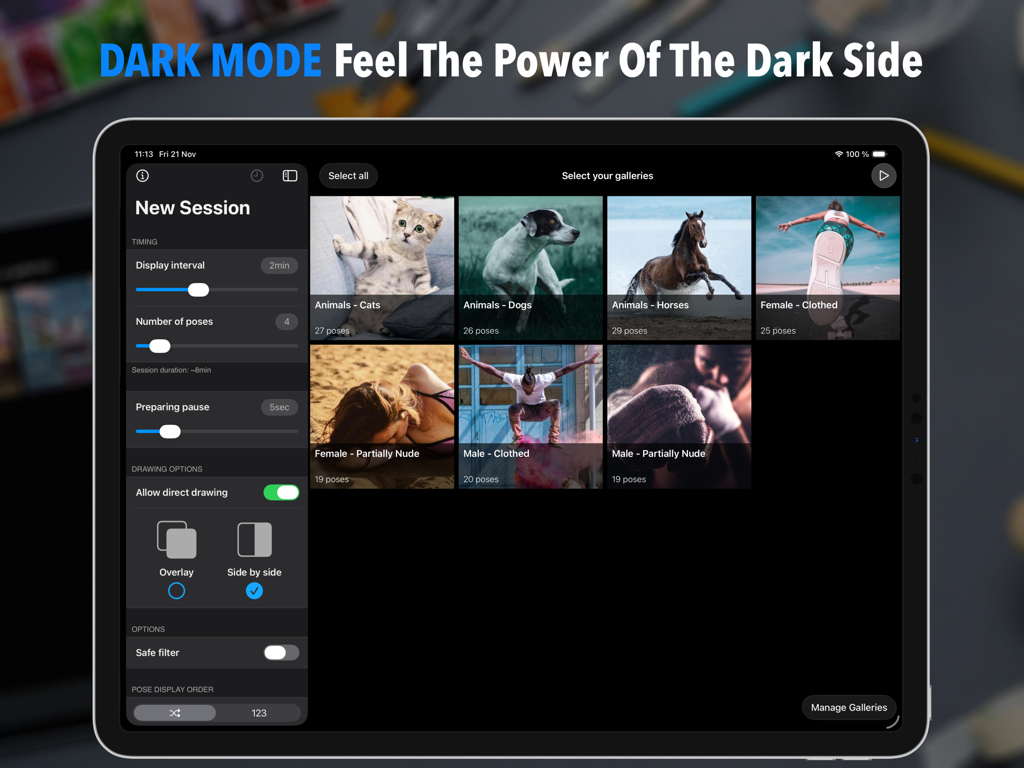
iPad interface of the Quick Poses app in dark mode showing session configuration settings and a selection of pose galleries featuring people and animals.

iPad interface of the Quick Poses app in dark mode showing session configuration settings and a selection of pose galleries featuring people and animals.

Master the Art of Fluid Movement

The tools that make this app stand out, trusted by 73K+ users.

⏱️

Custom Timed Sessions

Simulate high-pressure life drawing classes with timers from 5 seconds to infinity, forcing you to focus on anatomy and flow rather than perfectionism.

🎨

Native iPad Experience

Draw directly with your Apple Pencil or use Split View alongside Procreate. It's the ultimate digital workspace designed for your professional creative workflow.

📈

Track Your Growth

Visualize your progress with session summaries and a detailed history screen. Watch your skills evolve from basic warm-ups to masterful dynamic compositions.

About the app

Everything you need to know about Quick Poses: Gesture Drawing.

Description

Quick Poses is THE ultimate tool to help artists sharpen their drawing skills by simulating REAL LIFE academic figure drawing sessions. Select your pose duration, choose your favorite photo galleries, and start drawing right away! Train your observation and anatomy skills with Quick Poses. The goal is simple: capture the ESSENCE of each pose within a limited time. As soon as the timer runs out, a new pose appears, keeping you focused and in the flow. At the end of your session, a SUMMARY gives you a clear picture of your progress. Over time, track your improvement in the HISTORY section and see how your skills evolve. This practice, called GESTURE DRAWING, is one of the BEST ways to build confidence, observation accuracy, and dynamic composition. It’s also an excellent warm-up before longer drawing sessions. FEATURE HIGHLIGHTS • CUSTOMIZE pose durations anywhere from 5 SECONDS to INFINITY. • CONTROL your total session time by limiting the number of poses. • ADD a short WARMUP DELAY before each pose to prepare your workspace or materials. • USE your APPLE PENCIL directly on screen, and analyze your sketches after each session. • ACCESS the full TOOL PICKER for longer poses to unleash your creativity with more tools and colors. • SWITCH your drawing side for LEFT or RIGHT-HANDED comfort. • USE iPad MULTITASKING to draw in your favorite app side by side. • ENJOY 7 BUILT-IN GALLERIES featuring various subjects (people, animals). • ADD your own galleries easily with the integrated GALLERY EDITOR (optional in-app purchase required). • DISPLAY poses in ORDER or RANDOM sequence. • REVIEW your past sessions in the HISTORY SCREEN and MEASURE your progress over time. • EXPORT your best drawings to share, print, or refine further in another app. • YOUR PRIVACY MATTERS – all your data stays on device unless you choose to share it. Master gesture drawing, stay motivated, and see your art grow session after session with Quick Poses.

Latest Version

1.7.3

Size

76.0 MB

First Released

Jun 29, 2020

Transform Your Art, One Pose at a Time.

Join thousands of artists mastering gesture drawing on iPad. Start your daily practice today and see your sketches come to life.

Download on App Store

App information, icons, screenshots, and descriptions displayed on this page are sourced from the Apple App Store and are the property of their respective developers. Download estimates and rankings are based on MWM's proprietary models and may not reflect actual figures. This page is provided for informational and analytical purposes only.

Believe this page infringes your intellectual property? File a dispute