QuickScan Enterprise: Secure OCR and Professional Document Automation
The ultimate paperless solution for privacy-conscious professionals. Experience high-speed scanning, professional-grade OCR, and custom workflow automation—all processed 100% on your device with zero data collection.
Publisher
iSolid SPRL
Category
Business
Downloads
7K+
User Rating
4.8/5
Total Ratings
0
Locales
8
Efficiency Visualized
Discover the interface used by 7K+ users.
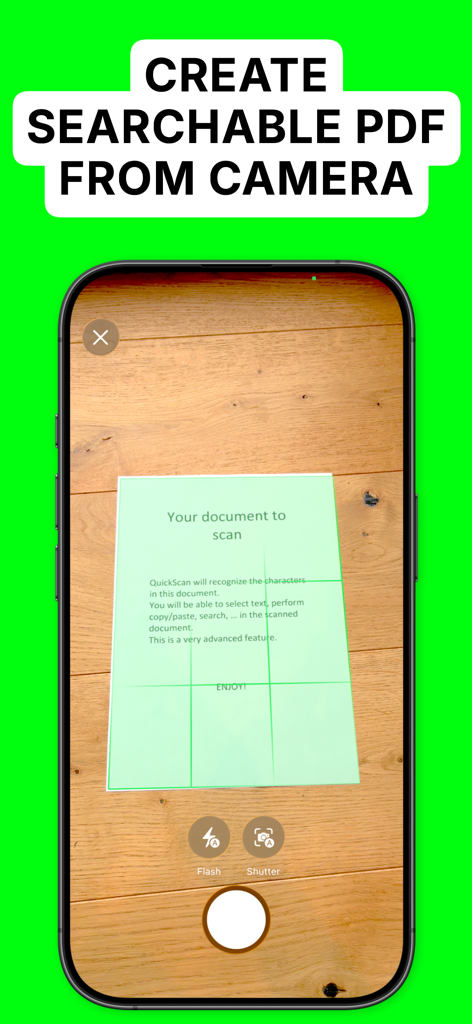
A smartphone scanning a paper document to create a searchable PDF with QuickScan Enterprise OCR.
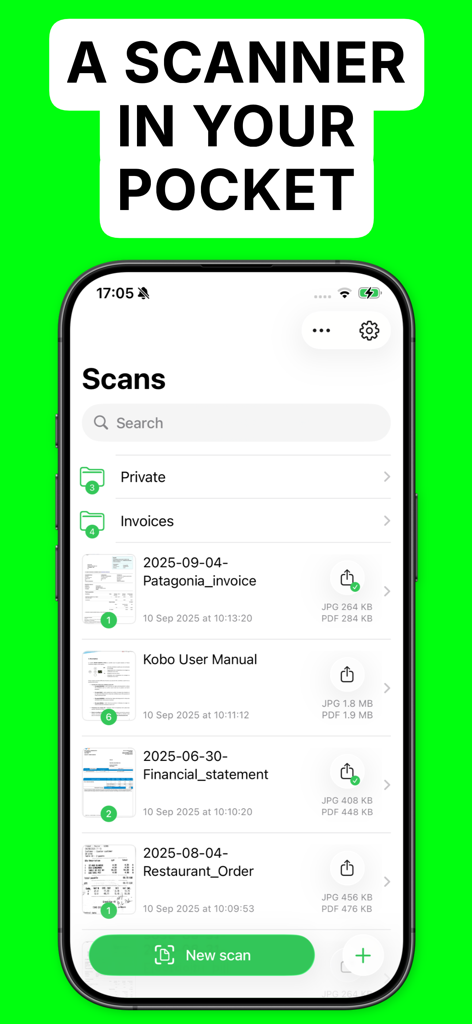
QuickScan Enterprise app interface showing a list of scanned documents and folders on an iPhone
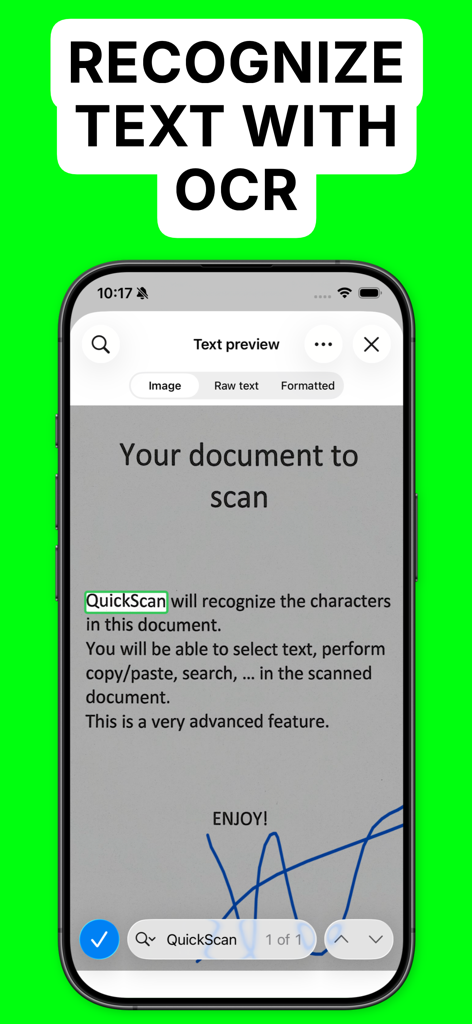
iPhone screen showing OCR text recognition and document signing in QuickScan Enterprise
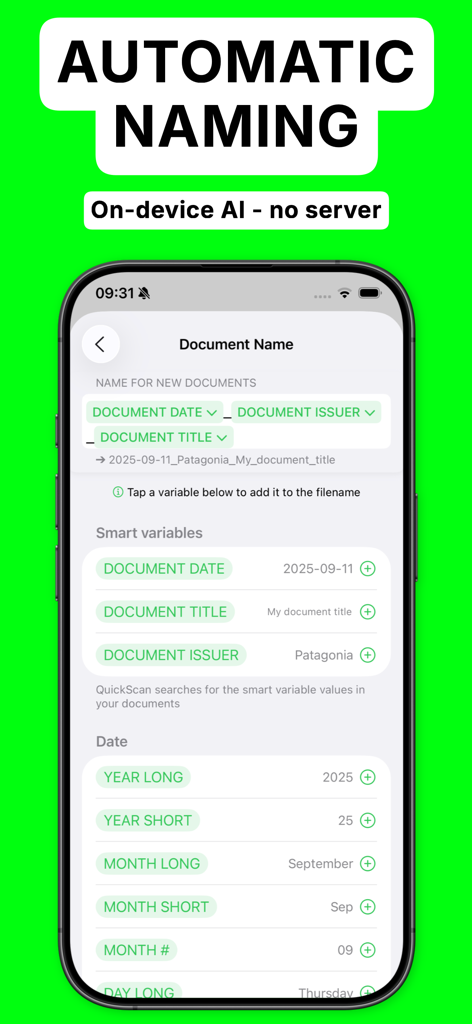
Smartphone screen showing automatic document naming settings with smart variables like date and issuer in the QuickScan Enterprise app.
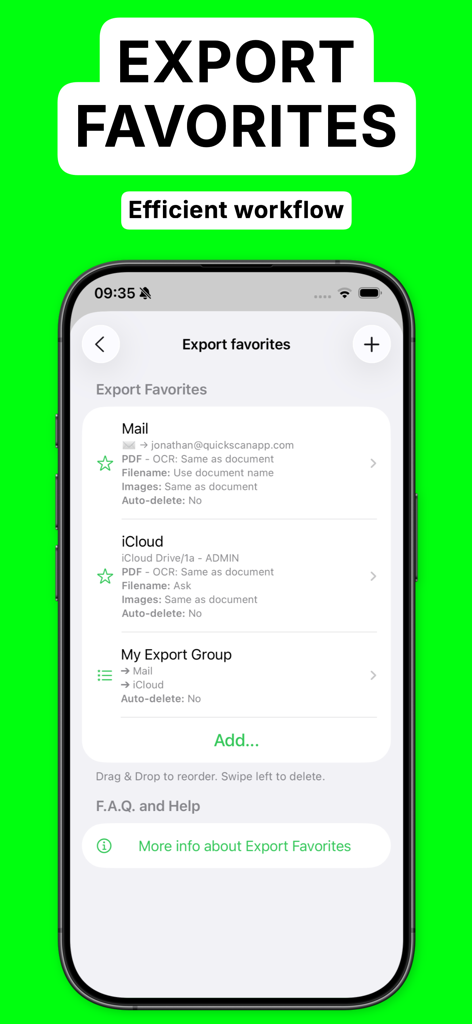
QuickScan Enterprise OCR app showing the Export Favorites screen for efficient automated document workflows
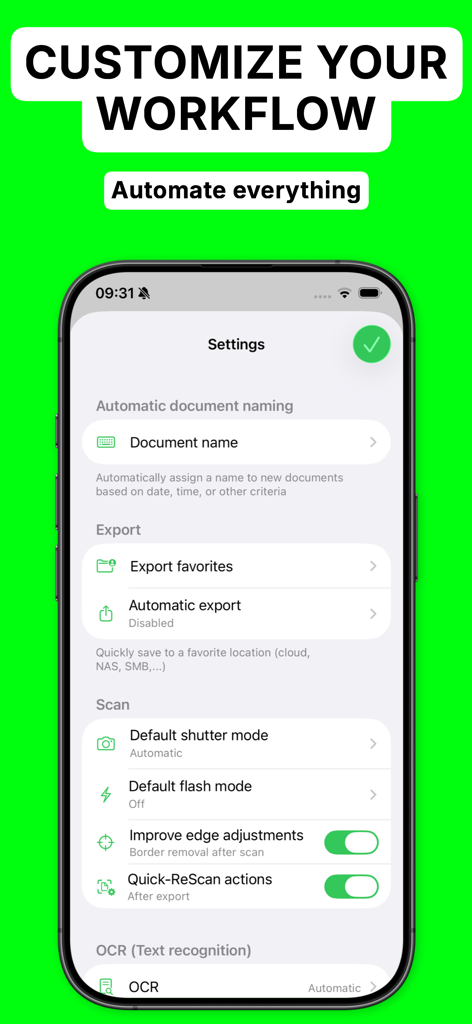
QuickScan Enterprise app settings screen showing workflow customization and automation options on an iPhone.
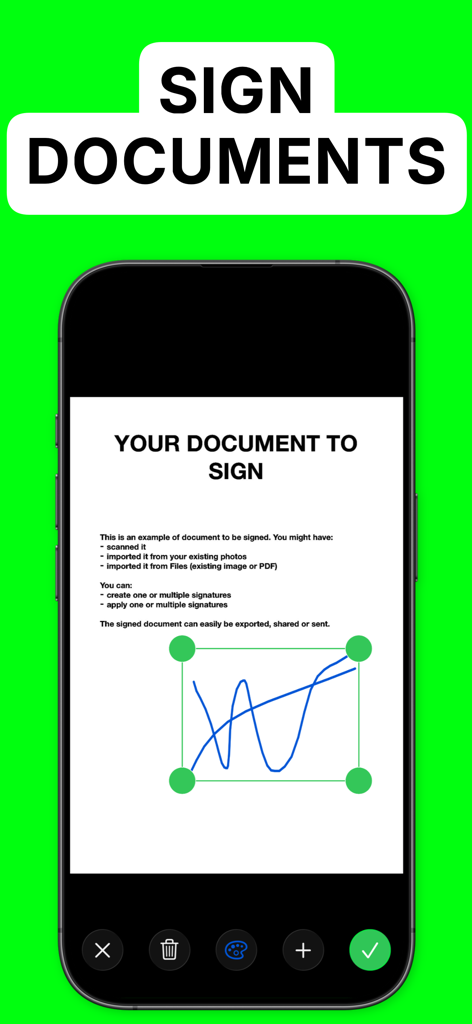
Smartphone display showcasing the digital signature feature for documents in QuickScan Enterprise OCR
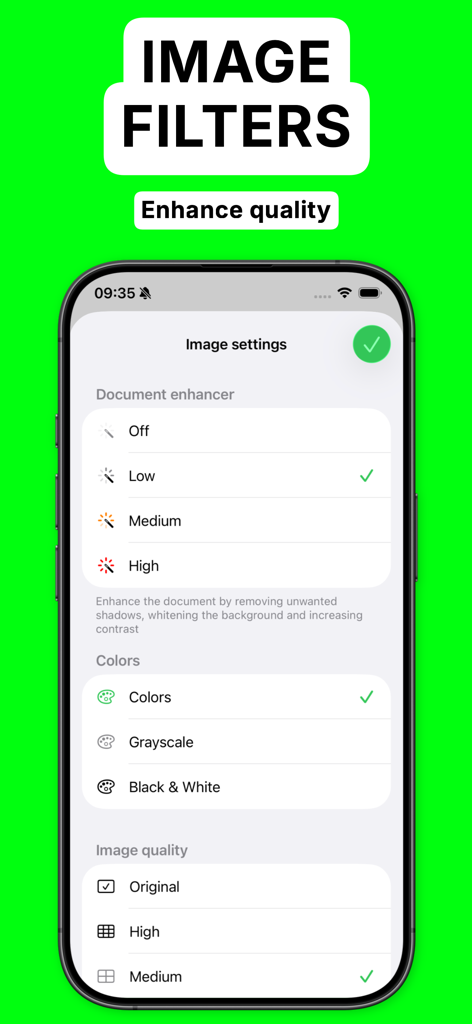
Interface of QuickScan Enterprise showing document enhancement and image quality settings.
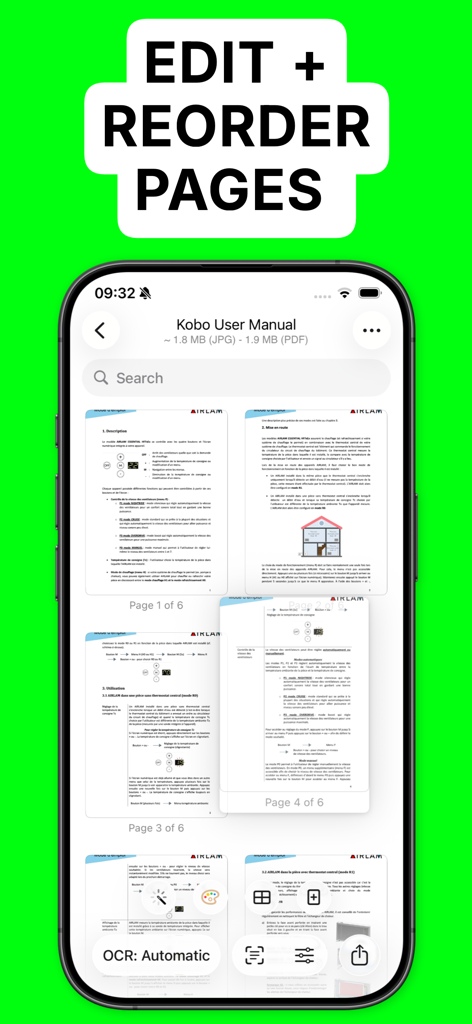
QuickScan Enterprise app interface showing a user editing and reordering pages of a scanned document
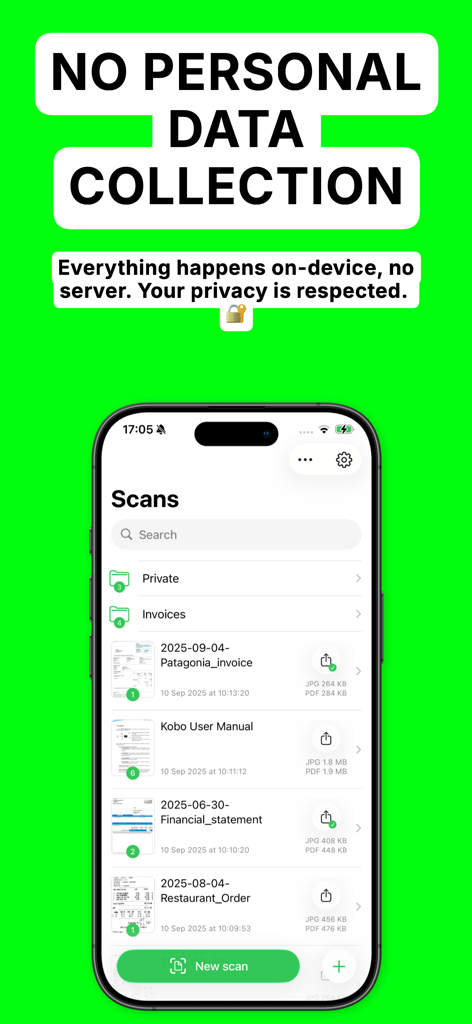
QuickScan Enterprise app screen displaying document list and privacy assurance of no personal data collection.
Efficiency Meets Security
The tools that make this app stand out, trusted by 7K+ users.
🔒
Absolute Data Privacy
Everything is processed locally on your device. Zero data collection and no internet required, ensuring compliance with strict privacy standards.
⚡
Advanced Automation
Save hours with custom naming patterns and 'Export Favorites' that instantly route documents to your specific cloud folders and NAS.
🖊️
OCR & Pro Signing
Generate high-quality searchable PDFs with industry-leading OCR and sign documents naturally using your finger or Apple Pencil.
About the app
Everything you need to know about QuickScan Enterprise - OCR.
Description
QuickScan Enterprise is a specific version of QuickScan, made for businesses or schools. NO DATA COLLECTION.
### iOS integration ###
• QuickScan has been designed specifically for iOS & iPadOS for seamless integration and an exceptional user experience.
### Scan & import ###
• Scan with your camera (automatic document detection & automatic angle correction)
• Import existing images
• Import existing PDF files
• Organize your documents in folders
### OCR (text recognition) ###
• Professional-quality OCR on images and existing PDFs
• Make documents searchable with text integrated into PDFs (search, select, copy, paste)
• Automatic language detection and dictionary matching for highly accurate results
### SIGN ###
• Add signatures to your documents
• Create signatures with your finger, Apple Pencil, or import existing signatures
• Adjust size and color for a polished look
### Automate ###
• Automatic document/file naming with patterns (e.g., document date, title, issuer, time, text, counter)
• 'Export Favorites': Automatically export to preconfigured locations (cloud, email, etc.) with custom settings (color, black & white, filename, format)
• 'Export Groups': Export to multiple locations simultaneously by grouping Export Favorites
• Automatic deletion of documents after successful export
• iOS Home screen & Lock screen Widgets & Control Center controls. Associate an Export Favorite to the widget for instant export to that favorite after the scan started by tapping the widget.
• Place document automatically in the configured folder when the scan is started from a Widget/Shortcut associated to an Export Favorite
• Siri Shortcuts compatible
• Launch scan directly from the home screen with a long press on the app icon (or using a widget)
### Export ###
• Export in PDF with the recognized text integrated (very advanced feature). This allows to search/copy & paste into the generated PDF.
• Export recognized text as a .txt file
• Export as images with optional filters (grayscale, black & white)
• Save to cloud services with Favorites (iCloud Drive, Dropbox, Google Drive, OneDrive, WebDAV, paperless-ngx, pCloud, NAS, SMB, NextCloud, and more)
• Export anywhere (to Files, to any Drive, E-mail, message, Airdrop, …), or to the cloud
• Apply image filters (grayscale, black & white), crop, rotate images
• Easily adjust output file size and quality with real-time size estimation
• ... and much more, there are really many useful features
Everything is processed on your device: No internet connection required and ZERO data collection.
There’s no quicker, easier way to scan, OCR, and manage documents beautifully
SUPPORTED LANGUAGES FOR OCR:
• ENGLISH
• GERMAN
• FRENCH
• SPANISH
• ITALIAN
• PORTUGUESE
• CHINESE
• KOREAN
• JAPANESE
• UKRAINIAN
• RUSSIAN
• VIETNAMESE
• THAI
• ARABIC
• ARABIC NAJDI
• Danish
• Swedish
• Dutch
• Norwegian
• Norwegian Nynorsk
• Norwegian Bokmål
• Czech
• Polish
• Romanian
• Turkish
• Indonesian
• Malay
• Other languages are supported but do not benefit from the enhanced accuracy provided by language dictionaries
I hope you’ll save a lot of time thanks to the efficiency of QuickScan!
Your privacy matters: everything happens locally, on your device! This app does not use any server. No personal data is collected.
Latest Version
9.0.5
Size
26.5 MB
First Released
Apr 3, 2023
Secure Your Business Workflow with QuickScan Enterprise
Experience professional-grade OCR with zero data collection. Automate your document management and keep your sensitive data local, right where it belongs.
App information, icons, screenshots, and descriptions displayed on this page are sourced from the Apple App Store and are the property of their respective developers. Download estimates and rankings are based on MWM's proprietary models and may not reflect actual figures. This page is provided for informational and analytical purposes only.
Believe this page infringes your intellectual property? File a dispute