Reeder Classic

Reeder Classic

Download on App Store
Logo of Reeder Classic

Reeder Classic: Master Your Information Diet

Escape the algorithms and take back control of your news. Experience a beautiful, clutter-free sanctuary for your feeds and read-later list, featuring Bionic Reading and seamless iCloud sync across all your Apple devices.

Publisher

Silvio Rizzi

Category

News

Downloads

317K+

User Rating

4.3/5

Total Ratings

2K+

Locales

1

The Art of Reading

Discover the interface used by 317K+ users.
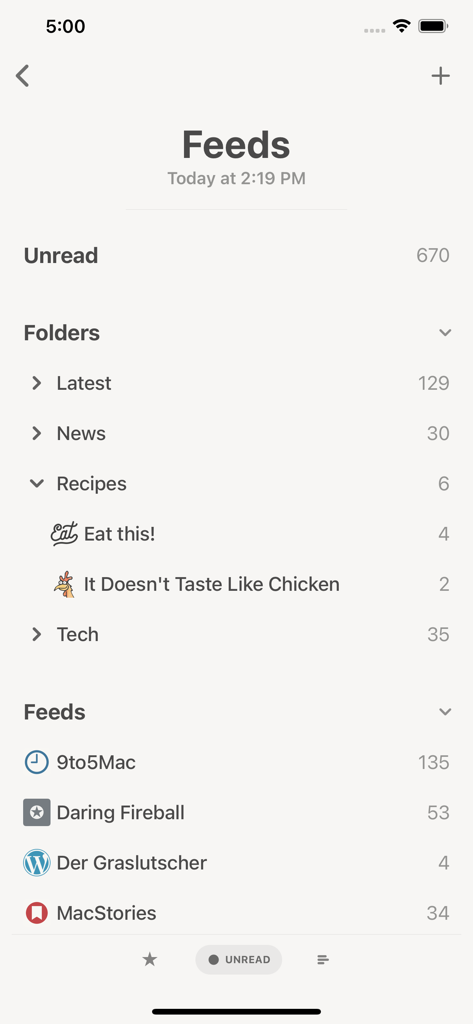
Reeder Classic app interface showing organized news feeds and folders with unread counts

Reeder Classic app interface showing organized news feeds and folders with unread counts

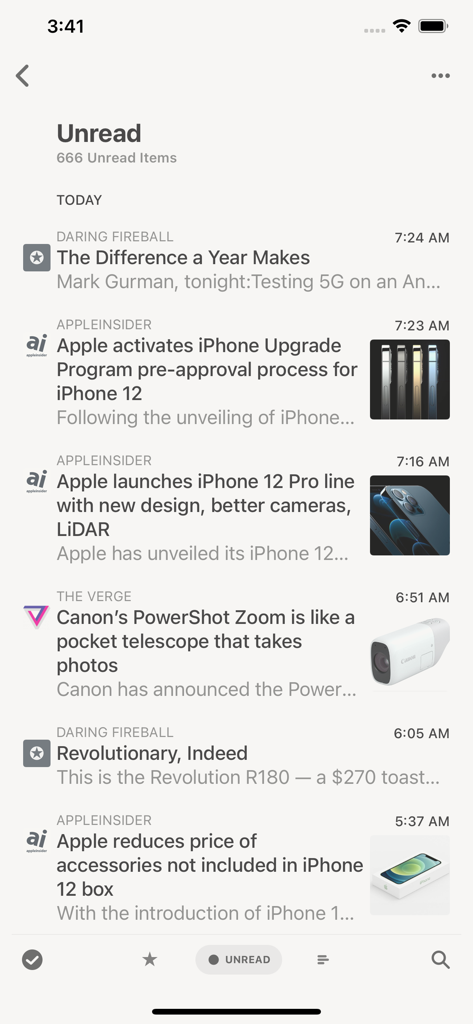
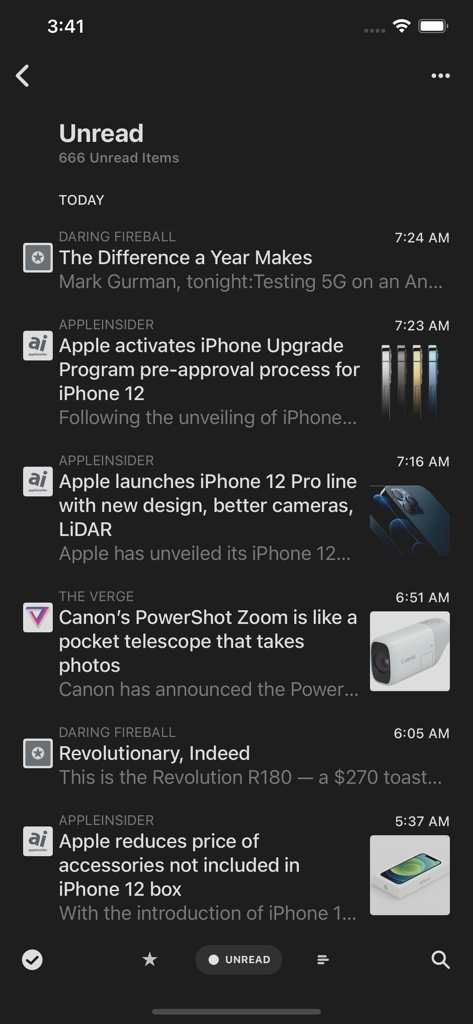
Minimalist list of unread tech news articles from RSS feeds in the Reeder Classic app interface.

Minimalist list of unread tech news articles from RSS feeds in the Reeder Classic app interface.

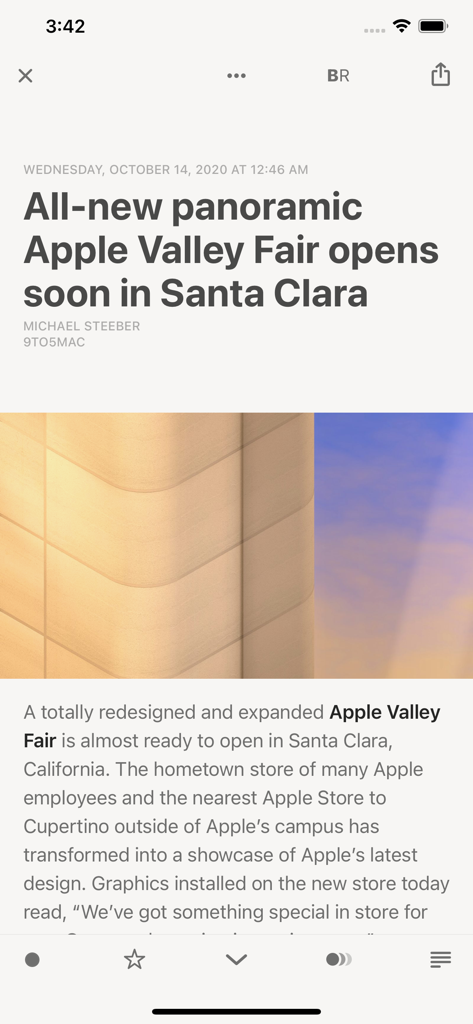
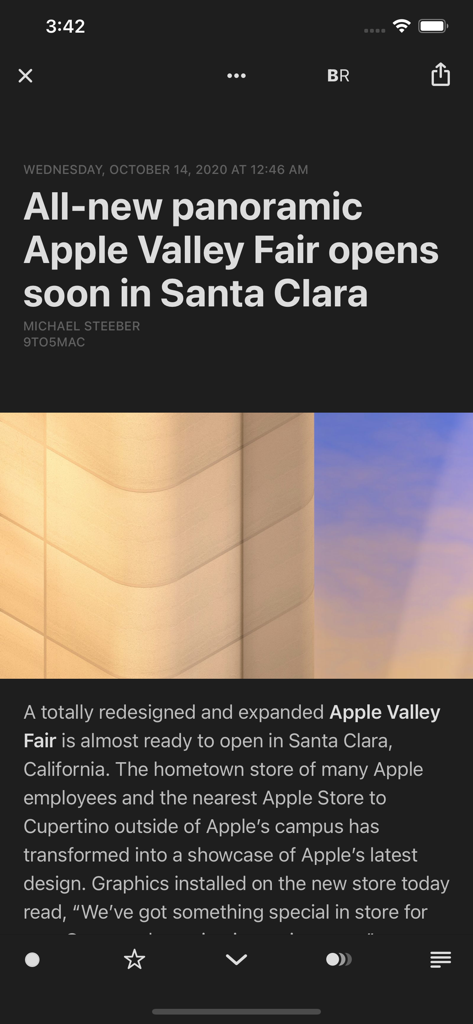
A news article displayed in the clean reader interface of the Reeder Classic app

A news article displayed in the clean reader interface of the Reeder Classic app

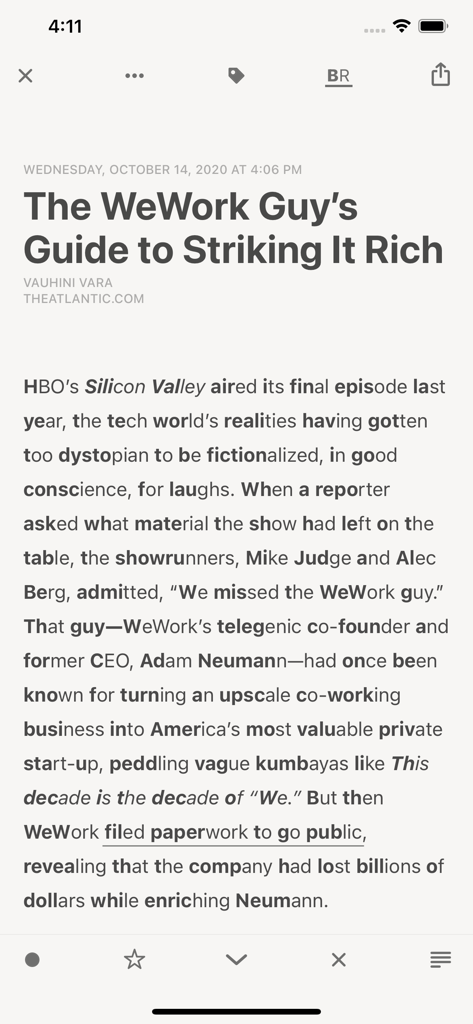
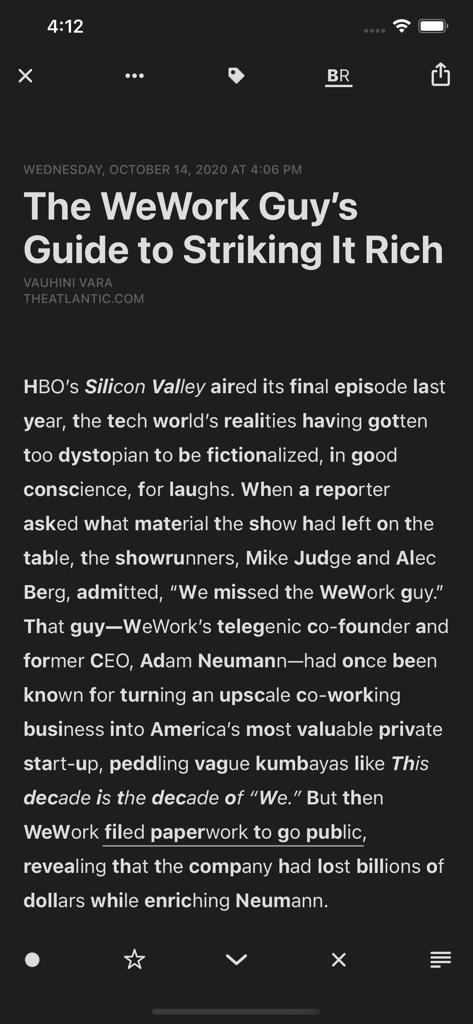
Reeder Classic app displaying a news article with Bionic Reading mode enabled for enhanced focus.

Reeder Classic app displaying a news article with Bionic Reading mode enabled for enhanced focus.

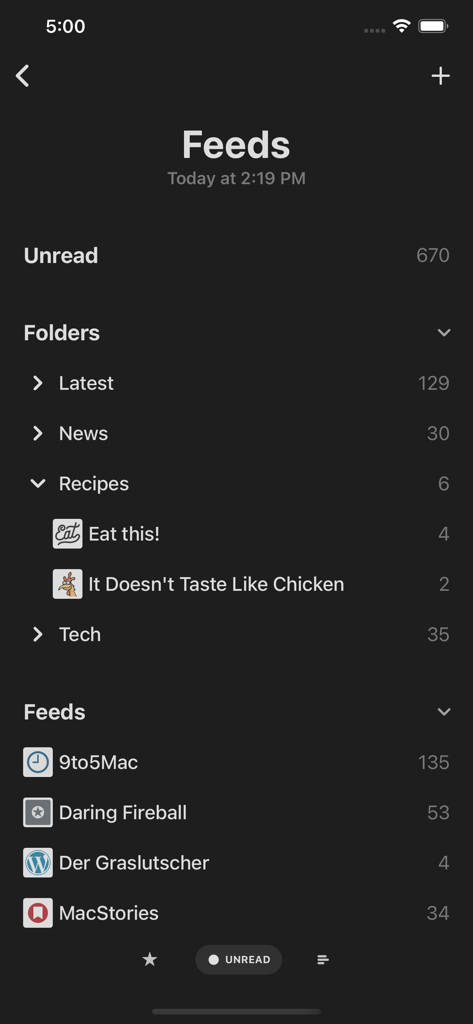
Main feeds screen of the Reeder Classic app in dark mode showing folders and RSS feed sources with unread article counts.

Main feeds screen of the Reeder Classic app in dark mode showing folders and RSS feed sources with unread article counts.

Reeder Classic unread news articles list in dark mode

Reeder Classic unread news articles list in dark mode

A clean and minimal news article interface in Reeder Classic dark mode.

A clean and minimal news article interface in Reeder Classic dark mode.

An article in Reeder Classic showing the Bionic Reading feature with bolded prefixes in dark mode

An article in Reeder Classic showing the Bionic Reading feature with bolded prefixes in dark mode

Take Back Control of Your Information Diet

The tools that make this app stand out, trusted by 317K+ users.

Bionic Reading™

Process information faster and enhance focus with a reading mode designed to guide your eyes through text with more awareness.

📖

Distraction-Free Reader View

Strip away web clutter and ads automatically to enjoy a clean, elegant typography that puts the written word first.

☁️

Secure iCloud Sync

Maintain your privacy with built-in iCloud synchronization that keeps your feeds and read-later articles in sync across all your Apple devices.

About the app

Everything you need to know about Reeder Classic.

Description

Keep control of your news reading with Reeder Classic, RSS reader and read later client in one app, now with support for iCloud syncing. FEEDS Sync all your feeds and articles with iCloud. Reeder Classic comes with a built-in RSS/Feeds service which will keep everything in sync on all your devices. Of course, this is optional. You can still just use one of the many third-party services supported by Reeder or just RSS (without sync). READ LATER This is Reeder's built-in read later service which stores all your data securely in iCloud. A sharing extension allows you to add links from outside of Reeder. BIONIC READING A higher dimension of reading. With Bionic Reading you read texts with more focus, awareness, and sustainability. Read more about Bionic Reading at bionic-reading.com. WIDGETS View most recent articles, configurable to only show items from feeds, folders, searches (for services that support searches) or tags (for read later services). MARK AS READ ON SCROLL With version 5, Reeder finally supports marking items as read while scrolling. Off by default, this can be enabled on a per-account basis. READER VIEW Enter Reader View (for feed items and read later links that support this) for a clutter-free reading experience directly in Reeder's article viewer. You can enable "Automatic Reader View" on a per-feed basis to always load items of a feed with Reader View. SUPPORTED THIRD-PARTY SERVICES Feedbin, Feedly, FeedHQ, NewsBlur, The Old Reader, Inoreader, BazQux Reader, FreshRSS, Instapaper and Pocket.

Latest Version

5.5.1

Size

24.4 MB

First Released

Oct 16, 2020

Take Back Control of Your Information Diet

Join over 300,000 readers who choose focus over algorithms. Experience a sanctuary for your feeds with seamless iCloud sync and a clutter-free interface.

Download on App Store
FAQ

Frequently Asked Questions

Everything you need to know about Reeder Classic

What is Reeder Classic?

Reeder Classic is an RSS reader and read-later client. It syncs news feeds and articles across devices using iCloud, offering both a built-in service and support for various third-party platforms.

Does Reeder Classic offer iCloud syncing?

Yes, Reeder Classic offers iCloud syncing. It stores all feeds, articles, and read-later data securely in iCloud, ensuring content is synchronized across all user devices.

Which RSS and read-later services does Reeder Classic support?

Reeder Classic supports popular services including Feedbin, Feedly, NewsBlur, Inoreader, Instapaper, and Pocket. It also integrates with FeedHQ, The Old Reader, BazQux Reader, and FreshRSS.

Is Bionic Reading available in Reeder Classic?

Yes, Bionic Reading is available in Reeder Classic. This feature is designed to enhance reading focus and comprehension by visually guiding the reader through texts.

What are the widget capabilities of Reeder Classic?

Reeder Classic provides widgets that display recent articles. These widgets are configurable to show items from specific feeds, folders, search results, or tags, based on user preferences.

Can Reeder Classic automatically mark articles as read while scrolling?

Yes, Reeder Classic can automatically mark articles as read while scrolling. This feature is optional and users can enable or disable it on a per-account basis in the application settings.

How does Reeder Classic's Reader View function?

Reeder Classic's Reader View delivers a clutter-free reading experience for articles and read-later links. Users can activate "Automatic Reader View" for specific feeds to always load content in this mode.

Does Reeder Classic support dark mode?

Yes, Reeder Classic supports dark mode. The application interface consistently displays in a dark theme, as observed in multiple screenshots.

How are feeds organized within Reeder Classic?

Reeder Classic organizes feeds into sections including an "Unread" count, customizable "Folders" (e.g., Latest, News, Recipes, Tech), and a comprehensive list of individual feeds.

Can new feeds be added in Reeder Classic?

Yes, new feeds can be added in Reeder Classic. The interface clearly provides an option, typically indicated by a '+' icon, for users to incorporate new RSS sources.

App information, icons, screenshots, and descriptions displayed on this page are sourced from the Apple App Store and are the property of their respective developers. Download estimates and rankings are based on MWM's proprietary models and may not reflect actual figures. This page is provided for informational and analytical purposes only.

Believe this page infringes your intellectual property? File a dispute