REKK - Call Recorder

REKK - Call Recorder

Download on App Store
Logo of REKK - Call Recorder

REKK - Call Recorder: Professional Recording & Instant Transcription

The essential tool for high-achievers to capture every detail. Record important calls, convert them to text, and stay organized with smart search and secure cloud backups.

Download on App Store

Publisher

CLEVERCONTROL LLC

Category

Business

Downloads

0

User Rating

3.7/5

Total Ratings

0

Locales

18

Precision at a Glance

Discover the interface used by 0 users.
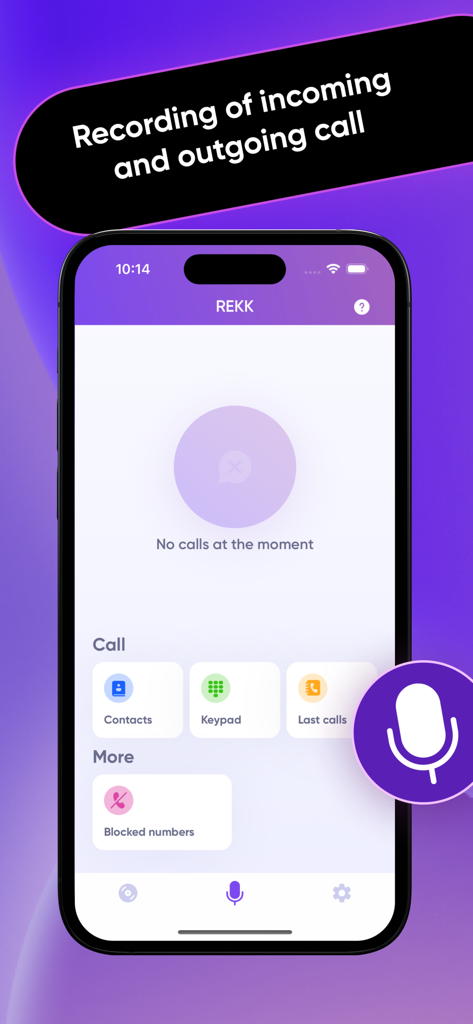
REKK Call Recorder app interface on iPhone showing features for recording incoming and outgoing calls

REKK Call Recorder app interface on iPhone showing features for recording incoming and outgoing calls

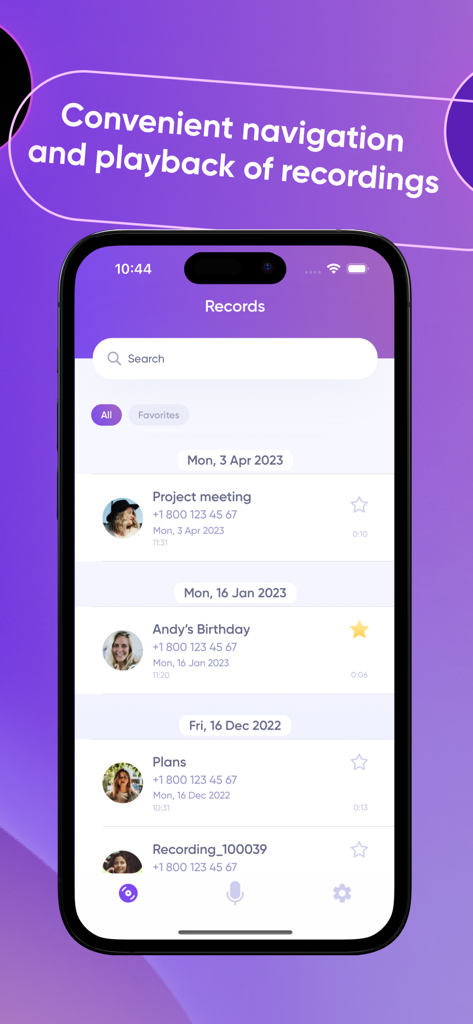
REKK Call Recorder interface displaying a list of recorded calls organized by date with search and favorite options.

REKK Call Recorder interface displaying a list of recorded calls organized by date with search and favorite options.

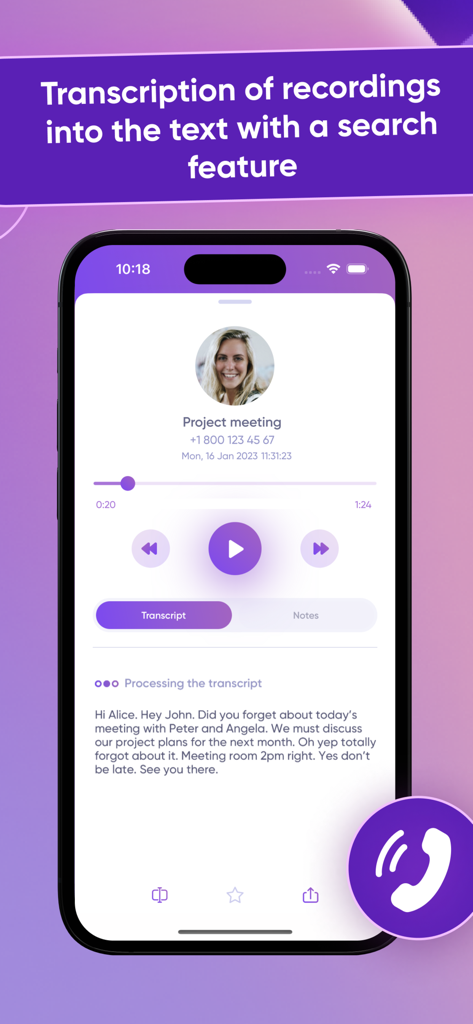
REKK app interface showing a call recording transcription into text for a professional meeting.

REKK app interface showing a call recording transcription into text for a professional meeting.

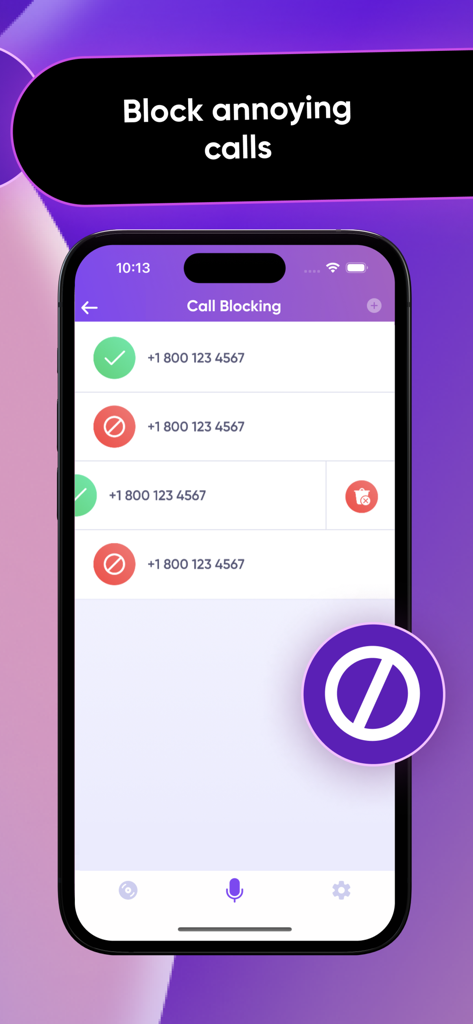
A smartphone screen displaying the REKK call blocking feature with a list of managed phone numbers.

A smartphone screen displaying the REKK call blocking feature with a list of managed phone numbers.

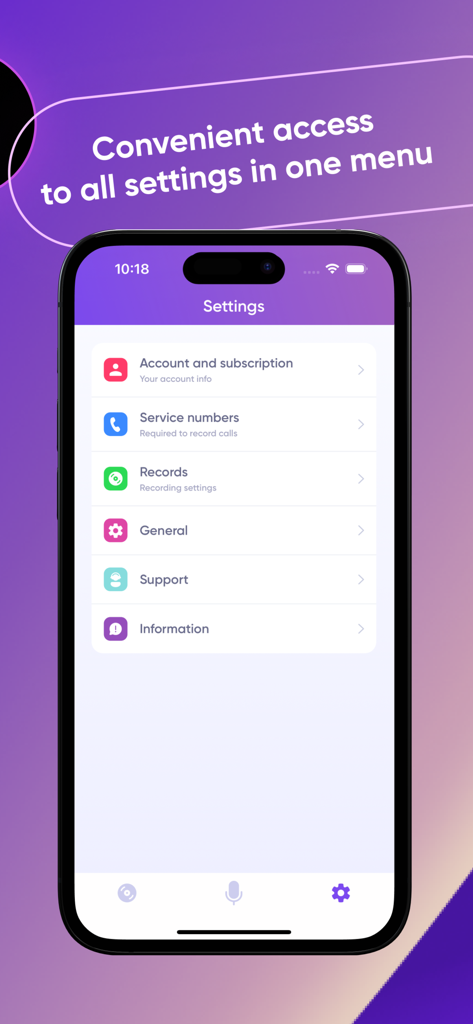
REKK Call Recorder app settings screen showing menu options for account subscription service numbers and recording settings

REKK Call Recorder app settings screen showing menu options for account subscription service numbers and recording settings

Master Every Professional Conversation

The tools that make this app stand out, trusted by 0 users.

📝

Instant Call-to-Text Transcription

Eliminate manual note-taking. Convert your recordings into accurate text, perfect for journalists, lawyers, and consultants who need a written record.

🔍

Smart Search & Organization

Never lose a detail again. Use smart search to find specific keywords within your calls and add custom notes to highlight key verbal agreements.

☁️

Professional Workflow Integration

Sync your recordings directly to Google Drive or Dropbox and share transcripts instantly via Slack, WhatsApp, or email with one tap.

About the app

Everything you need to know about REKK - Call Recorder.

Description

REKK – Call Recorder is a tool to record, save and convert your phone calls easily. WARNING! To record calls with REKK, you need to enable three-way calling. Please contact your mobile carrier and ask them to enable this feature for you. Note that some carriers don’t provide three-way calling to their clients. New feature! Now you can not only record calls with REKK but also block incoming calls from unwanted callers. INSTALL REKK AND GET AN ACCESS TO A PLENTY OF FEATURES: - Record incoming and outgoing calls - Convert your recordings to text - Choose the type of call recording that suits you most - Make notes under the recordings - Create backup copies of the files - Share the recordings via third-party apps (Message, Viber, Whatsapp, VK) - Upload the recordings to Google Drive, Dropbox, and other cloud storages - Find the necessary information quickly with the help of a smart search feature - Create the link to share the file FREQUENTLY ASKED QUESTIONS 1. How does REKK work? REKK records phone calls by using the 3-way conference calling feature provided by your mobile carrier. The app silently listens to the call and records what is said by both persons until you end the call. 2. Are calls recorded automatically? No, the application records through the creation of a 3-way conference call. In order for a call to be recorded, you need to merge the calls into one conference. 3. How many recordings can I make? You can make an unlimited number of recordings. 4. How long can a recording be? As long as necessary! The duration of the recordings is unlimited. 5. Why is the “Merge Calls” button not working for me? REKK records by creating a conference call between you, the person you want to record, and our service number, which records the call. To be able to create this conference call, your mobile carrier MUST support 3-way conference calling. Without this, the "merge calls" button will not work and REKK will not be able to record. Simply give your mobile carrier a call and ask them to enable 3-Way Conference Calling on your line. Once enabled, the "merge calls" button will begin working as intended. 6. Can I share my recordings via social networks? Yes, you can. Go to "Recordings", select the recording and tap the "share" icon in the top right corner of the screen. You can share recordings via SMS, Viber, WhatsApp or copy them to Dropbox, Evernote, Google Drive. 7. How can I contact you? If you have any questions, feel free to contact our technical support - support@rekk.io. 8. How much does REKK cost? You need to purchase the subscription if you want to record and playback phone calls to mobile and landline phone numbers. Privacy policy: https://rekk.io/privacy Terms of use: https://rekk.io/terms

Latest Version

6.9.2

Size

91.4 MB

First Released

Aug 21, 2019

Never Miss a Detail in Your Most Important Calls Again

Join the thousands of consultants, lawyers, and executives who rely on REKK to record, transcribe, and secure their professional conversations. Your perfect paper trail is just one tap away.

Download on App Store

App information, icons, screenshots, and descriptions displayed on this page are sourced from the Apple App Store and are the property of their respective developers. Download estimates and rankings are based on MWM's proprietary models and may not reflect actual figures. This page is provided for informational and analytical purposes only.

Believe this page infringes your intellectual property? File a dispute