Rhythm Sight Reading Trainer

Rhythm Sight Reading Trainer

Download on App Store
Logo of Rhythm Sight Reading Trainer

Rhythm Sight Reading Trainer: Master Every Beat with Professional Precision

Accelerate your timing accuracy and reading skills with instant feedback, graduated exercises, and MIDI support designed for serious musicians.

Publisher

Rolf Steenge

Category

Music

Downloads

371K+

User Rating

4.6/5

Total Ratings

800

Locales

1

Master Every Beat

Discover the interface used by 371K+ users.
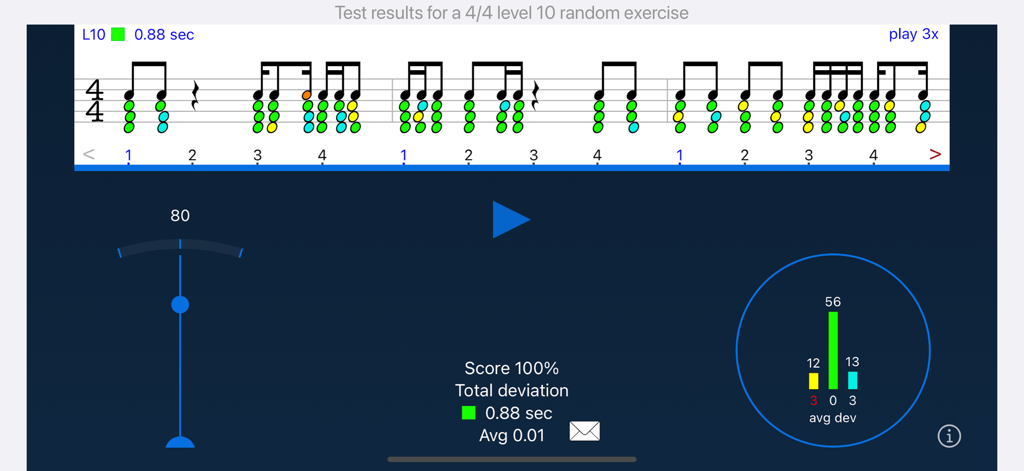
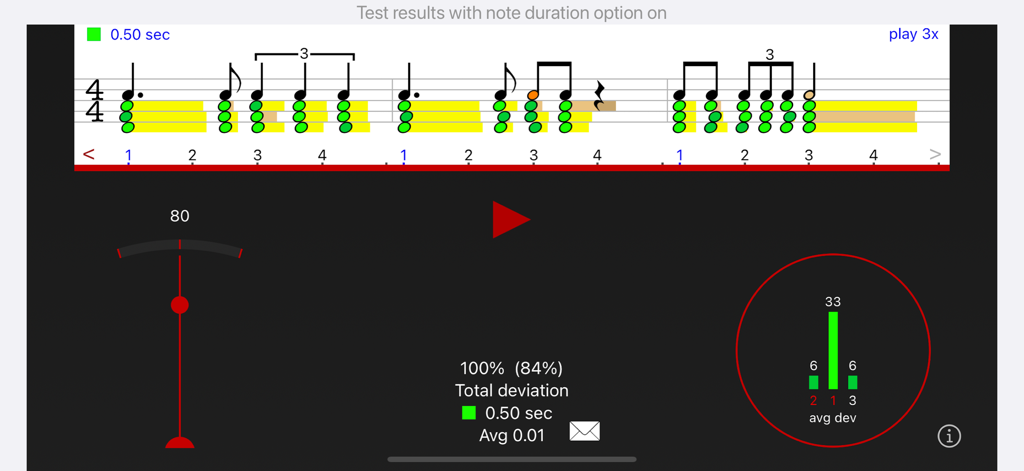
Rhythm Sight Reading Trainer app screen displaying test results with a 100 percent score and visual feedback on timing accuracy.

Rhythm Sight Reading Trainer app screen displaying test results with a 100 percent score and visual feedback on timing accuracy.

Rhythm Sight Reading Trainer app screenshot showing musical notation with green timing feedback and detailed performance statistics.

Rhythm Sight Reading Trainer app screenshot showing musical notation with green timing feedback and detailed performance statistics.

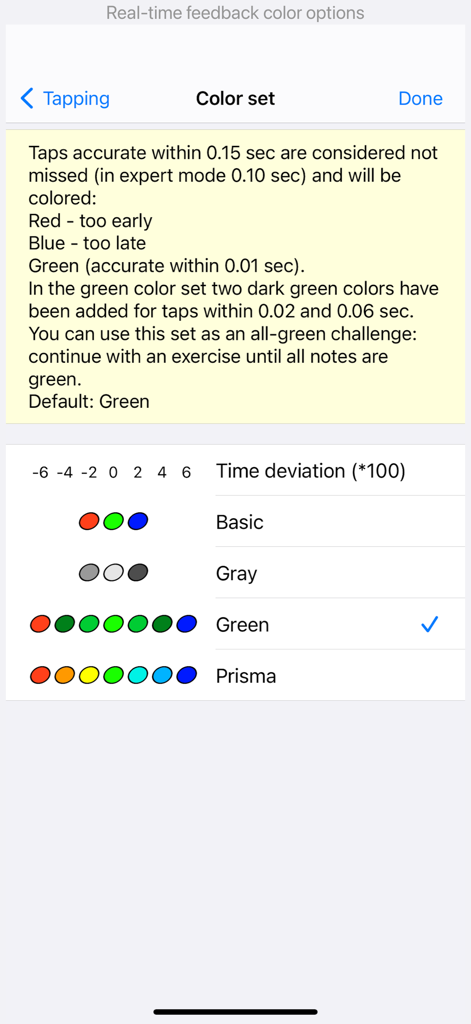
Settings screen for selecting visual feedback colors based on tapping accuracy in the rhythm trainer app.

Settings screen for selecting visual feedback colors based on tapping accuracy in the rhythm trainer app.

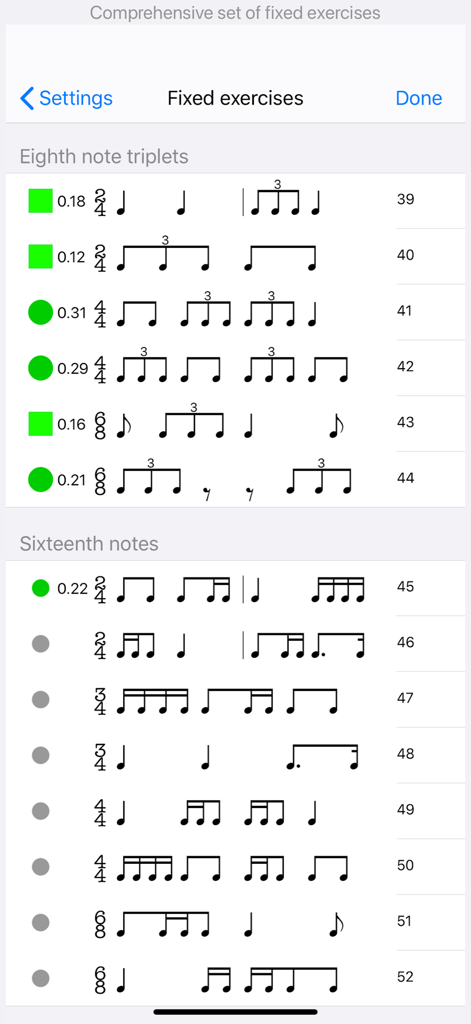
A list of fixed rhythm exercises with musical notation and progress indicators for triplets and sixteenth notes.

A list of fixed rhythm exercises with musical notation and progress indicators for triplets and sixteenth notes.

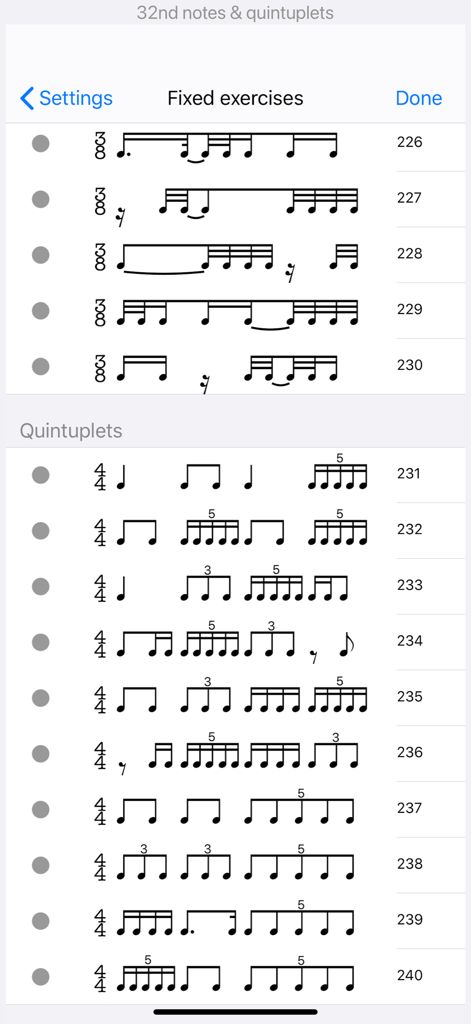
List of fixed rhythm exercises featuring quintuplets and 32nd notes in the Rhythm Sight Reading Trainer app.

List of fixed rhythm exercises featuring quintuplets and 32nd notes in the Rhythm Sight Reading Trainer app.

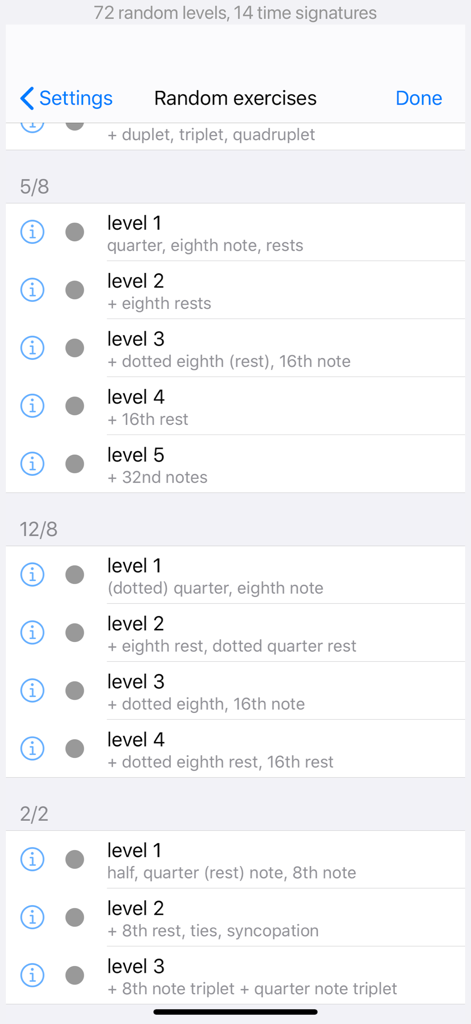
A list of random rhythm exercises in the app categorized by time signatures 5/8, 12/8, and 2/2 with various difficulty levels.

A list of random rhythm exercises in the app categorized by time signatures 5/8, 12/8, and 2/2 with various difficulty levels.

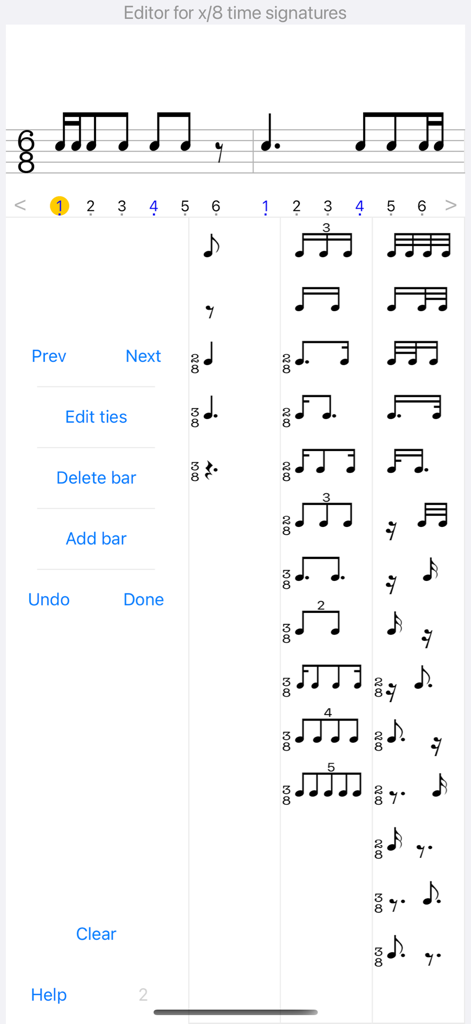
Rhythm notation editor interface for creating custom exercises in the Rhythm Sight Reading Trainer app.

Rhythm notation editor interface for creating custom exercises in the Rhythm Sight Reading Trainer app.

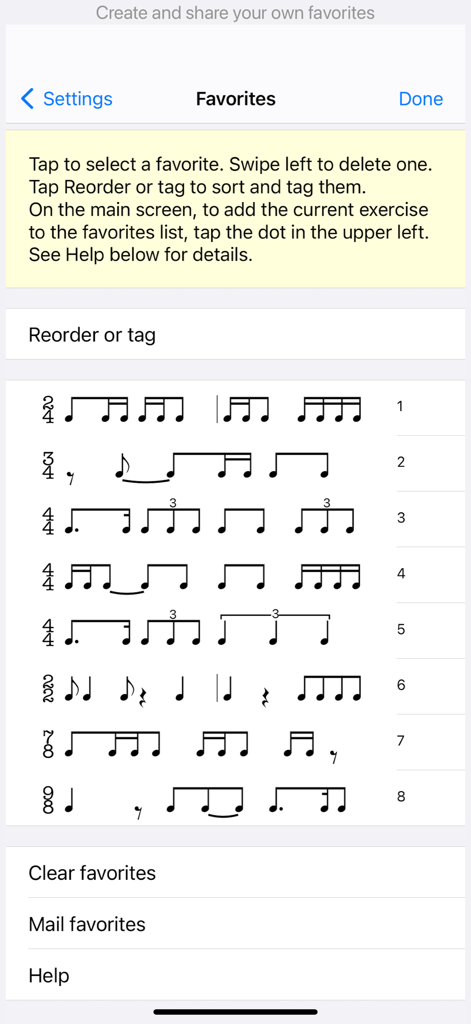
A list of saved rhythm exercises in various time signatures within the favorites menu of the app.

A list of saved rhythm exercises in various time signatures within the favorites menu of the app.

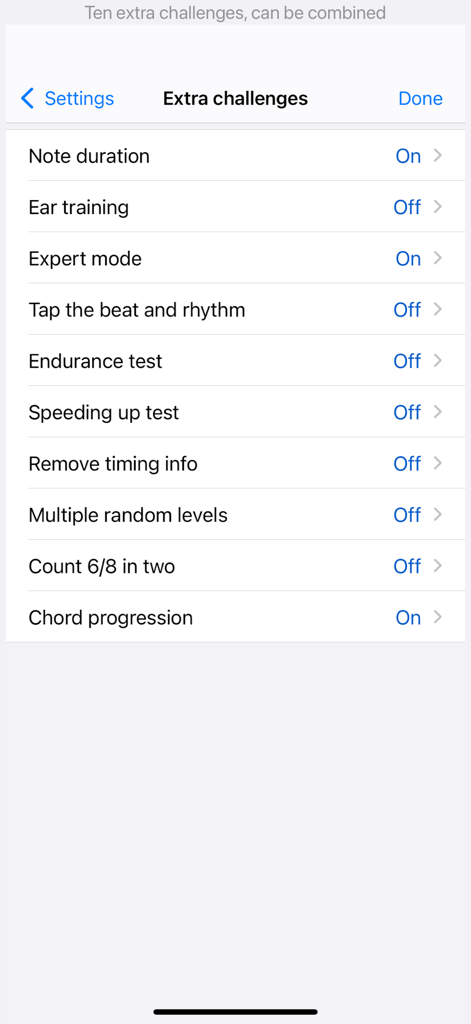
A list of extra challenges in the Rhythm Sight Reading Trainer app settings

A list of extra challenges in the Rhythm Sight Reading Trainer app settings

Tutorial page describing Practice and Test modes in the Rhythm Sight Reading Trainer app

Tutorial page describing Practice and Test modes in the Rhythm Sight Reading Trainer app

Master Every Beat with Precision

The tools that make this app stand out, trusted by 371K+ users.

🎯

Instant Accuracy Feedback

Eliminate guesswork with real-time visual feedback that tracks your timing precision, helping you correct mistakes the moment they happen.

🎹

Real Instrument Integration

Connect via MIDI or use the microphone to practice with your own instrument, drum sticks, or hand claps for a seamless transition to the stage.

πŸ“ˆ

Data-Driven Progress Tracking

Monitor your growth with detailed frequency charts and performance reports that you can share directly with your music instructor.

About the app

Everything you need to know about Rhythm Sight Reading Trainer.

Description

Accelerate your sight reading skills with instant feedback on timing accuracy. Our carefully graduated levels, from beginner to professional, allow you to start at your optimal skill level and progress at your own pace. You'll improve more rapidly than practicing solely on your instrument. Practice anytime and anywhere. Many advanced features. KEY FEATURES DIVERSE EXERCISES - Explore common and rare rhythms from 2 to 12 beats per bar (2/2, 3/2, 4/2, 2/4, 3/4, 4/4, 5/4, 6/4, 7/4, 3/8, 5/8, 6/8, 7/8, 9/8, 12/8). - More than 200 fixed exercises (100 (longer ones) on iPad). - Thousands of random exercises. - Suitable for absolute beginners as well as professionals. - Challenge yourself with exercises involving rests, ties, syncopations, duplets, triplets, quadruplets and quintuplets. - Add swing to quarter note meter exercises with varying degrees of swing intensity. - Automatic count-off with one or two bars. - Longer (random) exercises in landscape orientation. PRACTICE & TEST MODE - Practice mode: listen or tap along while the rhythm is played. - Test mode: hear the metronome and read/tap the rhythm. - Visual feedback instantly displays accuracy with each tap (color and position). - Easily adjust metronome tempo by sliding or keypad. - Two tap buttons for higher tempos or tapping with alternating fingers. RHYTHM EDITOR - Edit any exercise to suit your preferences. - Intuitive editor with minimal taps. - Includes an editor for ties. - Unlimited undo. - Add your exercises to favorites. - Share exercises with others. EXTRA CHALLENGES - Expert mode: higher default tempo and more accuracy required. - Endurance test (continuous reading). - Speeding-up tests. - Left- and right-hand independence: tap the beat and rhythm with two buttons. - Note duration test. - Count 6/8 in two (dotted quarter as the beat). - Ear training function for rhythmic dictation. - Maintain rhythm focus while notes from a chord progression are played. REPORTING - View a frequency chart of your tap results. - Access progress reports for fixed and random exercises. - Share your results, such as a 100% score graphic or progress reports, via email. SOUNDS - Choose from various percussive instruments for app player, metronome, and taps. - Play chord progressions with guitar, e-piano, marimba, or bass. - Optional stereo sound with taps in the right ear and metronome/player in the left ear. - Optional beat-counting voice function. MICROPHONE - Utilize the microphone for an alternative to tap buttons. - Play rhythms with hand claps, finger-snaps, or an instrument. - Adjust sensitivity settings. - Supports external microphones. MIDI - Receive taps from a Midi device connected via Apple USB camera adapter or USB-C (e.g., keyboard, guitar, drum kit). - Automatic device detection. - Touch-sensitivity support. - Export any exercise as a MIDI file. OTHER FEATURES - Experience very low latency with instant response. - Support for left-handed tapping. - Choose between classical and flat interface themes. - Support for dark mode (iOS13+). - Universal app (iPhone, iPad and iPod Touch). - Supports all screen sizes. - Tested on iOS and iPadOS 26.

Latest Version

12.11

Size

46.1 MB

First Released

Oct 12, 2010

Ready to Master Every Rhythm?

Join over 371,000 students and professionals using the industry-standard tool for perfect timing. Start accelerating your progress today on iPhone and iPad.

Download on App Store

App information, icons, screenshots, and descriptions displayed on this page are sourced from the Apple App Store and are the property of their respective developers. Download estimates and rankings are based on MWM's proprietary models and may not reflect actual figures. This page is provided for informational and analytical purposes only.

Believe this page infringes your intellectual property? File a dispute