Roland Cloud Connect

Roland Cloud Connect


Download on App Store
Logo of Roland Cloud Connect

Roland Cloud Connect: Your Wireless Gateway to Infinite Tones

Explore, preview, and load thousands of premium sounds and expansions directly to your Roland gear wirelessly. No computer required—just pure inspiration.

Publisher

Roland Corporation

Category

Music

Downloads

27K+

User Rating

3.3/5

Total Ratings

0

Locales

2

Sonic Freedom Visualized

Discover the interface used by 27K+ users.
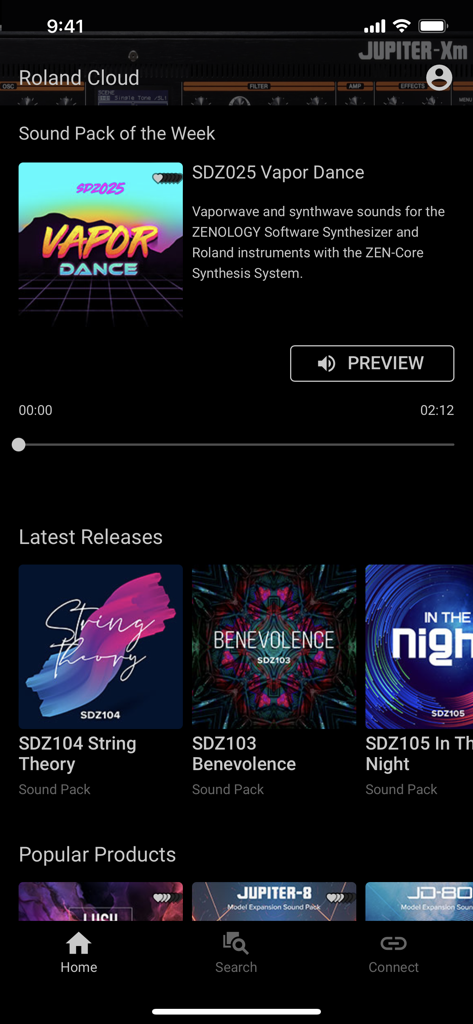
Roland Cloud Connect app interface displaying sound packs and latest releases

Roland Cloud Connect app interface displaying sound packs and latest releases

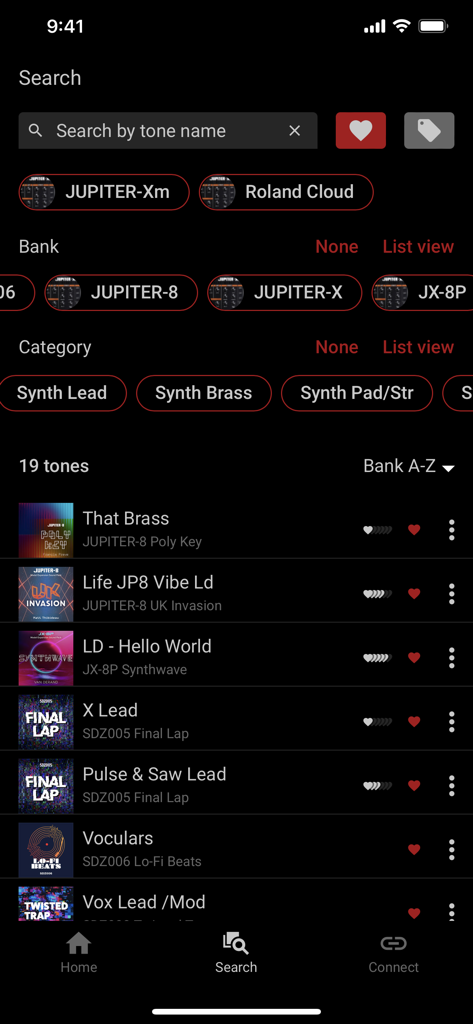
Roland Cloud Connect app screen showing a search for synthesizer tones and instrument banks.

Roland Cloud Connect app screen showing a search for synthesizer tones and instrument banks.

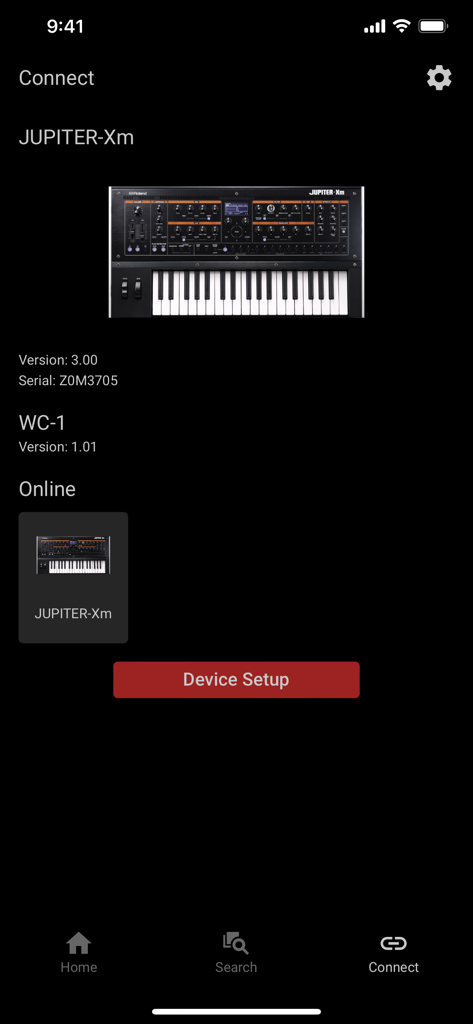
Roland Cloud Connect app interface showing the connection status and device setup for a JUPITER-Xm synthesizer.

Roland Cloud Connect app interface showing the connection status and device setup for a JUPITER-Xm synthesizer.

Wireless Sound Integration for Your Studio

The tools that make this app stand out, trusted by 27K+ users.

📶

Seamless Wireless Loading

Ditch the USB drives and cables. Beam Sound Packs and Model Expansions directly from your phone to your hardware using the WC-1 adapter or built-in Wi-Fi.

🎧

Instant Sound Auditioning

Search and preview thousands of tones in real-time through your instrument's actual signal path, ensuring every sound fits your mix perfectly before you load it.

🚀

Evolutionary Gear Updates

Keep your JUPITER, JUNO, or V-Drums future-proof. Access the latest Wave Expansions, Kit Packs, and Styles to constantly evolve your sound signature.

About the app

Everything you need to know about Roland Cloud Connect.

Description

The Roland Cloud Connect app lets you explore tones on your JUPITER-X, JUPITER-Xm, JUNO-X, GAIA 2, GO:KEYS 3, GO:KEYS 3 IN or GO:KEYS 5 using the Roland WC-1 Wireless Adapter. Or you can install Instrument Expansions on the Wi-Fi-equipped V-Drums V71, V51 or V31. The app also lets you subscribe to Roland Cloud's premium memberships and install additional Model Expansions, Sound Packs, Wave Expansions, World Expansions, Instrument Expansions, and Kit Packs to these products. With the Roland Cloud Connect app, you can search, preview, and load tones from the thousands of sounds on Roland Cloud into your JUPITER-X, JUPITER-Xm, JUNO-X, GAIA 2, GO:KEYS 3, GO:KEYS 3 IN, or GO:KEYS 5. You can even browse and load additional Style Packs for the GO:KEYS 3 and 5 models, and Drum Kits for the V-Drums V71, V51 and V31. To use this app, you will need a WC-1 Wireless Adapter with a compatible instrument model (i.e., JUPITER-X, JUPITER-Xm, JUNO-X, GAIA 2, GO:KEYS 3, GO:KEYS 3 IN, or GO:KEYS 5). If you use V-Drums V71, V51 or V31, you do not need a WC-1 as it has built-in Wi-Fi capability. You will also need a registered Roland Account and an internet connection. Applicable models: - JUPITER-X/JUPITER-Xm (Ver.2.00 or later) - JUNO-X (Ver.1.10 or later) - GAIA 2 (Ver.1.10 or later) - GO:KEYS 3/GO:KEYS 5 (Ver.1.04 or later) - GO:KEYS 3 IN (Ver.1.01 or later) - V71 (Ver.1.10 or later) - V51 (Ver.1.02 or later) - V31 (Ver.1.02 or later) * Any communication expenses (packet communication fees, etc.) incurred while using this software will be charged to customers. * This software might not be available depending on your country or region. * In the interest of product improvement, the specifications and/or appearance of this software are subject to change without prior notice.

Latest Version

1.7.0

Size

27.5 MB

First Released

Nov 16, 2021

Transform Your Gear with a Single Tap

Join the Roland Cloud ecosystem today. Download the app to wirelessly explore, preview, and load thousands of professional tones and expansions directly to your instrument.

Download on App Store

App information, icons, screenshots, and descriptions displayed on this page are sourced from the Apple App Store and are the property of their respective developers. Download estimates and rankings are based on MWM's proprietary models and may not reflect actual figures. This page is provided for informational and analytical purposes only.

Believe this page infringes your intellectual property? File a dispute