RTA

RTA

Download on App Store
Logo of RTA

RTA: Professional Acoustic Analysis and Room Tuning in the Palm of Your Hand

Turn your iPhone or iPad into a calibrated, ANSI-standard measurement tool. Tune sound systems, analyze room acoustics, and export data with laboratory-grade precision.

Download on App Store

Publisher

Andrew Smith

Category

Music

Downloads

259K+

User Rating

3.8/5

Total Ratings

300

Locales

8

Precision at a Glance

Discover the interface used by 259K+ users.
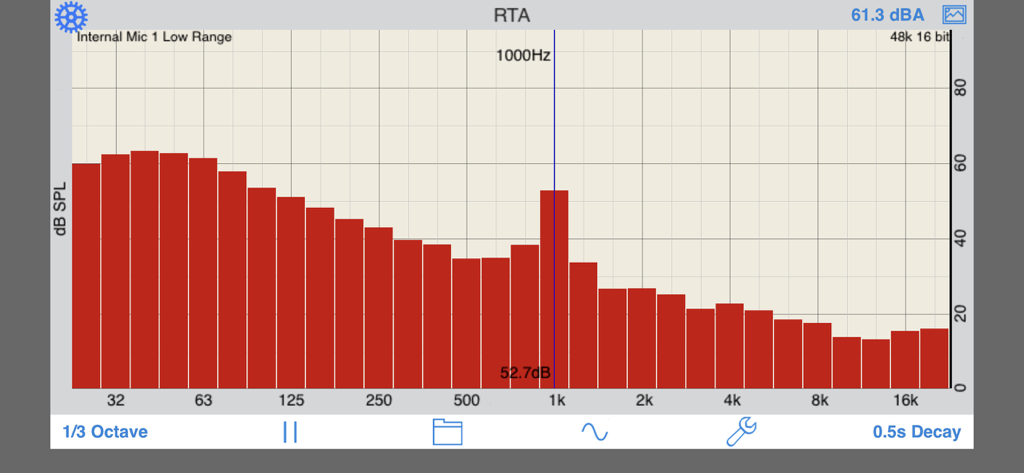
RTA app displaying a real-time audio frequency spectrum graph with decibel levels.

RTA app displaying a real-time audio frequency spectrum graph with decibel levels.

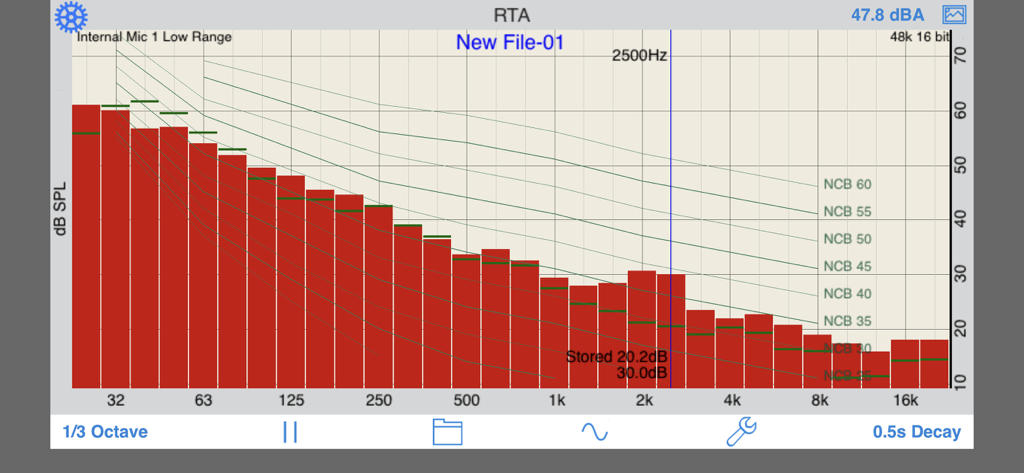
Real Time Analyzer app displaying a 1/3 octave frequency spectrum with noise curve overlays

Real Time Analyzer app displaying a 1/3 octave frequency spectrum with noise curve overlays

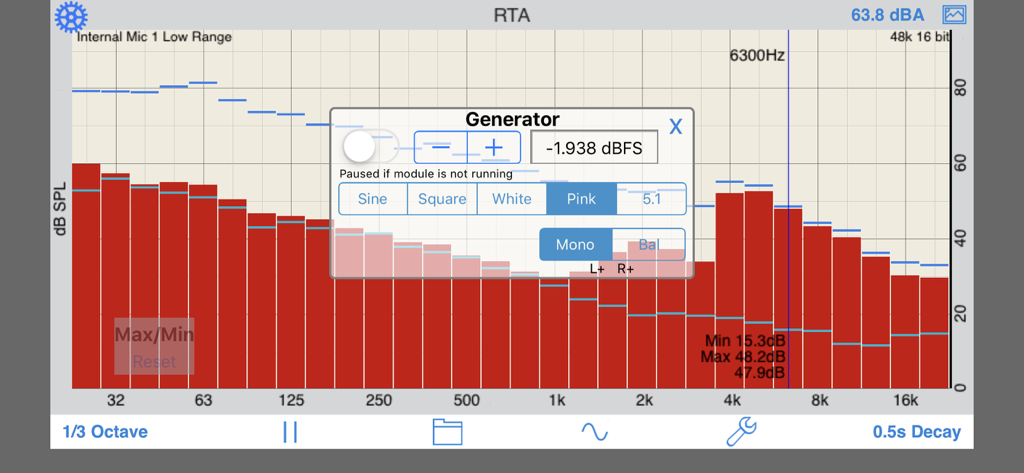
RTA app interface showing a 1/3 octave frequency spectrum and an audio signal generator popup

RTA app interface showing a 1/3 octave frequency spectrum and an audio signal generator popup

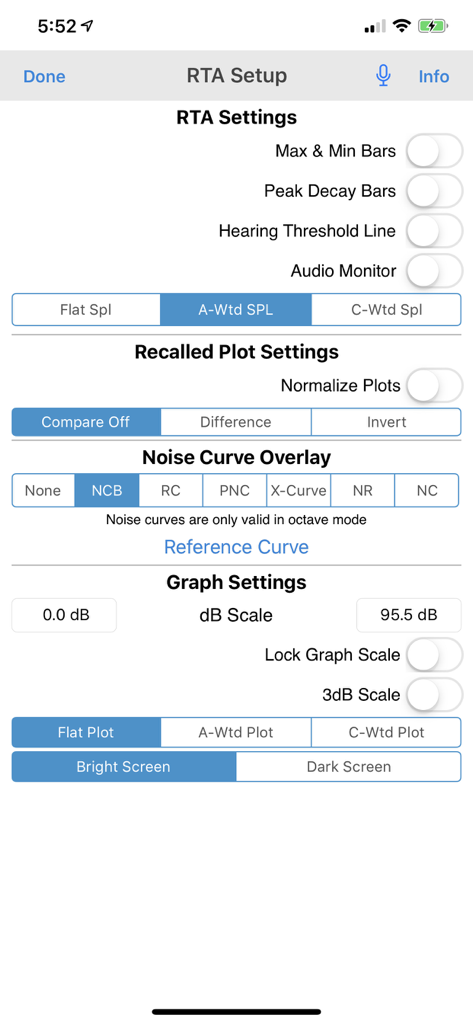
RTA app configuration screen showing various audio analysis settings including SPL weighting and noise curve overlays

RTA app configuration screen showing various audio analysis settings including SPL weighting and noise curve overlays

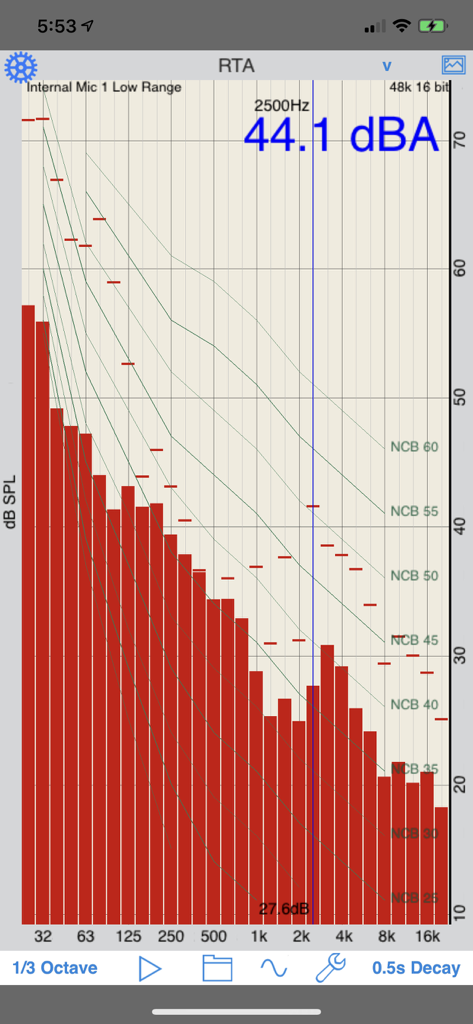
RTA app interface showing a 1/3 octave frequency spectrum with noise criteria balanced curve overlays

RTA app interface showing a 1/3 octave frequency spectrum with noise criteria balanced curve overlays

Precision Audio Engineering Anywhere

The tools that make this app stand out, trusted by 259K+ users.

🎙️

Automatic Mic Calibration

Get professional-grade accuracy with custom compensation files for every iOS device, ensuring your measurements are within a few dB of high-end hardware analyzers.

📏

Industry Standard Compliance

Perform critical analysis with ANSI and IEC Class 1 filters and professional noise curve overlays including NC, RC, and NR for certified acoustical reporting.

📈

Pro-Grade Data Reporting

Capture high-resolution data with GPS-tagged graphs and export your findings as XLS files for advanced analysis and seamless inclusion in professional reports.

About the app

Everything you need to know about RTA.

Description

A Real Time Analyzer for the iPhone, iPad and iPod Touch. Test your speakers, tune your room, do acoustical analysis work or just have a better understanding of audio frequencies. RTA is a professional-grade acoustical analysis tool. All filters meet or exceed ANSI and IEC Class 1 specifications. Includes Octave and 1/3 Octave modes, with selectable decay times, as well as Peak Hold and true linear Average mode. *** iOS Microphones We have analyzied every iOS device, including all of the iPads, all iPhones, and iPod touches, and have created microphone compensation files that are applied automatically. You can trust the results you are getting, often within just a few dB of a far more expensive analyzer. Calibration is updated regularly, automatically, from our cloud-based calibration database. Upgrade to our iTestMic or iAudioInterface2 to bring your system up to full professional specs. *** Save and Recall Graphs You can save and recall graphs, marked with the GPS location, date & time, and your comment, as well as store the image to your photo roll. Export the data as an XLS formatted file to your computer for inclusion in reports or further analysis. *** Max and Min Bars You can also turn on resettable Max/Min bars (see image #4) to capture peaks. Double-tap to reset the bars. *** Specifications and Devices The internal iPhone mic has a noise floor near 30 dB, and if your are running iOS 6, clips around 120 dB. *** Touch GUI Fully interactive touch GUI features includes scroll up/down, pinch to zoom or compress the vertical dB scale, or swipe horizontally to get a cursor that reads out the exact dB level and frequency across the screen. To make the cursor disappear, swipe it off the graph to the left. The landscape-mode display flips 180 degrees so that you can face the internal mic in either direction. *** Overlay Curves Also included are optional noise curve overlays, in NCB, RC, PNC, NC, X-Curve and NR mode. See picture #2 for an example. Use this feature to get a quick reading on the noise levels in a room. Also includes the cinema large-room X-curve overlay. *** Calibration RTA can be fully calibrated, whether you are using it with the internal iOS microphone, or one of our professional test & measurement mic solutions. And, if you are using iTestMic, the mic calibration is transmitted directly to the app, so you are always calibrated. *** RTA or FFT? If you are wondering if you should download this app or our FFT app, check out our website, we have a page devoted to this topic. See our other acoustics and audio apps, including AudioTools.

Latest Version

11.8

Size

21.0 MB

First Released

Dec 14, 2008

Bring Laboratory-Grade Analysis to the Field

Equip your iOS device with ANSI-spec precision. Download the industry-standard RTA and start measuring with professional confidence today.

Download on App Store

App information, icons, screenshots, and descriptions displayed on this page are sourced from the Apple App Store and are the property of their respective developers. Download estimates and rankings are based on MWM's proprietary models and may not reflect actual figures. This page is provided for informational and analytical purposes only.

Believe this page infringes your intellectual property? File a dispute