SA Contacts

SA Contacts

Download on App Store
Logo of SA Contacts

SA Contacts: The Ultimate Excel & Address Book Sync for Professionals

Streamline your networking with powerful spreadsheet integration. Effortlessly import, export, and merge contacts to maintain a clean, organized, and professional address book.

Publisher

ShenZhen SamApp Technology Development Co., Ltd

Category

Business

Downloads

260K+

User Rating

4.8/5

Total Ratings

0

Locales

10

Precision in Action

Discover the interface used by 260K+ users.
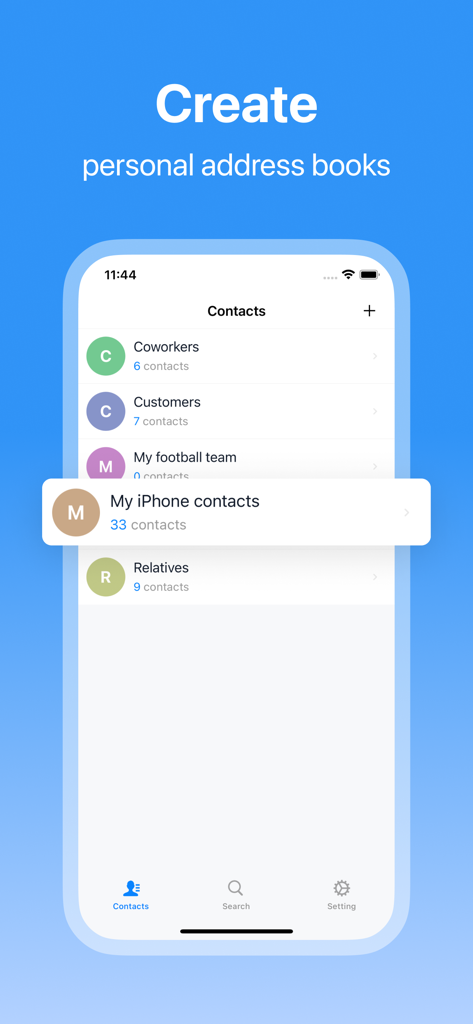
SA Contacts app interface showing organized contact lists including coworkers and customers

SA Contacts app interface showing organized contact lists including coworkers and customers

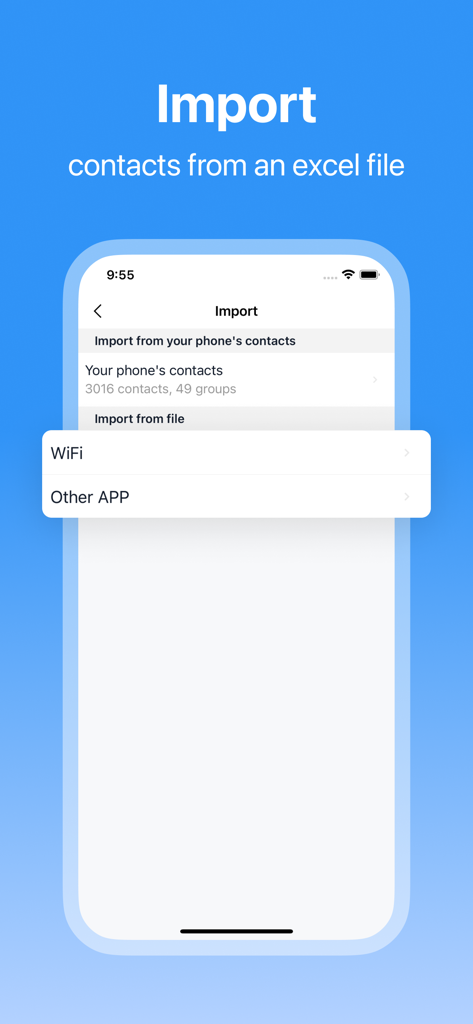
SA Contacts app screen showing options to import contacts from an Excel file

SA Contacts app screen showing options to import contacts from an Excel file

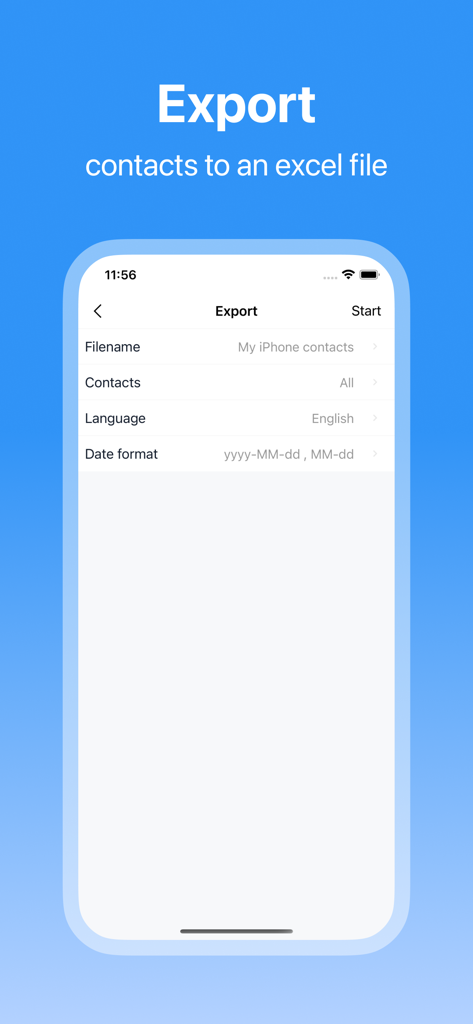
Interface of SA Contacts app showing options to export iPhone contacts to an Excel file

Interface of SA Contacts app showing options to export iPhone contacts to an Excel file

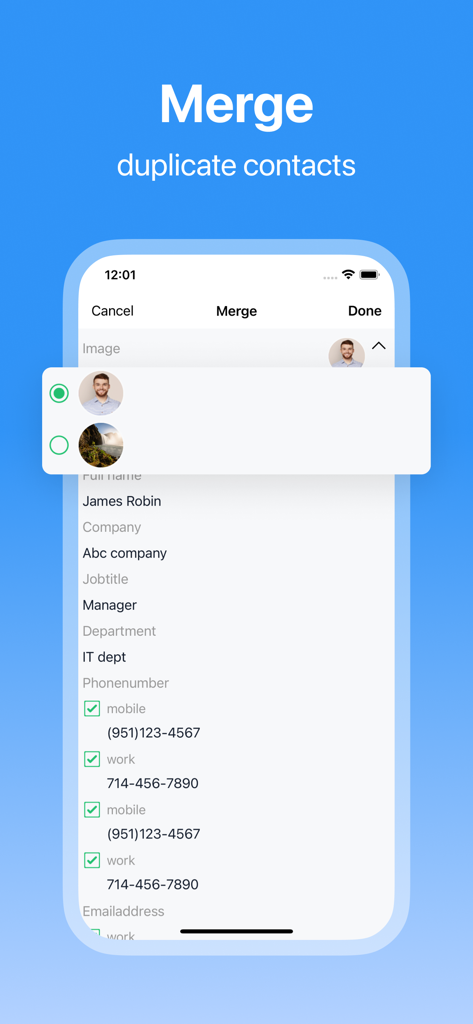
SA Contacts app screen showing the merge duplicate contacts feature

SA Contacts app screen showing the merge duplicate contacts feature

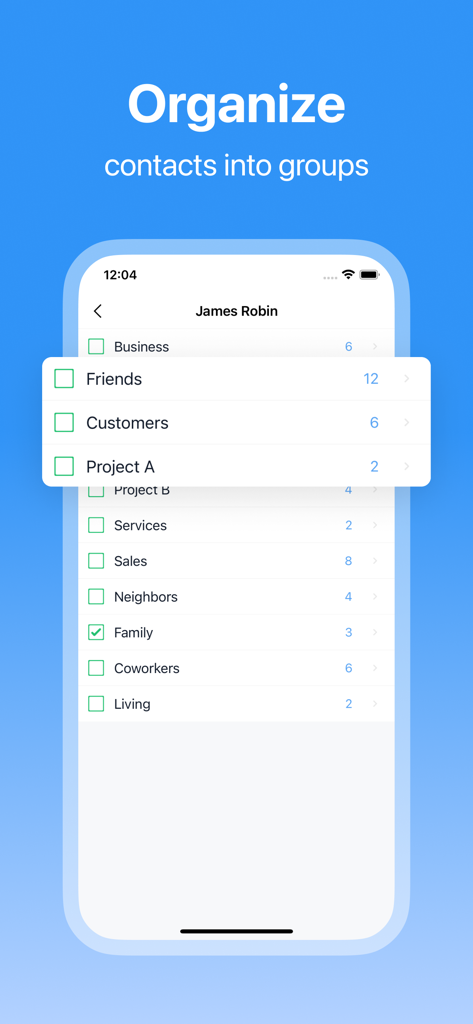
Interface of SA Contacts app showing a list of categories to organize contacts into groups like Business Friends and Customers

Interface of SA Contacts app showing a list of categories to organize contacts into groups like Business Friends and Customers

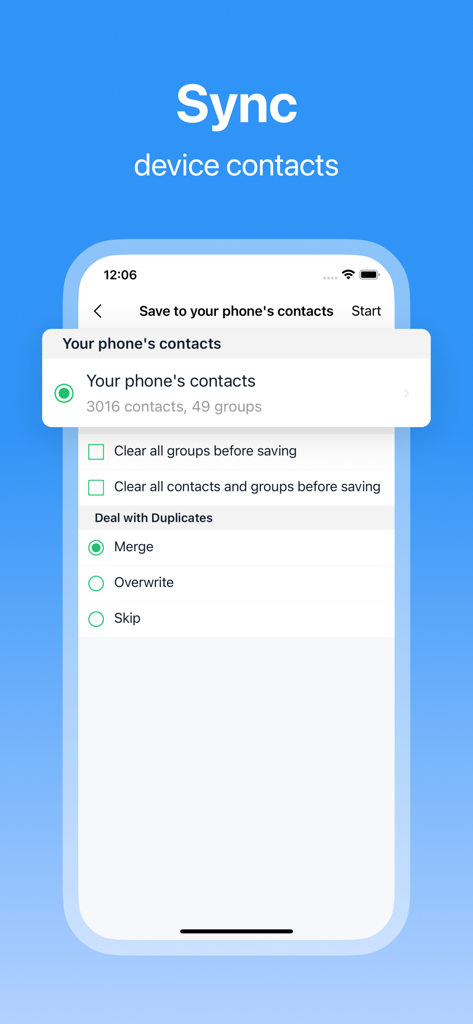
SA Contacts app interface for syncing device contacts and merging duplicates

SA Contacts app interface for syncing device contacts and merging duplicates

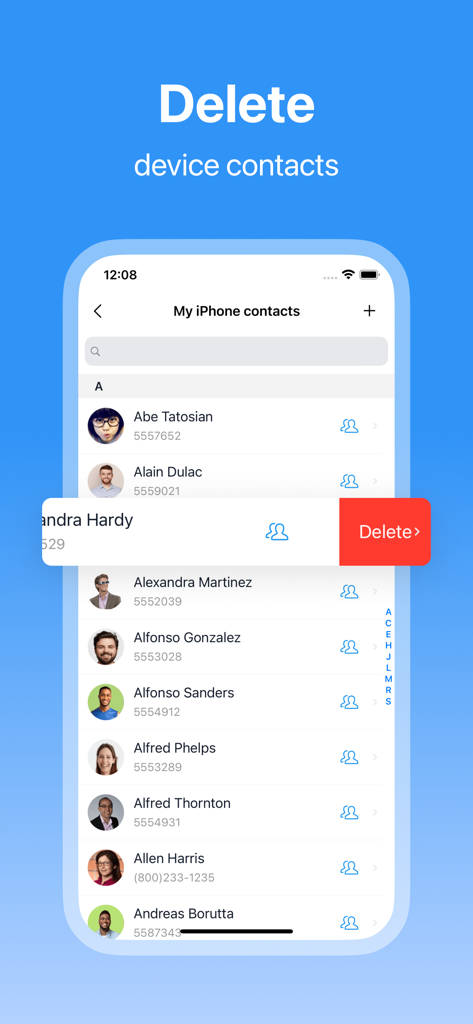
SA Contacts app screen showing a list of contacts with a swipe to delete option

SA Contacts app screen showing a list of contacts with a swipe to delete option

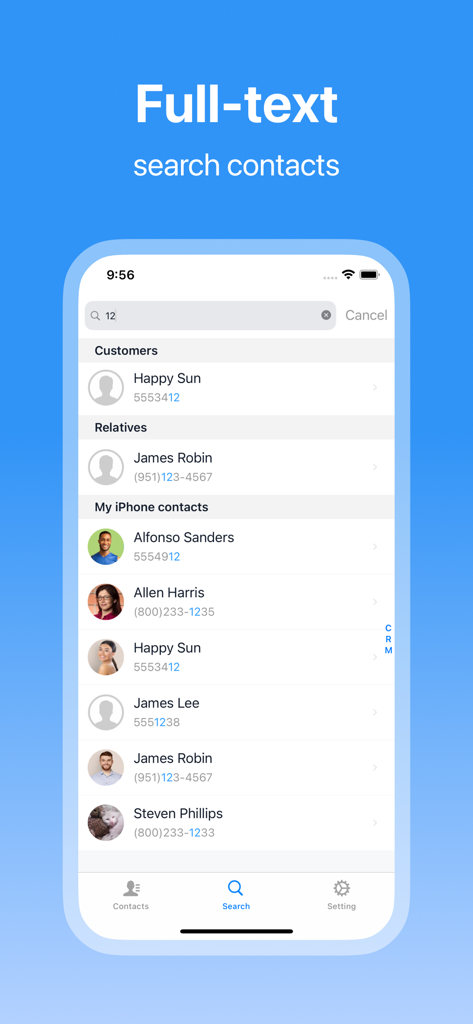
Full text search interface in SA Contacts app showing contact results with highlighted matching numbers

Full text search interface in SA Contacts app showing contact results with highlighted matching numbers

Master Your Professional Network

The tools that make this app stand out, trusted by 260K+ users.

📊

Seamless Excel Integration

Bridge the gap between mobile and desktop by importing or exporting your entire contact list into Excel with support for photos and custom fields.

🧹

Smart Duplicate Cleanup

Eliminate contact bloat with high-accuracy detection and batch merging to keep your business database organized and professional.

☁️

Secure Cloud Sync & Backup

Ensure your vital lead lists and client data are never lost with real-time synchronization and secure cloud storage backups.

About the app

Everything you need to know about SA Contacts.

Description

Looking for a more efficient way to manage your contacts? SA Contacts offers a one-stop solution that makes managing your address book a breeze. Whether it’s syncing, organizing, importing/exporting, or merging duplicates, SA Contacts has you covered, helping you handle your contacts with ease. Key Features: • Smart Sync: Manage a duplicate copy of your phone contacts with real-time sync, ensuring no data is ever lost. • Personalized Address Books: Create multiple local address books to suit your needs, and easily import/export contacts. • Effortless Import/Export: Supports Excel and VCF formats for quick and easy contact management, with cloud storage integration for secure backups. • Accurate Merging: Automatically detect and merge duplicate contact information, keeping your address book clean and accurate. • Comprehensive Management: Batch clean up invalid contacts, quickly find the contacts you need, and manage contact groups effortlessly. • Unique Photo Support: Import and export contact photos, even embedding them into Excel cells for a more personalized address book. Additionally, SA Contacts provides a way for millions of existing users to continue using the old version, preserving their classic experience. Whether you’re a new or existing user, you’ll find the perfect management method in SA Contacts. SA Contacts makes it easy to handle any contact management needs, ensuring your address book stays organized. The Lite version offers all the features of the paid version without any usage limits, only with some ads. Download SA Contacts now and start a new journey in contact management!

Latest Version

3.5.2

Size

28.4 MB

First Released

Jul 1, 2010

Ready to Master Your Address Book?

Join over 260,000 professionals who trust SA Contacts for seamless Excel imports, automated duplicate merging, and secure backups. Download now to simplify your business workflow.

Download on App Store

App information, icons, screenshots, and descriptions displayed on this page are sourced from the Apple App Store and are the property of their respective developers. Download estimates and rankings are based on MWM's proprietary models and may not reflect actual figures. This page is provided for informational and analytical purposes only.

Believe this page infringes your intellectual property? File a dispute