Samplr

Samplr

Download on App Store
Logo of Samplr

Samplr: The Ultimate Multi-Touch Instrument for Creative Music Production

Transform audio into art with 8 experimental play modes and gesture recording. Discover why top artists like Fred again.. choose Samplr for tactile live performances and studio exploration.

Download on App Store

Publisher

Marcos Alonso

Category

Music

Downloads

0

User Rating

4.4/5

Total Ratings

0

Locales

4

Touch the Sound

Discover the interface used by 0 users.
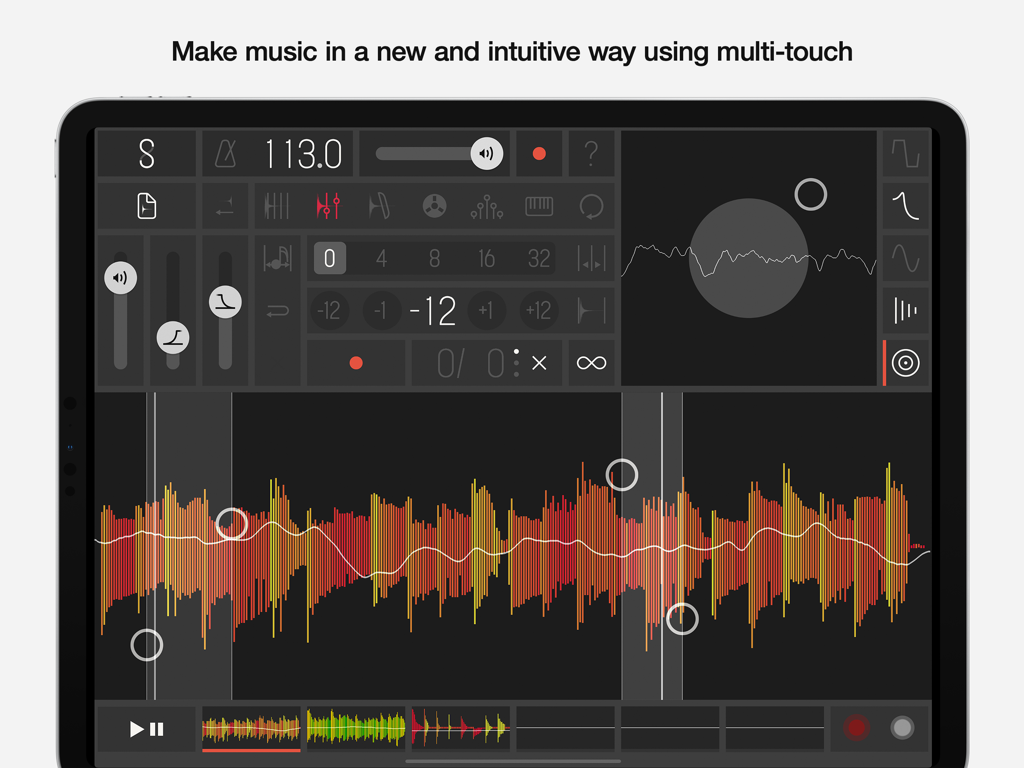
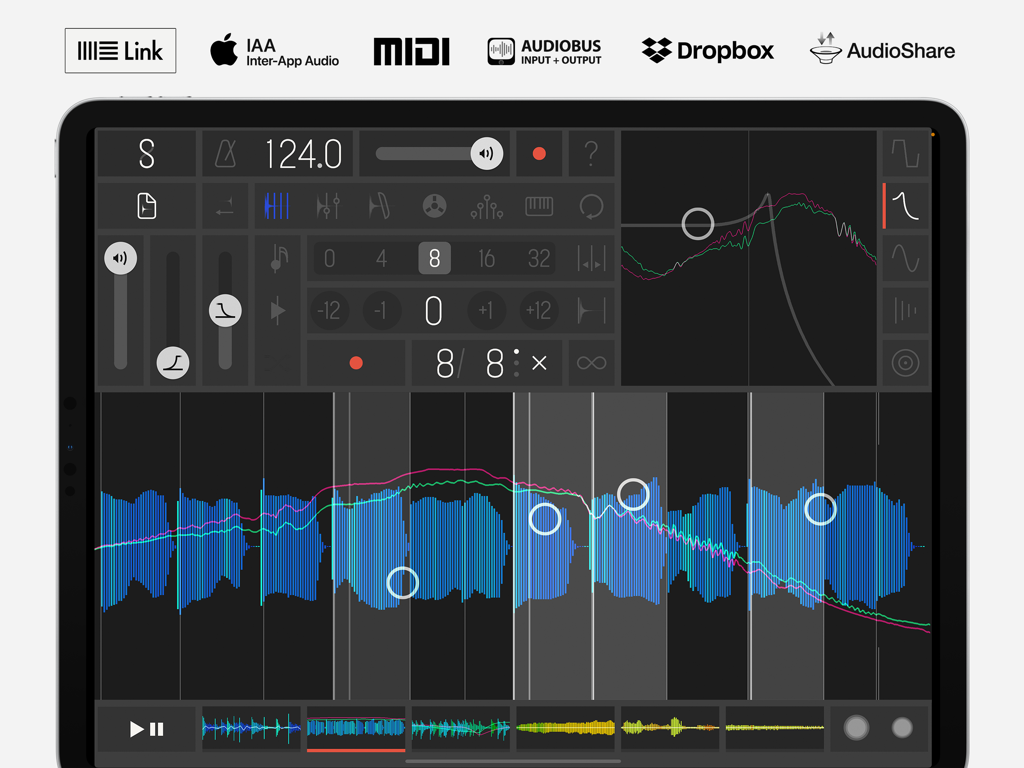
Samplr iPad app interface showing multi-touch audio waveform manipulation and professional music production tools

Samplr iPad app interface showing multi-touch audio waveform manipulation and professional music production tools

Interface of the Samplr app on iPad showing audio waveform manipulation with multitouch controls and professional music tools

Interface of the Samplr app on iPad showing audio waveform manipulation with multitouch controls and professional music tools

Touch Your Sound

The tools that make this app stand out, trusted by 0 users.

šŸ–ļø

8 Expressive Play Modes

From granular synthesis to real-time scratching, manipulate audio samples with 8 unique play modes built for multitouch interaction.

āž°

Instant Gesture Recording

Capture your creative flow by recording your hand movements to create complex, evolving sequences without the need for a grid.

šŸ”Œ

Pro Studio Connectivity

Seamlessly integrate into your professional workflow with Ableton Link, MIDI sync, and Audiobus support for studio or live use.

About the app

Everything you need to know about Samplr.

Description

The app used by renowned musicians like Fred again.., Richard Devine, Apparat, Weval or Matmos live and in the studio. Samplr introduced a brand new way to make music, only possible on multitouch devices. Explore the samples melody and texture using the different play modes and create compositions with the gesture recorder. Samplr is the ideal tool for audio experimentation, music composition and live performance. USER REVIEWS ā€œThe most profound audio manipulation tool on iOSā€ 5 stars ā€œThere is NOTHING on the market hardware or software like thisā€ 5 stars ā€œStunningly beautiful interface and exceptionally easy to useā€ 5 stars ā€œThis is the most musical app I've ever used. It's polished, it's musical, it's fun, it's inspiringā€ 5 stars ā€œIt’s the best realization of what touch screen sampling should beā€ 5 stars FEATURES • 8 play modes: Slicer, Looper, Granular, Tape, Scratch, Arpeggiator, Keyboard and Loop Player • Gesture recorder for sequencing • Audio input recording and resampling • 6 sample slots (x16 voices) • 5 effects per sample: Distortion, Filter, Amplitude Modulator, Feedback Delay and Reverb COMPATIBILITY • Ableton Link • MIDI Keyboard, Controller and Sync input • IAA (Inter-App Audio) • Audiobus Input and Output • WAV and AIFF file support • Import files from iCloud Drive, Dropbox, AudioShare, etc Learn more and see how it works on samplr.net. For feedback or support please reach out to support@samplr.net

Latest Version

1.5.1

Size

49.5 MB

First Released

Nov 13, 2012

Join the World's Most Innovative Producers

Download Samplr today and turn your iPad into a tactile performance instrument. Experience the flow state trusted by Fred again.., Apparat, and Richard Devine.

Download on App Store

App information, icons, screenshots, and descriptions displayed on this page are sourced from the Apple App Store and are the property of their respective developers. Download estimates and rankings are based on MWM's proprietary models and may not reflect actual figures. This page is provided for informational and analytical purposes only.

Believe this page infringes your intellectual property? File a dispute